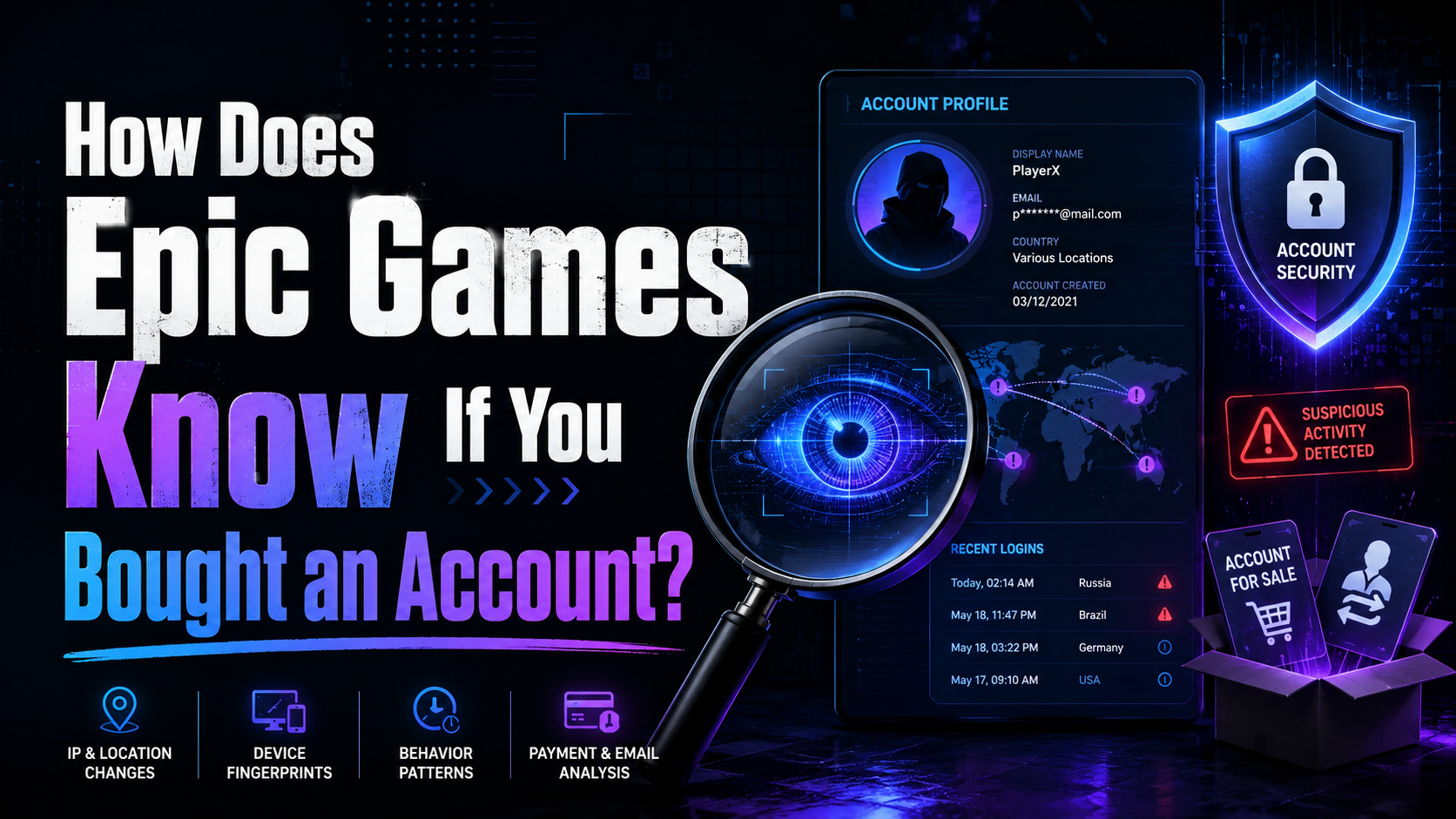

How Does Epic Games Know If You Bought an Account?
Have you ever been tempted to buy a "stacked" Fortnite or Rocket League account loaded with rare skins and premium items? You are certainly not alone — the secondary market for gaming accounts is booming. However, buying, selling, or sharing accounts strictly violates Epic Games' Terms of Service. If caught, the account gets permanently banned, leaving you out of pocket and locked out of the game.
This raises an important question: how does Epic Games actually know if you bought an account?
The truth is, modern anti-cheat and account security systems are incredibly sophisticated. Below, we'll dive deep into exactly how Epic Games tracks account ownership, how to navigate their security protocols, and everything you need to know to keep your digital identity secure.

The Digital Footprint: How Epic Games Spots a Bought Account
Epic Games does not manually monitor every single login. Instead, they rely on automated security flags. When you buy an account from someone else, you inherently trigger several of these red flags all at once.
1. Sudden IP Address and Geolocation Changes
If an account has been played exclusively in one city for years and suddenly logs in from a completely different country — within minutes — the system notices. While a vacation might trigger a minor flag, a permanent shift in location combined with other anomalies is a strong indicator of an account sale.
2. Hardware ID (HWID) Shifts
Every time you play, Epic Games logs the Hardware ID of your PC or console. If an account suddenly gets accessed from a machine with entirely different hardware components — a new motherboard, GPU, and CPU — it triggers an alert in the system.
3. Immediate Credential Changes
What is the first thing a buyer does after purchasing an account? They change the email address, update the password, and try to unlink connected console accounts. This flurry of administrative changes, especially combined with a new IP and HWID, almost always triggers an epic games account verification lock. Epic will pause the account and demand proof of original ownership.
4. Billing Anomalies
If an account that historically used a specific PayPal account or credit card suddenly starts making V-Buck purchases with a brand-new card registered in a different name and country, the system flags the account for suspicious activity.

Troubleshooting Verification Roadblocks
When Epic's system detects suspicious activity, it locks the account to protect the original owner. To lift this lock, you must verify your identity. Even legitimate players sometimes run into frustrating epic games issues during this process.
Not Receiving Your Verification Codes?
One of the most common complaints is the epic games account verification email not sending problem. You are trying to log in, but the inbox stays empty. If you're asking "why is my epic games security code not sending?", here are a few likely culprits:
- Spam/Junk Folders: Always check these first — automated emails often get filtered out.
- Server Delays: During massive updates or live events, Epic's servers can bottleneck. To fix an epic games email verification delay, wait 10–15 minutes before requesting another code. Spamming the "resend" button will only push you to the back of the queue.
- Typographical Errors: Double-check that the email address linked to your account doesn't have a typo.
If you are completely locked out, reach out via epic games help through their support portal. Be prepared to provide original purchase receipts, the original display name, and the IP address where the account was created to recover lost epic games account access.
Deleting an Account
Sometimes players want to wipe their data entirely. However, if you search for how to delete an epic games account without verification, you will hit a brick wall. Epic Games mandates strict verification before deletion to prevent malicious actors from permanently destroying someone else's game library. If you cannot access your email, you must contact Epic Support and go through a manual review process.

Leveling Up Your Security: The Epic Games MFA Setup Guide
The absolute best way to protect your Fortnite account from unauthorized login — and prevent false flags on your legitimate account — is to enable Multi-Factor Authentication (MFA). Here is a quick epic games mfa setup guide to get your account locked down tight.
Managing multiple online accounts in different environments is a common challenge, not just in gaming but also in affiliate marketing, e-commerce, and social media management. Tools like antidetect browser solutions help users isolate sessions, fingerprints, and login environments — ensuring each account operates independently without triggering security flags.
Step 1: Access Your Security Settings
Log into your Epic Games account via a web browser. Click on your profile icon in the top right corner and select "Account." From the left-hand menu, navigate to the manage account security settings dashboard.
Step 2: Choose Your Authentication Method
Epic Games offers several ways to set up two-factor authentication. When weighing SMS vs. email authentication for gaming, keep in mind that SMS is convenient, but authenticator apps are significantly more secure against SIM-swapping attacks. The best authenticator apps for Fortnite and the broader Epic ecosystem include Google Authenticator, Microsoft Authenticator, and Authy.
Step 3: Link Your Consoles Properly
If you play on PlayStation, Xbox, or Nintendo Switch, securely link your console account to your Epic Games identity. Doing this from your secured dashboard ensures progress syncs safely across all platforms without triggering security flags. You can also safely authorize third-party app access from the same dashboard, so tracking sites or community tools don't compromise your login details.
The Perks of Staying Secure
Setting up MFA isn't just about stopping hackers — Epic Games actually rewards you for taking your security seriously. Enabling it unlocks several in-game features:
- Fortnite Gifting and Emotes: You must enable Fortnite 2FA for gifts if you want to send skins or battle passes to friends. As a bonus, Epic rewards players who secure their accounts — enabling 2FA automatically drops the Boogie Down emote into your locker.
- Rocket League Trading: To cut down on scammers and stolen items, Psyonix implemented strict trading requirements. You cannot trade items unless both accounts have 2FA enabled and meet specific playtime requirements.
- Competitive Play: If you aim to play in official tournaments or cash cups, MFA is mandatory. The competitive play eligibility requirements strictly state your account must be verified with two-factor authentication.

What to Do If You Trigger a False Flag
Let's say you didn't buy an account. You just moved to a new place, built a new gaming PC, and changed your email address. You've accidentally triggered every red flag Epic Games has. What do you do?
Don't panic. Epic Games understands that life happens. When the automated system locks your account, open a support ticket and gather the following information to prove you are the original owner:
- IP Addresses: The city and state where you originally created the account.
- Purchase History: Invoice IDs from your earliest V-Bucks or game purchases.
- Linked Accounts: The dates you linked your Xbox, PlayStation, or Twitch accounts.
- Original Details: The very first display name and email address used on the account.
By providing this information, a human support agent can easily confirm you are the legitimate owner experiencing a major life change, rather than a buyer who purchased login credentials from a shady forum.
This principle of managing digital identities carefully applies far beyond gaming. For users who quản lý nhiều tài khoản across platforms — whether for affiliate marketing, ads, or e-commerce — maintaining clean, separate environments for each account is essential. Hidemium is an antidetect browser that supports multiple browser profiles, helping users isolate fingerprints, proxies, cookies, and login sessions to keep each account independent and secure.
Conclusion
Buying an Epic Games account might seem like a shortcut to rare skins and high-tier competitive ranks, but it is a massive gamble. Between IP tracking, hardware IDs, credential change detection, and billing anomalies, Epic has built a robust system designed to catch account trading.
Instead of risking a permanent ban, invest your time in securing the account you already own. By understanding how the verification process works, setting up a solid authenticator app, and managing your digital footprint carefully, you can enjoy all the perks of the Epic Games ecosystem safely. Stay secure, protect your loot, and we'll see you on the battle bus!
Related Blogs

As campaign scale increases, managing multiple advertising accounts on a single computer becomes a necessity for media buyers and agencies. However, using conventional browsers like Chrome to log into multiple Facebook Ads accounts carries a significant risk of “mass suspension”—a single account violation can potentially impact the entire system.The root cause lies not only in ad content, but[…]
.png)
Residential proxies enable breathing of browsing software. Residential proxies are more effective at connecting you than data center proxies since they originate from actual devices. Reading this post right now if you’re unsure about the circumstances under which and from whom to get a residential proxy.What is a residential proxy?Proxies are more difficult to identify than datacenter IPs because[…]
Growing on Facebook isn’t as simple as posting consistently. Pages with low follower counts often struggle to build trust, even if their content is strong. When new visitors land on your page, the first thing they notice is your numbers. If those numbers look inactive, many users leave before engaging.That’s why many creators, brands, and businesses look for the best site to buy Facebook[…]

In the digital age, increasing YouTube comments has become an essential platform for sharing content and engaging with your audience. Comment count is not only a measure of viewer engagement but also an important factor in improving your video’s ranking on the platform. Here are 5 effective ways to increase comments on your YouTube videos.1. Ask smart questions to encourage viewers to commentWhen[…]
The choice AweSun – secure remote access software plays a vital role in helping large businesses, freelancers, and remote workers overcome the barriers of connecting and controlling computers in different locations. The right tools will give you the ability to seamless collaboration, session access and remote file transfer fast, efficient troubleshooting support anywhere in the world.To help you[…]
In today's digital age, online account security is an important factor for every user. YouTube, the world's largest video sharing platform, is no exception. A hacked YouTube account can lead to loss of data, videos, and even personal or business reputation. In this article, learn how to recover a hacked YouTube account effectively with Hidemium Antidetect Browser.1. How to know if your YouTube[…]
