
LinkedIn Premium offers a variety of plans to suit every professional's needs. In this article, you'll learn how to get LinkedIn Premium for free completely, along with a list of outstanding offers in 2025.
Whether you're looking for a job, generating leads, growing your business, or recruiting top talent, LinkedIn Premium is the tool to help. Plus, Hidemiumalso share one New alternatives in 2025, helping you exploit marketing tools without worrying about costs.
1. Overview of LinkedIn Premium packages
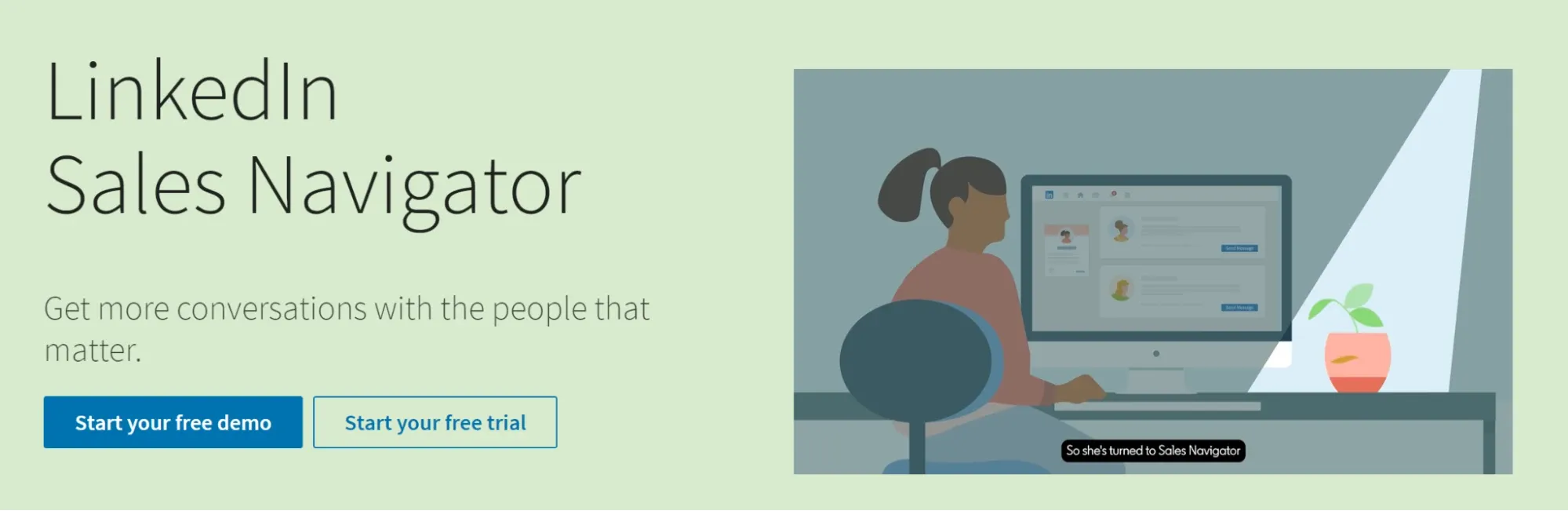
1.1 LinkedIn Sales Navigator
The ultimate tool for sales professionals, helping to find and manage potential customers effectively with advanced features.
Outstanding features: Advanced search, lead suggestions, CRM integration.
Suitable for: Business specialist, market development manager.
1.2 LinkedIn Premium Business
Aimed at business owners and executives who want to expand their professional network, stay up to date on industry trends, and make data-driven strategic decisions.
Outstanding features: Detailed business information, expanded profile views, Premium Learning access.
Suitable for: Businessman, CEO.
1.3 LinkedIn Premium Career
The optimal solution for those looking for new job opportunities or wanting to change careers, helping candidates stand out and understand the labor market.
Outstanding features: Detailed job information, candidate data, InMail messages.
Suitable for: Job seekers, people who want to change careers.
1.4 LinkedIn Recruiter
Comprehensive tool for recruiters, supporting effective talent search, access and management.
Outstanding features: Advanced candidate filtering, job posting, candidate tracking.
Suitable for: Recruiter, human resource manager.
1.5 LinkedIn Learning
Learning platform with thousands of courses, from soft skills to in-depth techniques, meeting all career development needs.
Outstanding features: Unlimited access to professional courses.
Suitable for: Lifelong learner, upskilling professional.

>>> Learn more: Restricted LinkedIn Account: Causes and Effective Solutions
2. Why many people look for ways to use LinkedIn Premium for free
Overcome free account limits
Many people turn to LinkedIn Premium to get rid of the limitations of the free plan, like the limit on the number of InMails per month or the number of times you can use advanced search filters. With Premium, you get expanded access to these features and many other tools that make it easier to reach potential customers or partners.
Increase lead generation efficiency
For sales professionals and recruiters, LinkedIn Premium is a powerful tool for prospecting and growing your lead pipeline. When paired with a reliable Linkedin lead generation tool, it becomes even more effective in driving targeted results.
Enhance your recruiting advantage
Recruiters can leverage advanced search and InMail to reach top candidates. The free trial gives them the opportunity to test the real-world impact of these features before investing in a paid plan.
>>> Learn more: Can't Verify Your LinkedIn Account? Here's How to Fix It
3. Try LinkedIn Premium for free
You want to experience LinkedIn Premium Free? Take advantage 1 month trial to explore all the premium features like Sales Navigator, Premium Business, Premium Career or Recruiter without paying any fees immediately.
3.1 How to start your free trial
Access LinkedIn Premium: Log in to your LinkedIn account, go to the Premium page to see service packages that suit your job search, business, sales or recruitment needs.
Choose the right Premium package: Each package is tailored to each career goal, ensuring you get the features you need.
Click “Start Free Month”: After selecting the package, press this button to start.
Enter payment information: Fill in your credit card information to ensure a smooth upgrade. Rest assured, you will not be charged immediately.
Experience now: After confirmation, you can use all Premium features for 30 days.
Note: Each account is only eligible for free trial once a year. If you have used it, you need to wait 12 months to re-register.
3.2 Tips to get 50% off LinkedIn Premium for 2 months
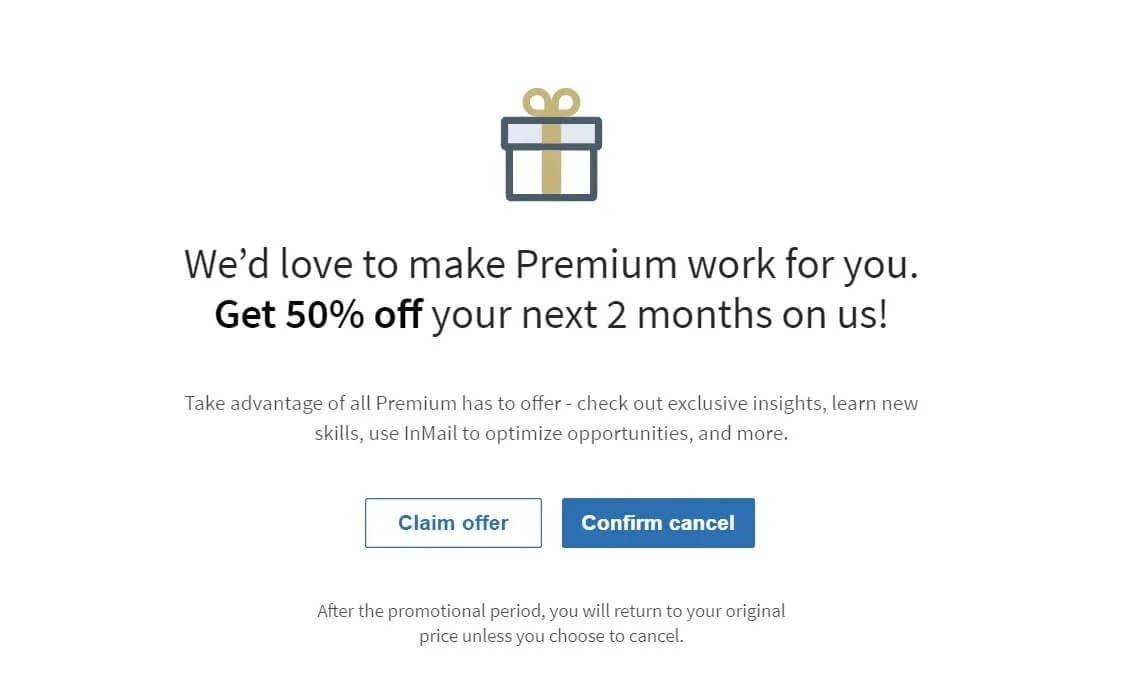
If you don't want to pay the full cost, you can get 50% off for 2 months by:
Enter Settings & Privacy from the “Me” menu on LinkedIn.
Select Registration & Payment → Premium Account Management.
Unsubscribe and continue with the cancellation steps.
When asked why, choose “Too expensive”.
LinkedIn will send immediately 50% off, just accept and you can continue using Premium at a preferential rate.
3.3 LinkedIn Premium is free for students
Students can receive LinkedIn Premium Free through LinkedIn's special offers. Typically, the platform offers a 30-day trial for new users, but sometimes students get up to 6 months free Premium.
To take advantage, make sure your LinkedIn profile is complete and fully optimized. Next, go to the “Premium” section and look for student-specific offers. Many universities now partner with LinkedIn to offer extended trials, so check to see if your school has one.
With LinkedIn Premium, you'll get access to advanced features like InMail, profile insights, and a course library LinkedIn Learning – powerful tools to support job search and skill development at a low cost, even free.
3.4 LinkedIn Premium Free from LinkedIn Employees
LinkedIn employees often get 6 months free Premium as a special privilege. Many of them are willing to share this discount code to support the community. However, you need to meet some requirements to receive the offer.
How to find LinkedIn employees who give away Premium codes:
Using the LinkedIn search bar, enter keywords like #linkedinpremium or #plusonepledge.
Filter results by category Post to see related shares.
Select Sort by: New to easily find recently announced offers.
When found giveaway post Premium free, please contact with courtesy and transparency.
Be honest and specific: State why you need Premium and how it supports your career path.
State your needs clearly: Explain how you'll use Premium, such as to find a job with advanced tools or learn more skills on LinkedIn Learning.
Personal information security: Only accept coupon codes, never provide login information. If anyone asks for account access, it is most likely a scam.
3.5 LinkedIn Premium Career is free for Visual Studio users
Visual Studio Dev Essentials is a program designed by Microsoft specifically for the programming community, providing many attractive benefits such as access to professional tools and a high-quality online course repository.
One outstanding advantage is all Visual Studio Dev Essentials membersall possibleAccess LinkedIn Learning for free through package LinkedIn Premium Career. This is an ideal opportunity to enhance your skills, expand your knowledge and improve your LinkedIn profile.
Outstanding benefits:
Unlimited Learning: Access thousands of quality courses from LinkedIn Learning.
Increase your profile credibility: Complete the course and get a certificate to enhance your LinkedIn profile.
Completely free: Try it for 1 month without providing credit card information.
How to activate LinkedIn Premium Career for free:
Create a Microsoft account (if not already).
Tham gia Visual Studio Dev Essentials on the official site, select “Join Now”.
Enter the Benefits Page in the Visual Studio Dev Essentials portal.
Select offer LinkedIn Learning and press “Activate”.
Complete on LinkedIn to start using Premium Career for free.
3.6 LinkedIn Sales Navigator free by referral
In addition to the 1 month trial, you can Get 2 months free of Sales Navigator through the program Introducing Sales Navigator. This program allows you or your 1st level connections to refer each other to leverage search engines and stronger customer connections.
How to get referrals:
Referrer logs into Sales Navigator and selects "Introduce".
Enter the name of the person you are referring to and press "Send".
The referred person will receive an email to activate the free package.
Conditions apply:
You are Level 1 connection with the referrer.
Presently Not using LinkedIn Premium any.
Haven't tried LinkedIn Premium yet.Last 12 months.
4. Hidemium: Solution to run multiple LinkedIn accounts instead of LinkedIn Premium
For marketers, recruiters, and businesses looking to find leads, anti-detection browsers likeHidemiumbecomes a powerful support tool. This solution allows to manage multiple LinkedIn accounts simultaneously smoothly, securely and removes limitations from the platform.
Is a prestigious brand in the field antidetect browser, Hidemium is highly rated by the community and voted by G2 users as The Easiest Browser to Use 2025. Not only does it replace some of LinkedIn Premium's features, Hidemium also helps save costs while still maximizing performance on LinkedIn.
Free LinkedIn Premium Alternative
If you don't want to pay for LinkedIn Premium, you can take advantage of free trials, promotional offers, or access through school and employer partners. Additionally, using LinkedIn's free plan Hidemium Running multiple LinkedIn accounts is also an optimal solution, helping to overcome Premium limits without incurring any costs.
Combining Hidemium with features like advanced search, InMail messaging, and LinkedIn Learning will help you expand your network, develop your skills, and improve your productivity on the platform.
>>> Learn more: Best Antidetect Browser: Top Pick for Managing Multiple Accounts
5. FAQ
1. What is LinkedIn Premium?
LinkedIn Premium is an advanced service package provided by LinkedIn, providing many features to support expanding connections, developing professional skills and finding job opportunities. Popular packages include Sales Navigator, Premium Business, Premium Career, Recruiter, same access LinkedIn Learning.
2. How to get LinkedIn Premium for free
You can experience LinkedIn Premium for free through the following methods:
Free Trial: LinkedIn offers a standard trial for its Premium plan.
Promotional offers: Take advantage of special discounts or offers.
Exclusive program:Veterans and qualified journalists will be granted free access.
Education & Business Cooperation: Some universities or companies support Premium access for students and employees.
Alternative solution: Use Hidemium to manage multiple LinkedIn accounts for free, helping to overcome premium plan limits at no cost.
3. How to Get the Most Out of LinkedIn Premium
Use advanced search filters and features In Mail to connect with experts.
Learning through LinkedIn Learning to improve skills and professional knowledge.
Actively participate in industry groups on LinkedIn to expand your network.

Related Blogs

You are looking for answers to the question “What is SD-WAN?”and why is this technology increasingly mentioned in the context of digital transformation? Whether you are a system administrator, business owner or simply someone interested in optimizing network systems, this article from Hidemium AntiDetect Browser will help you understand SD-WAN technology and the value it brings to your[…]
Creating an account to sell on Amazon is not easy for sellers. However, locked Amazon accounts are even more common problems. Losing an account is a significant loss for those who trade even for a day. This is unavoidable in the sales process. So what can you do when Amazon ban your account? Or how […]

In the digital era, online platforms such as Facebook, Google, TikTok, Amazon, Shopee, and others continuously leverage AI and Big Data to analyze browser fingerprints, user behavior patterns, and connections between accounts. This puts individuals and businesses managing multiple accounts at high risk of suspension if they lack the right solution. Antidetect browsers have emerged as a “shield,”[…]
.png)
Due to the nature of Telegram, large-scale Airdrop games cannot run on browsers and can only be played on mobile devices, causing inconvenience for players, especially with games like Hamster Kombat. To address this issue, Hidemium has developed an exclusive extension to Bypass Telegram Game Bots. This tool allows users to easily participate in Telegram Airdrops directly from the browser, saving[…]

Tùy theo mục đích quản lý proxy của anh em nhé, màn hình này sẽ cho thấy bạn đã và đang dùng proxy nào, cho phép bạn check live sống chết của proxy ra sao, cho phép bạn tìm kiếm truy vấn filter theo proxy type, country, ISP, status… Ok giờ chúng ta đi vào […]

