How to Integrate IPRoyal with Hidemium — Complete Privacy at Your Fingertips
Try Hidemium for free

How to Integrate IPRoyal with Hidemium — Complete Privacy at Your Fingertips
In today’s digital landscape, privacy, speed, and scalability are crucial. Whether you’re a digital marketer, developer, or eCommerce entrepreneur, managing multiple accounts and operations demands tools that are secure, seamless, and efficient.
That’s why combining Hidemium with IPRoyal creates a powerful solution — one that maximizes anonymity, minimizes detection, and supercharges your workflows. In this guide, we’ll walk you through how to integrate IPRoyal proxies into Hidemium, step-by-step.
Why Use Hidemium?
Hidemium is a modern antidetect browser trusted by professionals across the globe. It offers strong identity protection and allows users to manage countless digital personas with ease.
What Makes Hidemium Stand Out:
- Create unlimited browser profiles with unique fingerprints
- Native support for HTTP/SOCKS proxies
- Built-in automation and session isolation
- Ideal for social media management, scraping, dropshipping, and ad verification
- Clean UI and cross-platform performance
When paired with high-quality proxies like those from IPRoyal, Hidemium becomes your one-stop solution for secure and scalable browsing.
Why IPRoyal?
IPRoyal is a reliable proxy provider offering access to:
✅ 50M+ ethically sourced residential IPs
✅ Rotating and sticky residential proxies
✅ Datacenter, mobile, and sneaker proxies
✅ HTTP, HTTPS, and SOCKS5 support
✅ Affordable rates starting at $1.75/GB
✅ 99.9% uptime and fast response speeds
Whether you're managing accounts across countries or bypassing geo-restrictions, IPRoyal’s flexible proxy network keeps you anonymous and undetectable.
How to Set Up IPRoyal Proxies in Hidemium
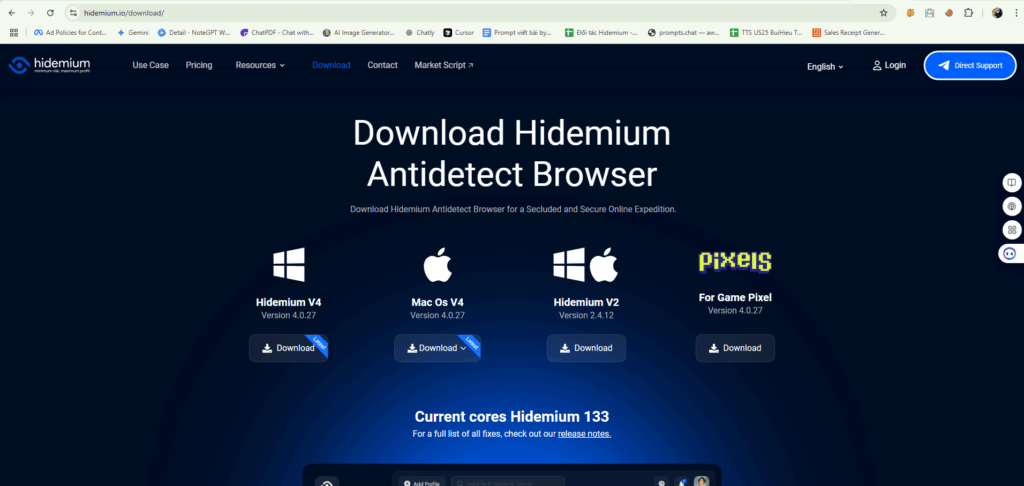
1. Download and Install Hidemium
Go to hidemium.io/download and install the latest version for your system.
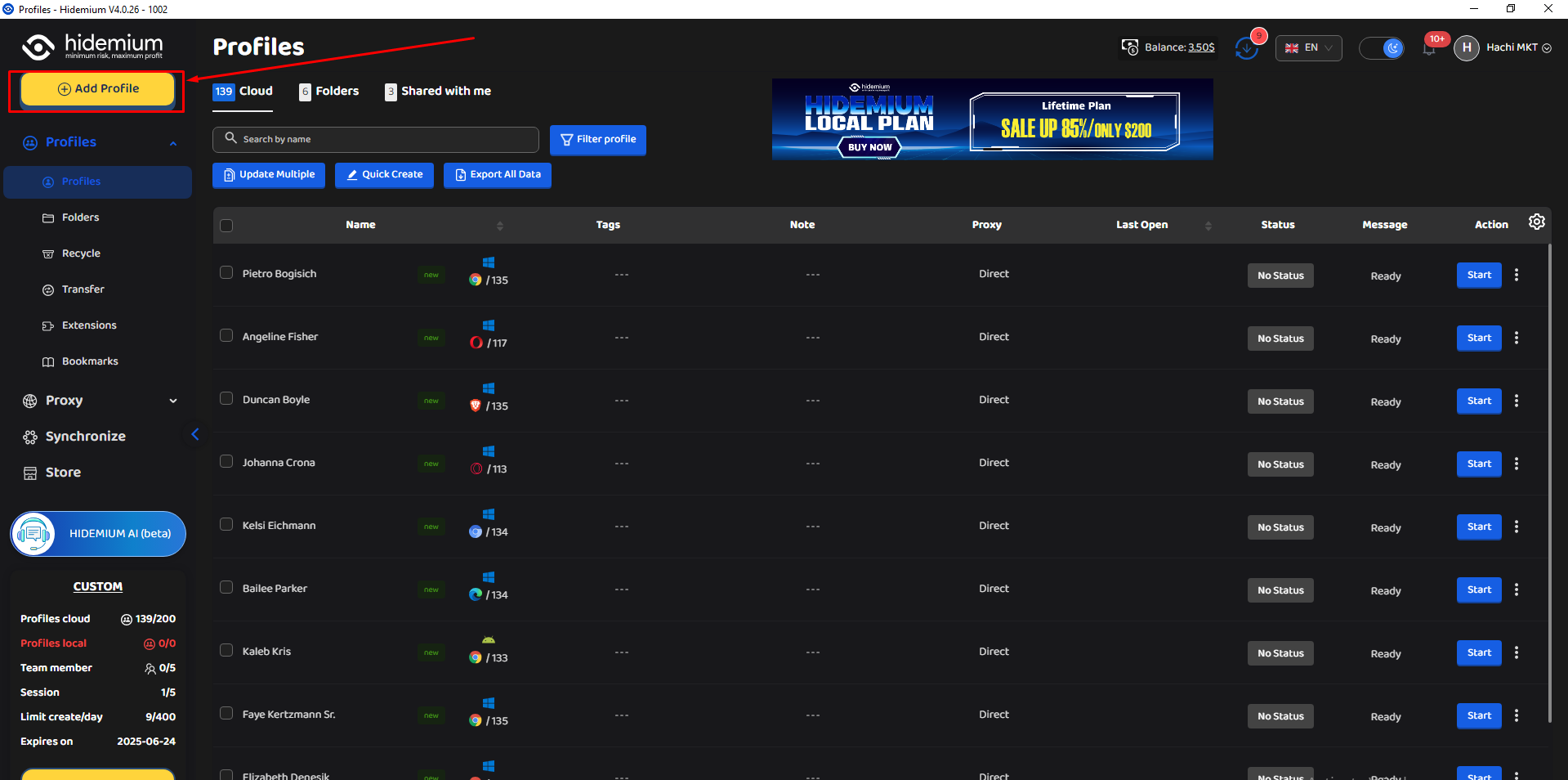
2. Log into Hidemium and Create a Profile
Once inside the Hidemium dashboard, click on “Add Profile” to get started.
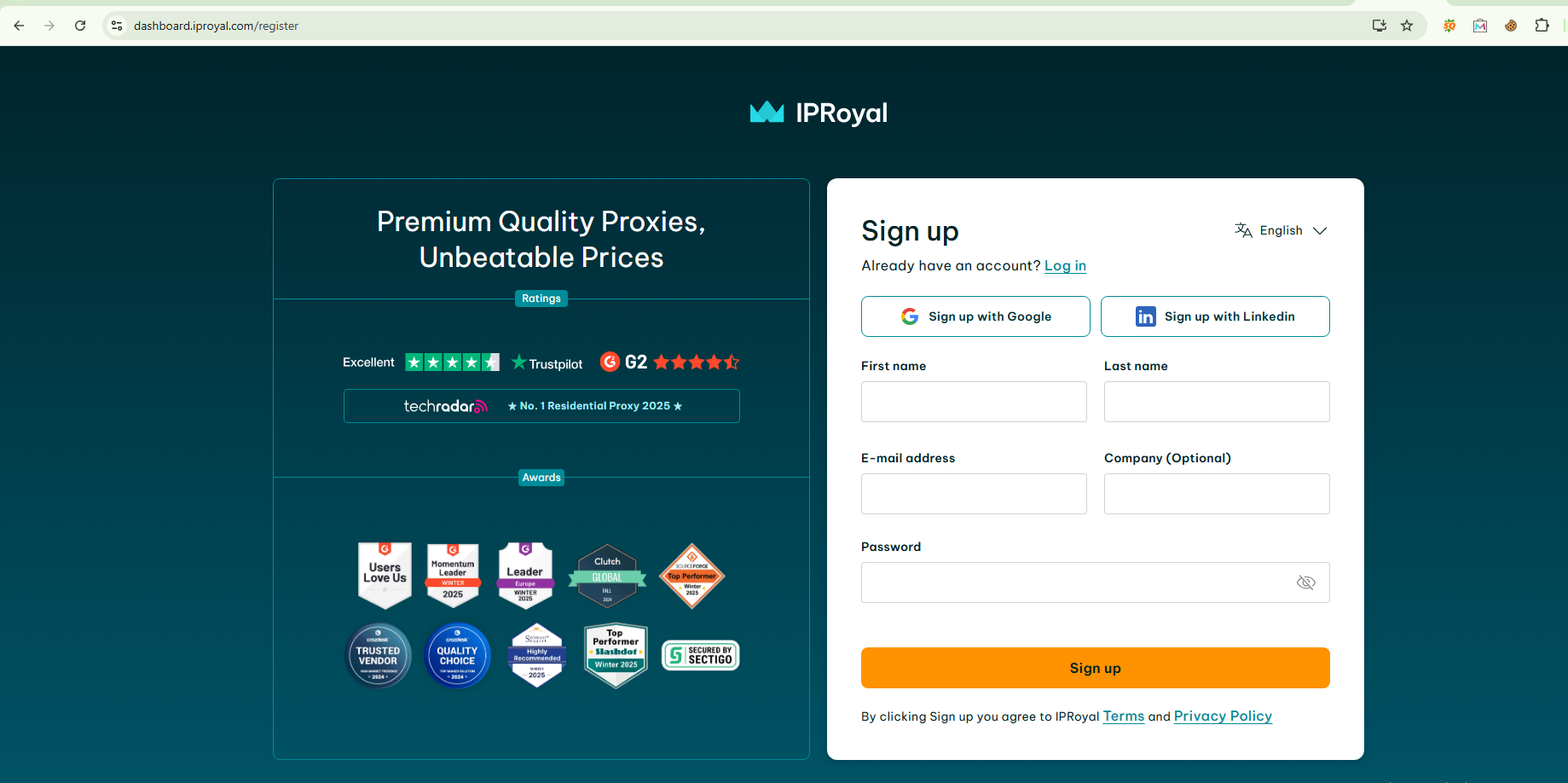
3. Sign Up or Log Into IPRoyal
Visit IPRoyal.com and log in or create an account.
4. After you have logged in, choose the proxy that suits your needs and buy it.
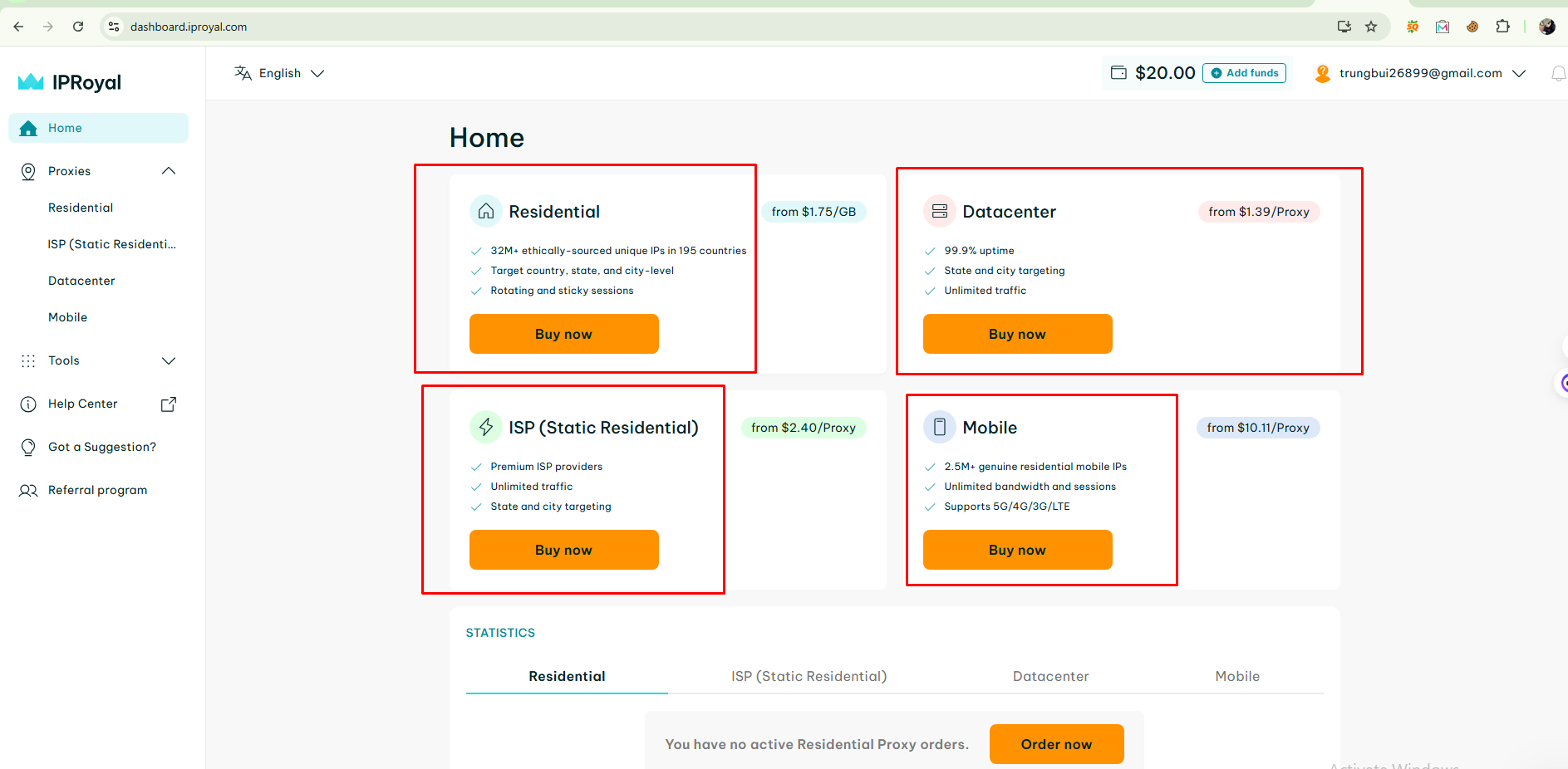
At IP Royal there are many types of proxies for you to choose from such as: Residential, Datacenter, ISP and Mobile Proxy.
5. Proxy access configuration options
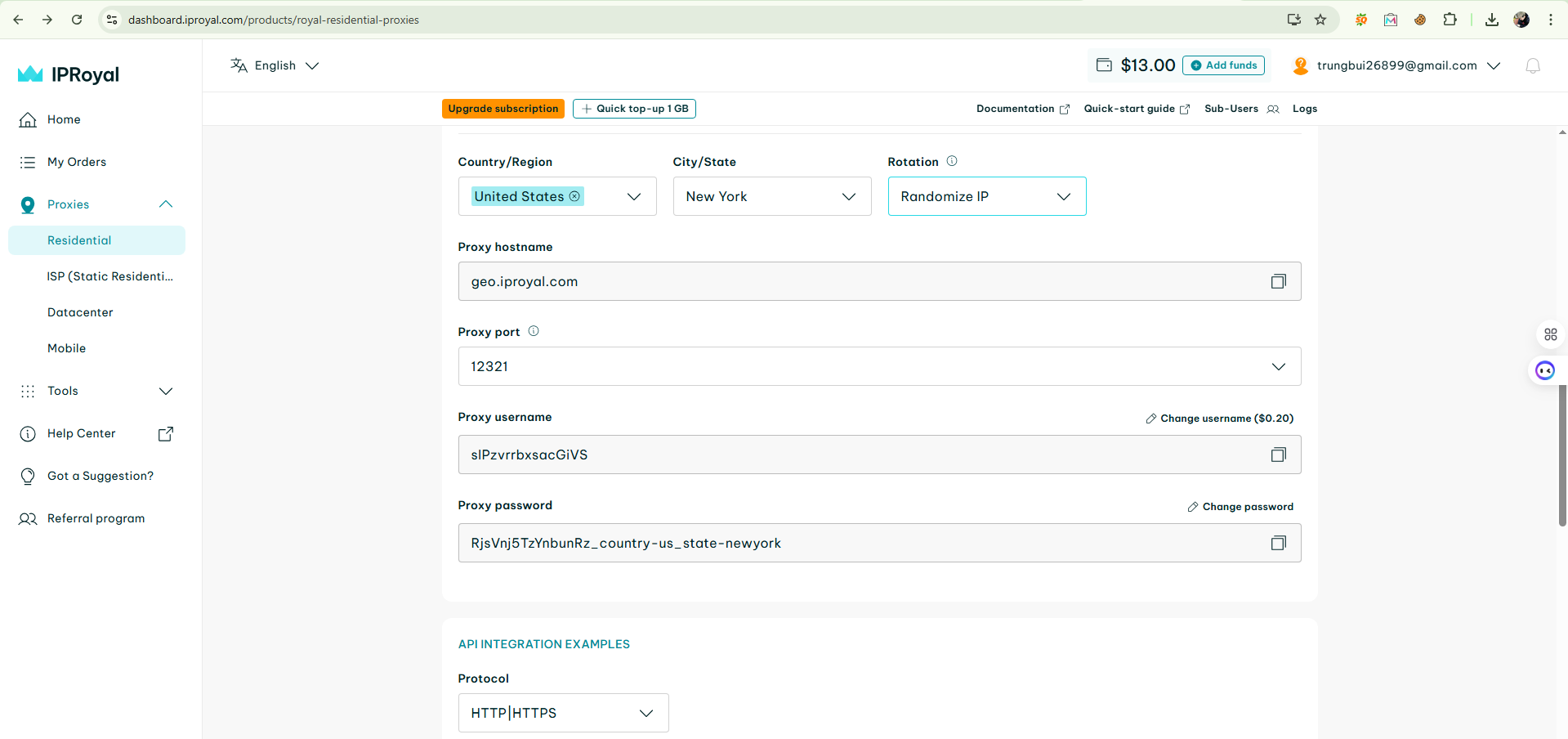
Next, select the IP location you want, here I choose the country as US and the city as New York, proxy format as Socks5, your proxy will be returned as HOST:PORT:USER:PASS or you can customize it.
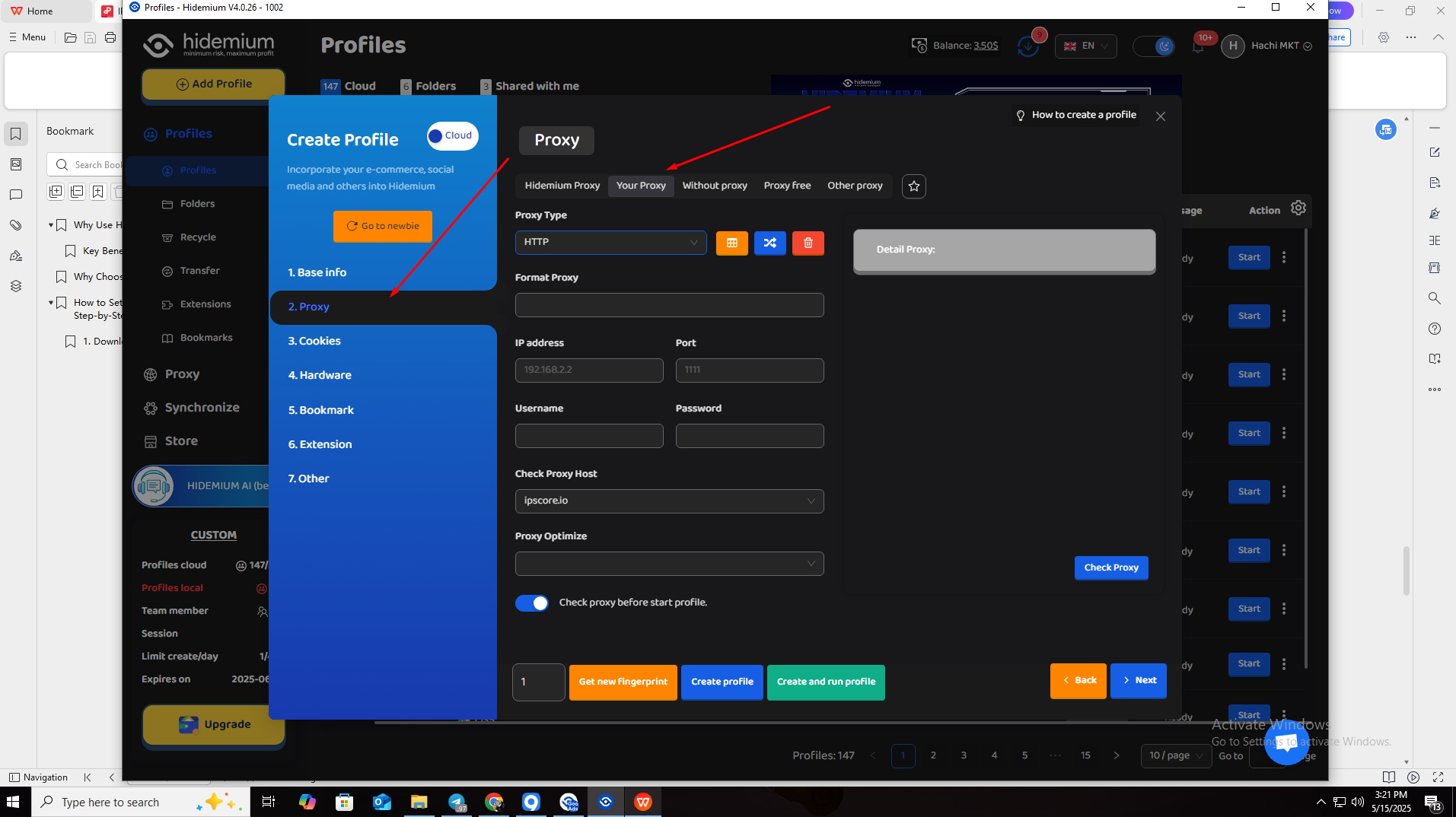
6. Back to Hidemium, after selecting add profile, click on the Proxy column and select Your Proxy
7. At your Proxy, you choose Proxy Type as HTTP|HTTPS, then fill in the parameters in Proxy as the IP parameters Royal provided
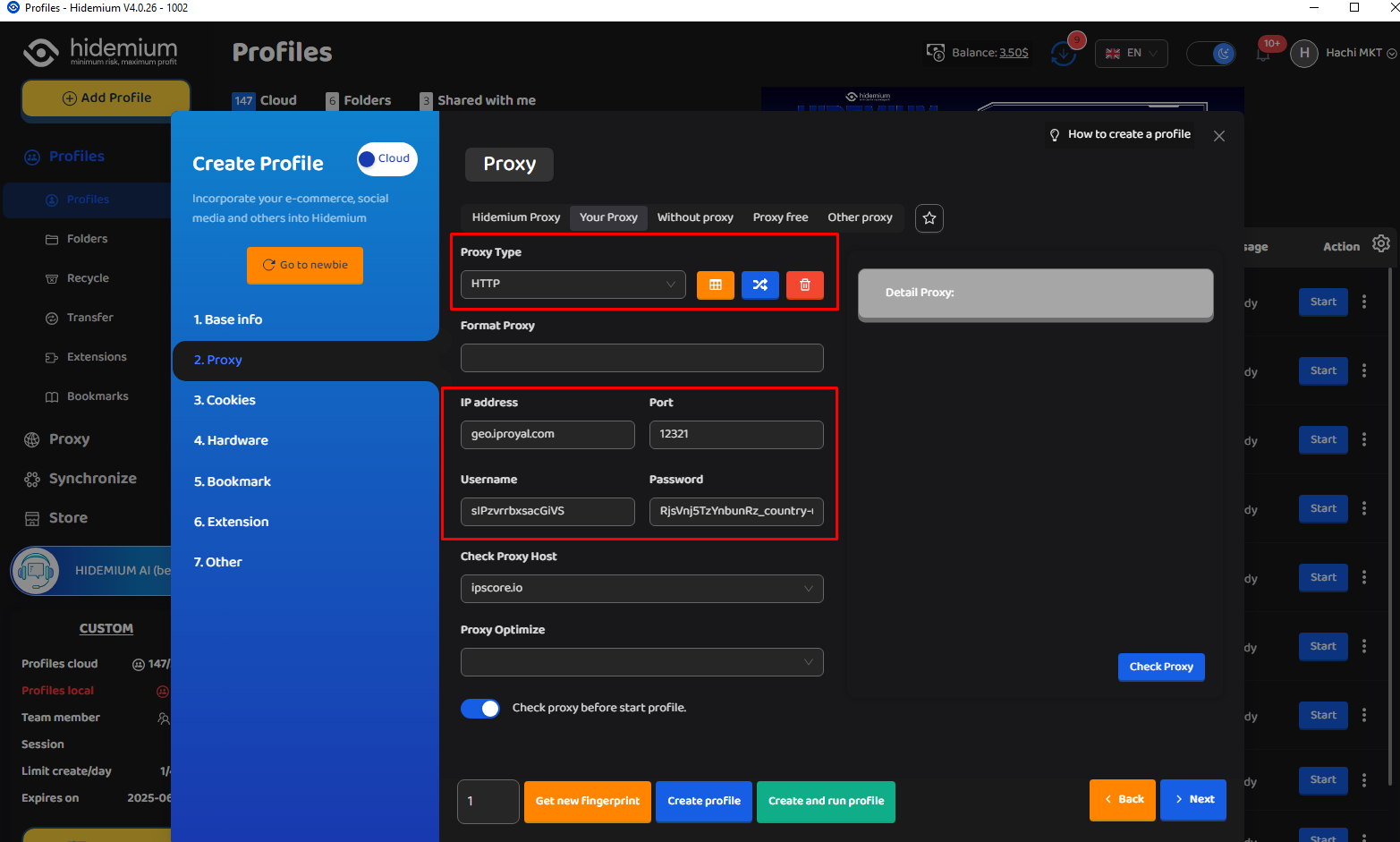
After filling in all the information such as: IP Address, Port, Username and Password, click on Check Proxy to see if it works, then select Create profile with Hidemium.
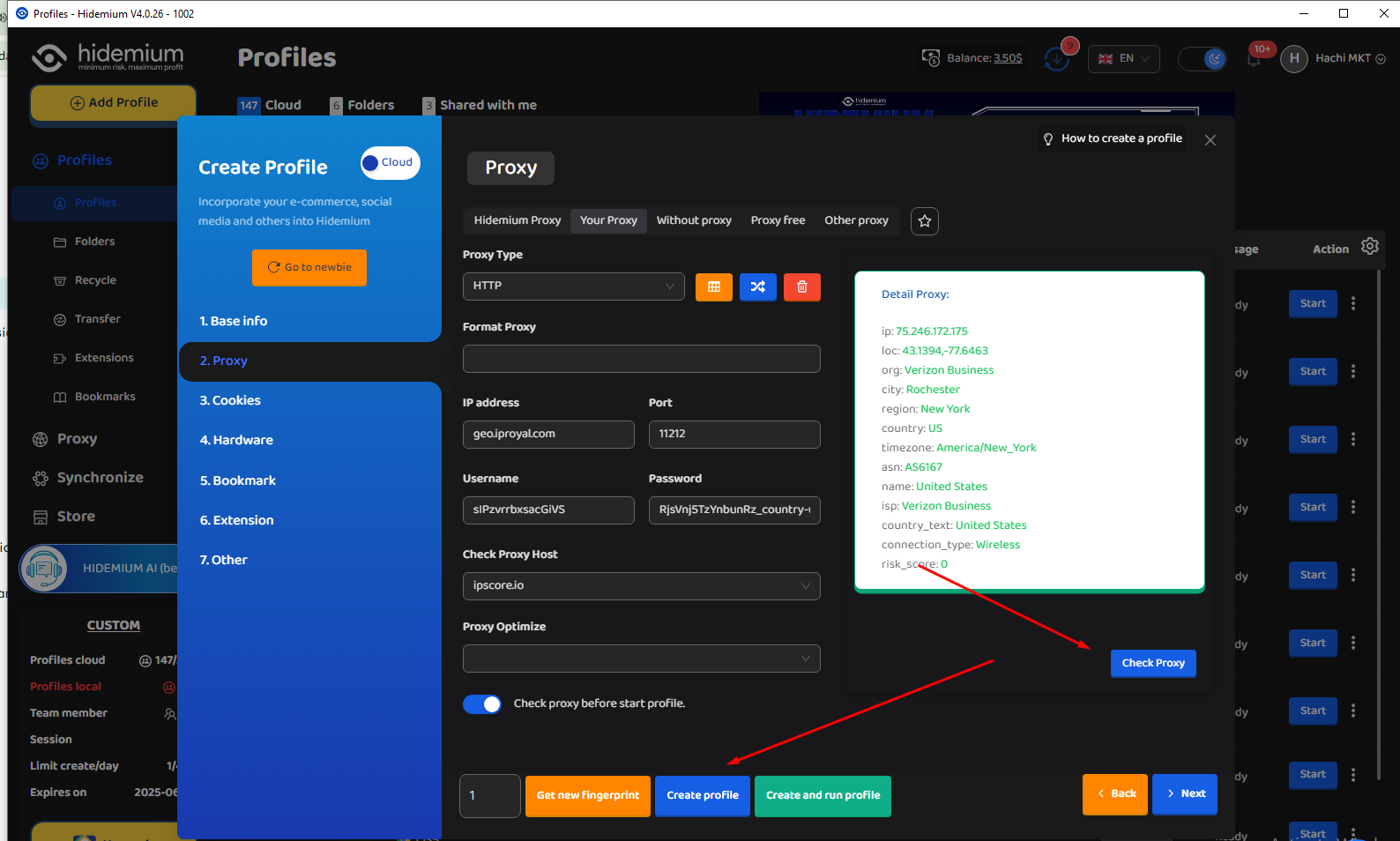
8. Then open the newly created profile and check the IP with any website you want.
If you're seeing the IP address and proxy information displayed, that means everything is set up correctly and your proxy is active. Enjoy using it!
Integrating IPRoyal proxies with Hidemium is a smart move for anyone looking to scale their online operations while maintaining top-tier privacy and control. With Hidemium’s robust browser profile management and IPRoyal’s diverse, high-quality proxy options, you get a reliable, flexible, and secure solution — perfect for everything from multi-account management to geo-targeted research.
Whether you're a seasoned marketer, a data-driven developer, or just starting out, this setup puts powerful tools at your fingertips. Try it out today and experience a safer, smoother, and more efficient way to browse and manage your digital presence.
Related Blogs

Reaching the image creation limit in ChatGPT can significantly disrupt your creative process. You might be experimenting with ideas, refining every detail to get the perfect image—and then suddenly you're "blocked" because you've run out of attempts. This is a common situation for many people working with AI image creation.That's why more and more people are looking for ways to...Exceeding[…]

In today’s digitally connected world, it’s critical that devices and networks communicate effectively with each other. That’s why gateways are more important than ever. Whether you’re an IT professional, a network engineer, or simply want to understand how networks work, this article will help you understand how your devices and networks work. Antidetect Browser Hidemiumwill help you understand[…]
.png)
Are you looking to rent a proxy for use on Facebook, Amazon, Instagram, Shopify, or other platforms? Proxies are not just tools for anonymous access but also help you perform tasks such as data scraping, running ads, or managing multiple accounts effectively. However, each platform has different requirements when it comes to proxy usage. BestProxy, a global proxy service with over 80 million[…]
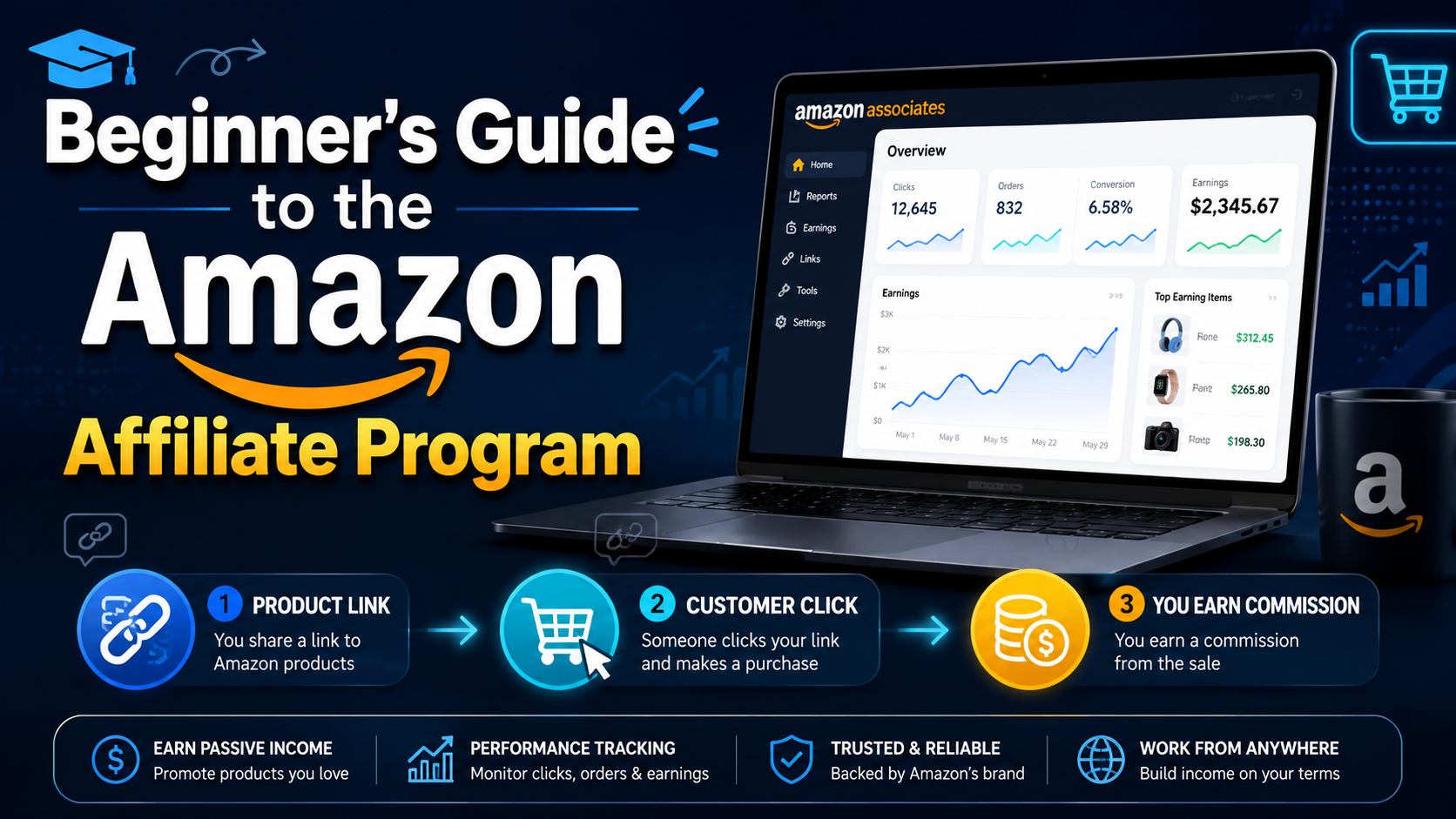
Amazon Affiliate program, also known as Amazon Associates, is a way of making money from your website or blog. You must signup, wait for approval, and place Amazon links on your website. You’ll receive a commission when someone purchases on Amazon through one of the links you share.You’re at the right place if you need help figuring out where to start. Whether you are planning a large or small[…]

Digital marketing today runs on speed and volume. Brands are expected to push out fresh creatives constantly, and traditional video production simply can’t keep up. That’s where an AI Facebook ad generator comes in. These tools take product links, scripts, or raw assets and turn them into ready-to-use Facebook video ads with minimal manual editing. 1. Pollo AI Pollo AI works as a practical AI […]
Shortening links to earn money is becoming more and more popular in the online money-making community thanks to its simplicity, accessibility and high efficiency. However, to ensure a stable income and avoid risks, choosing a reputable and safe link shortening website is an extremely important factor. In this article, Antidetect Hidemium will introduce the top 8 best link shortening platforms to[…]
