.png)

Managing multiple accounts on Instagram is not a simple thing. Photos and videos aren’t synced to one account, confusing you with posting from one account to another. Using multiple accounts also makes it easy for you to be flagged as suspicious by the platform. So what is the optimal way to manage multiple accounts on Instagram? Stay tuned to the article for more details!
What is the use of creating multiple Instagram accounts?

How to manage multiple Instagram accounts
Managing multiple Instagram accounts effectively will bring a lot of benefits to your business:
- According to Instagram’s user behavior survey, most of them like and care about a niche topic or product. So instead of posting all of your content in a single account, you should create multiple Instagram accounts to attract more attention and higher levels of interest and engagement.
- The main reason people create multiple Instagram accounts is also that switching accounts are accessible. For example, You have a personal account and want to switch to a business or brand account without having to log out of this account and log in to another account.
- You get more specific analytics data when you have multiple Instagram accounts, personal and business. It helps you evaluate user behavior and develop an appropriate business plan.
- Favorable for those who do marketing, advertising, pr. For example, TunPham (a famous hot Tiktoker) has an account that creates food content and another account to sell junk food. It will make it easier for your followers to find products they’re interested in.
How many Instagram accounts can I create?
You may not know that “Instagram once encouraged users to register for multiple accounts in a time allowed.” That is also why Instagram still allows creating up to 5 Instagram accounts in the same email address.
However, with the Instagram application that manages multiple accounts on the same email, you need to pay attention to security. Therefore, the email you intend to register needs high security to limit the loss of access to your email account.
How to manage multiple Instagram accounts?
If you are a social media person or business on the Instagram platform, you have probably wondered, “Is there a way to manage multiple Instagram accounts?”. Here are the detailed instructions to do this at the same time, in the same place, without causing confusion or confusion.
Switch multiple Instagram accounts
Before you want to switch between accounts, it is required that you have added at least 2 accounts:
1. Tap your Profile page at the top left of the screen.
2. Continue to tap on the three dots that appear on the screen next to the account you selected.
3. When you’re ready to switch to another account, tap the name of the account you want to change.
Manage multiple accounts on Instagram
Post content to multiple Instagram accounts at once
Before publishing, it’s also important to make sure your visuals are clear and high-quality, especially when the same content is being shared across multiple accounts. If an image looks blurry or lacks detail, you can enhance image quality online to improve its appearance before posting.
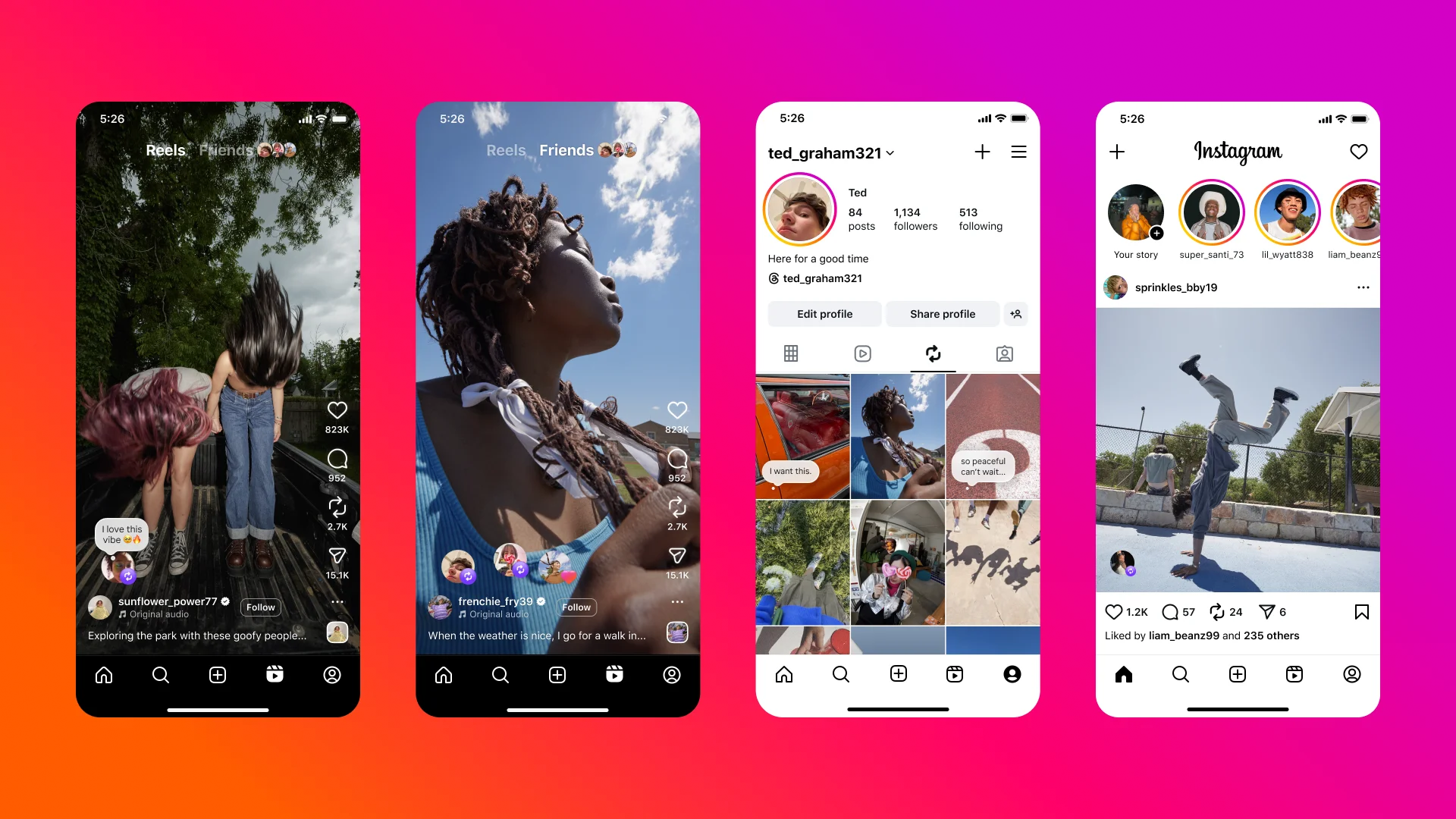
Enable notifications for multiple Instagram accounts
By adding a few Instagram accounts, you can receive activities and notifications from any or all accounts on your device. In particular, each notice will indicate the relevant account name in parentheses before the content of the message.
To enable this feature, you need to perform the following specific steps:
- Click on the icon with the Profile picture
- Select the three dashes (Menu)
- Click Settings
- Select Notifications
Here you have several options to enable notifications for the activities for which you want to receive notices:
- Turn on post notifications (comments, likes, etc.)
- Turn on message notifications
- Turn on notifications for new followers
- Follow the same steps as above for other accounts.
Manage multiple Instagram accounts with Hidemium( multibrowser)
Application to manage multiple Instagram accounts
Another way to manage multiple accounts on Instagram is to use a third-party app. That is Hidemium software; this application will help you manage social network accounts easily. With Hidemium, you can:
- Open different browsers at the same time on one device
- Can use an account without changing IP
- Cookie data sets and browser history are stored in the cloud
- Use a virtual browser to stay anonymous
- Manage countless accounts on social networks such as Facebook and Instagram, etc.
So it can be seen that managing multiple accounts on Instagram is not difficult. Hopefully, the detailed information on how to manage multiple accounts on Instagram will help you get the most out of the platform. From there, it allows you to save time, measure performance, and have a business development plan easier!
Related Blogs
One of my recent Instagram comment tests looked like an amazing deal for about thirty seconds. I ordered 10 comments from a service, and 25 appeared under the post almost immediately.Lucky me? Not quite.There were only 10 distinct texts in the entire delivery. Several had been posted multiple times by different accounts—some three times, some four. What initially looked like a generous bonus was[…]
.png)
If you haven’t heard about OpenClaw yet, chances are you will soon.Since early 2026, this open-source AI agent has been gaining massive attention across communities, especially among marketers looking for smarter ways to automate their workflows. It promises something different from traditional tools — not just content generation, but actual task execution.But here’s the real question:Can[…]
Zone DNS is an important component of the domain name management system (DNS), which plays a role in storing DNS records related to domain names. In this article, let's Antidetect Browser Hidemium Learn more about the concept Zone DNS, the benefits it brings and how to effectively manage DNS Zone to ensure the network system operates stably and securely.1. What is Zone DNS?A DNS zone is a data[…]
.png)
The rise of AI in advertising has shifted how teams produce video creatives. Instead of long production cycles, marketers now test multiple variations in hours. At the center of this shift is the AI Ad Generator, a category of tools designed to turn scripts, prompts, or product ideas into ready-to-use ad videos.But the market is not uniform. Some tools focus on automation speed, others on design[…]
2025 is the year of YouTube Automation, thousands of creators and MMOs are nurturing dozens of channels every month, the focus is still on increasing views, increasing watch hours and increasing subscribers quickly to qualify for monetization. Therefore, YouTube view increasing tools have become indispensable weapons. However, using the wrong tool, the wrong way can easily lead to channel death[…]
If your Amazon seller account is suspended, the most important thing is timely handling. This not only disrupts business operations, but also directly affects revenue and cash flow. The good news is that most suspensions can be reinstated if you understand the cause and know how to appeal properly.In this article, we will guide you through how to check your Amazon account suspension status,[…]
