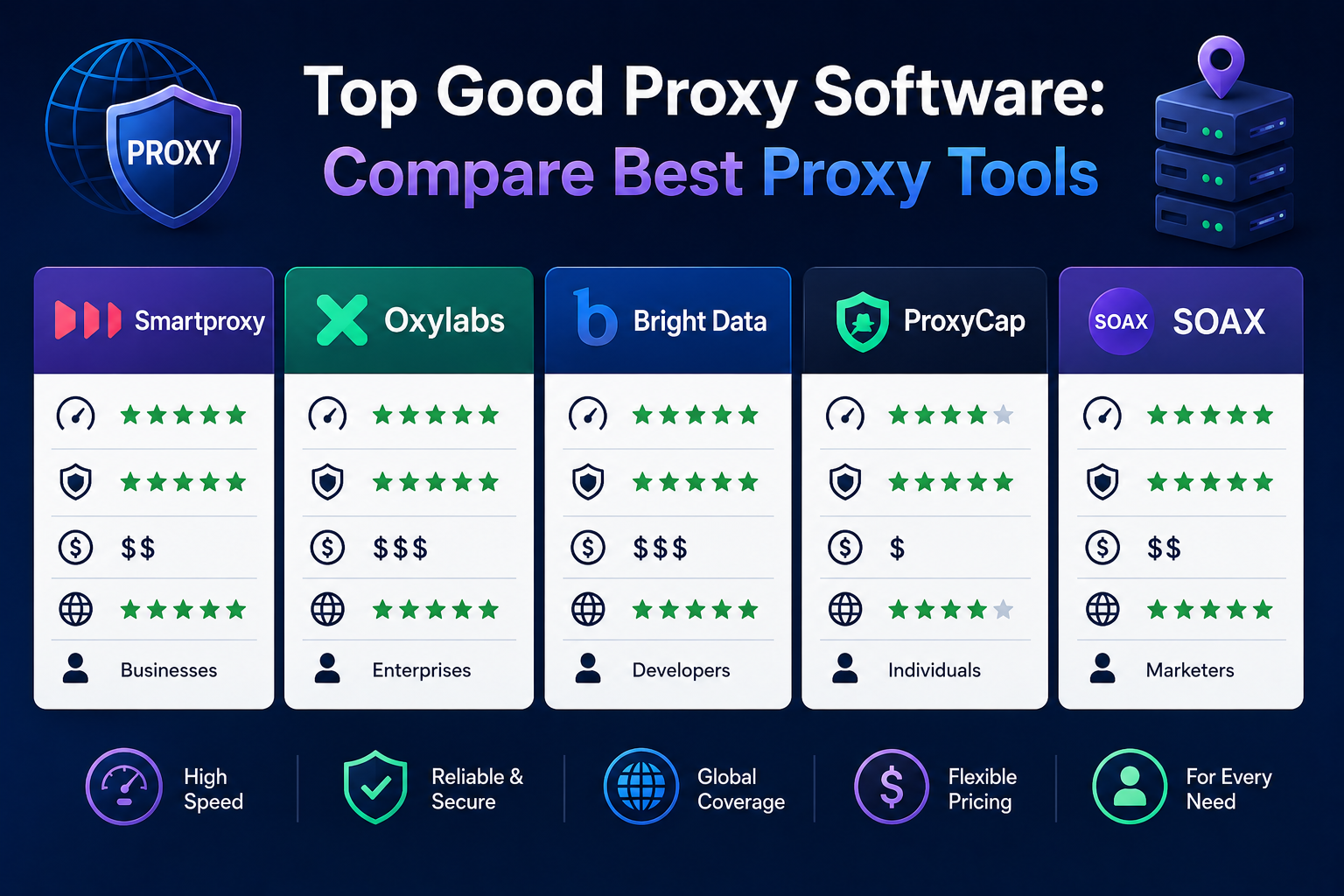

Whether you are an everyday internet user looking to access region-locked content, or a business professional running large-scale data extraction campaigns, your online identity is constantly monitored. Every website you visit logs your IP address, noting your location, browsing habits, and digital footprint. To reclaim your digital autonomy, you need to understand how to mask your IP address effectively. The most direct solution? Finding good proxy software.
A proxy server acts as a middleman between your device and the internet. When you send a web request, it goes to the proxy first. The proxy then forwards your request to the target website, receives the response, and sends it back to you. This simple intermediary process can supercharge your privacy, security, and data-gathering capabilities—provided you use the right tools.

Understanding Proxy Foundations
Before diving into a proxy software comparison, it helps to understand the foundational technology. Not all proxies offer the same level of anonymity. Depending on how much data they reveal to the target server, they fall into three main categories.
When looking at transparent vs anonymous vs elite proxies, the differences are striking:
- Transparent Proxies: These do not hide your IP address. They are mostly used by schools and corporations to filter content or cache websites for faster loading.
- Anonymous Proxies: These hide your actual IP address but still identify themselves as proxy servers to the target website. They offer moderate privacy but can trigger anti-bot security measures.
- Elite Proxies: These provide the highest level of anonymity. Not only do they hide your real IP address, but they also disguise the fact that you are using a proxy at all.
Proxy Server vs VPN for Privacy
A common question among internet users is whether to use a proxy or a Virtual Private Network (VPN). When evaluating a proxy server vs vpn for privacy, the main difference lies in encryption and scope. A VPN encrypts your entire network connection, securing all data leaving your device. A proxy, however, works on an application level (like a web browser or a torrent client) and typically does not encrypt traffic. Proxies are generally faster and better suited for tasks like web scraping or bypassing basic geo-blocks, while VPNs are the go-to for complete, encrypted anonymity on public Wi-Fi.
Classifying Proxies: Types and Protocols
To select good proxy server software, you must understand the infrastructure and protocols powering your connection.
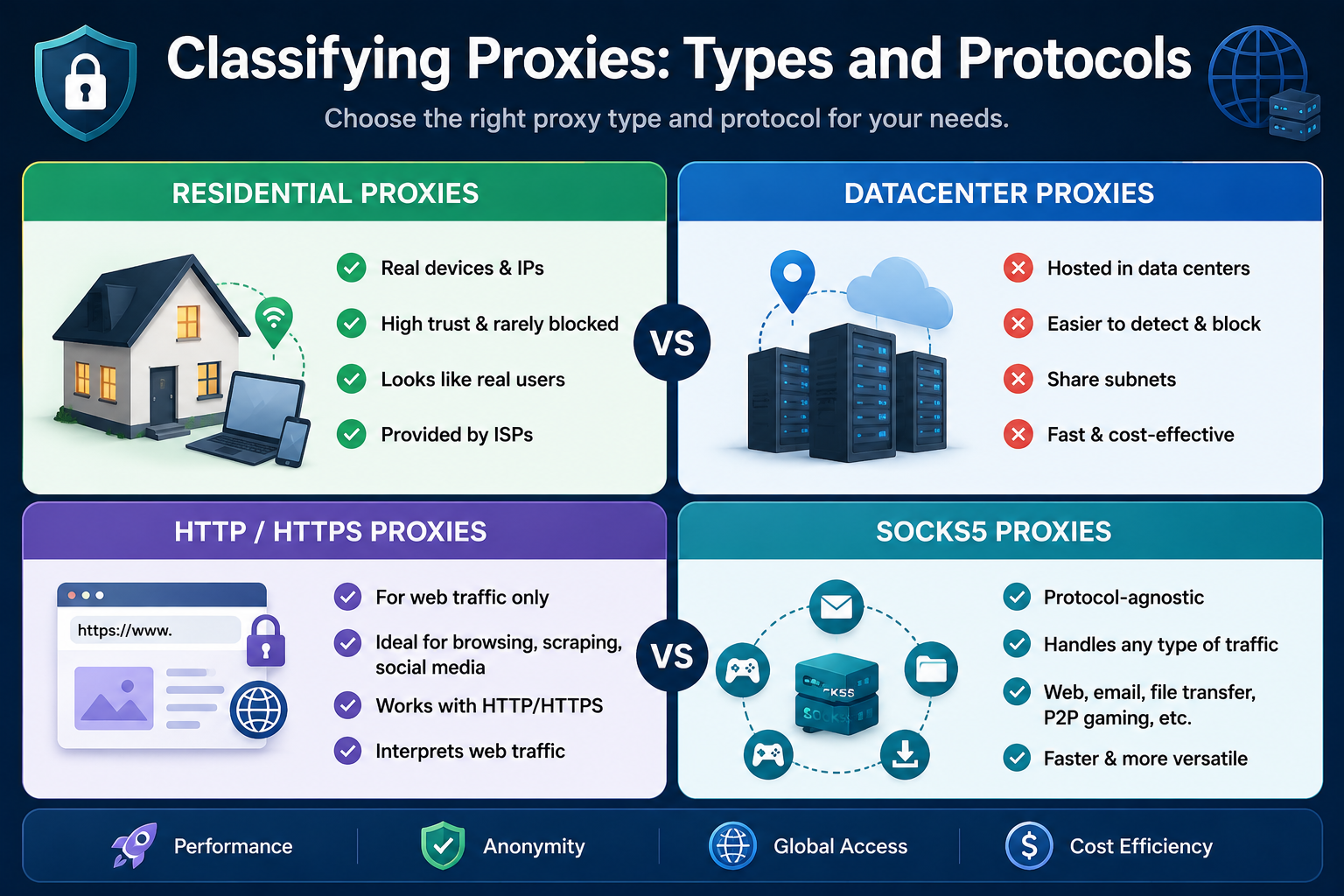
Residential vs Datacenter Proxies
Choosing between residential and datacenter proxies is one of the most critical decisions you will make.
- Datacenter Proxies: These are created in bulk at massive data centers. They are incredibly fast and cost-effective but share subnets, making them easy for websites to detect and ban.
- Residential Proxies: These are tied to real, physical devices with IP addresses provided by Internet Service Providers (ISPs). Because they look like average human users, they are highly trusted by websites and rarely blocked.
SOCKS5 vs HTTP Proxy Protocols
Your choice of protocol dictates what kind of traffic your proxy can handle. Looking at socks5 vs http proxy protocols:
- HTTP/HTTPS Proxies: Designed specifically for web browsing. They interpret web traffic, making them ideal for scraping data from HTML pages or managing social media accounts.
- SOCKS5 Proxies: These are protocol-agnostic. They do not read the data packets, meaning they can handle web traffic, emails, file transfers, and P2P gaming. SOCKS5 is faster and more versatile for non-browser tasks.
Exploring the Best Proxy Tools
The market is flooded with options, ranging from simple browser add-ons to enterprise-level dashboards. Finding the best proxy tools requires identifying your specific use case. For an in-depth comparison of top-rated services, see our Best Proxy Service: Secure Global Access Guide.
Free vs. Paid Proxy Software
If you are just looking to quickly unblock a YouTube video or read a geo-restricted news article, you might be searching for good free proxy software. While free tools exist, you must be cautious. The security risks of using public proxy servers are well-documented. Many public proxies log your data, inject malicious ads into your browser, or even steal login credentials.
For quick, low-stakes browsing, rely on reputable developers. The best free proxy extensions for Chrome are typically "freemium" models offered by trusted VPN and proxy providers. These extensions mask your location without installing shady third-party software on your machine.
However, if you are doing anything involving personal accounts, finances, or business operations, you should invest in paid services. The benefits of using a private proxy server include dedicated IP addresses, 99.9% uptime guarantees, significantly faster loading speeds, and strict no-logging policies.
Software for Business and Professionals
Enterprises need more robust solutions. When you read expert proxy service reviews, you will notice that the top proxy apps offer extensive dashboards, API access, and detailed analytics. Reliable proxy management tools for business allow teams to allocate bandwidth, track usage per department, and integrate proxies directly into customized software stacks.
Advanced Use Cases for Proxy Software
Good proxy software is not just for hiding your identity; it is a critical business asset.
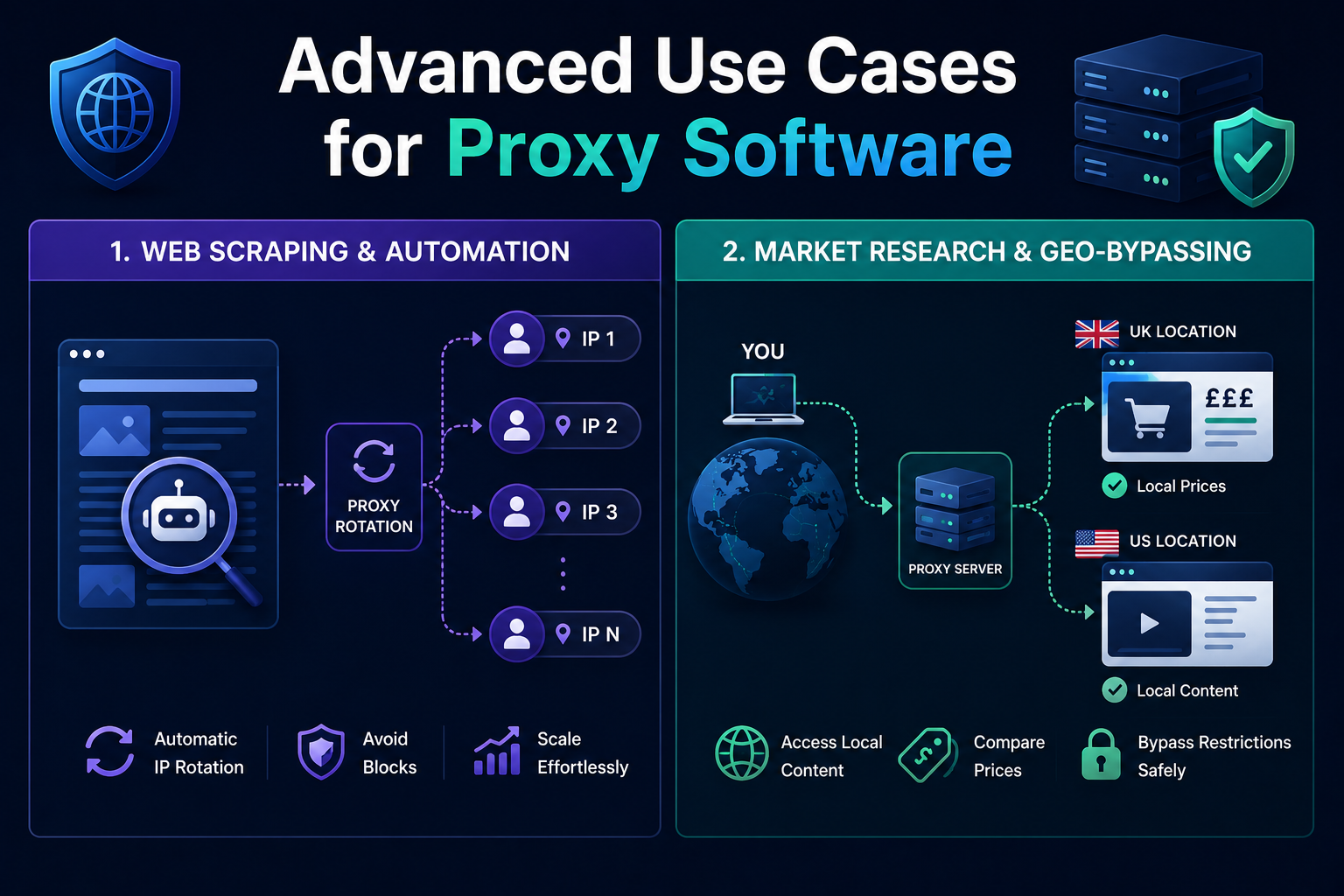
Web Scraping and Automation
Data is the new oil, but websites constantly implement rate limits to block automated bots. If you try to scrape thousands of pages using a single IP, you will be blocked within seconds. This is where rotating residential proxies for web scraping come into play.
A rotating proxy automatically changes your IP address at set intervals or after every single request. By doing this, your data scraper appears as thousands of different human users browsing from different locations. To scale this, you need to know how to automate proxy rotation. Most good proxy software providers offer easy API endpoints—you simply send your script's requests to a single "gateway" address, and the software handles the rotation on the backend automatically.
Market Research and Geo-Bypassing
Global brands display different prices, localized search results, and targeted ads based on the visitor's location. Setting up a proxy for market research allows your business to view competitors’ websites exactly as local consumers see them.
This also applies to consumers wondering how to bypass geo-restrictions safely. By routing your connection through a proxy server located in the UK, for example, you can seamlessly access British television streams or regional shopping discounts without triggering security alarms.
Step-by-Step Setup and Troubleshooting
Even with the best tools, you need to know how to implement them. Fortunately, modern operating systems make proxy integration incredibly straightforward.
How to Set Up a Proxy on Windows
If you have purchased a proxy and have your IP address and port number ready, here is how to set up a proxy on Windows 10 and 11:
- Open Settings: Press the Windows Key + I to open your Settings app.
- Navigate to Network: Click on Network & Internet in the left-hand menu.
- Find the Proxy Menu: Click on the Proxy tab.
- Manual Setup: Scroll down to "Manual proxy setup" and click the Set up button next to "Use a proxy server."
- Enter Details: Toggle the switch to On. Enter the IP address and the Port number provided by your proxy service.
- Save: Click Save. Your Windows web traffic will now route through the proxy.
Pro Tip: If your proxy requires a username and password, your web browser will prompt you to enter these credentials the first time you try to load a web page.
Troubleshooting Common Proxy Errors
Technology isn't flawless. Occasionally, you might find yourself frustrated, asking: why is my proxy server not responding? If this happens, follow these troubleshooting steps:
- Check Your Internet Connection: Often, the issue is a dropped local Wi-Fi connection rather than the proxy itself.
- Verify IP Authentication: Many private proxies require you to "whitelist" your home IP address in their dashboard. If your ISP changes your dynamic home IP, the proxy will block your connection until you update the whitelist.
- Inspect Firewall Settings: Sometimes, strict Windows Defender or third-party antivirus settings block proxy ports. Ensure your firewall allows traffic through the specific port your proxy uses.
- Check Proxy Expiration: If you are using datacenter IPs that you purchase monthly, verify that your subscription hasn't lapsed.
- Swap the Proxy: If you are using public or shared IPs, the server might simply be overloaded or offline. Switch to a new IP address to see if the issue resolves.
Making the Right Choice
Finding good proxy software ultimately comes down to matching your needs with the right technology. If you are an individual wanting to access a blocked website, a simple Chrome extension or a basic HTTP proxy will suffice. If you are a developer looking to scrape competitor pricing without getting blocked, you will absolutely need to invest in rotating residential proxies and capable proxy management software.
Take the time to do a thorough proxy software comparison before spending your budget. Look for transparent pricing, a large IP pool, responsive customer support, and robust infrastructure. By securing a reliable proxy tool, you not only protect your digital identity but also unlock the unrestricted, data-rich potential of the global internet.
Beyond Proxies: Protect Your Identity with Hidemium Antidetect Browser
While proxies are powerful tools for masking your IP address, they only solve part of the anonymity puzzle. Websites today use advanced browser fingerprinting techniques to identify you beyond just your IP — tracking your screen resolution, installed fonts, WebGL data, and dozens of other device signals. To truly stay anonymous online, pairing your proxy setup with a dedicated antidetect browser is the professional-grade solution.
Hidemium is a powerful antidetect browser designed specifically for digital marketers, affiliate professionals, e-commerce operators, and anyone managing multiple online accounts. Unlike standard browsers that broadcast a unique fingerprint, Hidemium allows you to create fully isolated browser profiles — each with its own spoofed fingerprint, cookies, and proxy settings. This means every profile appears as a completely different device to any website, eliminating the risk of account association or ban.
Understanding how your browser is identified is the first step toward protecting yourself. Run a browser fingerprint test to see exactly what data websites collect from your device. Once you know your exposure, you can use Hidemium alongside your chosen proxy to create an impenetrable, multi-profile browsing environment that scales with your business needs. Visit hidemium.io to get started with a free trial.
Related Blogs
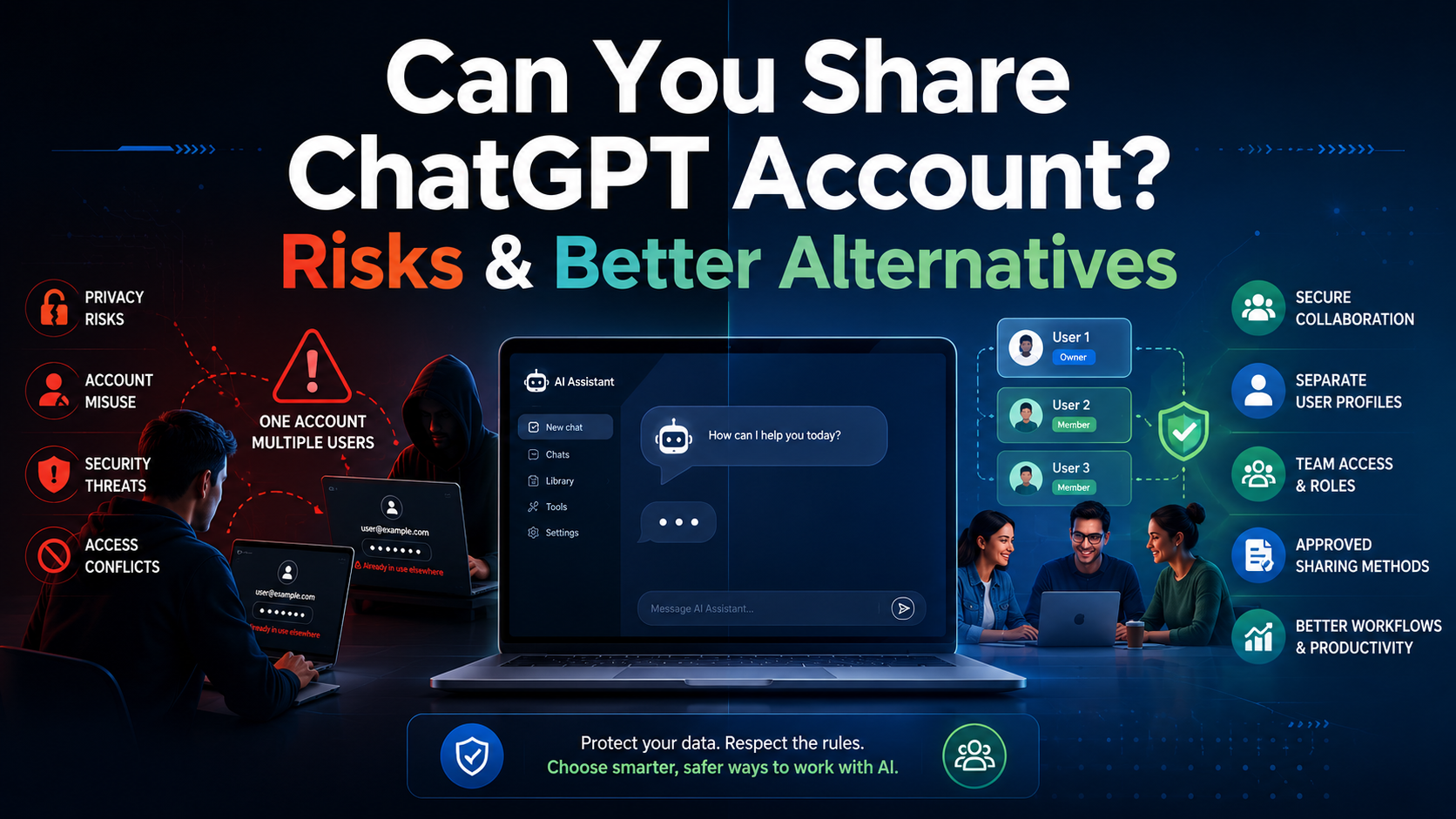
Can You Share a ChatGPT Account? Risks, Rules & Better AlternativesAs artificial intelligence continues to reshape how we work, learn, and communicate, securing access to premium AI tools has become a top priority for many users. With powerful capabilities like GPT-4, data analysis, and image generation, upgrading to a premium tier is a natural step. However, at $20 per month per user,[…]
.png)
In the digital era, no-code automation has become an essential trend for individuals and businesses to optimize their workflows. However, many people struggle with automation due to a lack of coding skills, making repetitive task automation seem out of reach.So how can someone with no coding background still create powerful automation scripts?The answer lies in the AI Prompt Script on Hidemium –[…]

Scaling your business on TikTok is the goal of many sellers. However, the biggest obstacle when operating multiple shops is the platform’s strict moderation policies. If you’re not careful, even a small mistake related to IP addresses or devices can result in mass shop suspensions, causing serious losses in revenue and operational time.So how can you manage multiple TikTok Shop stores without[…]

If you already know how affiliate marketing works, then learning about the AliExpress Affiliate program will be a good choice. If you don’t know, learn about affiliate marketing first!What is the AliExpress affiliate program?The AliExpress affiliate program, like all other affiliate programs, pays a commission based on products sold through the affiliate. So you earn commissions by promoting and[…]

Digital marketing today runs on speed and volume. Brands are expected to push out fresh creatives constantly, and traditional video production simply can’t keep up. That’s where an AI Facebook ad generator comes in. These tools take product links, scripts, or raw assets and turn them into ready-to-use Facebook video ads with minimal manual editing. 1. Pollo AI Pollo AI works as a practical AI […]

Accessing blocked websites in Vietnam is no longer too difficult if you know how to use it. Proxy through firewall properly. This is an ideal solution, which helps free internet access, just to make sure safety and security of personal information. Together Hidemium Antidetect Browser Discover the 3 most effective methods of using Proxy to bypass firewalls today.1. Use free Proxy websites to[…]
