
Are you sure your browser isn't accidentally revealing personal information? BrowserLeaks is a well-known testing platform that helps detect data that browsers may be secretly exposing. Through browser fingerprinting and privacy vulnerability tests, this tool reveals a lot of information that users often don't realize.
Understanding how BrowserLeaks work—and how to mitigate tracking signals—is a crucial step for anyone concerned about online privacy. This is especially important for those working with managing multiple accounts, collecting web data, conducting security research, or developing software. If left unchecked, these leaks can leave your browser identity vulnerable to identification and tracking.
In this article, you will learn how browsers prevent detection, such as Hidemium Antidetect Browser. This helps conceal the browser's identity, minimizes digital fingerprinting, and limits the likelihood of detection by scanning tools like BrowserLeaks.
1. What is BrowserLeaks?
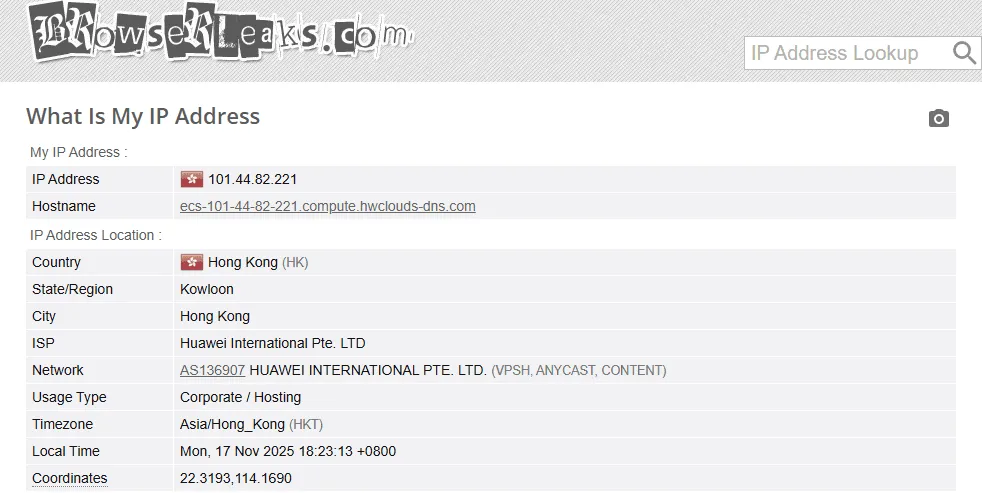
BrowserLeaks is an online testing website specifically designed to analyze the extent to which your browser might be revealing information. The platform performs various tests to detect device identification signals (browser fingerprints) as well as common privacy leaks.
When you access a website, you'll see a lot of data that your browser is sharing with websites, such as:
IP address
Estimated geographical location
System and equipment information
Browser configuration
Internet Service Provider (ISP)
By displaying this data in detail, BrowserLeaks helps users understand what information their browser is exposing, so they can take necessary measures to protect their identity and privacy while online.
>>> Learn more: 7 Free Online IP Fingerprint Verification Tools
2. Is Browserleaks.com safe?
The answer is Yes. Website BrowserLeaks is considered safe to access because it does not require users to provide personal information and does not store your data.
This platform performs several common privacy-related tests, including:
Check WebRTC
Analys is WebGL
Leak detected DNS leak
Check for IP address leaks.
Analyzing the risks associated with browser fingerprinting.
These tests help you quickly determine whether your browser is working securely or if there are still vulnerabilities that could expose sensitive information. This is a useful tool for anyone who wants to enhance their privacy and limit online tracking.
>>> Learn more: How to Effectively Fake IP Using VPN and Proxy – A Complete Guide for 2025
3. How browser fingerprint recognition works
Browser fingerprinting is a technique that collects a lot of small data points from your browser and device to create a nearly unique "digital ID." When you visit verification sites like...BrowserLeaks. You will clearly see the information that your browser is sharing with the website.
Understanding these signals helps you identify which data is being leaked and allows you to find ways to minimize the possibility of being tracked online.
3.1 Signals from the device
Many websites collect data directly from devices to create identification patterns. Some types of information commonly used include:
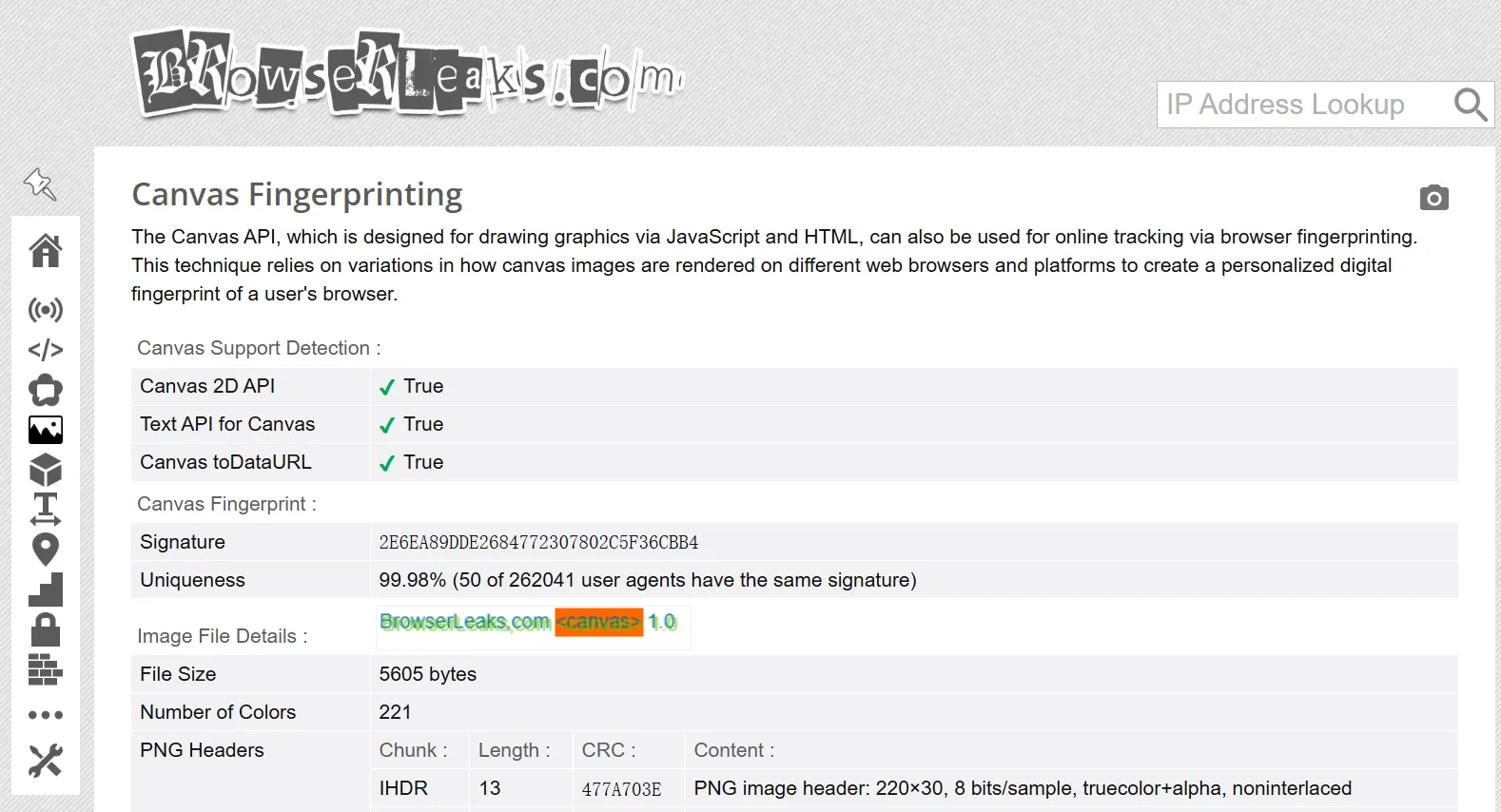
Canvas fingerprint: Through HTML5 Canvas API browser then draws a special image. The way the device processes this image will create a unique canvas fingerprint.
WebGL information: WebGL could reveal data related to the device's GPU and graphics configuration.
System font list Websites can detect the fonts you have installed and how they display on your computer.
Location data: Through Geolocation API website can determine the user's relative location.
Screen specifications includes resolution, screen size, and color depth.
CSS support capabilitiesThe CSS features supported by browsers may vary between versions and devices.
Multimedia devices browser may provide information about the microphone, camera, or other connected audio/video devices.
3.2 Network-related signs
In addition to information from the device, network configuration can also reveal a lot of identifying data:
Public IP address: Shows the current IP address along with the estimated geographic location.
DNS server DNS information can reveal your internet service provider or network region.
WebRTC leak Features WebRTC can sometimes expose your internal IP address.
HTTP headers contain a lot of information such as browser type, operating system, and language.
Some systems use techniques such as: JA3 TLS fingerprint identify the browser's TLS handshake pattern.
3.3 Identification based on user behavior
Not all tracking methods rely on devices. Some systems also analyze data usage behavior to identify the user.
For example:
How you move the mouse on the screen
Page scrolling style
Typing rhythm and style
This data can be combined to create a unique behavioral profile. When analyzed over time, it can help tracking systems identify users across multiple browsing sessions.
>>> Learn more: How to set up a static IP address on Windows quickly, simply, and effectively.
4. Key features of BrowserLeaks
BrowserLeaks tool analyzes various components of the browser to detect privacy-related leaks. It examines everything from technical configuration and network signals to data used to create browser fingerprints—elements that websites can use to identify and track users.
Here are some of the notable features that BrowserLeaks offers.
Check for IP leaks and network information.
This feature helps determine if your IP address, approximate location, internet service provider (ISP), or other network information is compromised. Additionally, it detects common types of leaks through...WebRTC, DNS leak or IPv6, which can expose network data without the user's knowledge.
Analyzing system information via JavaScript
BrowserLeaks uses JavaScript to collect various information related to the browser environment. This data may include:
User Agent
Screen resolution and size
Device battery status
Operating system
Installed plugins and extensions
When combined, this information can form a relatively unique browser fingerprint.
Canvas fingerprint test
Through HTML5 Canvas API BrowserLeaks creates a small image and analyzes how the browser displays that image. Due to differences in hardware, drivers, and system configurations, the displayed results are often not exactly the same. This creates what are called "ghosting "canvas fingerprints– a fairly common method of user identification.
Hardware analysis via WebGL
WebGLThis allows the website to collect information related to the device's GPU, graphics drivers, and image processing capabilities. This data helps tracking systems build more accurate device identification profiles.
Fingerprint scanning based on font
BrowserLeaks also analyzes the list of fonts installed on the system. Small differences in fonts or how they display on the device can create a warning.font fingerprintUnique.
Check how your browser handles location.
Through Geolocation API tool assesses how the browser responds when a website requests location access. It also shows how accurate the location information the browser is willing to share.
Content blocking tools detected.
BrowserLeaks also checks whether the browser is using tools that alter how pages load, such as:
ad blocker
privacy protection utility
settings related to Tor Browser
These factors sometimes contribute to the creation of a browser fingerprint.
Analyzing browser SSL/TLS information
This tool examines how the browser handles connections TLS includes cipher suites and mixed content processing methods. These features can provide additional identifying characteristics during the fingerprinting process.
List of supported HTML5 features
Finally, BrowserLeaks lists the features HTML5 which your browser supports. Because each browser and version may support different features, this list may also become part of your device's fingerprint.
>>> Learn more:7 Free Online IP Fingerprint Verification Tools
5. Browser fingerprint verification tools and IP address display.
In spite of BrowserLeaks it's one of the most popular platforms for checking browser privacy, using additional tools will give you a more comprehensive view. Each website typically focuses on different testing methods, allowing you to detect more types of data leaks that a single tool might miss.
Here are some useful platforms to consider when evaluating the security of a browser.
Iphey
iPhey provides a detailed report on your browser's fingerprint. This tool checks several key factors such as:
Canvas fingerprint
Leak WebRTC
Public IP address
This allows you to understand what information your browser is revealing when you access the internet.
BrowserScan
BrowserScan focuses on analyzing the security configuration of a browser. This tool performs numerous tests to detect vulnerabilities related to:
DNS leak
WebRTC
WebGL
The results of the check help users quickly identify factors that could reveal their identity or true location.
PixelScan
PixelScan is a tool specifically designed to check for common data leaks in browsers. It analyzes various factors such as:
IP address
geographical location
WebRTC leak
canvas fingerprint
The report from PixelScan provides a clear picture of the privacy risks associated with using current browsers.
AmiUnique
AmIUnique helps assess the "uniqueness" of a browser, meaning how easily your browser can be identified and tracked among millions of other users. This tool uses several analytical methods such as:
canvas fingerprint
analyze font list
browser configuration data
The results indicate whether your fingerprints are too easily recognizable.
Whoer.net
Whoer.net is a fairly popular privacy checking platform. This website allows you to quickly detect many types of data leaks, including:
IP address leaked
DNS leak
WebRTC leak
Thanks to these checks, you can easily identify areas where your online privacy may be at risk.
>>> Learn more: How to use Whoer to check your IP address and achieve complete anonymity.
6. Reduce BrowserLeaks leaks with Hidemium anti-detection browser.
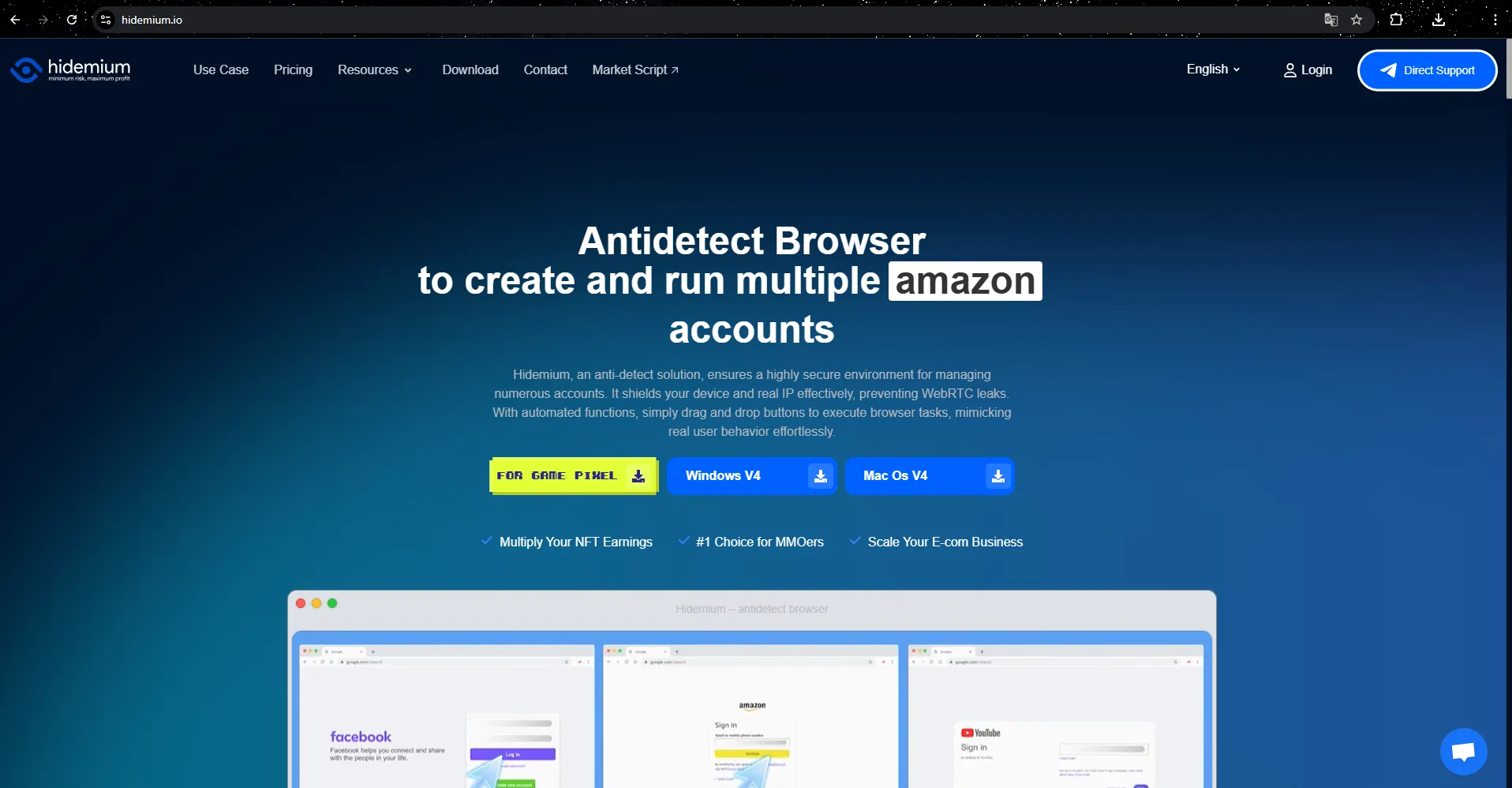
One effective way to limit browser signatures is to useHidemium— Anti-detection browsers are designed to protect users' digital identities.
Unlike regular browsers, Hidemium allows you to create...separate browser profiles with independent fingerprints. Therefore, when checked on tools such as...BrowserLeaks data displayed will be based on the simulated browser configuration instead of the device's actual fingerprint.
By simulating various system parameters—from the operating system and hardware configuration to the browser environment—Hidemium helps users:
Reduce the likelihood of fingerprinting.
Limit the leakage of identification data.
Maintaining privacy while operating online.
This tool is particularly useful for those working in fields such as managing multiple accounts, online marketing, e-commerce, or web data collection.
6.1 Why should businesses use Hidemium?
Hidemium Developed to meet the needs of individuals and businesses requiring secure management of multiple online accounts, this tool is widely used in fields such as:
managing social media accounts
affiliate marketing
e-commerce
traffic arbitrage
account farming
Hunt for airdrops and web3 campaigns
Hidemium offers many powerful features to optimize work performance, including:
create a separate browser profile
Flexible fingerprint configuration
Integrate proxies for each profile.
browser task automation
managing and operating multiple accounts simultaneously
This allows users to expand their online activities while still ensuring the privacy and security of their accounts.
6.2 Key Features of Hidemium
✅ Manage hundreds of accounts on one device.
Each account has a unique browser profile with its own fingerprint and IP address, reducing the risk of detection or account linking.
✅ Better account protection against detection systems.
Fingerprint profiles are designed to mimic a real user environment, helping to reduce the risk of account suspension or restrictions.
✅ Flexible proxy integration
Hidemium supports many popular proxy protocols such as HTTP, HTTPS and SOCKS5. This helps users easily manage IP addresses for each profile.
✅ Automate browser tasks
Automation features help handle repetitive browser tasks, saving time and increasing productivity.
✅ Manage multiple profiles easily.
Users can create, import, or launch multiple browser profiles simultaneously, which is useful when scaling operations is required.
✅ Effective teamwork
Hidemium supports profile sharing, access control, and activity log management, making it easier for teams to collaborate.
7. Conclusion: Protecting your online privacy with Hidemium
In today's internet environment, your browser may inadvertently reveal more information than you think — from IP addresses to leaks WebRTC down to the data used to create browser fingerprints. Verification tools such as BrowserLeaks helps users recognize these risks and understand the extent to which their browser is sharing information when accessing websites.
To limit such leaks and enhance security, many people choose to use anti-detection browsers such as Hidemium. This tool allows the creation of independent browser profiles with unique fingerprints and network configurations, reducing the likelihood of being tracked or identified by fingerprinting systems.
Whether you're managing multiple online accounts, doing marketing, collecting web data, or simply want to browse the internet more privately, using a browser identity protection solution will significantly reduce the risk of being tracked.
Take proactive control of your digital footprint with the right tools — and build a safer, more private online environment for all your activities.

Related Blogs

CJ Affiliate program is constantly appearing, and you are interested in registering to become a publisher. But you need to learn more about this affiliate program: how to sign up, products, and payment methods, v.v. So please refer to the reviews about CJ’s affiliate program in this article. FAQ about CJ Affiliate This article makes […]
Do you think your canvas fingerprint blocker made you anonymous? Think again. As many understand information, canvas fingerprinting is the most recent development to track the web. In the past, the easiest way to prevent web tracking was to block out the monitoring method completely. For example, you disable cookies in your browser to prevent […]

Facebook Ad Credits are an important concept for those who are running ads on this platform, especially in the context of Facebook regularly launching attractive incentive programs. If you are looking to optimize your advertising budget, this is a tool worth considering. Together Hidemium Find out how to make the most of your Facebook ad credits here!1. What is Facebook Ad Credit?Facebook Ad[…]

1. What is Proxyium?Proxyium is a free web proxy service that offers a safe, secure, and anonymous browsing solution for users. With Proxyium, you can access online content without worrying about exposing personal information. Known for its high-quality residential proxy service, Proxyium is suitable for both businesses and individuals. With over 10 million IP addresses, Proxyium provides a[…]
.png)
The world of affiliate marketing is booming, offering an exciting opportunity for individuals to earn income by promoting products and services they believe in. You've likely encountered product reviews, informative articles, or engaging social media posts with links prompting you to take action - that's the power of affiliate marketing at play.1. What is Affiliate Marketing?Affiliate marketing[…]

What Is an ISP Proxy? And How to Use It Safely for Multi-Account ManagementManaging multiple accounts today isn’t just about creating more profiles—it’s about staying undetected.Whether you're running stores on Amazon, scaling TikTok accounts, or doing affiliate marketing, your setup is only as strong as your proxy—especially when using an antidetect browser.One wrong IP choice can lead to[…]
