
Flipkart is one of the largest e-commerce platforms in India, providing access to millions of customers nationwide. In this article, Hidemium will guide you in detail on how to create a sales account on Flipkart, how to optimize business performance and protect your account from the risk of being temporarily suspended using tools Hidemium Antidetect Browser.
1. What is the Flipkart sales program?
Flipkart operates on a marketplace model, allowing individuals and businesses to sell a wide range of products such as electronics, fashion, home appliances, and more. As an official seller, you can take advantage of:
Large customer file Available on Flipkart
Trust in reputable brands in the Indian market
Strong logistics system and dedicated support from Flipkart
Flipkart offers different types of seller accounts to suit different needs:
Individual Seller: For small retailers, freelancers, or those testing the market.
Business: For units that have registered a tax code (GST), selling products in large quantities.
Brand Owner: If you own a brand and want to protect your product listings, this account type offers exclusive marketing tools and copyright protection.
Additionally, Flipkart also offers professional sales dashboard helps manage orders, inventory, customer feedback and track business performance effectively.

>>> Learn more: The Most Potential Dropshipping Products to Sell in 2025
2. Conditions for registering a Flipkart sales account
To create a sales account on Flipkart, you need to prepare the following conditions and documents:
18 years and older
Legal business registration (enterprise or individual business)
GST Tax Identification Number (for businesses in India)
PAN Card (Permanent Account Number – required for tax purposes)
Bank account in your name or business
Valid email and phone number to receive notifications and updates from Flipkart
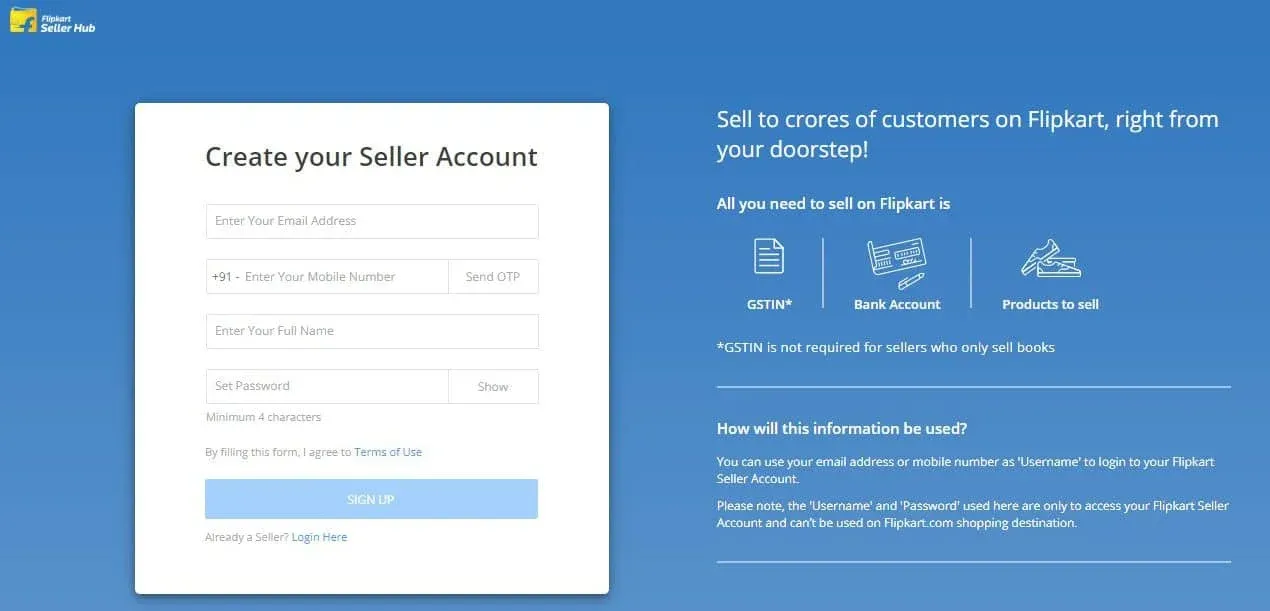
Once you have all the information, you can start the registration process quickly. Flipkart offers Step by step instructions, making it easy to upload documents and verify your account.
>>> Learn more: eBay vs Amazon: Which Platform is Best for Dropshipping?
3. Detailed instructions on how to register to sell on Flipkart for beginners
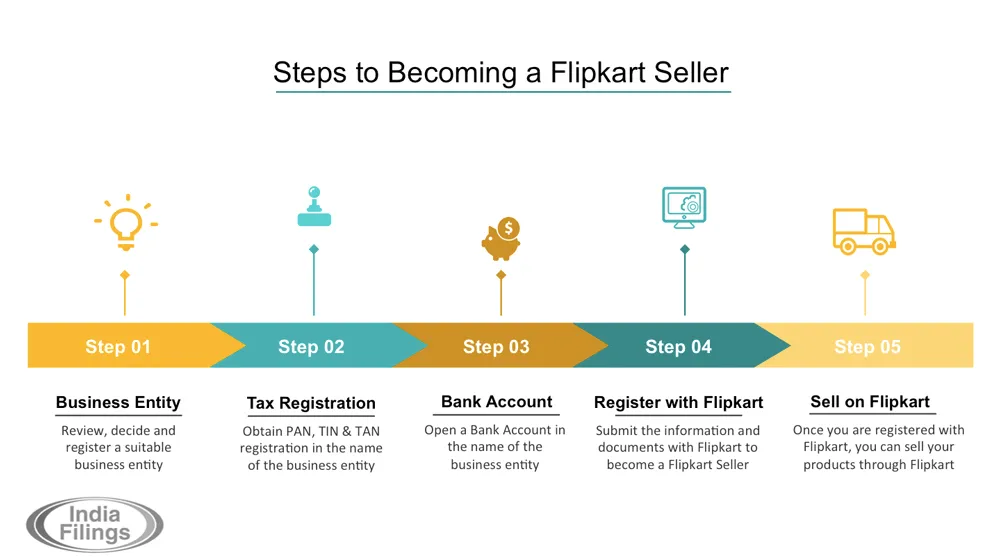
Selling on Flipkart is not too complicated if you understand the process. Here are specific steps to help you quickly create a seller account and start an effective business on this leading e-commerce platform in India.
3.1. Register for Flipkart seller account
Go to Flipkart Seller Portal (Seller Hub), click on the “Sign Up” button to start the registration. Here, you will need to provide basic information like your name, email address, and mobile number. This is the initial step to set up your personal or business selling profile.
3.2. Providing business information
After successful registration, you will be required to upload complete information related to your business, including:
GST Registration Number
PAN card information (tax identification number in India)
Bank account details
Exact business address
Providing complete and accurate information helps Flipkart verify the legitimacy of the seller account.
3.3. Seller account verification
Once you have submitted all the required documents, Flipkart will review your application. If all the information is valid, your account will be activated shortly. You will receive an email notification once the verification process is complete and your account is ready to use.
3.4. Set up product catalog
Once your account is activated, you can start listing your products. Flipkart allows you to manually enter products one by one or bulk upload them using a CSV file if you have a large quantity. To optimize efficiency, you should:
Write clear, attractive and SEO-friendly product descriptions
Use high quality images
Offer competitive prices to attract buyers
3.5. Start selling and managing orders
Once your products are listed, Flipkart will display them to millions of potential buyers. You can easily manage orders, respond to customers, and track sales through the Seller Dashboard. This is a useful tool that helps you grasp the business situation clearly and effectively.
>>> Learn more: What is a Niche Scraper? How to Start Dropshipping and Alternative Tools
4. How to manage a store on Flipkart most effectively
Once you have set up your store, the next crucial step is to manage your business effectively. Good management not only helps you maximize your revenue but also enhances your customers’ shopping experience. Here are the key elements to running a successful Flipkart store:
4.1. Optimize product listings
Clear, attractive product listings are key to increasing visibility and conversions. Pay attention to the following elements:
Product Title: Write a title that contains the main keyword, briefly describes but highlights the important features of the product to increase the likelihood of appearing when customers search.
Product Description: Description content should be concise, easy to understand and focus on clarifying the value the product brings. Prioritize answering frequently asked questions from customers.
Illustration: Use high quality images, taken from different angles so that customers have a more comprehensive view of the product.
4.2. Effective inventory management
Regularly monitoring your inventory is the best way to avoid running out of stock or delivering the wrong quantity. Flipkart supports sellers with an intuitive inventory management dashboard that lets you set alerts when a product is running low – so you can proactively replenish it in time.
4.3. Order processing and shipping
Flipkart currently offers two operating plans to suit the needs of each seller:
FBS (Fulfilled by Flipkart): Flipkart takes care of the entire process from warehousing, packaging to delivery. This is the optimal solution for sellers who want to reduce the logistics burden.
SFS (Self-fulfillment): You will pack and deliver the goods yourself, while Flipkart supports order processing and payment collection. This form is suitable for sellers with their own operating system.
4.4. Improve customer service quality
Customer service is key to building credibility and retaining customers. To maintain positive reviews, you need to:
Respond promptly to customer inquiries.
Resolve complaints flexibly and according to procedures.
Handle return/exchange requests professionally and friendly.
>>> Learn more: Shopify vs. Etsy: Which Platform is Best for Sellers?
5. How to Manage Multiple Flipkart Accounts Effectively Using Hidemium Antidetect Browser
If you are running multiple selling accounts on Flipkart, managing them effectively and avoiding lockouts is key to maintaining and scaling your business. Here are some basic principles you should follow:
Compliance with Flipkart policies: Strictly following the platform's terms and conditions will help you minimize the risk of being fined or having your account suspended.
Maintain high seller ratings: An account with good reviews will be more easily accessible to customers and will be prioritized for display by Flipkart.
Delivery on time: Ensuring order processing progress will help you avoid negative feedback or unwanted order cancellations.
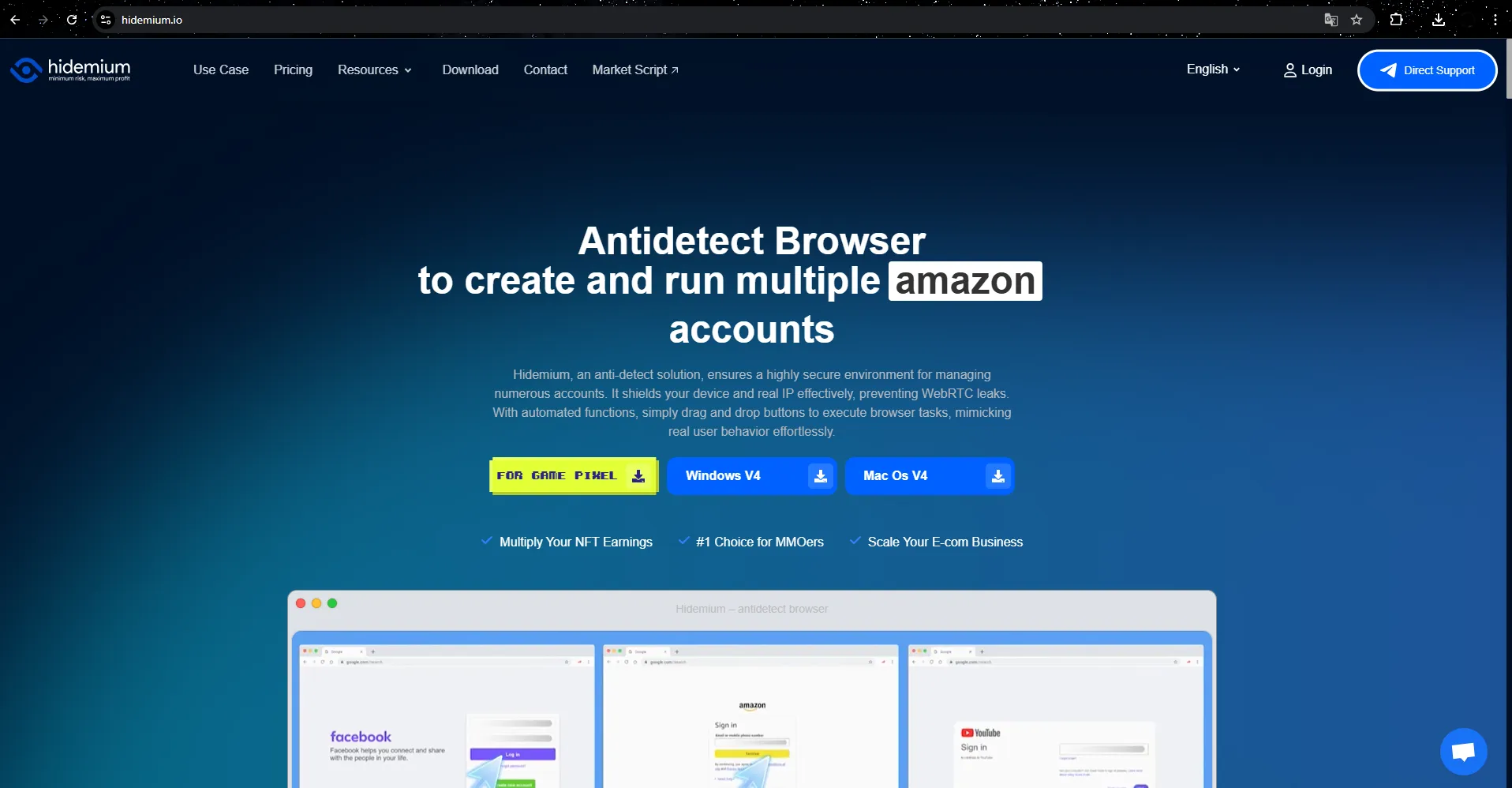
Especially when you want to scale up with multiple accounts, using Hidemium AntiDetect Browser will help you optimize efficiency while still ensuring absolute safety for the account system.
Hidemium allows creating browser-independent configurations, each configured as a separate device with a different browser fingerprint – including operating system, device memory, browser type, screen resolution, cookies, extensions, etc. When combined with separate proxies (each proxy corresponds to a unique IP address), you get a completely isolated environment for each Flipkart account, minimizing the risk of being detected or locked out.
In addition to the ability to disguise devices, Hidemium also integrates many powerful features to support sellers:
Customize browser fingerprints to your specific needs
Easy and efficient proxy management
Create unlimited sub-accounts
Share or transfer profiles between Hidemium users without logging into the main account
Automate sales processes such as: posting products, processing orders, customer care,...
6. Conclusion
Becoming a seller on Flipkart offers many opportunities to grow your online business in the Indian market. With a large customer base and a stable operating system, this platform is suitable for both beginners and businesses looking to scale.
By combining high quality proxy with Hidemium antidetect browser, you can build a separate, secure working environment for each account – from there Maximize operational efficiency and increase profits sustainably.

Related Blogs

Making money online has become a popular trend in recent years, with people looking for ways to supplement their income or make a full-time living from the comfort of their homes. One way to do this is by using apps that allow you to earn money through various means. In this blog post, we will […]

Fiverr is one of the leading marketplaces in the world where employers can hire a freelancer to perform various digital services. Those services range from creating a website or logo for your business to video editing, photo design, video scripting, web analytics, etc. Nearly 4 million people rent digital services on Fiverr each year, and […]
How to Integrate IPRoyal with Hidemium — Complete Privacy at Your FingertipsIn today’s digital landscape, privacy, speed, and scalability are crucial. Whether you’re a digital marketer, developer, or eCommerce entrepreneur, managing multiple accounts and operations demands tools that are secure, seamless, and efficient.That’s why combining Hidemium with IPRoyal creates a powerful solution — one[…]
.png)
Are you looking for ways to access websites that are restricted at school, work, or in your area? We have compiled a list of the top 5 unblocked browsers to help you bypass any barriers easily. These browsers don’t require advanced tech skills, so you can start right away.1. What Are Unblocked Browsers?An unblocked browser is a tool that allows you to access websites that are restricted by your[…]

In the digital age, online identity protection and multi-account management are crucial for many industries. Online platforms are tightening moderation policies and using digital fingerprinting technology (browser fingerprinting) to detect and restrict unusual activities. This creates challenges for individuals and businesses operating multiple accounts, running advertising campaigns, or engaging[…]
Bluesky is a decentralized social network that is gaining popularity, developed by Jack Dorsey – co-founder of Twitter. With the goal of becoming a transparent and open alternative to traditional platforms, Bluesky is attracting strong attention from the global user community.As Bluesky's popularity grew, especially among brands, marketers and entrepreneurs, a question often asked is: Can I use[…]
