

Port 443 is the standard network port used by HTTPS to securely transmit web traffic between browsers and servers. HTTPS protects data on Port 443 with TLS encryption, helping prevent eavesdropping, tampering, and unauthorized access. It is the default port used by most secure websites.
One of the factors that plays an important role in protecting online data is Port 443 - the standard connection port of the HTTPS protocol. So specifically Port What is 443? and why is it so important? Let's go together Antidetect Browser Hidemium Learn how Port 443 works, functions and instructions for using Port 443 effectively to improve information security when accessing the internet.
| Feature | HTTP / Port 80 | HTTPS / Port 443 |
|---|---|---|
| Encryption | No | Yes, via TLS |
| Default use | Unencrypted web traffic | Secure web traffic |
| Data protection | Lower | Higher |
| Typical use | Redirect to HTTPS, legacy traffic | Login, payment, SaaS, websites |
1. What is Port 443?
Port 443 is the standard port assigned to HTTPS traffic. A network port identifies a service endpoint at the transport layer, while HTTPS uses TLS to encrypt the data exchanged between a browser and a web server.
Unlike Port 80, which is normally used for HTTP, Port 443 is conventionally used for encrypted HTTPS connections.

2. Role and functions of Port 443
Port 443 provides the default endpoint for HTTPS connections. The security itself comes from TLS, which encrypts data and authenticates the server—not from the port number alone.
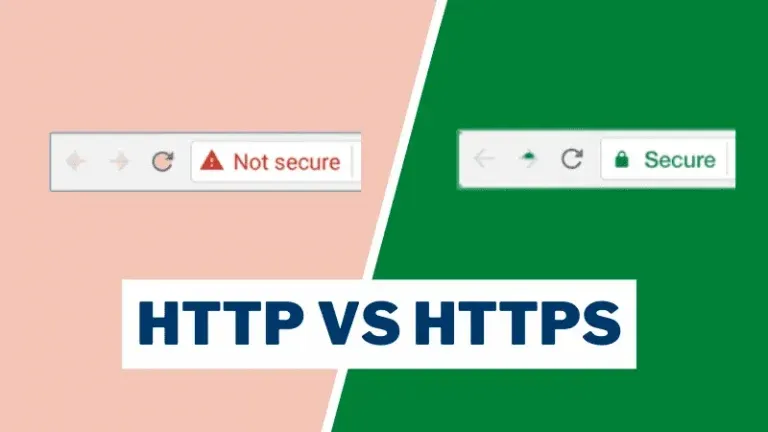
Unlike HTTP on Port 80, which transmits data in plain text that can easily be stolen, HTTPS uses Port 443 to encrypt information — from passwords and personal data to online transactions. Thanks to that, Port 443 has become an indispensable standard for modern websites, especially in the context of users increasingly concerned about privacy and security.
>>> Learn more: What is a Port? Correct role and classification
3. The importance of Port 443 in internet data security
Port 443 is important because it enables browsers and servers to use HTTPS consistently on a well-known port. TLS then provides confidentiality, integrity, and authentication for the connection. Here are the reasons why Port 443 is so important:
Acts as a standard gateway for the HTTPS protocol, helping to protect data integrity when transmitted over the network.
Helps the website meet security requirements, especially in financial transactions, logging in or sharing personal data.
Encrypts data between browser and server, preventing information theft or eavesdropping.
Avoid data leaks – because unlike HTTP transmitted over port 80 (plain text), HTTPS over port 443 helps encrypt content effectively.
Port 443 is conventionally assigned to HTTPS, while HTTP normally uses Port 80.

4. How to use Port 443 effectively
For common users, Port 443 works completely automatically every time you access websites with HTTPS protocol. For increased security, you can install the HTTPS Everywhere extension developed by the Electronic Frontier Foundation (EFF). This extension is compatible with browsers such as Chrome, Firefox and Opera, and automatically redirects to the HTTPS version of the website if available.
For webmasters, setting up Port 443 requires configuring a web server such as Apache or Nginx that comes with an SSL/TLS certificate. You can choose to buy SSL certificates from reputable providers or use Let's Encrypt - a free and popular encryption solution today.
4.1. Best practices for securing Port 443
- Use a valid TLS certificate and renew it before expiration.
- Prefer TLS 1.2 or TLS 1.3.
- Disable obsolete protocols and weak cipher suites.
- Enable HSTS where appropriate.
- Redirect HTTP traffic on Port 80 to HTTPS.
- Keep Apache/Nginx and server packages updated.
- Restrict firewall rules to required services only.
For SaaS companies and enterprise websites, Port 443 is commonly exposed through load balancers, reverse proxies, or web servers such as Nginx and Apache. Administrators should combine TLS configuration, certificate monitoring, HSTS, logging, and firewall policies rather than relying on Port 443 alone for security.
5. How HTTPS encryption works over Port 443
Port 443 does not encrypt data by itself. HTTPS uses TLS over the connection to authenticate the server, negotiate cryptographic keys, and encrypt application data.
5.1. Secure communication through Port 443
Port 443 plays an essential role in protecting sensitive information such as passwords, bank accounts or personal data. By encrypting the entire data flow between the server and the browser, this gateway reduces the risk of theft or unauthorized tracking.
5.2. How does the encryption process work?
When accessing a website using HTTPS via Port 443, the browser and server will establish a secure connection through the following steps:
The browser sends a request for an TLS certificate from the web server.
The server responds with an identity authentication certificate.
The browser checks the validity of the certificate.
The two parties create a common session key to encrypt the data.
Data is completely encrypted and can only be decrypted by parties with the secret key.
By understanding the operating mechanism and role of Port 443, you will improve your ability to protect information when accessing the Internet and deploy security solutions for your website more effectively.
6. Is Port 443 always open?
No. A computer does not need to listen on local Port 443 simply because it visits HTTPS websites. Port 443 normally needs to be open for inbound traffic only when the device is hosting an HTTPS service.
7. How to check if Port 443 is open ?
You can check Port 443 in two different ways: verify whether your computer is listening on Port 443, or test whether a remote server accepts connections on Port 443.
7.1. Check if your computer is listening on Port 443
Open Command Prompt as Administrator and run:
netstat -ano | findstr :443
If the result shows LISTENING next to :443, a local application or web server is actively listening for incoming connections on Port 443. If you only see ESTABLISHED, your computer may simply be connected to a remote HTTPS service.
7.2. Check Port 443 on a remote server
Open Windows PowerShell and run:
Test-NetConnection example.com -Port 443
Replace example.com with the domain or server you want to test. If TcpTestSucceeded returns True, the remote server is reachable on TCP Port 443.
In short, LISTENING means a local service is accepting connections on Port 443, while Test-NetConnection checks whether a remote server can be reached through Port 443.
8. Is it safe to open Port 443?
Opening Port 443 is generally safe when it is used by a properly configured HTTPS server. However, Port 443 itself does not provide security; protection depends on TLS configuration, valid certificates, software updates, authentication, and firewall rules.
Website administrators should use modern TLS versions, keep certificates valid, disable weak protocols and ciphers, and restrict unnecessary network access.
9. Does Port 443 use TCP or UDP?
Port 443 can use both TCP and UDP depending on the HTTP version. HTTP/1.1 and HTTP/2 typically use TCP Port 443, while HTTP/3 uses QUIC over UDP Port 443.
TCP provides reliable, ordered delivery for traditional HTTPS connections, while QUIC was designed to reduce connection latency for HTTP/3.
10. Does HTTPS always use Port 443?
No. Port 443 is the default port for HTTPS, but HTTPS can also run on another port when a server is explicitly configured to use one.
For example, an HTTPS service could run on port 8443, but users may need to specify that port in the URL. For normal public websites, Port 443 remains the standard choice because browsers automatically use it for HTTPS.
11. Is Port 443 the standard port of HTTPS?
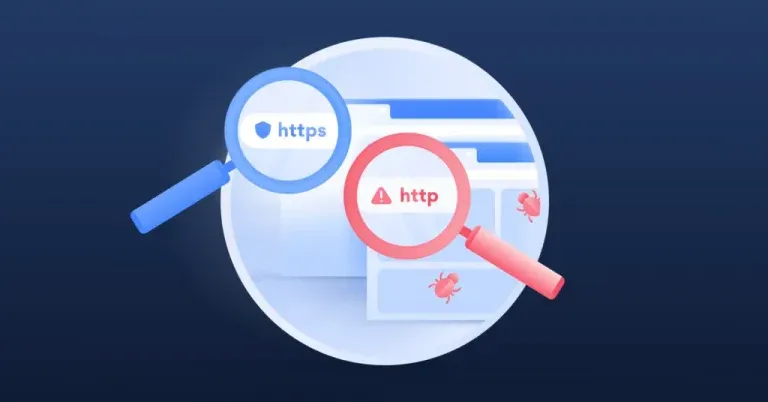
Yes. Port 443 is the standard registered port for HTTPS. RFC 1700, published by the IETF in 1994, documented port 443 for HTTPS, and IANA continues to list HTTPS with the standard port assignment.
This standardization allows browsers to connect to HTTPS websites without requiring users to manually specify the port number.
12. Does Port 443 automatically encrypt data?
No. Port 443 does not automatically encrypt data. Encryption occurs when HTTPS successfully establishes a TLS connection between the browser and server.
Port 443 is simply the standard network port used for HTTPS traffic. A service can technically listen on Port 443 without providing valid HTTPS, which is why TLS certificates and secure server configuration remain essential.
HTTPS protects data in transit, but it does not prevent browser fingerprinting. Websites can still identify browser characteristics such as Canvas, WebGL, User-Agent, language, and other device signals.
This is where an antidetect browser such as Hidemium serves a different purpose. Hidemium helps manage isolated browser profiles, fingerprints, cookies, and proxy configurations, while HTTPS over Port 443 focuses on protecting data in transit.
13. Port 443 FAQ
Although it is an indispensable part of HTTPS connections, Port 443 still makes many users wonder about its operating mechanism and actual security level. Here are the most common questions to help you better understand this important gateway:
13.1. Can Port 443 be used for VPN connection?
Absolutely possible. Many VPN services today take advantage of Port 443 to bypass barriers such as firewalls, port blocking or network access limits. Because Port 443 traffic is similar to HTTPS traffic – which is allowed on most networks – it is ideal for establishing a stable, secure, and undetectable VPN connection.
13.2. What to do when the browser warns of invalid certificate when accessing via Port 443?
If the browser displays an invalid SSL certificate warning, this indicates that the website may not be secure or has been tampered with. In this case, you should be cautious, do not enter personal information and consider stopping access. Please double check the URL or visit other trusted sources to ensure data safety.
>>> Learn more: Top 10 best free VPN applications
📌 Conclusion
Port 443 is not only the default port for the HTTPS protocol, but also an important layer of protection that helps encrypt data and prevent security threats during internet access. Hopefully through this article, you have a clear understanding of what Port 443 is, how it works and common usage scenarios.
If you are looking for a solution to improve security when surfing the web, try Hidemium - an advanced antidetect browser, combined with a high-quality proxy to help you stay anonymous and use multiple accounts without worrying about being detected.
Related Blogs

Every Instagram campaign begins with the same aim. You want to get your content in front of more people, get real interactions, and grow your audience over time. Some Instagram campaigns pick up fast. They keep bringing in more eyes, but others lose their spot after a few days. It is not always about how creative you can be. What can really help is keeping up those good signals of engagement.[…]
.png)
Why You Might Need Two Venmo AccountsWhether you are launching a new side hustle, organizing payments for a community group, or simply trying to separate your weekend spending from your professional income, you might find yourself wondering about the logistics of your digital wallet. If you are asking yourself, can I have two Venmo accounts, you are certainly not alone. As our financial lives[…]
.png)
The Secret to Flawless Writing in the AI Era: A Deep Dive into BypassGPT and Undetectable AILet’s be honest: the way we write has changed forever. Whether you are a college student pulling an all-night session or a non-native English speaker trying to land a remote job, AI has likely become your silent co-pilot. But there is a growing shadow over this digital revolution—AI detection.You spend[…]

In the era of booming AI technology, Claude AI is emerging as a powerful tool for streamlining automation processes. But what exactly is Claude AI, and how can you use it to generate intelligent automated Prompt Scripts? This article will explain in detail and share SEO strategies that can boost your website ranking by leveraging this topic.1. What is Claude AI? Overview of an Advanced AI[…]
.png)
In the digital era, Botnet is one of the biggest threats to network security. So exactly What is a botnet?? How to recognize and Prevent DDoS attacks from Botnet effectively? Let's go together Hidemium Find out details in the article below.1. What is a botnet? Popular attack targetsBotnet (short for “robot network”) is a network of infected computers, phones, or IoT devices. malicious code and[…]

If your application uses open-source code, it means that you are relying on components you didn’t write and can’t fully control, including the vulnerabilities coming with that code.This is where you should consider using Software Composition Analysis (SCA) tools, which scan your dependencies and catch any hidden security issues or risky licenses before they cause problems.Below, we will offer[…]
