
VPN Site-to-Site and VPN Client-to-Site are two widely used virtual private network connection models, especially in businesses that need to ensure data security and remote access. If Client-to-Site VPN is suitable for individuals who need to access internal systems remotely, Site-to-Site VPN plays the role of connecting branches together through an encrypted connection, operating as a unified internal network.
This article will help you better understand each type of VPN, how it works, and the specific benefits – especially when combined with an antidetect browser like Hidemium for enhanced security and easy access management.
1. What is Site-to-Site VPN?
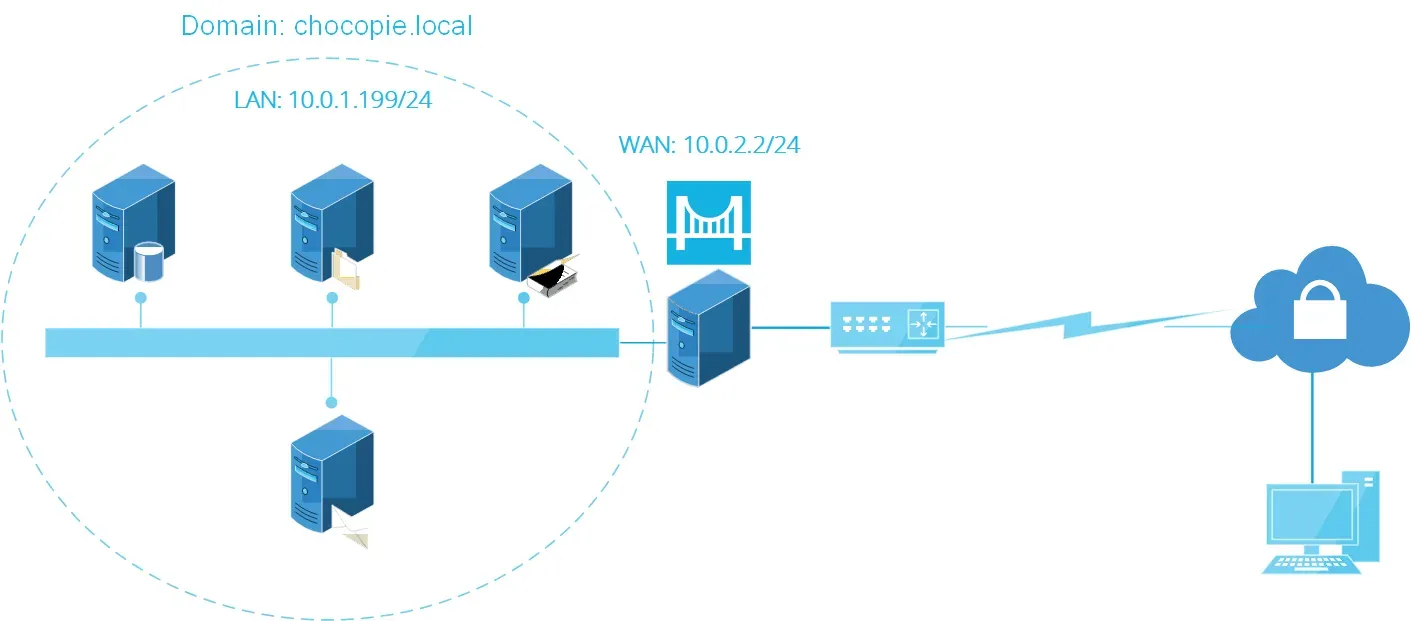
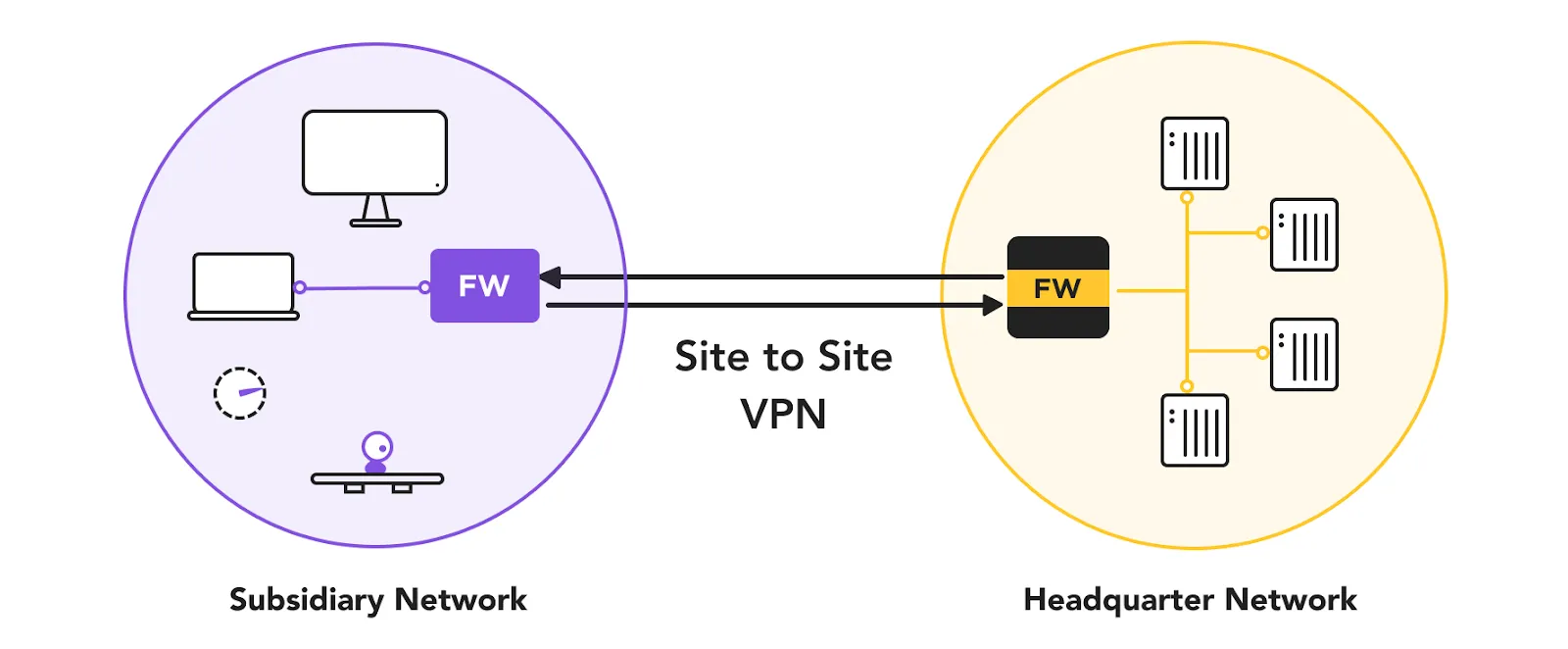
VPN Site-to-Site is a secure connection solution between multiple local area networks (LANs) at different locations through an encrypted VPN tunnel. This technology helps businesses' offices, branches or data centers communicate as a unified network system, while ensuring the security of all data transmitted over the Internet.
Thanks to its smart encryption and routing, Site-to-Site VPN Enhanced Security, while helping businesses maintain stable and seamless internal communication and performance.
>>> Learn more: What is Radmin VPN? How to Download it for Free
2. What is Client-to-Site VPN?
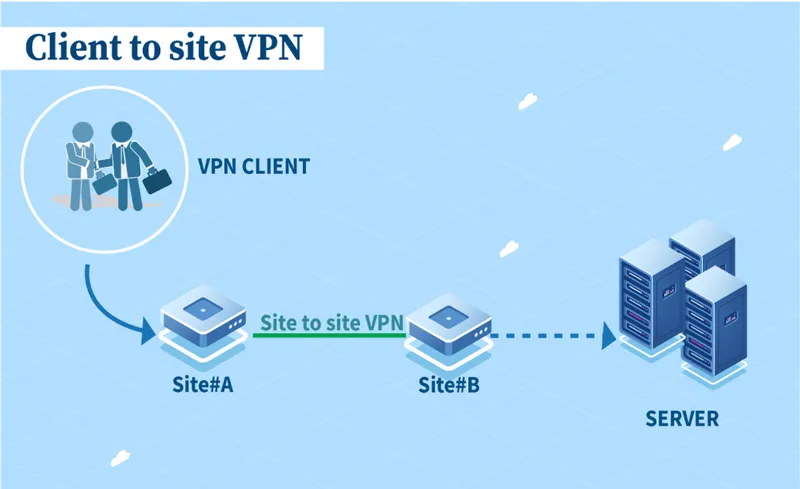
VPN Client-to-Site is a model that allows individual users to securely access corporate network systems remotely, through VPN software installed on personal devices (laptops, phones, etc.).
This solution creates an encrypted data tunnel between personal devices and the company's internal network. This keeps data protected even when accessed from public Wi-Fi networks.
Protocols commonly used for this model include PPTP, L2TP, IPsec, SSL/TLS, providing high customization of security and connectivity performance – especially suitable for hybrid and remote working models.
>>> Learn more: Top 10 Best Free VPN Apps for Android in 2025
3. How Site-to-Site VPN Works
Site-to-Site VPN works based on the setup of an encrypted tunnel between two LANs at different geographical locations. At each end point of the connection, usually a router or firewall, will perform data encryption and decryption, ensuring that the entire transmission is secure.
Data is transmitted over the Internet but still keep privacy as an internal network, thanks to strong security protocols and streamlined routing configuration. Using Site-to-Site VPN allows branches to connect and operate as if on the same network, creating a smooth, seamless working experience.
4. Site-to-Site VPN vs Client-to-Site VPN: Which is the right choice?
When implementing a secure network system for a business, choosing between VPN Site-to-Site and VPN Client-to-Site depends on purpose of use and organizational size. Each solution has its own characteristics, suitable for different situations and user groups.
Criteria | VPN Site-to-Site | VPN Client-to-Site |
| Intended use | Connect LANs at multiple offices and branches into a single internal network | Allows individual users to securely access the corporate network remotely |
| Target audience | Enterprises with many branches and offices | Remote workers, freelancers, or individual users |
| Connection method | Automatically establish connections between networks without any action from the end user | Users install VPN software and connect manually via personal devices |
| Security level | Data is encrypted through secure tunnels between networks | Data is encrypted from user device to corporate network |
| Connection Management | Administrator setup and control at each location's network gateway | Users self-manage connections via VPN application |
| Configuration complexity | Complex configuration, requiring specialized techniques – suitable for large enterprises | Easy to deploy and use, suitable for individuals or small and medium businesses |
>>> Learn more: How to Fake IP Effectively Using VPN and Proxy
5. Advantages and Disadvantages of Site-to-Site VPN
VPN Site-to-Site is the optimal choice for businesses with many branches, helping to connect the internal network system seamlessly and securely. However, those benefits come with higher technical and infrastructure requirements.
Advantage:
Safe and stable connection between offices or branches.
Share resources effectively such as printers, internal servers without having to set up each location separately.
Long-term cost reduction by synchronizing the network instead of deploying separate networks for each site.
Automate connections, no user action required.
Disadvantages:
Complex configuration, requiring highly specialized IT staff.
Depends on network infrastructure quality– weak connections can affect the whole system.
High initial investment cost due to the need for specialized hardware and software.
System expansion takes time because reconfiguration is required when adding a new office.
Site-to-Site VPN and Client-to-Site VPN are both essential security solutions for modern businesses. Depending on your needs – connecting networks between offices or supporting remote work – you can choose the appropriate configuration. Don’t forget to optimize your infrastructure and have a clear deployment strategy to ensure long-term efficiency and security.
>>> RELATED ARTICLES:
Related Blogs

Have you ever wanted to share your weekend gardening projects, but felt awkward posting them right next to your professional networking updates? Keeping personal and professional spaces separate creates much-needed mental clarity and focus — and if you've ever wondered can you have multiple Bluesky accounts to solve this clutter?, the answer is a resounding yes.In practice, managing two personas[…]
If you are looking for a Kiwi VPN review, the main questions are whether the service is safe, whether it keeps user logs, how much it affects internet speed, and whether the Premium version is worth paying for.Kiwi VPN is a VPN application designed to route your internet traffic through a remote server and change the IP address websites see. It offers both free and paid options, but the right[…]

In the digital era, online platforms such as Facebook, Google, TikTok, Amazon, Shopee, and others continuously leverage AI and Big Data to analyze browser fingerprints, user behavior patterns, and connections between accounts. This puts individuals and businesses managing multiple accounts at high risk of suspension if they lack the right solution. Antidetect browsers have emerged as a “shield,”[…]

In the process of doing business online, many sellers face the problem of accounts being repeatedly suspended even though their content does not violate any rules and their ads fully comply with platform policies. This leads to business disruptions, declining revenue, and major difficulties in scaling operations. The root cause lies in poor digital identity management.That is why more and more[…]
.png)
In the digital era, no-code automation has become an essential trend for individuals and businesses to optimize their workflows. However, many people struggle with automation due to a lack of coding skills, making repetitive task automation seem out of reach.So how can someone with no coding background still create powerful automation scripts?The answer lies in the AI Prompt Script on Hidemium –[…]
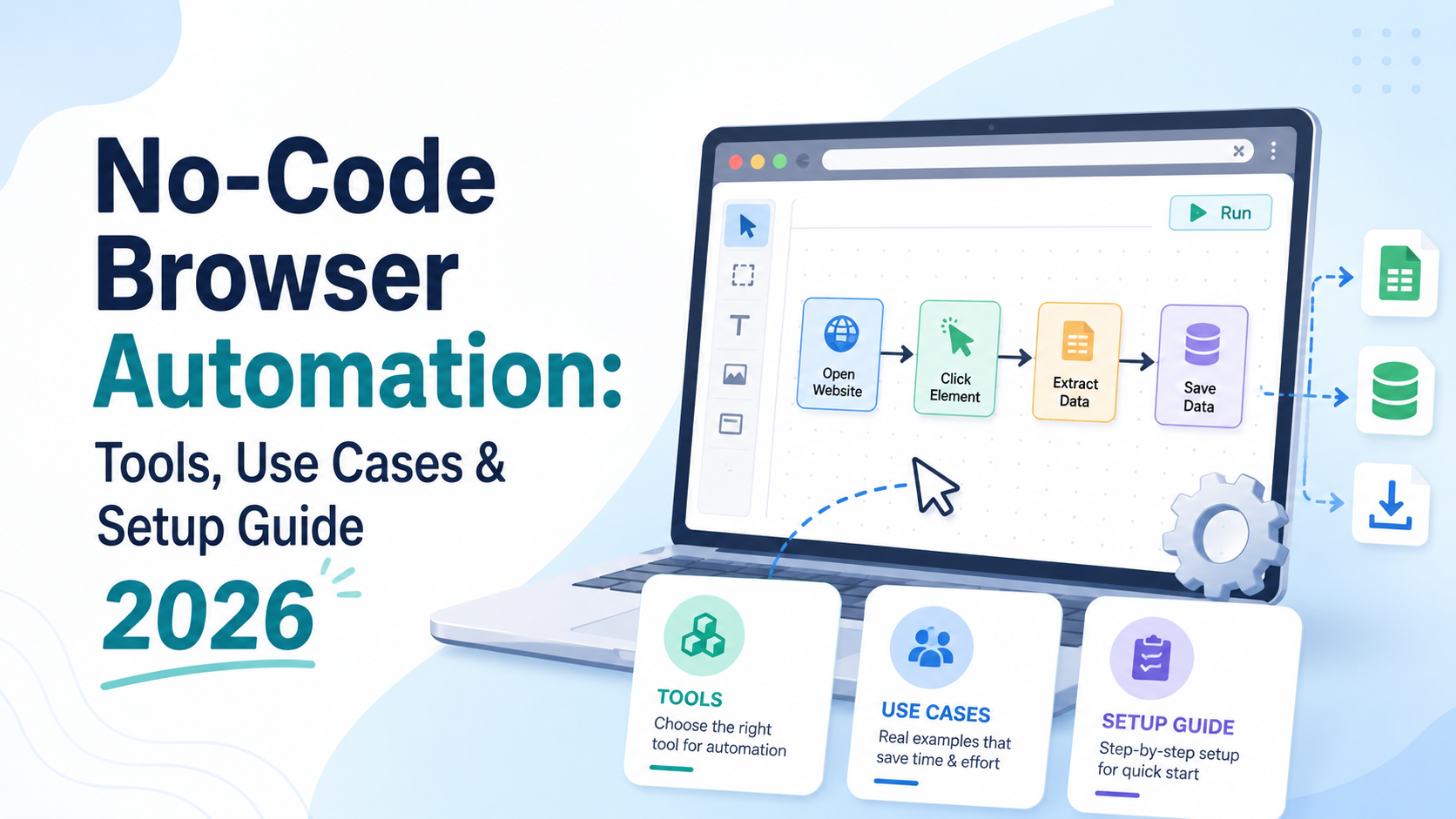
What Is No-Code Browser Automation — and Why Does It Matter in 2026?For years, browser automation was the exclusive domain of developers. If you wanted to automate repetitive web tasks — filling forms, scraping data, clicking through workflows, or managing multiple accounts — you needed to write code in Python, JavaScript, or another language. Tools like Selenium, Playwright, and Puppeteer were[…]
