
More than three decades ago, eBay started as a small auction site where people could sell their old items to earn extra income. By 2025, the platform had become an e-commerce giant, trusted by thousands of sellers to grow their businesses. However, while eBay has been constantly improving its security systems to protect users, it has also implemented strict regulations – sometimes counterproductive, leading to accounts being suspended without explanation, or sellers not being careful enough to operate multiple accounts at the same time.
In this article, Hidemium will help you understand the reasons why your eBay account was suspended, as well as guide you through the steps to take to restore it and avoid future risks.
1. Common reasons why eBay accounts get suspended
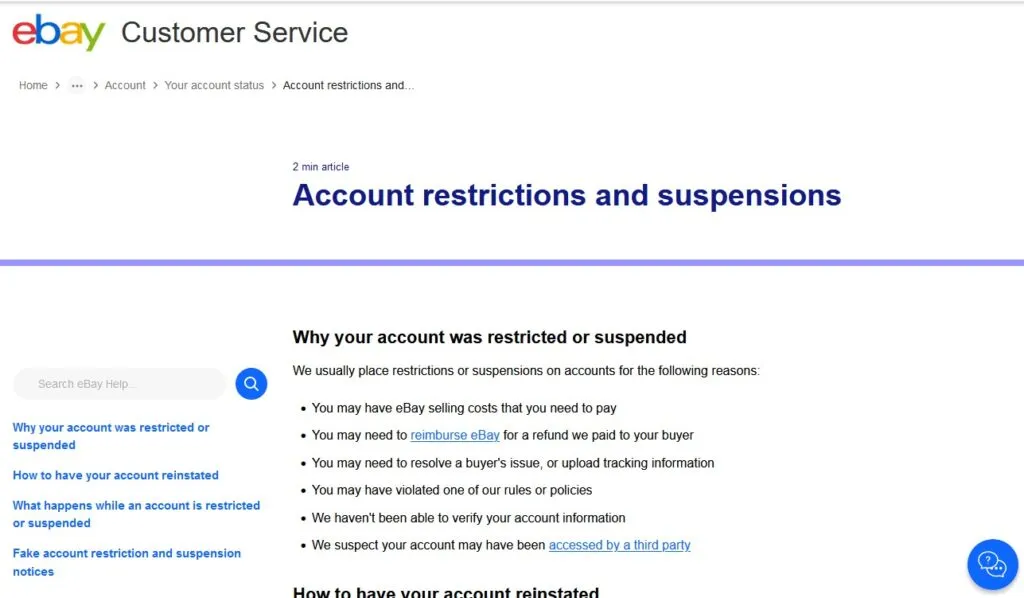
There are many reasons why your account may be suspended. Some of these are clearly outlined on eBay's support page, but others go unanswered. Here are the most common reasons:
Late payment of sales charges or refunds: If an account has outstanding fees or has not yet refunded a customer, eBay may suspend the account. Notably, many sellers are “in the wrong” because they do not know that they need to refund eBay after the customer has been refunded, even though the 30-day period has not yet passed.
Delayed customer response: When buyers are dissatisfied and do not receive timely responses, they are more likely to report to eBay. This causes the platform to rate the seller poorly and leads to account restrictions.
Policy violation: Obvious violations like selling banned items, counterfeit goods, or manipulating reviews can be easily detected. However, there are also many cases of suspension due to general "policy violations" that eBay does not clearly explain, leaving sellers confused about what went wrong.
Account verification failed: If eBay cannot verify the ID or finds the information does not match, they will suspend the account until the verification process is complete.
Account Accessed Unauthorized: When there are unusual signs such as strange product listings appearing or password changes, eBay can lock the account to prevent the risk of being hacked.
However, there are times when eBay overreacts. For example, simply logging in from an unfamiliar IP address, such as public Wi-Fi, can trigger a security suspension.
>>> Learn more: eBay SEO – A Guide to Optimizing Your eBay Listings
2. Risks of using multiple eBay accounts at the same time
eBay allows users to own and manage multiple accounts, for example to separate shopping and selling activities, or to focus on different markets. However, the platform prohibits creating new accounts with the purpose of circumventing restrictions that apply to existing accounts.
This is a common and serious mistake that many eBay beginners make. It’s easy to understand – how can you grow your dropshipping business if your account is limited to 10 listings and $500 in revenue in the first month? But if you intentionally create additional accounts to get around this limitation, you’re violating eBay’s policies.
eBay's goal is to maintain a fair trading environment and limit feedback manipulation. However, eBay's policy regarding multiple accounts is quite vague, making it difficult for newcomers. On the one hand, you are allowed to open as many accounts as you like; on the other hand, if you misuse or show signs of fraud, all accounts can be locked.
>>> Learn more: Tips for managing multiple eBay accounts effectively and safely
3. What are the effects of eBay account suspension?
When an eBay account is suspended, it will be locked and no transactions will be possible. The account holder will not be able to buy or sell, send messages to customers, or manage orders until it is reinstated. Buyers will be able to remove bids from listings, and sellers will not be able to post or edit new posts.
Suspensions can last anywhere from a few days to a month, depending on the severity of the violation. In severe cases, accounts can be permanently suspended. Another serious mistake is when a user intentionally creates a new account using information that is identical to the locked account. eBay's sophisticated tracking system can easily detect this connection, quickly disabling the new account immediately.
4. What to do when your eBay account is suspended?
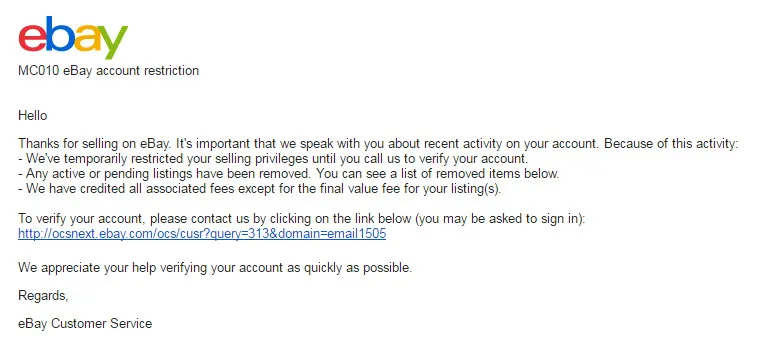
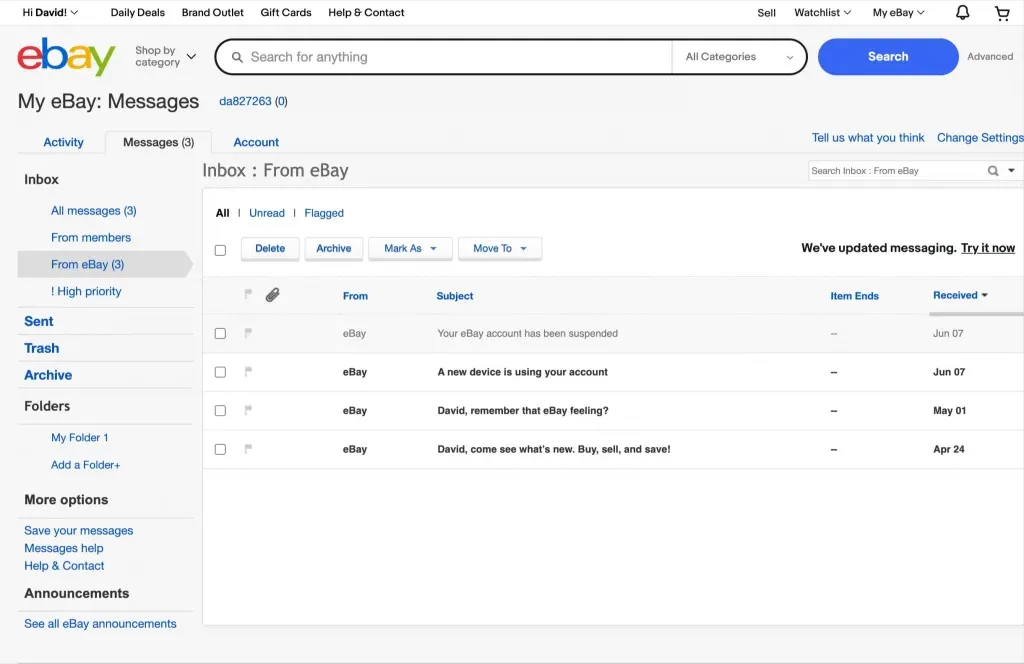
Whether or not your eBay account can be reinstated will depend on the reason stated in the notification email from eBay – provided they provide a specific reason.
Typically, you can verify your account by submitting a copy of a valid ID or bank account information. However, this doesn’t always work, as many users have reported on Reddit and other forums. If these two options don’t work, your only option is to contact eBay support directly.
eBay used to allow for one-time payments or refunds, but they've since discontinued that feature. Instead, eBay will attempt to deduct the money from your account balance or preferred payment method. If that doesn't work, you'll need to update your payment method as instructed.
The final option is to contact eBay directly, explain your situation clearly, and provide enough evidence to request the suspension be lifted. Although it is difficult to get a permanent suspension reversed, some people on Reddit have had success after calling and talking directly to support staff. However, this is just personal experience, and you should consider this option after trying all other official methods.
>>> Learn more: eBay Account Suspended: Funds Held for 170 Days – What to Do Next?
5. How to avoid having your eBay account restricted or suspended?
To run a business on eBay stably and without worrying about being restricted or locked out, I have gone through many tests and found the most effective method. Below are the solutions I have applied and the final conclusion.
5.1 Using proxies
The first solution I tried was using a proxy. Since eBay can detect and link multiple accounts using the same IP address, using a reputable residential proxy helps to separate connection information, ensuring that accounts are not linked. However, I soon realized that IP addresses are not the only factor eBay relies on.
In fact, eBay and many other platforms rely on “browser fingerprinting”—a combination of hardware and browser information on a device—to determine the connection between accounts, making proxying alone insufficient.
5.2 Using multiple devices
Realizing that limitation, I tried the next solution: using a separate device for each eBay account, combined with separate IPs via proxy or VPN. Additionally, I had to set up each account with a different email and payment method to ensure there were no duplicates.
However, purchasing multiple phones or individual devices is quite expensive, especially when scaling up. Not to mention, managing each device separately increases the workload significantly and consumes a lot of time.
5.3 Antidetect browser
Ultimately, the best and most cost-effective solution is to use an anti-detection browser. These browsers allow me to operate multiple eBay accounts on the same device, but each account has its own unique browser fingerprint and IP address – it’s like running on completely different devices.
This allows eBay to treat each account as a separate, independent entity, which allows me to easily expand my dropshipping business, test different customer segments, or automate my listing process without worrying about my account being locked out.
There are a lot of anti-detection browsers on the market, but not all of them are as effective as advertised. After trying almost all the tools big and small, I foundHidemiumis the best choice thanks to its easy-to-use interface, powerful features, and reasonable price. This is the most reliable tool if you want to build and expand your eBay account system safely.
>>> Learn more: eBay Proxy: Use Premium Proxy to Avoid Ban in 2025
6. Manage Multiple eBay Accounts Efficiently with Hidemium
Choosing an anti-detection browser that is easy to use is key to managing multiple eBay accounts safely and conveniently. Hidemium is one of the tools that meets this criteria well, thanks to its quick setup process, intuitive interface, and user-friendliness – even for beginners.
A big plus for Hidemium is that it offers a 3-day free trial with 1000 profiles without any payment or registration obligations. This makes it easy to experience all the features before deciding to use it long-term.
Hidemium's profile management interface is minimalistic yet flexible. You can easily track individual profiles or get an overview of them all with just a few clicks. This is especially useful when you need to manage multiple accounts at once.
6.1 How to create a profile on Hidemium
Hidemium works on a standalone browser profile mechanism, where each profile has its own browser fingerprint, device information, and IP address (when you configure a proxy). Creating a profile is simple: just hit “Add Profile” to get started.
You can name and categorize your profiles into folders for easy management. To ensure that eBay accounts are not linked, assign a separate proxy to each profile. Hidemium supports proxies from many different countries, giving you the flexibility to choose the right IP for each market. In case eBay does not support the country you want, you can still add a third-party proxy easily.
Don't forget to use the proxy checker to ensure that your IP is stable and not blocked. For advanced users, Hidemium also allows for deep customization of browser fingerprinting parameters and importing data such as bookmarks, cookies, etc. However, the default settings are enough to run your eBay account smoothly and securely.
6.2 Linking profiles to individual eBay accounts
Whenever you click “Start” next to a profile, Hidemium launches a standalone browser that matches that profile. This version of the browser comes with its own fingerprint, bookmarks, extensions, and cookies, and functions just like a normal browser.
When you log in to your eBay account in that browser, your login information is tied to that profile. Hidemium saves cookies, session history, and other browser data, keeping your accounts separate, just like when you use multiple devices.
Setting up multiple eBay accounts is simple as you repeat this process for each profile. With a powerful enough desktop computer, I can easily run multiple accounts at once without any performance issues.
6.3 Stop and restart profiles easily
When you are done with your work for the day, you can stop the profile by clicking the button next to it or simply closing the browser window. The next time you restart, all tabs and information from the previous session will be fully restored.
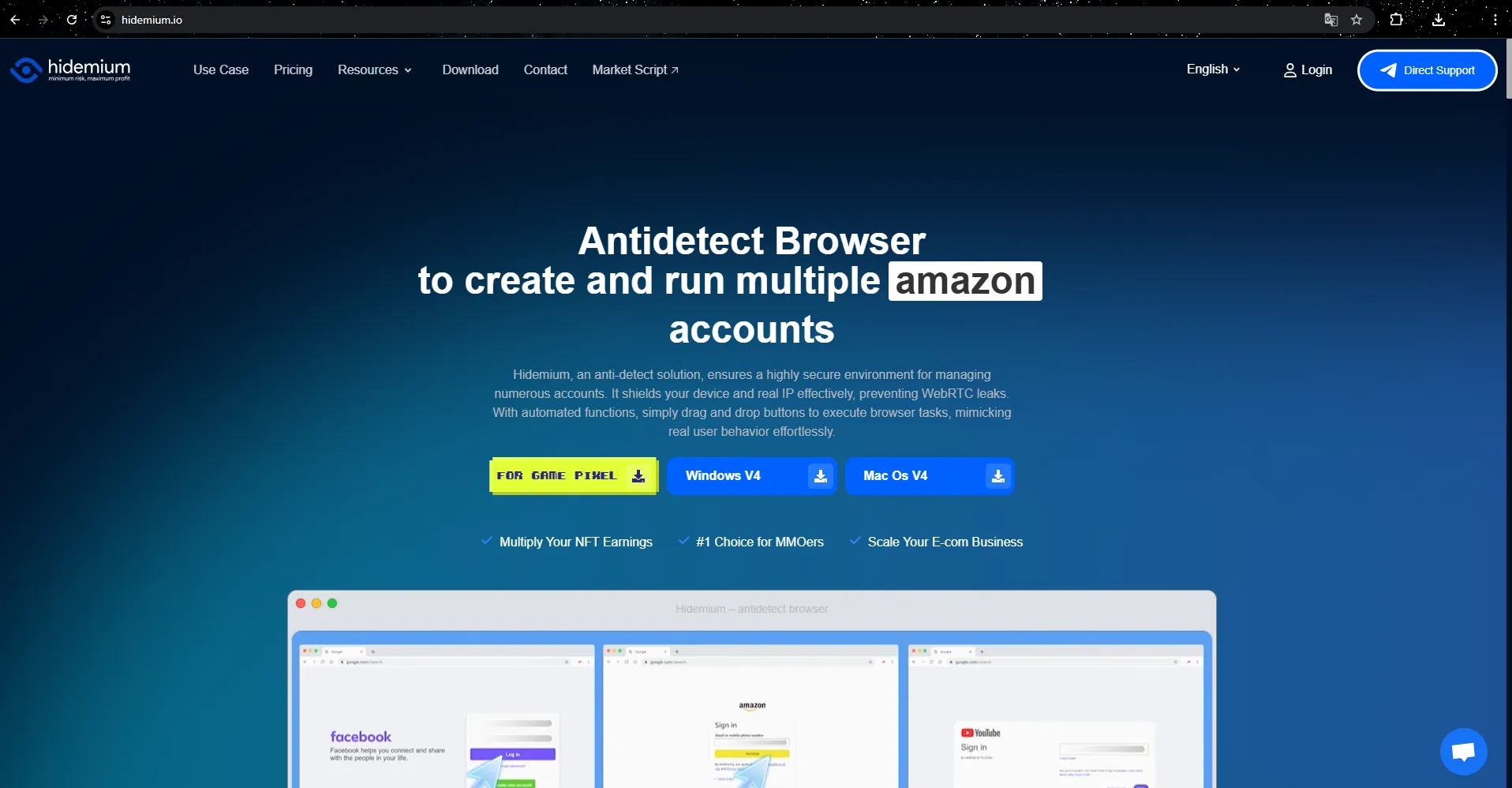
You can also link accounts from other platforms like eBay, Amazon, or any site that requires multiple separate accounts. Name, tag, note, or categorize them into folders to make it easy to manage and differentiate each profile.
>>> Learn more: Best Antidetect Browser: Top Pick for Managing Multiple Accounts
7. Frequently Asked Questions about eBay Accounts
How to unsuspend eBay account?
Please check your email for suspension or access notification Message in My eBay to follow the instructions. Typically, you'll need to pay any outstanding fees, update your payment information, verify your identity, or resolve any policy violations. Once you've completed this, eBay will restore access to your account.
Can I create a new eBay account if my old account is suspended?
Technically yes. However, eBay can detect and link the new account to the old one through email, payment method, IP address, or device used. If you haven't resolved the issues with the old account, the new account is also vulnerable to suspension.
Does eBay block user IPs?
Yes. If you use the same IP address or device fingerprint for multiple accounts, eBay may automatically suspend or disable that account.
How to get back a blocked eBay account?
First, check your eBay message or email for the reason for the block. Then, take steps like paying the fee, verifying your information, resolving a listing error, or contacting support. Once complete, your account will be reactivated.
How long is an eBay account suspended?
The length of the suspension depends on the severity of the violation. Some cases are temporary (7, 10, or 30 days), while more serious cases may result in an indefinite or permanent suspension. eBay will specify the specific duration in the notice sent to you.
How to recover a suspended eBay account?
First, read the eBay notification email carefully to determine the cause. Then resolve the issues listed: pay fees, verify your identity, update account information, or fix policy violations. If you have any difficulties, you can contact eBay support directly via text or phone for support and to reopen your account.

Related Blogs
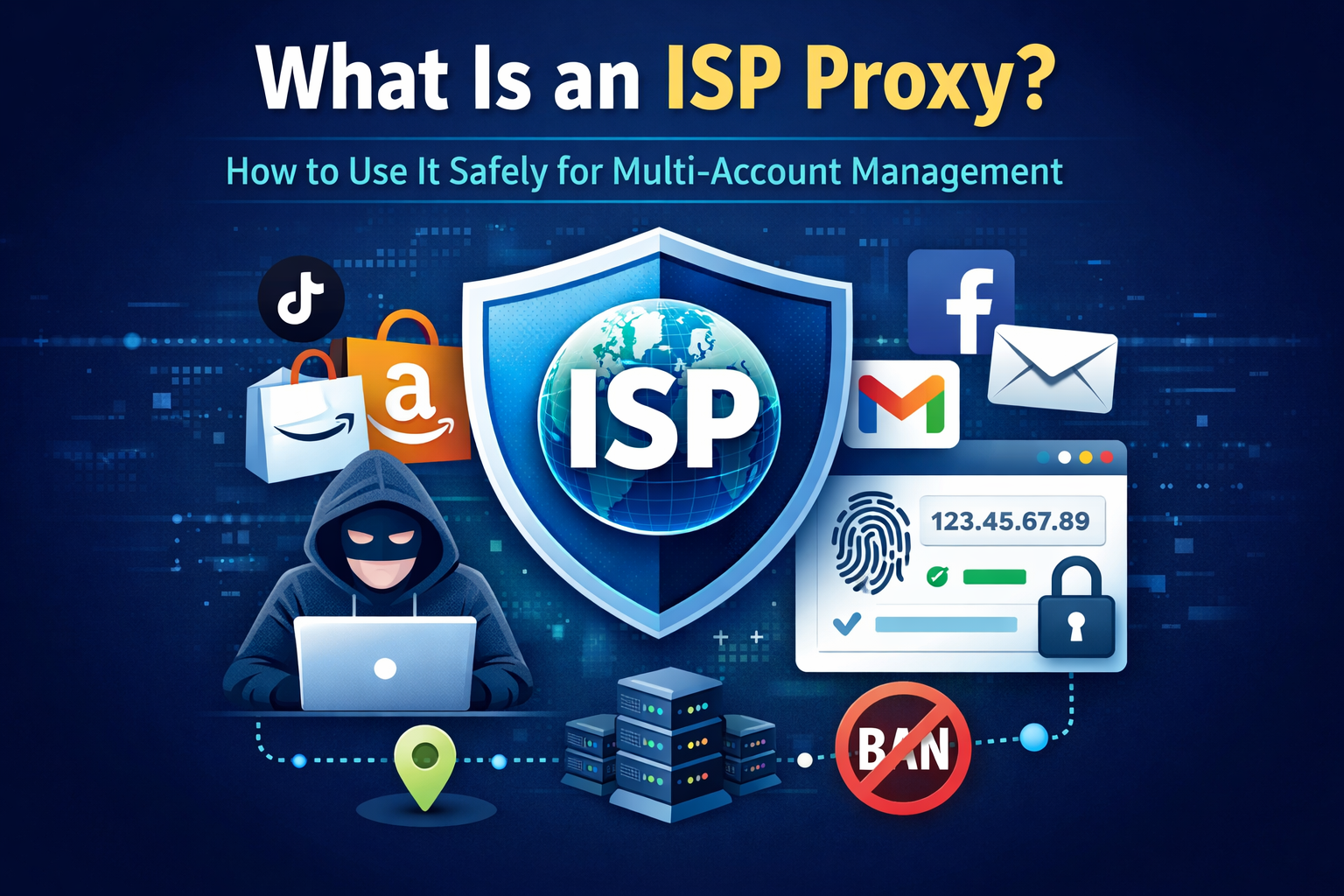
What Is an ISP Proxy? And How to Use It Safely for Multi-Account ManagementManaging multiple accounts today isn’t just about creating more profiles—it’s about staying undetected.Whether you're running stores on Amazon, scaling TikTok accounts, or doing affiliate marketing, your setup is only as strong as your proxy—especially when using an antidetect browser.One wrong IP choice can lead to[…]

If you already know how affiliate marketing works, then learning about the AliExpress Affiliate program will be a good choice. If you don’t know, learn about affiliate marketing first! What is the AliExpress affiliate program? The AliExpress affiliate program, like all other affiliate programs, pays a commission based on products sold through the affiliate. So you earn commissions by […]
.png)
In the online business and social network management environment, using multiple accounts on the same platform such as Facebook, Twitter or Amazon is a common need. Ghost Browser was born as a convenient solution, helping users easily manage multiple accounts in a single browser interface. This article Hidemium will explain what Ghost Browser is, why it has become the favorite choice of many[…]

Cherry Proxy (formerly known as 360Proxy) still maintains its position as one of the services trusted civil proxy on the market. The name has changed, but the core quality has not. If you have used 360Proxy before, you will feel familiar; if not, now is the perfect time to explore it in more detail.In this article, Hidemium will be comprehensively evaluated 360Proxy/Cherry Proxy 2025: from[…]
In response to feedback from our valued users and customers, we are excited to announce that our popular Multibrowser product will now be known as Hidemium. We understand that the name of a product is crucial in conveying its purpose and value, and after careful consideration, we believe that Hidemium better represents the features and […]

Telegram bị chặn bởi nhà mạng tại Việt Nam đang là chủ đề nhận được sự quan tâm lớn từ cộng đồng người dùng. Sáng ngày 26/5/2025, nhiều người tại Việt Nam bất ngờ không thể truy cập và sử dụng ứng dụng Telegram như bình thường. Điều này gây gián đoạn trong quá trình liên lạc cá nhân, trao đổi công việc cũng như sao lưu tài liệu quan trọng.Nhằm giúp người dùng khắc phục tình trạng này, bài viết[…]
