
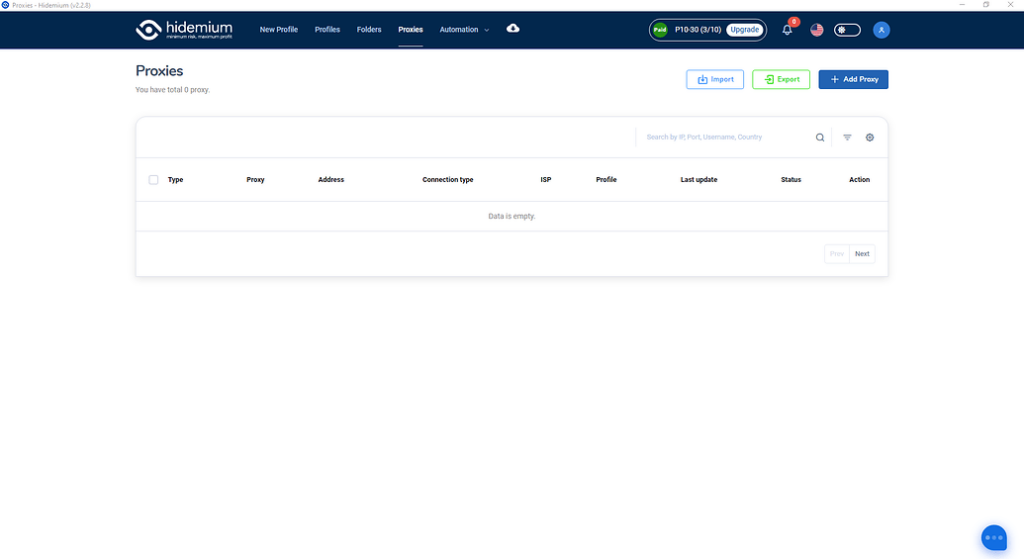
Tùy theo mục đích quản lý proxy của anh em nhé, màn hình này sẽ cho thấy bạn đã và đang dùng proxy nào, cho phép bạn check live sống chết của proxy ra sao, cho phép bạn tìm kiếm truy vấn filter theo proxy type, country, ISP, status…
Ok giờ chúng ta đi vào phần đầu tiên:

Anh em ấn vào nút Import thân thiện này hộ mình nhé.

Màn hình hiện lên ta có các lựa chọn sau đây:
Type: Kiểu proxy bạn muốn import hàng loạt
Type import: Kiểu định dạng import, nếu là text thì bạn paste text xuống ô Text bên dưới, nếu là file thì hãy chọn file để đưa vào import nhé.
Định dạng hỗ trợ của team mình đây nhé:
SSH,SOCKS5,SOCKS4,HTTP: IP|port|username|password
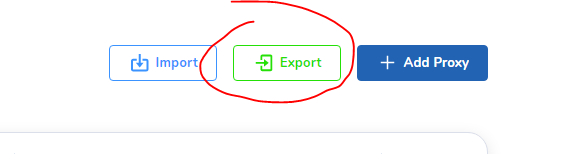
Chọn nơi cần lưu thế là đã lưu toàn bộ proxy của mình về nhé. Muốn đưa sang tài khoản khác lại chọn chức năng import có thể import nguyên data proxy từ tài khoản này sang tài khoản khác nhé.
ADD PROXY

Anh em điền loại proxy của mình vào rồi ấn Check Proxy trước khi là Add Proxy nhé. Proxy live mới cho Add vào nha.
CHECK LIVE

Anh em chọn proxy cần check, sẽ có nut Check Live hiện bên trên, việc của anh em là ấn check xong chờ kết quả nhé.

Tích xanh là Live
Tích đỏ là Die
Tương tự sẽ là chức năng delete xóa hàng loạt.
Đi vào chi tiết chúng ta có:
- Detail
- Quick create
- Edit
- Delete
Detail: Chúng ta sẽ xem được full thông tin proxy tại chức năng này

Quick create: Tạo nhanh profiles với Proxy đã chọn
Edit: Sửa lại thông tin proxy đã chọn, nhớ ấn check proxy trước khi lưu lại
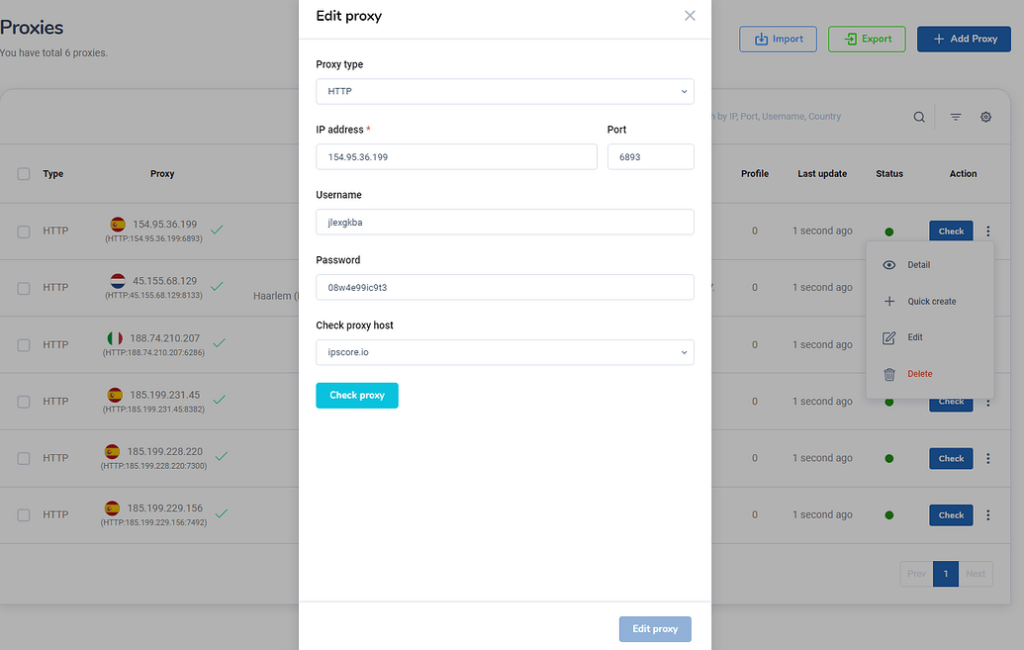
Delete: Xóa proxy đã được chọn
Và quan trọng hơn để sử dụng màn hình Proxy này anh em phải mua plan trước khi truy cập vào nhé. Link mua nâng cấp tài khoản tại: https://hidemium.io/pricing 1

Related Blogs
Did you know? More than 25% of professional eBay sellers are using multiple accounts to increase revenue, spread risk, and avoid permanent bans. However, managing multiple eBay accounts without getting caught is a major challenge—unless you have the right tools.If you are really interested in multi-account eBay, selling anonymously or implementing dropshipping at scale, you've probably[…]

Account management websiteWhy Account Management Solutions Matter for Modern BusinessesIn today's fast-paced business world, managing client relationships is crucial. Account management solutions offer a way to streamline this process. They help businesses automate tasks and improve efficiency.Key Benefits of Integrated Account Management SoftwareThese solutions are not just about managing[…]
Have you ever searched for a pair of shoes online, only to see ads for them minutes later across every website you visit? Most people assume "Incognito Mode" stops this. In reality, standard private browsing only hides your local history from others using the same computer — external websites and ad networks continue tracking you without interruption.Every time you go online, you leave behind a[…]
.png)
Reddit continues to maintain its position as one of the most engaging platforms today, with over 50 million daily active users. However, users cannot always access Reddit smoothly. Some regions may have restricted access, while the mechanism strict bot detection Reddit's system makes account management and data collection more difficult. Therefore, proxy has become an essential supporting[…]

In today's article, we will explore Multilogin – one of the prominent names in the Antidetect Browser field. Multilogin has established its position due to its stable operation and long-standing presence in the market. However, it also attracts attention because of its high price and customer-specific support options. Notably, with the latest Multilogin X update, there have been significant[…]

In the context of fierce competition on social networking platforms, THIS IS FACEBOOK is increasingly becoming a key factor to help businesses improve visibility and reach target customers. To support efficient optimization, many Free Facebook SEO software was born, helping users manage Fanpage, improve content quality and automate marketing processes.In this article, Antidetect Browser Hidemium[…]
