
Hello anh em, tôi Đạt Văn Tây hôm nay sẽ hướng dẫn anh em sử dụng tính năng quick create trong app Hidemium nhé.
Đầu tiên anh em cần setting config của Quick Create nhé!
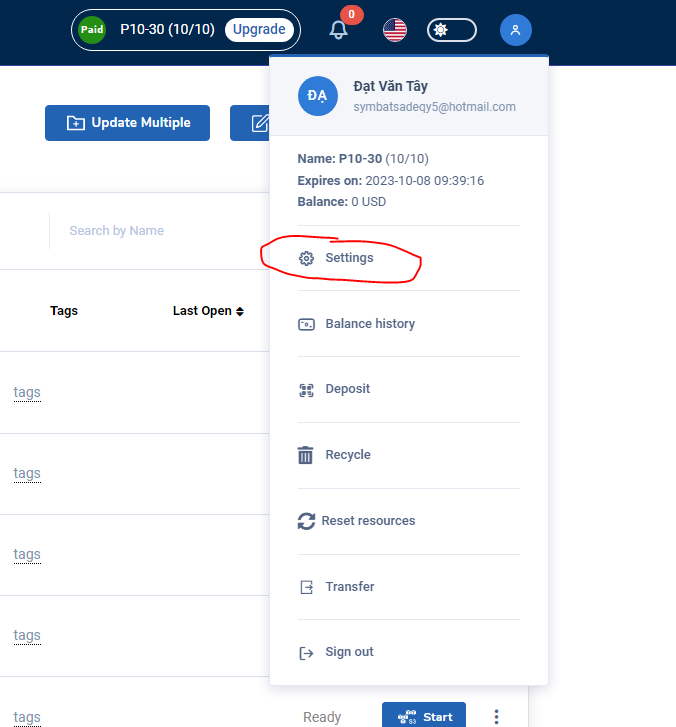
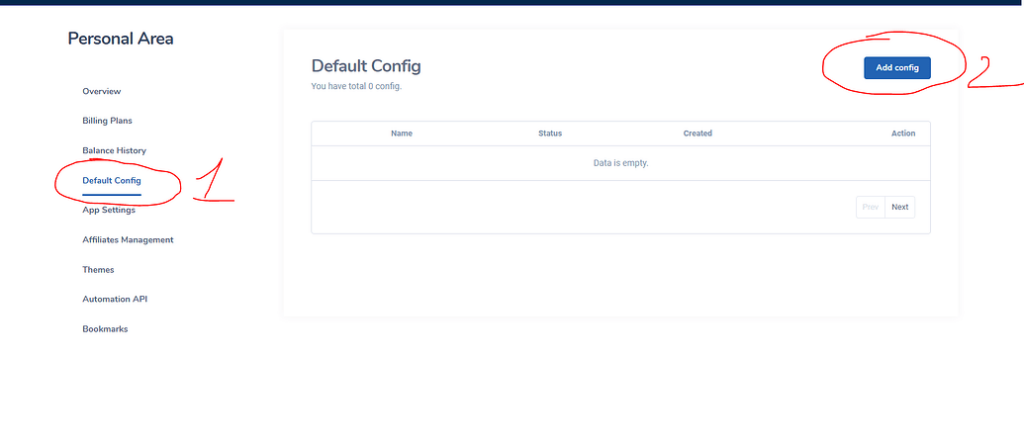
Anh em chọn setting → Default Config → Add Config
Trong màn hình Add Config ta có những option chúng ta lựa chọn cho config fingerprint profiles
Config name: Tên config
Profile name: Cấu hình rule tạo tên cho profiles, chúng ta có các biến đối số sau: {profile_number},{random_number},{year},{month},{day},{hour},{minute},{second}
Tôi ví dụ trong trường hợp tịnh tiến tên profiles của tôi là: Esty {profile_number}
Khi chọn Quick Config Esty thì profiles sẽ generate tên Esty 1, Esty 2, Esty 3…
Select folder: Profiles sẽ nằm ở folder được chọn
Screen Resolution: Fake kích cỡ màn hình
Extension: Chỗ này khi profiles được tạo mặc định sẽ được cài đặt những addon được chọn.
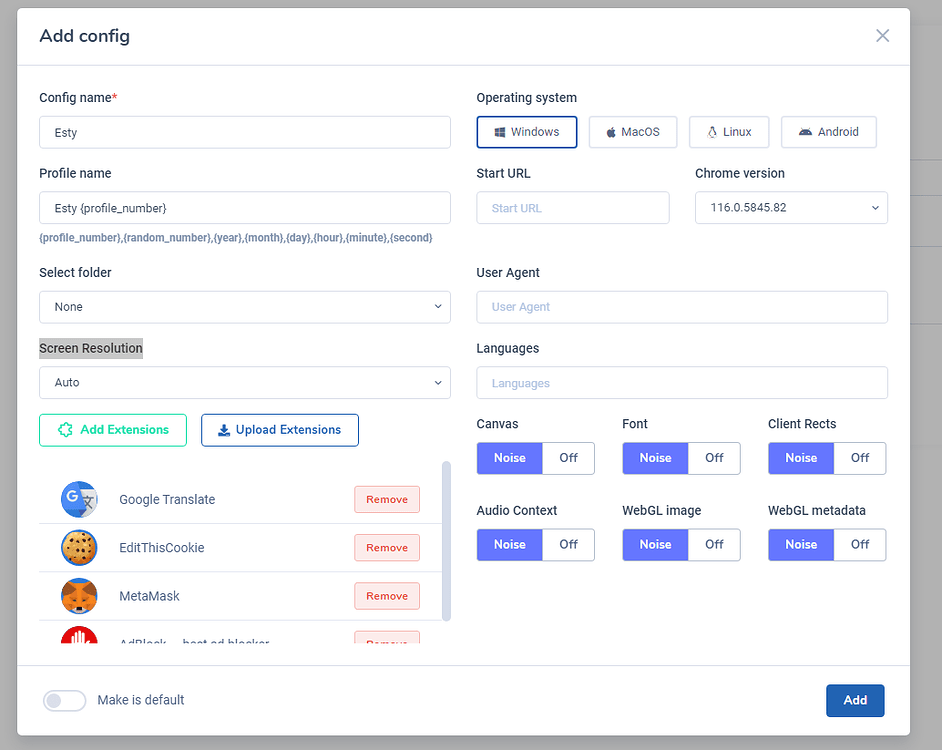
Operating system: Chọn hệ điều hành profiles
Start URL: Đường dẫn ban đầu đi vào
Chrome version: Phiên bản chrome được tạo
User Agent: Phiên bản mã trình duyệt được tạo
Languages: Ngôn ngữ mặc định trình duyệt
Canvas,Font,Client Rects,Audio Context,WebGL image,WebGL metadata: Tùy theo mục tiêu sử dụng bạn có thể để noise hoặc không. Hidemium fake các thông số này khá tốt nên tôi để noise hết.
Sau khi lựa chọn xong cấu hình tôi ấn Add
Quay lại màn hình chính Profiles. Để lựa chọn config profiles vừa tạo tôi ấn chọn Quick Create

Chọn số lượng muốn tạo và sau đó ấn sang tên config quick profiles.
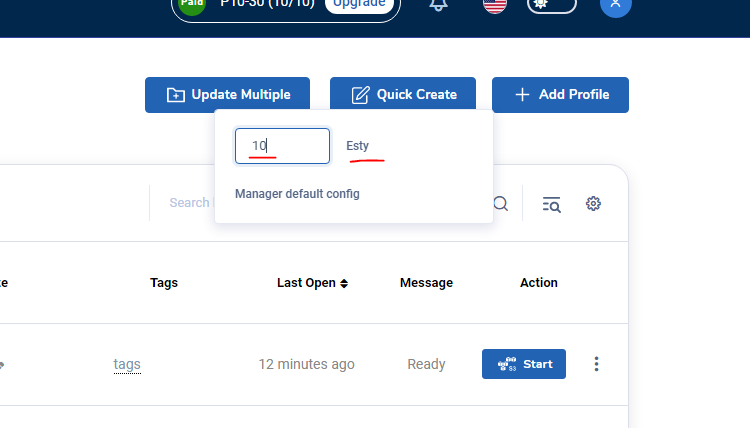
Quá trình generate profiles bắt đầu diễn ra
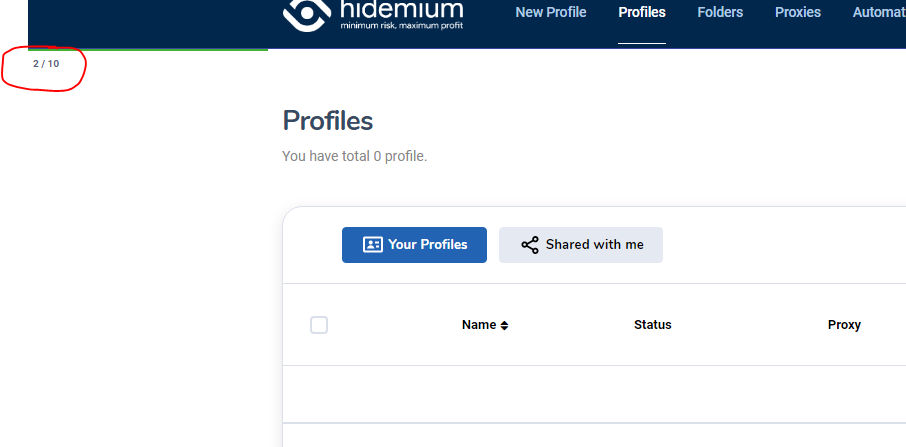
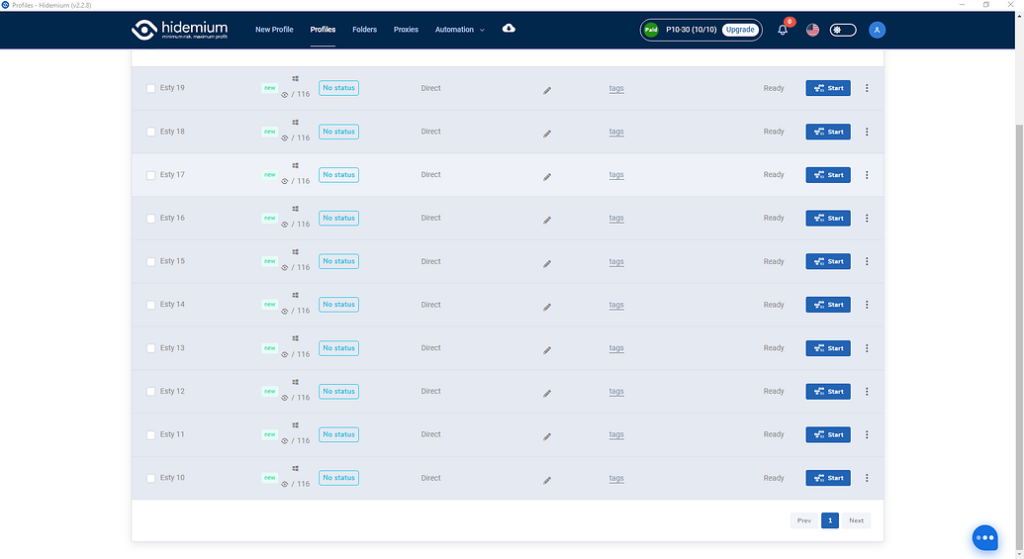
OK đã xong.

Related Blogs
.png)
In an era where online privacy and multi-account management have become vital for MMO, dropshipping or marketing people, antidetect browsers act as a "powerful assistant". Among them, XLogin used to be known as a popular choice. However, by 2025, many users began to question XLogin's stability, browser camouflage, and performance.So where is it? the most reliable XLogin alternative today? In this[…]
If you are reading this, chances are you are using a web browser built on Chromium. While Google Chrome is the undisputed heavyweight champion of the internet, it is far from the only fish in the sea. In fact, many of the most innovative, secure, and fast web experiences today are found on alternative chromium-based browsers.Whether you are frustrated by Chrome’s notorious memory hogging,[…]
.png)
In the digital era, Botnet is one of the biggest threats to network security. So exactly What is a botnet?? How to recognize and Prevent DDoS attacks from Botnet effectively? Let's go together Hidemium Find out details in the article below.1. What is a botnet? Popular attack targetsBotnet (short for “robot network”) is a network of infected computers, phones, or IoT devices. malicious code and[…]
If you ever wondered “What are TikTok spam accounts?”, this article will provide the most complete and accurate view. Hidemium will help you understand the definition of spam accounts, the reasons why TikTok marks your account as spam and effective ways to prevent it. At the same time, you will also know how to use tools like Hidemium Antidetect Browser to manage multiple TikTok accounts safely[…]
Making money online has become a popular trend in recent years, with people looking for ways to supplement their income or make a full-time living from the comfort of their homes. One way to do this is by using apps that allow you to earn money through various means. In this blog post, we will […]

What Is an ISP Proxy? And How to Use It Safely for Multi-Account ManagementManaging multiple accounts today isn’t just about creating more profiles—it’s about staying undetected.Whether you're running stores on Amazon, scaling TikTok accounts, or doing affiliate marketing, your setup is only as strong as your proxy—especially when using an antidetect browser.One wrong IP choice can lead to[…]
