
How to Integrate PiaProxy with Hidemium — Complete Privacy at Your Fingertips
In today’s digital world, privacy, stability, and efficiency are essential — especially for marketers, developers, and eCommerce professionals managing multiple accounts and geo-targeted operations.
Combining Hidemium with PiaProxy brings a powerful synergy — one that enhances anonymity, bypasses restrictions, and streamlines your workflows. In this guide, we’ll walk you through how to integrate PiaProxy with Hidemium for optimal performance and privacy.
Why choose PIAProxy?
PIAProxy is a trusted proxy solution provider, built for professional users who seek stability, anonymity, and high-speed connections.
PIAProxy Residential Proxy
✅ Covering more than 200 countries and over 350 million real residential IPs worldwide
✅ Support sticky and rotating sessions
✅ Support SOCKS5/HTTP/HTTPS protocols
✅ Suitable for multiple scenarios such as crawling, research, marketing, etc.
PIAProxy's residential proxy pricing adopts a tiered structure based on traffic. Small-scale users can access 5GB packages starting at $3/GB, while those with larger traffic needs can enjoy a more economical price of 0.77/GB.
PIAProxy Unlimited Proxy
For data-intensive businesses, PIAProxy offers unlimited bandwidth packages starting at $79 per day. These plans are charged by time rather than data consumption, which is ideal for projects that require large amounts of data crawling or continuous monitoring. The unlimited proxy package mainly includes:
✅ No traffic restrictions
✅ Support concurrent connections
✅ Whitelist and username/password authentication options
PIAProxy SOCKS5 proxy
✅ 350 million real home IPs
✅ Support country, city, zip code and ISP precise positioning
✅ Up to 12 hours of session
✅ No traffic and concurrency restrictions
✅ Suitable for social marketing, account management, data crawling, advertising verification and other scenarios
Socks5 is priced at 0.05 per IP, supports flexible purchase of packages on demand, and with an integrated control panel and high compatibility with third-party tools, it can achieve efficient deployment and stable launch, helping enterprises to perform various network tasks safely and reliably.

Why Use Hidemium?
Hidemium is a modern antidetect browser trusted by users across industries. It allows users to manage multiple digital identities and browser sessions with enhanced fingerprint protection.
What Makes Hidemium Stand Out:
- ✅ Create unlimited browser profiles with unique fingerprints
- ✅ Native support for HTTP/SOCKS proxies
- ✅ Built-in automation and session isolation
- ✅ Perfect for social media, scraping, eCommerce, and ad verification
- ✅ Clean user interface and cross-platform support
When paired with premium proxies like PiaProxy, Hidemium becomes a fully secure and scalable environment for your online operations.
Stay tuned for our step-by-step integration guide to set up PiaProxy inside your Hidemium browser profiles — so you can enjoy enhanced privacy, control, and productivity in just a few clicks.
How to Set Up PiaProxy Proxies in Hidemium (step-by-step)
1. Download and Install Hidemium
Go to hidemium.io/download and install the latest version for your system.

2. Log into Hidemium and Create a Profile
Once inside the Hidemium dashboard, click on “Add Profile” to get started.

3. Sign Up or Log Into PiaProxy
Visit PiaProxy and log in or create an account.

4. After logging in, simply explore the available proxy plans, pick the one that works best for your needs, and complete your purchase in just a few clicks.

PiaProxy offers a wide range of proxy types to suit different needs, including SOCKS5 proxies, static ISP proxies, residential proxies, unlimited residential plans, and datacenter proxies.
5. Proxy access configuration options
Next, choose your desired IP location — for example, you can select the United States as the country and California as the city. Then, set the proxy type to HTTP. Your proxy credentials will be provided in the format HOST:PORT:USER:PASS, or you can customize the format based on your preferences.

6. Back to Hidemium, after selecting add profile, click on the Proxy column and select Your Proxy

7. At your Proxy, you choose Proxy Type as HTTP|HTTPS, then fill in the parameters in Proxy as the IP parameters Royal provided

Once you've entered all the required details — including IP address, port, username, and password — click 'Check Proxy' to verify the connection. If it’s successful, proceed by selecting 'Create profile with Hidemium' to complete the setup.
8. Then open the newly created profile and check the IP with any website you want.

If you're seeing the IP address and proxy information displayed, that means everything is set up correctly and your proxy is active. Enjoy using it!
Integrating PiaProxy with Hidemium is a smart choice for anyone aiming to scale their online activities while ensuring strong privacy and control. With Hidemium’s powerful browser profile management and PiaProxy’s wide range of high-quality proxy services, you gain a secure, flexible, and reliable solution — ideal for everything from multi-account operations to geo-targeted data research.
Whether you're an experienced marketer, a data-focused developer, or just beginning your journey, this combination puts robust tools right at your fingertips. Give it a try today and enjoy a more private, seamless, and efficient way to manage your digital presence.

Related Blogs

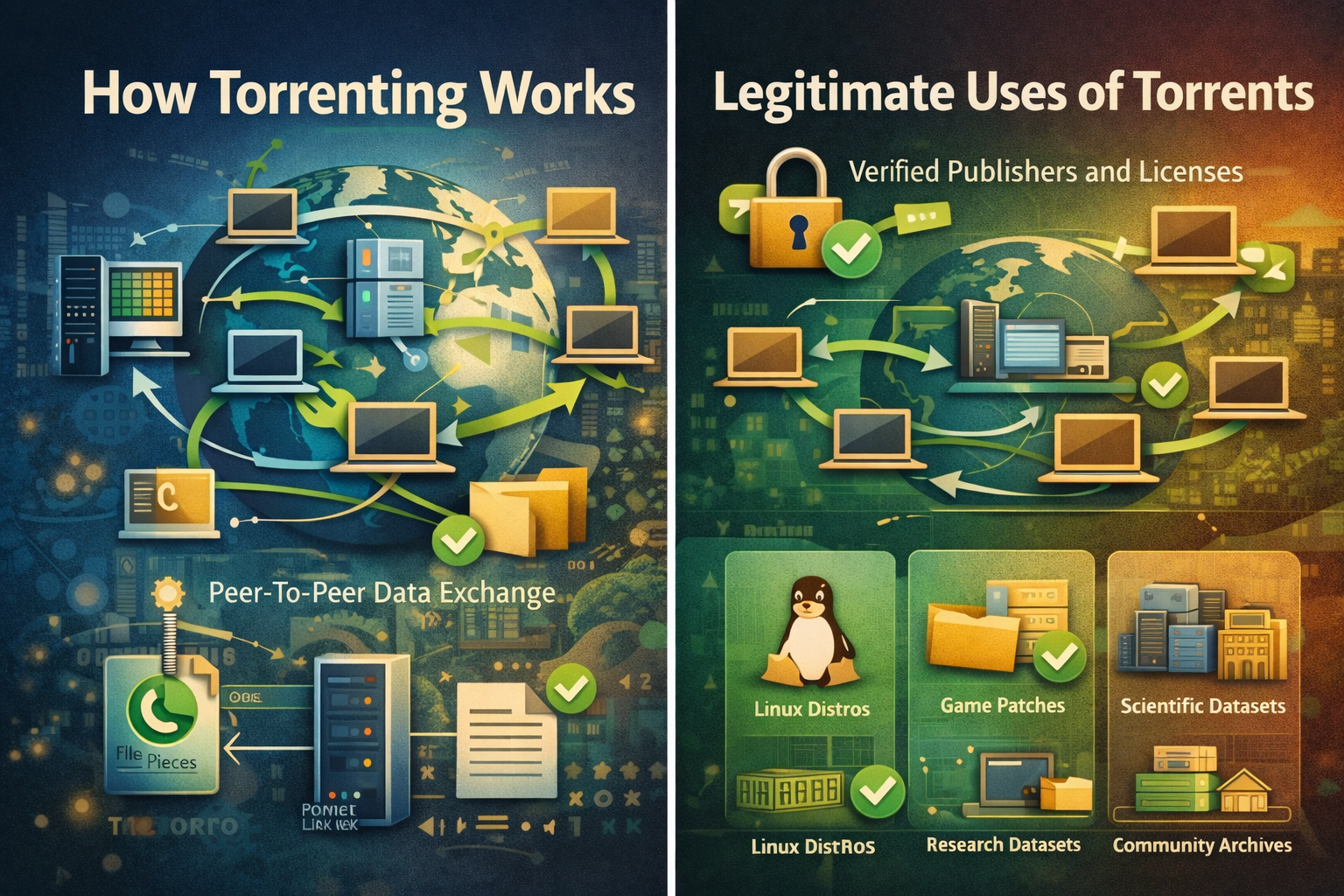
Torrenting is a peer-to-peer method for distributing large files, where many participants exchange small pieces concurrently so downloads and uploads proceed efficiently without relying on a single central server.Clear rules, reputable sources, and routine checksums make torrenting predictable for legitimate content such as open-source software, public datasets, and authorized media that rights[…]
Are you looking for ways to access websites that are restricted at school, work, or in your area? Hidemium have compiled a list of the top 5 unblocked browsers to help you bypass any barriers easily. These browsers don’t require advanced tech skills, so you can start right away.1. What Are Unblocked Browsers?An unblocked browser is a tool that allows you to access websites that are restricted by[…]
.png)
In an era where artificial intelligence is increasingly developing, anti-bot systems and automatic detection mechanisms are also increasingly sophisticated, making finding a antidetect browser Being truly effective is more difficult than ever. However, Hidemium and MuLogin still stand out as two options worth considering with strong anonymity capabilities, helping to maintain stable operations[…]
.png)
922S5proxy may not be the “absolute strongest” residential proxy provider on the market, but it is very likely the most suitable one for your specific needs. As data-driven operations continue to rise, proxy services have become essential infrastructure for data collection, ad verification, social media management, and cross-border e-commerce. This 2025 review evaluates 922S5proxy from five key[…]

The world of e-commerce and dropshipping is growing rapidly, with more and more businesses looking to take advantage of the opportunities presented by online sales. However, with this growth comes an increase in online fraud, which can lead to account locks, chargebacks, and other financial losses. To prevent these issues, many businesses are turning to […]
