
Managing multiple online identities or scraping data securely requires more than just a browser extension — it demands a reliable proxy solution. If you're using Hidemium, a popular anti-detect browser, combining it with QuarkIP’s high-quality proxy services can take your anonymity, stability, and performance to the next level.
In this guide, we’ll walk you through how to set up QuarkIP proxies in Hidemium — from selecting the right proxy type to configuration tips for maximum efficiency.
1.What is QuarkIP
QuarkIP, meanwhile, offers high-quality residential and datacenter IPs sourced from real ISPs. Whether you need static IPs for account farming or rotating IPs for automation tasks, QuarkIP provides flexible, stable, and high-anonymity solutions.
Together, they provide:
- 🔒 True browser-level isolation with fresh digital fingerprints
- 🌐 IP addresses that mimic real users from specific locations
- 🚀 Improved account survivability and lower risk of bans
- ⚙️ Easy integration—no advanced tech skills required
| Plan Type | Description | Price | Best For |
| Residential Proxies | Real ISP IPs with rotating or sticky sessions | Starting from $1.6/GB | Ad verification, secure logins |
| Datacenter IPv6 Proxies | High-speed, cost-effective static IPs | Starting from $1.74/Proxies | Automation, bulk actions |
| ISP Proxies | Fixed IPs from real ISP carriers | Starting from $7.48/Proxies | Long-term nurturing, high-trust platforms |
| Datacenter Proxies | High-speed IPs from cloud data centers | Starting from $4.52/Proxies | Account creation, social platforms |
2. Setting Up a Hidemium Proxy With QuarkIP
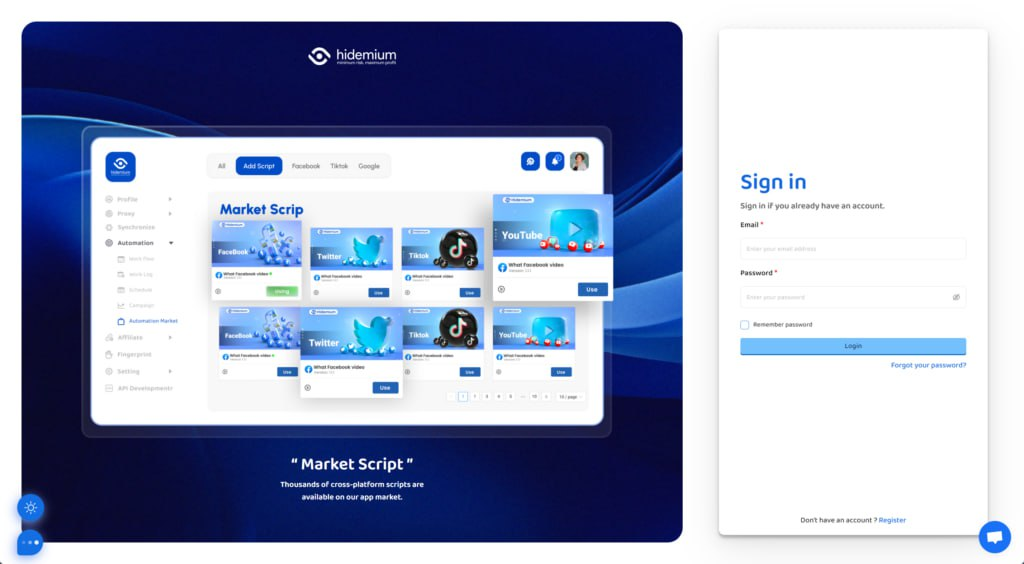
1.Download Hidemium, sign up if needed, and sign in
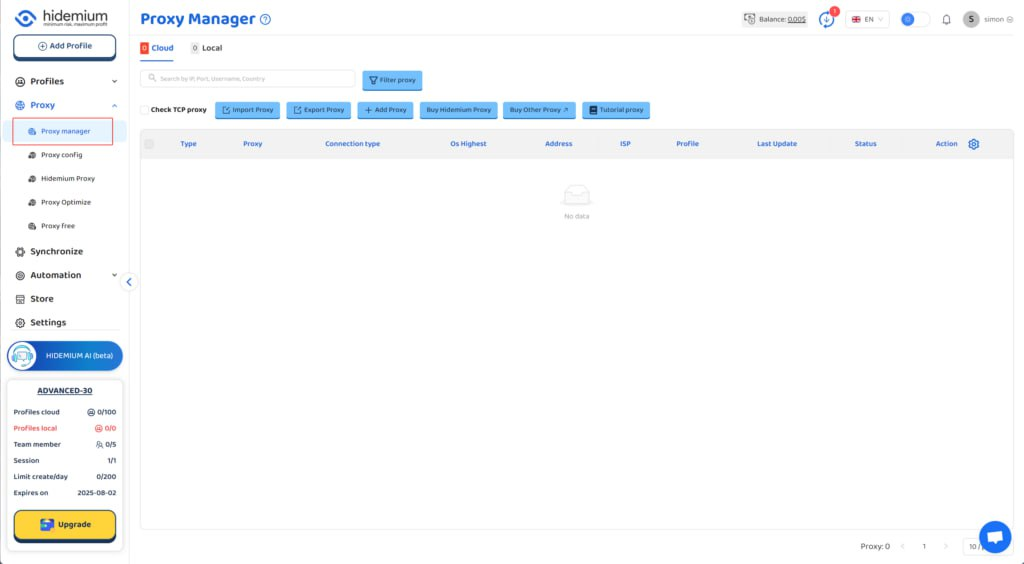
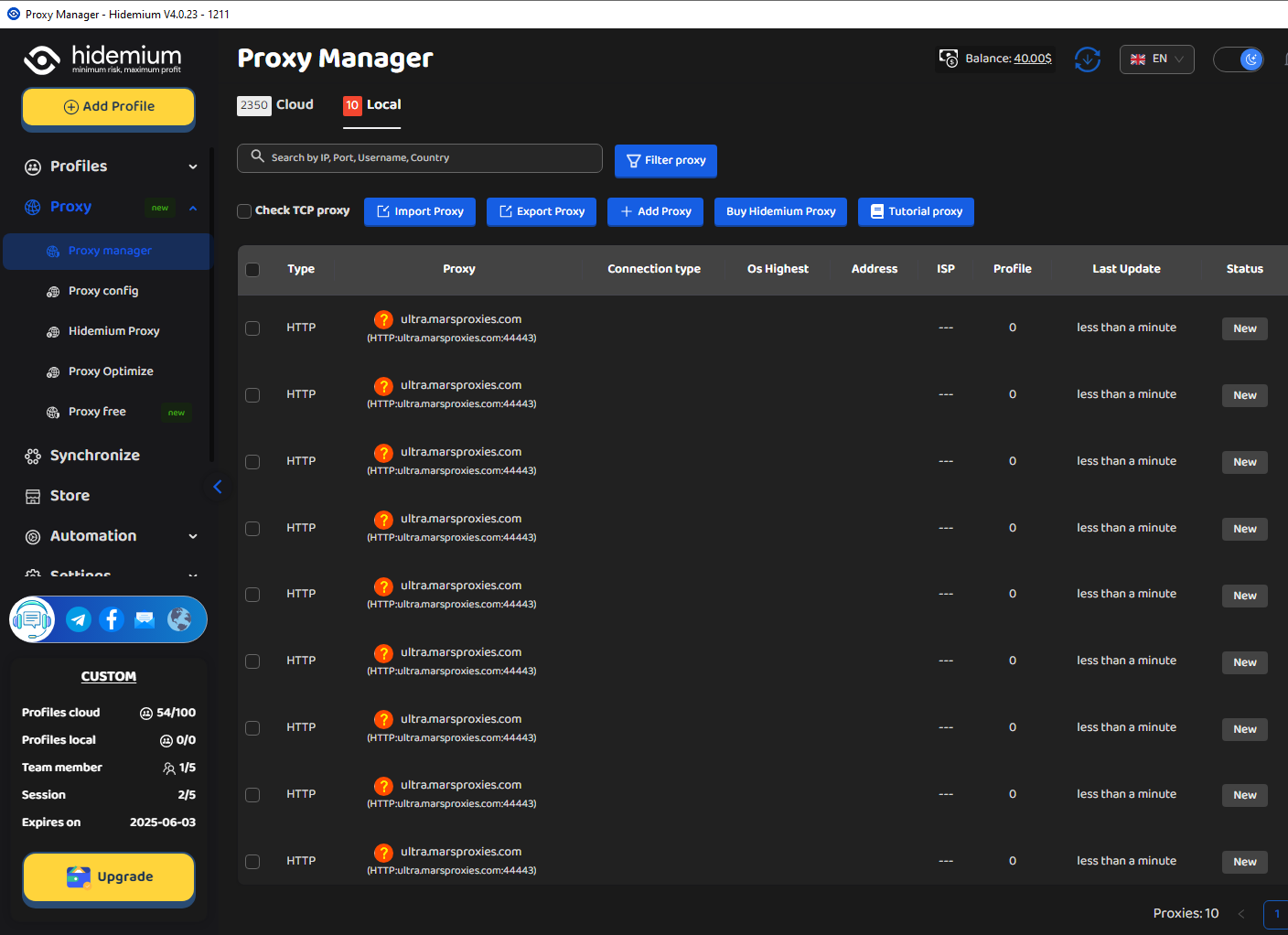
2.Go to Hidemium and click on 'Proxy manager'
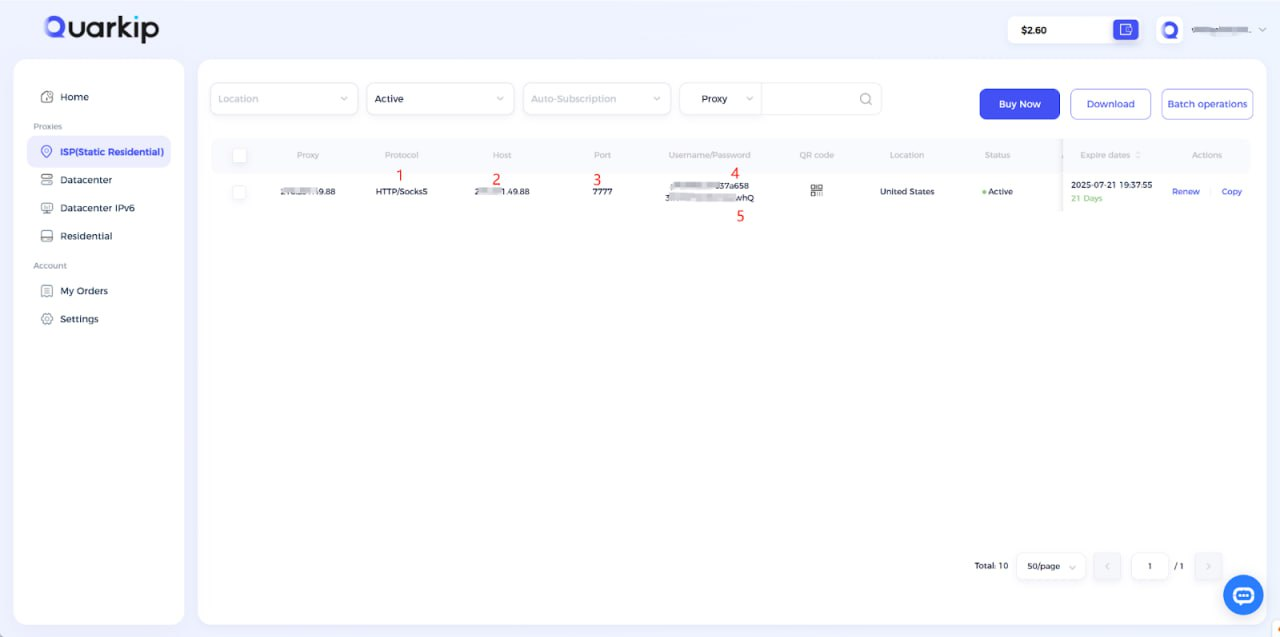
3. According to the content in the screenshot, enter the proxy protocol, proxy address, port, username, and password into their respective input fields, then click the confirm button.
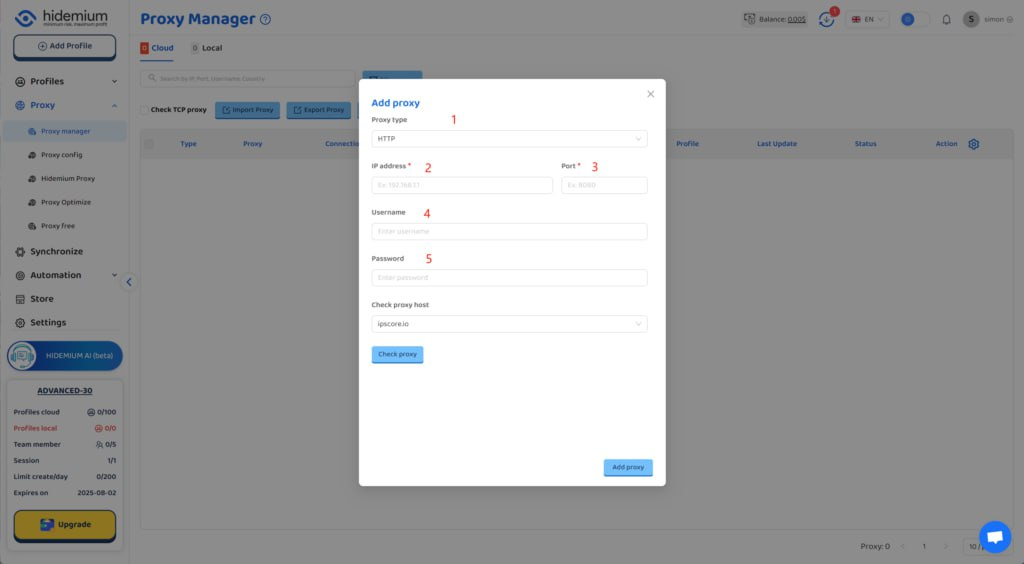
Using QuarkIP's United States ISP proxies as an example, enter the corresponding proxy information into MoreLogin based on the provided labels.
Unlike other proxy products, you can freely select HTTP or Socks5 protocols without having to change the port number.
How do I purchase QuarkIP ISP proxies?
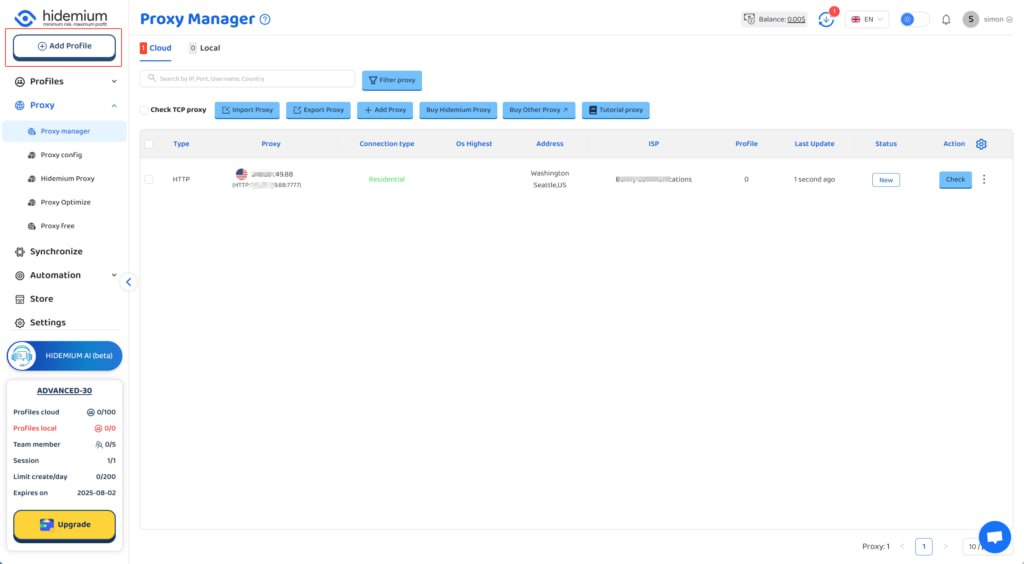
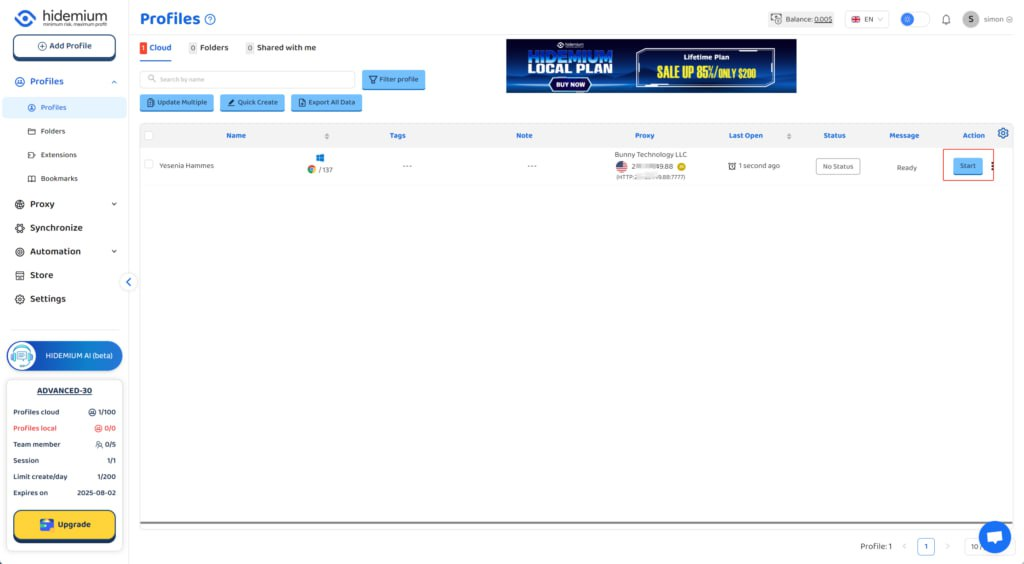
4. After the proxy is added and tested successfully, click the 'Add Profile' button at the top left
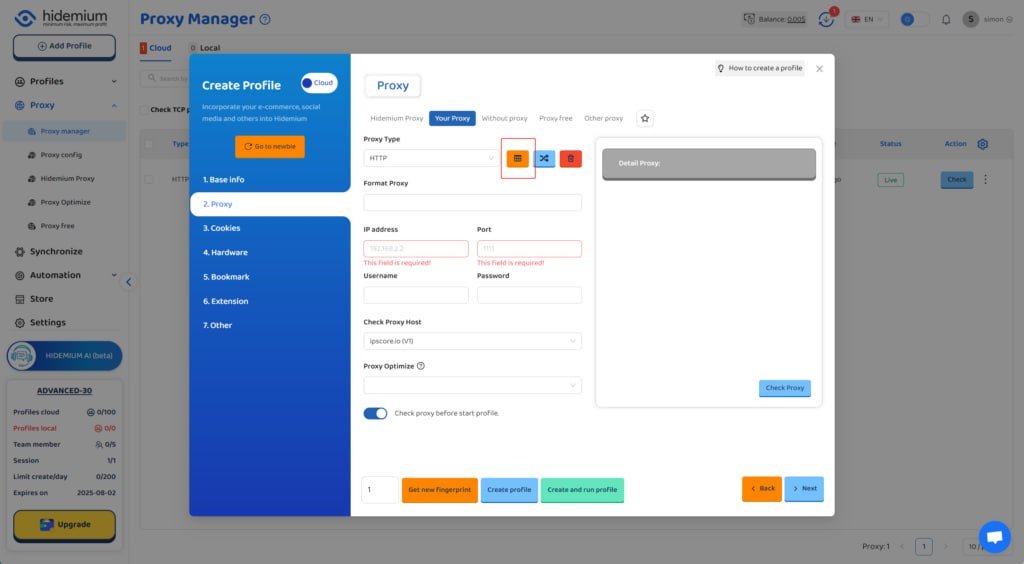
5. After filling in the other information, select the QuarkIP ISP US proxy we just added under the 'Proxy' section
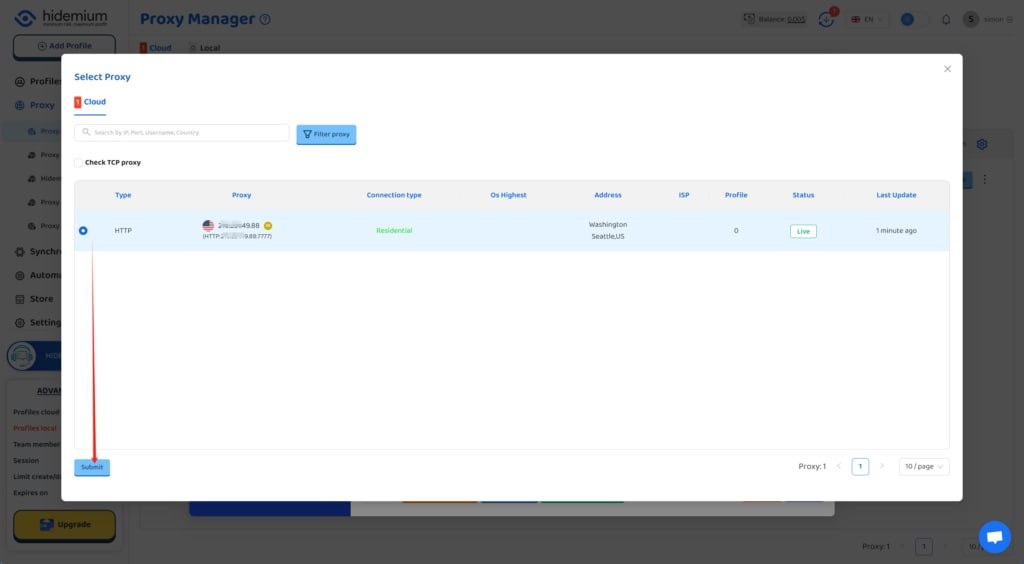
6. Click the start button, and you’ll see that the IP address has been changed
3. Best Practices When Using QuarkIP with Hidemium
To maximize performance:
- Rotate IPs regularly if using residential proxies.
- Use different fingerprints for each browser profile.
- Avoid logging into the same account across multiple profiles.
- Monitor proxy usage and switch countries as needed for testing or automation.
4. Final Thoughts
Pairing QuarkIP with Hidemium creates a powerful, stealthy browsing experience. Whether you're scaling operations or just starting out, setting up your proxy the right way can save you time, reduce friction, and boost success across your online tasks.
Have questions or need help? Contact QuarkIP support — we're here 24/7.
Related Blogs
Have you ever needed to access TikTok but didn’t have your phone nearby? I’ve been there too – when my phone ran out of battery or I just wanted to see notifications on the big screen without distraction. That’s when,TikTok Web becomes a great choice, bringing a smooth and surprisingly convenient experience.With TikTok Web, you can easily do a lot of things: from browsing your For You Page,[…]

Secrets to Safely Managing Etsy & eBay AccountsAre you struggling because your Etsy & eBay accounts keep getting suspended due to shared IPs or devices? The root cause is very likely browser fingerprints and an unclean login environment.Don’t worry—this article will guide you on how to build a clean, secure, and anonymous environment using Hidemium, helping you protect your Dropshipping/POD[…]

We've all been there: a heated argument, a messy breakup, or simply a need for a mental health break leads us to hit the "block" button. Setting these limits is a completely normal part of managing your social media digital boundaries. However, time heals all wounds, and circumstances change. Eventually, you might find yourself wanting to reverse that decision and reconnect online.Whether you[…]

What Is Web Scraping?Web scraping is the automated process of extracting data from websites. Instead of manually copying information from web pages, web scraping tools send HTTP requests to websites, parse the HTML content, and extract structured data — which can then be saved to a database, spreadsheet, or used directly in applications.In 2026, web scraping has become an essential capability for[…]
MarsProxies and Hidemium: Integration Guide Managing multiple accounts from a single device has long been essential, especially for those handling numerous advertising, e-commerce, or social media accounts.An effective anti-detect browser simplifies this by isolating each account’s browser profile, cookies, and data, allowing safe management of multiple accounts without letting target websites[…]
Have you ever felt tired eyes from constantly staring at the tiny phone screen to text? If so, you are not alone. With nearly 3 billion WhatsApp users worldwide, many of us are also looking for a more convenient solution.The good news is: WhatsApp Web is the perfect choice to help you get rid of that inconvenience. Now, you can chat on a large screen, type faster with a computer keyboard, and[…]
