

Secrets to Safely Managing Etsy & eBay Accounts
Are you struggling because your Etsy & eBay accounts keep getting suspended due to shared IPs or devices? The root cause is very likely browser fingerprints and an unclean login environment.
Don’t worry—this article will guide you on how to build a clean, secure, and anonymous environment using Hidemium, helping you protect your Dropshipping/POD business starting today
1. Why Are Your Etsy and eBay Accounts So Easy to Get Suspended?
Before looking for solutions, it’s important to understand the root of the problem. Major e-commerce platforms like Etsy and eBay use highly advanced AI systems. They don’t just look at IP addresses—they also analyze hundreds of hardware, software, and user behavior parameters to detect suspicious activity.
Some of the main reasons accounts get flagged and suspended include:
Account linking: Logging into multiple accounts on the same computer or using the same network IP address.
Inconsistent browser fingerprints: Changing the IP while fonts, user agent, or canvas fingerprints still reveal the same user.
Abnormal behavior: Newly created accounts that start listing products aggressively or perform actions too quickly, like a bot.
To better understand the specific reasons why Etsy accounts are at risk, you can refer to this detailed article: Why Is an Etsy Account Suspended?
.webp)
2. A Proper Account Management Process to Avoid Detection
Managing accounts requires time and a structured process to build trust with the platform. Below are the steps that help you manage accounts properly and avoid being flagged or detected.
Step 1: Preparation phase – build real user behavior
A common mistake beginners make is starting to sell immediately after creating an account. This makes the system classify the account as high risk.
During the first 1–2 weeks, you should:
Browse products
Add items to the cart
Favorite other shops
Log in at a moderate, natural frequency
The goal is to build a natural behavior history, making the account look like a real user before you start selling.
Step 2: Content optimization – build trust and boost top visibility
Once you start listing products, content quality becomes the key factor in retaining customers and passing moderation filters. A well-optimized product listing makes your account look professional and significantly increases conversion rates.
At this stage, you should:
Create SEO-optimized titles with relevant keywords
Use high-quality images with a clean, professional white background
Write detailed product descriptions that are transparent about specifications and condition
Clearly set up shipping and return policies
The goal is to optimize technical visibility so products can rank higher, while also building buyer trust from the very first impression.
See now: An effective guide to optimizing eBay product listings to master techniques for boosting top visibility.
.webp)
Step 3: Use identity protection tools – maintain a stable system
This is the technical foundation for long-term account management. Using regular browsers like Chrome to operate multiple accounts can easily get you “flagged” and lead to mass account suspensions due to duplicate browser fingerprints.
To operate safely, you should:
Use an antidetect browser
Create a separate environment for each account
Combine it with clean proxies to assign corresponding IP addresses
Choose tools that offer high performance with optimized costs
The goal is to fully isolate each account, making the system recognize every account as a different user on a separate device, thereby minimizing the risk of suspension.
>>> You may refer to: Top 5 antidetect browsers for eBay sellers
.webp)
3. Hidemium – A Comprehensive Solution Against Detection and Account Linking
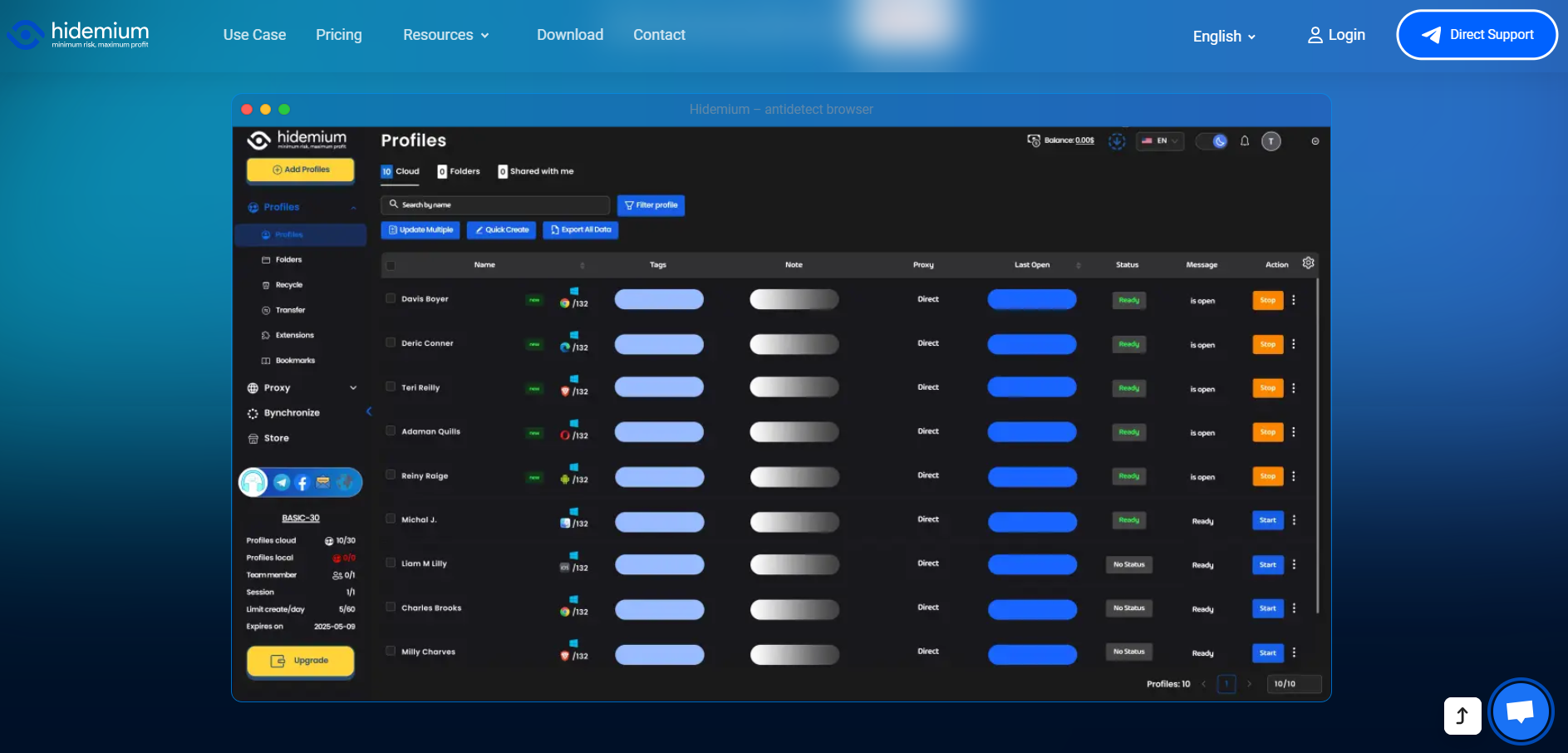
Among the solutions available today, Hidemium stands out as an optimal tool for creating independent login environments for each Etsy and eBay account, helping to minimize the risk of device-based account linking to the greatest extent possible.
3.1 Creating Independent Environments
Hidemium allows you to create thousands of profiles with different hardware parameters (RAM, CPU, screen, media devices, etc.). Each profile functions like a separate physical computer. This enables you to:
Complete anti-linking protection: Etsy and eBay will see each account as being accessed from a different device.
Centralized management: Control hundreds of accounts from a single interface without worrying about cookie or cache overlap.
As a result, Etsy and eBay treat each account as coming from a different physical device, significantly reducing the risk of mass detection and suspensions.
3.2 Seamless Proxy and Automation Integration
Hidemium supports assigning a dedicated proxy to each profile and integrates smoothly with automation tools for automated account warming and management—helping you save time and minimize errors caused by manual actions.
Experience Hidemium’s powerful account protection now: Hidemium
4. Conclusion
To achieve sustainable growth, sellers need a clear process and the right identity-protection tools. Hidemium is the solution that helps you build a clean environment, prevent account linking, and manage Etsy & eBay accounts more safely in the long term.
Start standardizing your account-warming process today—and don’t forget to use Hidemium to ensure every profile is protected at the highest level.
Related Blogs
 (1).png)
Explore how to use premium eBay proxies to protect your account and avoid getting banned while doing business on eBay. Learn the benefits of eBay proxies, how to bypass regional restrictions, and ensure your account security when accessing the platform. Use high-quality proxies to maintain safe and efficient operations on eBay in 2025.In the world of e-commerce, eBay is a well-known online[…]

What is Turbo VPN is the question many people ask when looking for a tool to help personal information security and Bypass regional content access restrictionsIn this article, Antidetect Browser Hidemium will explore Turbo VPN in detail with you - from concept, outstanding features to how to use it effectively on devices like Windows, Android and iOS.1. What is Turbo VPN?Turbo VPN is a trusted[…]
.png)
BitBrowser is one of the widely used Antidetect browsers thanks to its ability to change Browser Fingerprint and create multiple independent browser profiles, helping to manage a large number of accounts effectively. However, in the context of many new anti-detection browsers being born with more modern technology, can BitBrowser still remain as competitive and effective as before? Join Hidemium[…]

Managing multiple social media accounts sounds simple—until you actually do it.If you're handling 5, 10, or even 15 accounts, you probably know the feeling: writing similar captions, repeating the same workflow, and constantly switching between accounts. It quickly becomes time-consuming and hard to scale.That’s where a structured workflow using Claude AI can make a real difference. Instead of[…]
.png)
How to Use Proxy302’s Proxies with Hidemium Try Proxy302 For Freewith the link:https://share.proxy302.com/hidemiumClick 【Start free trial】 and enter your personal information. Click【Register account】, the account is created successfully. If you have an account, just【Log in】.Why Use Hidemium?Hidemium is a modern antidetect browser trusted by professionals across the globe. It offers strong[…]

How to get my marketplace backHow to Recover Access to Your Marketplace AccountWaking up to find that you have lost access to your primary digital selling platform can send even the most seasoned seller into a panic. Whether you rely on social commerce to declutter your garage or to run a full-time business, being unexpectedly locked out impacts your bottom line. If you find yourself desperately[…]
