
Viettel DNS is a simple yet effective solution to bypass network restrictions like Facebook blocking, slow YouTube loading, or unstable internet connections. So what DNS addresses does Viettel currently offer? How can you change DNS settings to improve internet speed? Let’s dive into the details with Hidemium.
1. List of Popular Viettel DNS Addresses
Viettel DNS is a Domain Name System service provided by Viettel — a major internet provider in Vietnam. This system helps convert domain names into IP addresses, enabling faster and more stable website access, especially for local sites.
Here’s the updated list of popular Viettel DNS addresses:
🔹 IPv4 addresses:
203.113.131.1
203.113.131.2
203.113.181.1
203.119.36.106
203.190.163.13
203.162.57.108
208.190.163.10
🔹 IPv6 addresses:
2001:1900:2:131::1
2001:1900:2:131::2
2001:1900:2:181::1
2001:1900:2:36:106::1
2001:1900:2:163:13::1
2001:1900:2:57:108::1
2001:1900:2:163:10::1
Using Viettel DNS improves website loading speed and connection stability, especially when accessing servers within Vietnam.
2. Viettel DNS or Google DNS – Which is better?
Choosing between Viettel DNS and Google DNS depends on your usage needs. If your focus is fast and stable local access, Viettel DNS is a solid choice. Google DNS, on the other hand, is known for its global stability.
For Vietnamese users, Viettel DNS offers unique advantages: better speed for local services and the ability to bypass blocks from other ISPs. However, note that you won’t be able to access websites blocked by Viettel itself.

➡️ Use Viettel DNS if you frequently access local services and want faster, more stable connections.
3. How to Change Viettel DNS on Popular Devices
Changing Viettel DNS is a simple yet effective way to bypass restricted websites and improve your internet speed. With just a few steps, you can configure new DNS settings for all your devices. Hidemium will guide you step-by-step below.
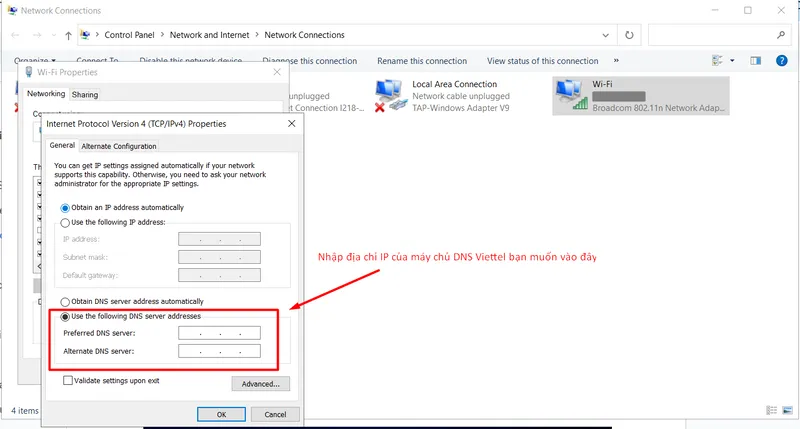
3.1 Change DNS on Windows 10
Open Control Panel → Network and Internet → Network and Sharing Center
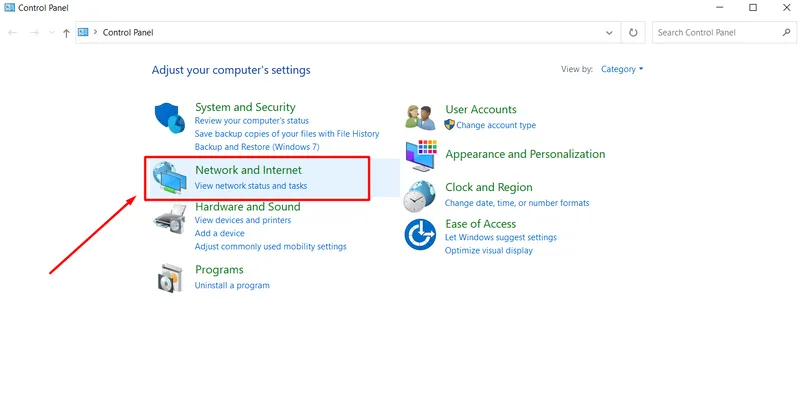
Select “Change adapter settings”
Right-click the active connection → Select “Properties”
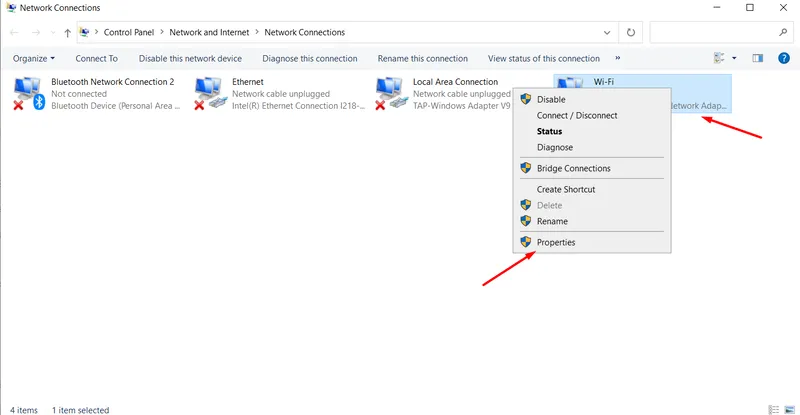
Choose “Internet Protocol Version 4 (TCP/IPv4)” → Click “Properties”
Select “Use the following DNS server addresses”
Enter the desired Viettel DNS
Click OK to save
3.2 Change DNS on Android
Go to Settings → WiFi
Tap the connected WiFi → Select “Advanced”
Tap “Modify network” → “Show advanced options”
Set IP Settings to “Static”
Enter Viettel DNS in DNS 1 and DNS 2
Tap Save
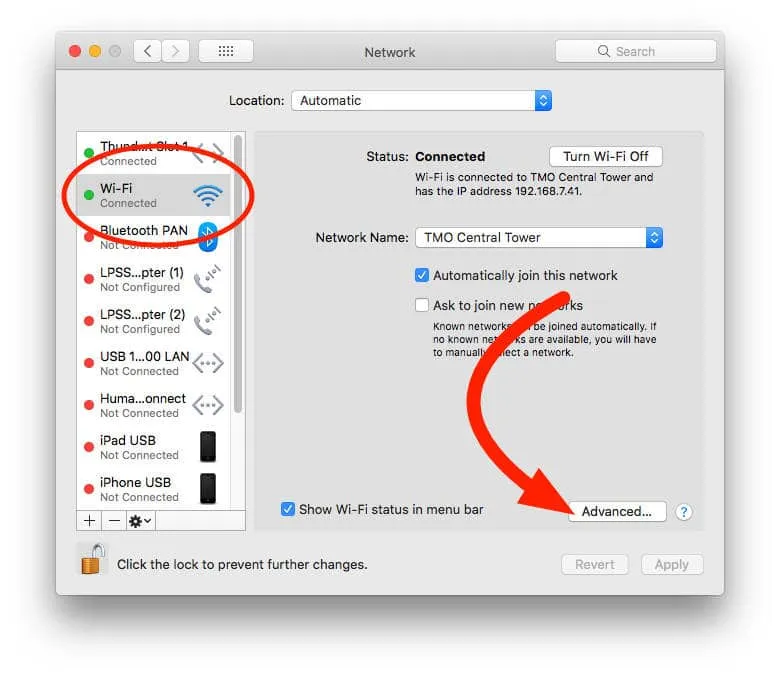
3.3 Change DNS on macOS
Open System Preferences → Network
Select your current network → Click “Advanced”
Go to the DNS tab → Click “+” to add Viettel DNS
Click OK → Apply
3.4 Change DNS on iOS (iPhone/iPad)
Go to Settings → WiFi
Tap the “i” icon next to the connected WiFi
Choose “Configure IP” → Switch to Static
Input the desired Viettel DNS → Exit to finish
✅ Note: Regardless of your device, changing your DNS can significantly enhance your browsing experience, especially when facing blocked websites or slow connections.
4. Benefits of Using a Powerful DNS for Your Website
Choosing a high-quality DNS server not only brings direct advantages to your website but also helps optimize the overall operation of your business or organization. Here are the key benefits of using a strong DNS:
4.1 Increased reliability and issue handling
A powerful DNS can quickly adapt to problems. If a server fails, the system automatically redirects traffic to another server, ensuring your website remains accessible without interruptions.
4.2 Optimized performance by geographic location
A good DNS system is distributed across various regions worldwide, allowing users to be routed to the nearest DNS server. This reduces latency and improves access speed, especially for international visitors.
4.3 Faster domain name resolution
High-performance DNS shortens the time it takes to convert a domain name into an IP address. When users enter a URL, the DNS system quickly identifies the corresponding IP, providing faster and smoother access.
4.4 High stability and availability
A strong DNS ensures that your website is always ready to serve users. This minimizes the risk of connection loss and enhances user experience—crucial during marketing campaigns or peak hours.
4.5 Enhanced security against cyberattacks
Powerful DNS services integrate advanced security features such as DNSSEC to prevent common attacks like DNS cache poisoning, spoofing, or amplification. This ensures data integrity and safe access.
5. Alternative Solutions to Changing DNS
If you're looking to improve browsing speed, enhance security, or access blocked websites without changing your DNS server, there are several effective alternatives:
Using a VPN: A VPN creates an encrypted tunnel between your device and the VPN server, hiding your IP address and bypassing geographic or content restrictions. Though highly effective, VPN services can be costly.
Using a Proxy: A proxy server acts as an intermediary, allowing you to access websites using the proxy’s IP address instead of your own. It helps bypass firewalls and access restrictions. However, free proxies can pose security and data leakage risks.
Local DNS Caching: This method stores DNS cache on your device or network, reducing load times for previously visited sites and improving browsing speed. It requires technical knowledge, and incorrect setup can lead to vulnerabilities.
Editing the Hosts File: You can map domains directly to IP addresses without DNS by editing your computer’s hosts file. While it works, it’s not optimal for managing many domains as updates are manual and less convenient.
Though all the above methods can enhance privacy and security similarly to DNS, each has drawbacks—cost, data leaks, or cybersecurity threats. A safer, more optimal solution is using the Hidemium Antidetect Browser.
Hidemium allows you to easily mask your real IP, manage multiple accounts efficiently, and automatically create a unique browser fingerprint for each profile. This enables safe, anonymous browsing. Try Hidemium for free today and experience the difference!
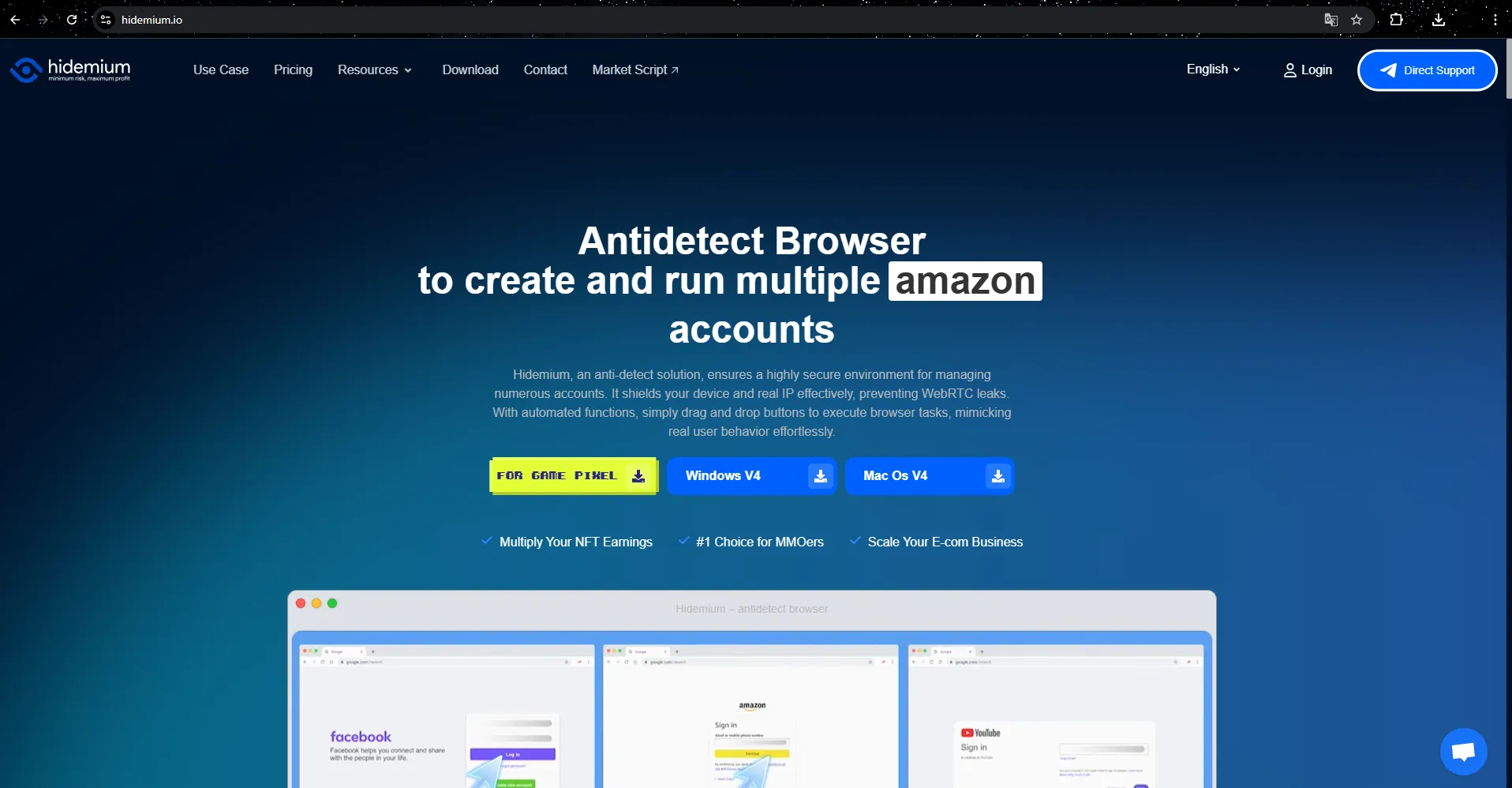
Hidemium not only ensures secure web browsing but also protects your personal data from online threats.
Related Blogs
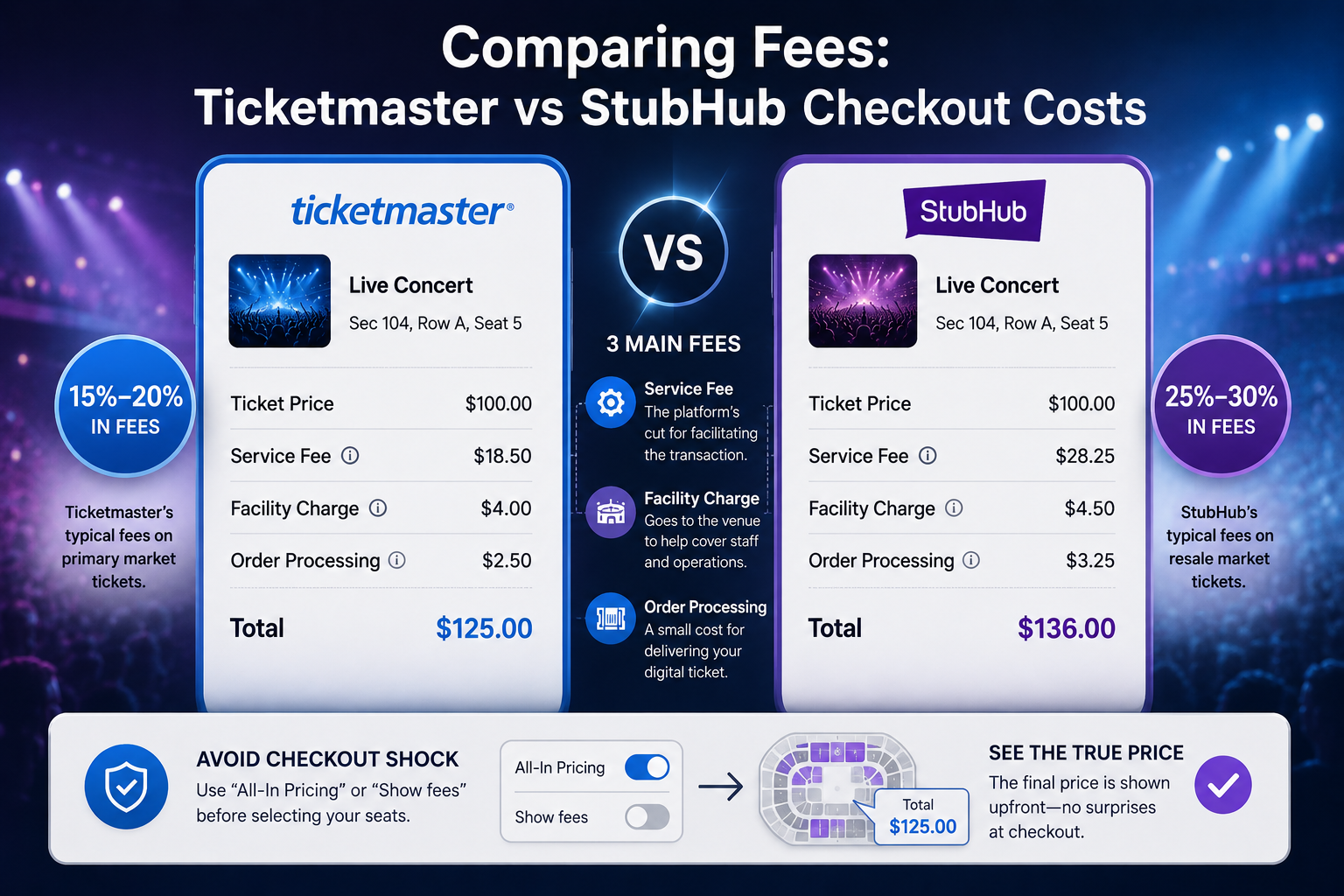
Stubhub and ticketmasterUnderstanding Primary vs Secondary Ticket Markets: Ticketmaster and StubHubYou wait in a digital queue for an hour to see a blockbuster tour, only to stare at a "Sold Out" screen. Frustratingly, those exact same seats often appear minutes later on another site for triple the cost. For the everyday fan, navigating StubHub vs Ticketmaster often feels like a rigged game.Live[…]
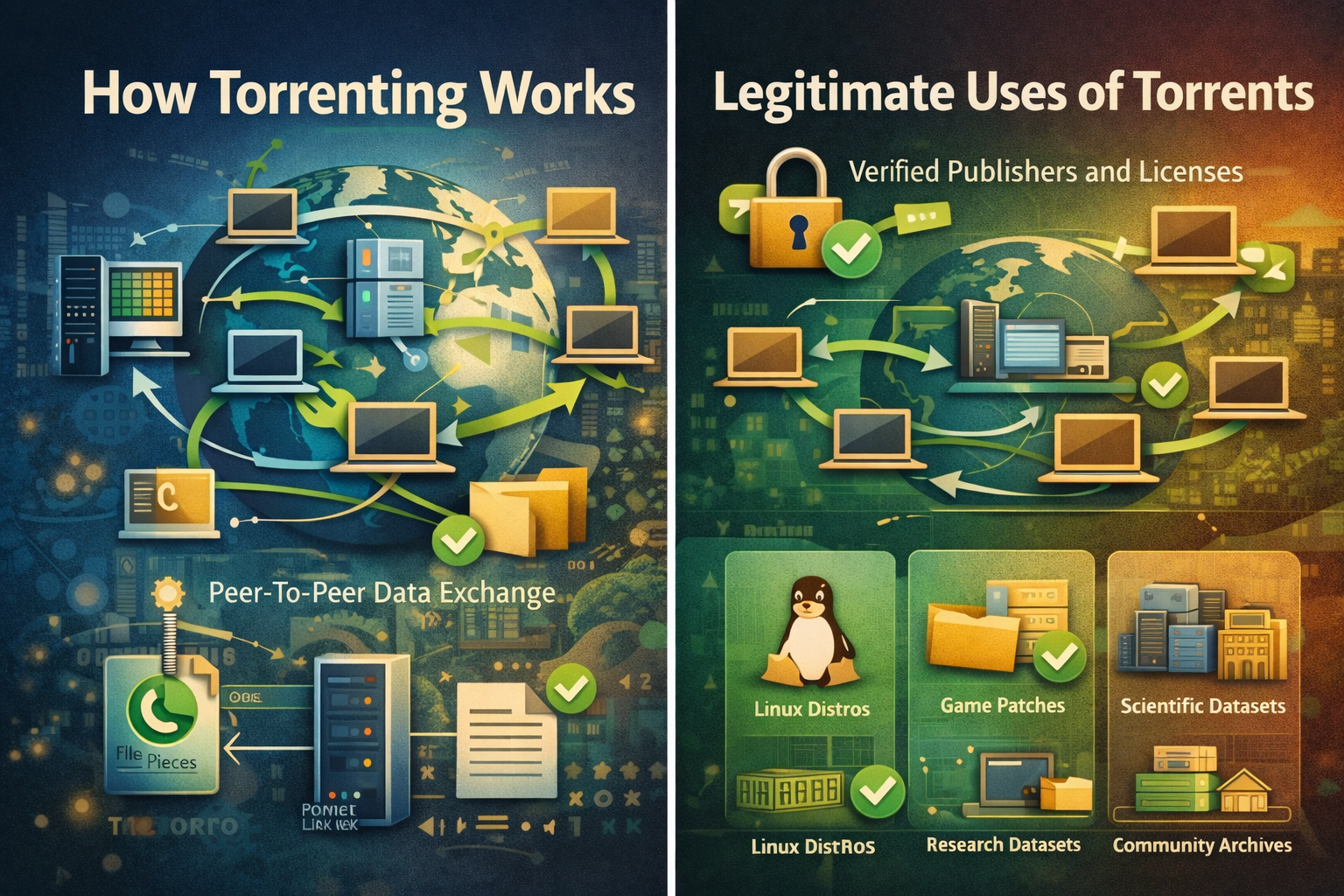
Torrenting is a peer-to-peer method for distributing large files, where many participants exchange small pieces concurrently so downloads and uploads proceed efficiently without relying on a single central server.Clear rules, reputable sources, and routine checksums make torrenting predictable for legitimate content such as open-source software, public datasets, and authorized media that rights[…]
.png)
When you access the internet, you're not only tracked by cookies as in the past. Today, websites can identify users through a more sophisticated method.– browser fingerprint(browser fingerprint). This is a type of "digital signature" created fromYour device and browser environment are the main factors.That's also why tools like BrowserScan were created. Instead of being anonymous, this tool helps[…]

Which is the better choice for your online business—VPN or Proxy? While many people mistakenly believe that simply using a VPN to change their IP address is enough for security, major platforms can still easily detect shared IP ranges and blacklist associated accounts. The difference between data encryption (VPN) and dedicated IP rotation (Proxy) is often the line between smooth operations and[…]

In the digital age, Artificial Intelligence (AI) is becoming an indispensable assistant across many fields, especially in automating workflows. Among the most notable is ChatGPT – a natural language processing AI model developed by OpenAI. Not only can it engage in conversations, but it can also understand and execute complex requests in text form.So, what is ChatGPT? And how can it be applied to[…]
A Twitter/X account may be suspended because of spam or platform manipulation, suspicious security activity, violations of X Rules, or copyright complaints. If your Twitter account is suspended, review the notice from X, complete any required identity verification, and use the official appeal process if you believe the suspension was made in error.For brands, advertisers, and marketers, X is an[…]
