
A Twitter/X account may be suspended because of spam or platform manipulation, suspicious security activity, violations of X Rules, or copyright complaints. If your Twitter account is suspended, review the notice from X, complete any required identity verification, and use the official appeal process if you believe the suspension was made in error.
For brands, advertisers, and marketers, X is an indispensable tool for building an image and connecting with target customers. However, even a few small mistakes in usage can result in your account being suspended without warning.
If you're wondering why your Twitter account was suspended and how to restore it, let's Hidemium Find out the common reasons below and how to deal with them properly in 2026.
1. Why Does X Suspend Twitter Accounts?
1.1 Spam or automated behavior
Activities such as sending mass messages, retweeting too many times in a short period of time, or following multiple accounts may be considered bot activity. These actions often result in an immediate account suspension to avoid security risks.
1.2 Suspicious behavior that affects security
Continuously logging in and out from different devices, browsers or IPs (especially from unfamiliar geographical areas) will make the system suspect that the account has been compromised. At that time, X may ask you to verify your identity and temporarily suspend your activities.
1.3 Violation of community guidelines
X has strict policies against content that is offensive, discriminatory, inciting violence, or impersonating. These violations are generally dealt with severely, and may result in permanent account suspension if repeated.
According to the official X Rules, accounts and content must comply with the platform’s policies on safety, authenticity, privacy, and other prohibited behavior.
1.4 Sharing pirated content
If you share copyrighted images, videos, or other material without the owner's permission, you may be subject to a DMCA notice. Depending on the severity of the violation, X may remove the content, issue a warning, or completely block your account.
>>> Twitter Login: A Quick 5-Minute Guide to Accessing X Web
2. Managing multiple X accounts: Be flexible but still be vigilant to avoid being locked out
Compared to many other social media platforms, X (formerly Twitter) allows users to manage multiple accounts on the same device with a fairly open policy. You can use up to 10 accounts, as long as you don't post duplicate content or manipulate likes and poll results.
This is ideal for those who need to operate multiple customer profiles, or brands that want to localize content for each language market. However, for larger businesses or digital marketers with large-scale needs, the 10-account limit becomes a significant barrier.
For example, marketing agencies can hardly serve dozens of clients or expand into multiple markets with such a limit. Segmenting audiences, testing content, and implementing different strategies requires significantly more accounts. In fact, 10 accounts is not enough if you are running a multi-audience or multi-country campaign.
Similarly, dropshippers or e-commerce store owners who need to market multiple products, or crypto businesses that need to promote multiple tokens and build communities — are all hampered by current account limits.
If the system detects that you own more than 10 X accounts, you will have to choose to keep 10 accounts, the rest will be permanently suspended. It is worth noting that the platform has not yet clarified what specific signs are used to identify violations, making it easy for users to get their accounts banned even if they think they are following the policy.
So, while X allows for the flexibility of running multiple accounts, you still need to be careful how you use it. The system can completely suspend accounts if it detects signs of spam or suspicious behavior.
3. What Happens When a Twitter/X Account Is Suspended?
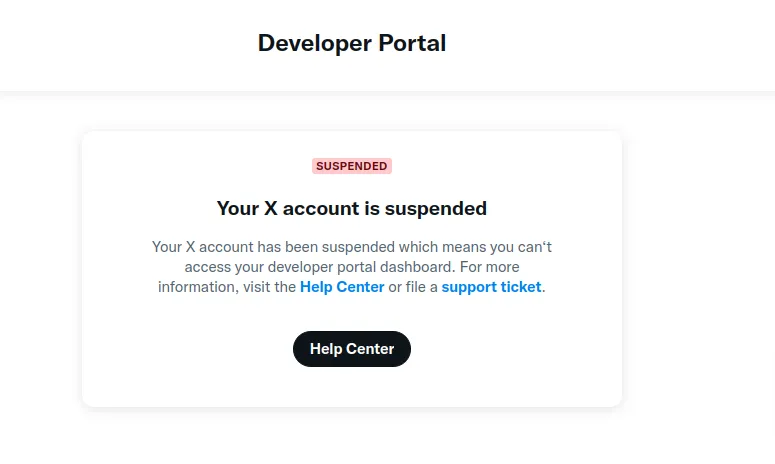
X may apply different restrictions depending on the issue, including temporary limitations, identity verification requirements, or permanent suspension.
The severity of the penalty for account X being suspended will depend on the severity of the violation. Common penalties include:
Lock Read-only Mode:
If your account violates our community guidelines, you may be placed on read-only mode for anywhere from 12 hours to 7 days. During this time, you can only view posts and messages, but you can't tweet, retweet, like, or send new messages.
Temporary Lock:
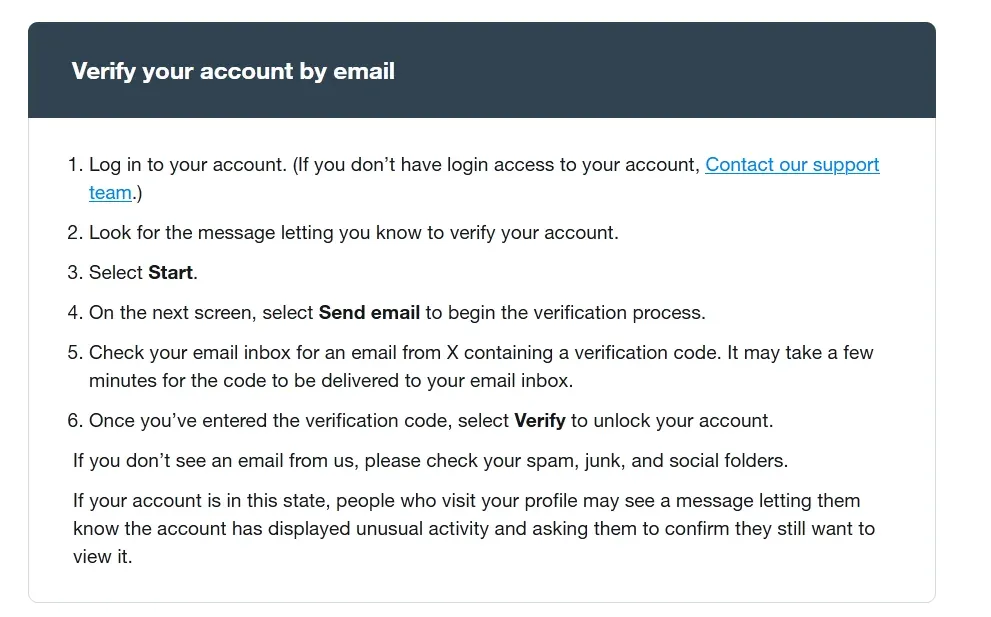
Usually occurs when an account is flagged for security reasons. During this period, you won't be able to send or receive direct messages, edit your profile information, and your posts may be hidden from public view. Your account will only be restored after you verify your identity via email or phone number.
Permanent Suspension:
The most severe penalty, applied to accounts that are repeat or serious violators. When permanently suspended, all activity on the account will be completely blocked, old posts will be hidden from public view, and any account you attempt to recreate using the same device or information will be automatically disabled.

4. How Do You Recover a Suspended Twitter/X Account?
To recover a suspended X account, first identify whether the account is temporarily locked, requires verification, or has been suspended. Complete any verification requested by X, and submit an official appeal if you believe the suspension was incorrect.
- Review the suspension or lock notice from X.
- Complete email, phone, or identity verification if requested.
- Secure the account if suspicious access caused the restriction.
- Submit an appeal through X’s official support process when appropriate.
- Avoid repeated appeal submissions unless X requests more information.
5. How to avoid Twitter account suspension?
For the average user, keeping your Twitter account in good standing is pretty straightforward. Even if you don't fully understand the rules, simply avoiding illegal content and behaving appropriately can go a long way toward reducing your chances of getting suspended.
However, if you are a business owner who needs to operate dozens of accounts to grow your network without limits, you will need more specialized solutions. Here are three effective methods to help you avoid being detected and restricted by Twitter's system.
5.1. Using VPN and Proxy
Twitter uses IP addresses as a factor in verifying the credibility of an account. Even if you use multiple devices, if they are all connected to the same Wi-Fi network, they still share the same IP, making it easy for the system to flag them.
VPNs and proxies help you change your IP, making it seem like you're accessing from different locations around the world. In particular, civil proxy are the best choice because they use real IP addresses from real users in your chosen region, making the account look more natural and legitimate. Each account should be associated with a separate proxy for added security.
5.2. Using multiple physical devices
While proxies can hide your IP, that's not enough. Twitter also relies on browser and hardware fingerprinting to determine if multiple accounts are active on the same device.
Each browser has its own identifying features such as resolution, version, extensions, etc. Similarly, devices also have their own hardware fingerprints such as CPU, GPU, RAM. Therefore, simply changing the browser while using the same device is also easily detected.
Using separate devices for each account is effective, but it is very expensive. A cheap smartphone can cost $50 or more, and a laptop can cost twice that. Not to mention the complexity of manual management.
5.3. Use an Antidetect browser
The more economical and effective solution is antidetect browser like Hidemium. This tool combines the advantages of both VPN/proxy and physical device.
Each profile on Hidemium creates a completely independent browsing environment with unique fingerprints, from software to hardware, cookies, IP, etc. That helps the Twitter system not be able to link accounts together even if they run on the same computer.
The best part is that you can run as many accounts as you want, as long as your device and service plan are powerful enough. This is the optimal solution for those who want to develop a sustainable account system without being restricted by censorship algorithms.
>>> Learn more: Best Antidetect Browser: Top Pick for Managing Multiple Accounts
6. Manage Multiple X Accounts Efficiently with Hidemium
Hidemium is an antidetect browser designed to create and manage separate browser profiles. Each profile can maintain its own browser environment, cookies, fingerprint settings, and proxy configuration, helping businesses organize legitimate multi-account workflows more consistently.
Hidemium can help teams with:
- Separate browser profiles for different X accounts
- Individual cookie and session storage
- Proxy configuration for each profile
- Browser fingerprint configuration
- Profile tags and groups
- Team profile sharing and collaboration
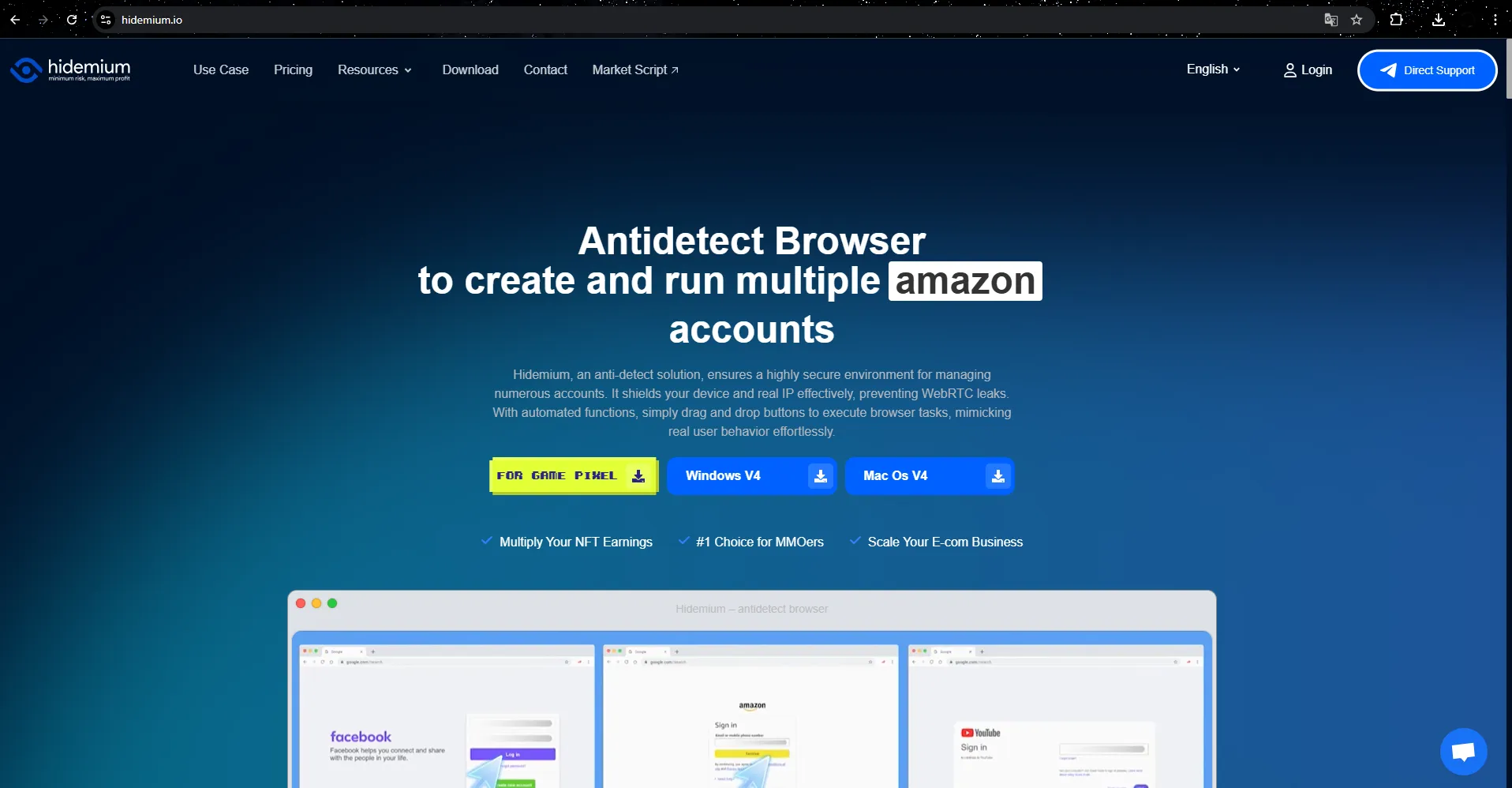
Hidemium’s landing page clearly explains why an anti-detection browser is crucial to protecting your X account from being locked or flagged. Downloading and installing Hidemium is simple, with a 3-day unlimited free trial activated immediately upon registration – allowing you to experience the full feature set before making a decision.
6.1 Create a Profile
Hidemium works on the basis of the mechanism create browser profile – each profile corresponds to an independent browser with its own set of fingerprints. To create a new profile, simply click on the button "Add Profile" on the management interface and set up basic parameters.
Each profile needs a name and proxy. You can use Hidemium's built-in proxy for different countries or link to an external proxy. Whichever proxy you choose, it should be a priority residential proxy because they provide the most stable and undetectable IPs. The proxy checker feature helps you confirm that the IP is working properly and ensures that each profile has a unique IP.
The profile builder allows for deep customization of elements like extensions, random fingerprints, and security settings. However, new users can choose “Quick Create” without worrying about these areas. Once created, each profile is ready to use immediately.
6.2 Connect profile to account X
You can easily assign each profile to a different X account. Click "Start" to open the browser corresponding to the selected profile – the interface and functionality are similar to the regular Chrome browser, supporting web access, saving cookies, bookmarking,...
Hidemium's strengths are Each profile operates completely independently, not linked to the computer you are using or other profiles. With just different IP addresses and login information, you can run multiple X accounts at the same time without being detected by the system as a single user.
6.3 Stop and manage records
To stop a profile, simply close the browser window or press the "Close" button in the management list. When you restart the profile, it will continue from the previous session.
Job tag and group records by project or purpose will make management easier, especially when you operate multiple accounts at the same time or work in a team. In addition, Hidemium also supports Share secure records for partners or collaborators, without fear of losing accounts because IP and fingerprints are synchronized across multiple devices and securely stored on the platform.
7. Conclusion
Currently, Platform X has around 650 million users, with nearly half of them visiting daily. This is a huge potential customer base that you could lose if your account is locked, even if you operate in a small niche market.
Hidemium– modern anti-detection browser – provides an effective solution to Reduce the risk of your Twitter account being blocked, locked, or suspended. At the same time, with Ability to manage multiple accounts at once, you will have more flexibility in developing your brand and expanding your reach safely and sustainably. Try it now to maximize the potential of this platform!
8. FAQs About Suspended Twitter/X Accounts
8.1. Why was my Twitter/X account suspended?
X may suspend or restrict an account because of spam, platform manipulation, security concerns, rule violations, or copyright complaints. Check the notice associated with your account to identify the specific reason and follow X’s official instructions.
8.2. How long does a Twitter/X suspension last?
The duration depends on the type of restriction and the reason for enforcement. Some restrictions may end after verification or a temporary period, while serious or repeated violations can lead to permanent suspension.
8.3. How do I appeal a suspended X account?
Review the suspension notice first. If X provides an appeal option and you believe the enforcement was incorrect, submit the appeal through X’s official support process and provide accurate information explaining the situation.
8.4. Can I manage multiple X accounts?
Businesses often operate separate accounts for brands, regions, or teams. Each account should still comply with X’s platform rules, and teams should avoid spam, coordinated manipulation, or other prohibited behavior.
8.5. Can a VPN or proxy cause an X account suspension?
A VPN or proxy does not automatically mean an account violates X rules. However, unusual login patterns or security signals may trigger verification. Account behavior and compliance remain more important than relying on any single technical tool.
8.6. Can I use Hidemium with multiple X accounts?
Hidemium can separate browser profiles, cookies, sessions, fingerprints, and proxy configurations for legitimate account-management workflows. It does not guarantee protection from suspension, so every account still needs to follow X’s policies.
Related Blogs

Vmcard2025: Enterprise Card Issuing for Multi-Account Success When you open new ad accounts, subscribe to AI/SaaS tools, scale cloud resources, or verify stores, payment failures can derail the plan: card binding fails, extra 3DS checks pop up, renewals don’t charge. Most of the time it isn’t a random glitch—it’s the merchant’s risk engine asking for better signals. This article explains the[…]
.png)
Hidemyacc is an Antidetect Browser software designed to protect users from online threats. It offers robust security features and anti-phishing measures, enabling users to create and manage multiple virtual accounts safely and efficiently.In terms of pricing, Hidemyacc is comparable to Hidemium. But does Hidemyacc truly meet expectations in terms of features and quality like Hidemium? Let’s[…]
If you've ever opened your camera app, rehearsed your lines, hit record… and instantly froze-you're not alone. The internet is full of people who create but don't always want to perform. And in a world where charisma, voice clarity, and perfect delivery are expected of audiences, that pressure can easily make someone retreat to the comfort of silence.This is precisely why Pippit feels like a[…]

IPFoxy TikTok Proxy Review: Performance and How to Test Them TikTok’s global reach demands reliable residential proxies to avoid IP hopping flags and boost local traffic. Yet most proxies fall short—data center IPs get blocked, cheap options risk contamination, and blacklisted IPs trigger bans.Now we test IPFoxy’s residential proxies and share a review and tutorial to dodge these risks.1. Why[…]
.png)
Why You Might Need Two Venmo AccountsWhether you are launching a new side hustle, organizing payments for a community group, or simply trying to separate your weekend spending from your professional income, you might find yourself wondering about the logistics of your digital wallet. If you are asking yourself, can I have two Venmo accounts, you are certainly not alone. As our financial lives[…]
.png)
In the context of rapidly advancing technology, mastering how to check Proxy and Firewall will help users protect their information security and optimize their web browsing experience. Let's join Hidemium to explore simple methods for checking Proxy and Firewall through the detailed instructions in the article below.How to Check Proxy and Firewall on Win 10, Win 11Proxy and Firewall are two[…]
