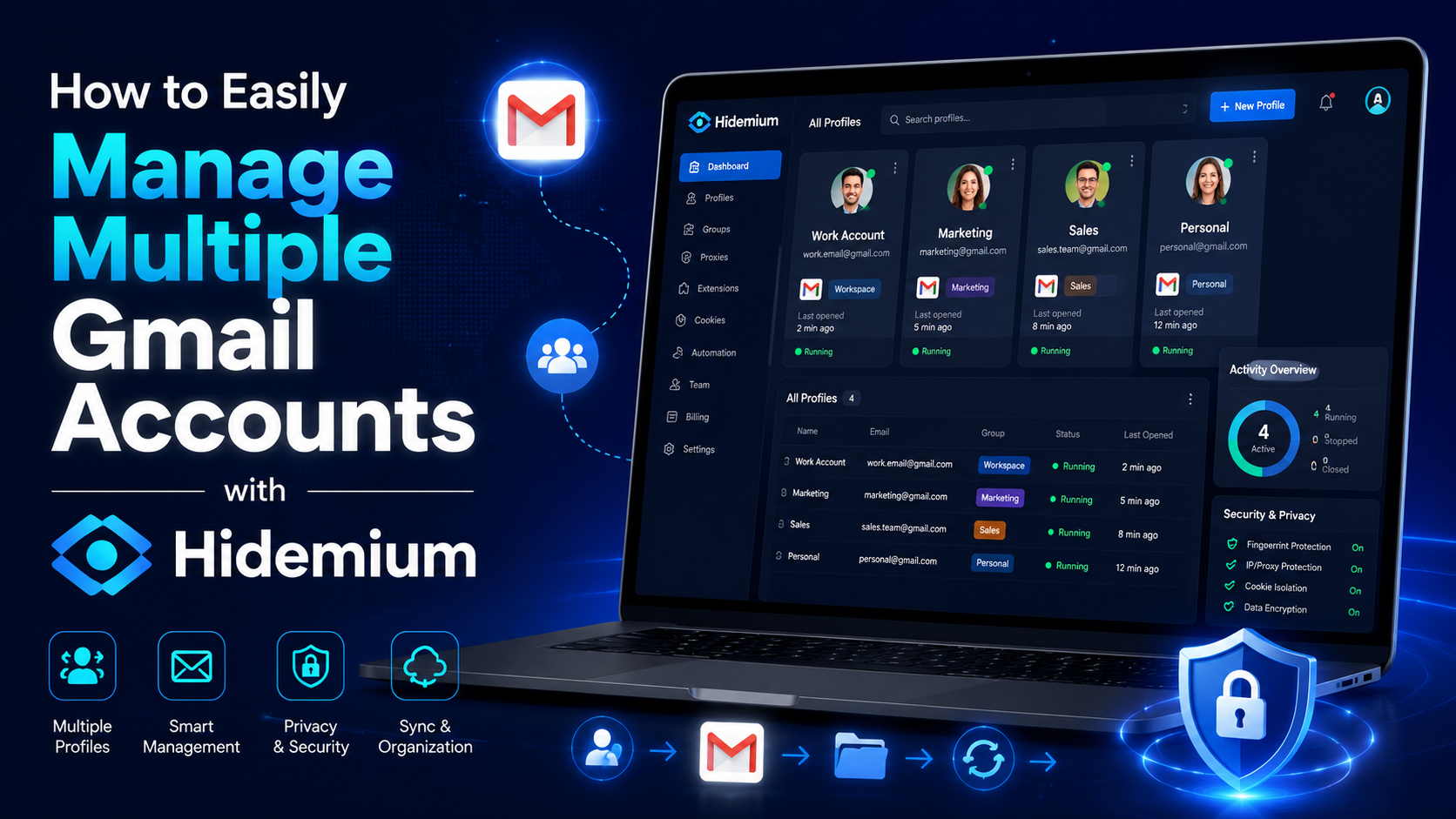

Gmail is a free email client provided by Google. On average, each person will have at least 1 Gmail account to serve work or log in to necessary social networking platforms such as Facebook, TikTok, Instagram, etc. However, Gmail accounts are easy to manage if you only use one account. But what if you own multiple Gmail accounts at the same time? If you still don’t know how to handle this ironic situation, follow the article to learn how to manage multiple Gmail accounts simultaneously!
How can I manage multiple Gmail accounts at the same time
Open Gmail with different browsers
It is probably the most common way to manage multiple email accounts that most people know. You can open multiple browsers simultaneously, such as Chrome, Coc Coc, Microsoft Edge, etc., so you can log in to many different accounts simultaneously.
Another small tip is to use the incognito tab to log in. It would help if you pressed Shift+Ctrl+N to open an anonymous account. However, when using the incognito tab, your password will not be saved, and each time you will have to log in from the beginning.
Use the Google Multiple Sign-In feature
Gmail manages multiple accounts with the Google Multiple Sign-In feature
Google’s Google Multiple Sign-In feature allows you to sign in to multiple accounts on the same browser. You can log in to your primary Gmail account. Then, click on the icon in the right corner of the screen to choose another account. Finally, you need to open a new tab and log in to your different accounts one by one. It can be said that using the Google Multiple Sign-In feature is one of the best ways to manage multiple email accounts at the same time.
This feature has been around for quite some time. However, it is one of the most convenient and easy methods to implement because it does not take too much of your time. You should consider this feature if you simply manage a handful of Gmail for studying and working.
Manage Gmail with Google Chrome’s Account Switcher
This method is also relatively effective if you want to manage multiple Gmail accounts simultaneously. Follow these steps to start managing your accounts:
- Open google chrome
- Then click on the icon in the right corner of the screen
- Next, click add
- Select sign in
- Next, sign in to your Google account
After successful login, chrome will open a new window and separate browser session. Remember to select sync mode for your google account so you can back up and access new tags, so bookmark other pages on your other accounts.
Add an Email account and forward it to the main Gmail account
Besides the ways mentioned above, there is another way for you to manage multiple Gmail accounts simultaneously. With the operation of adding an Email account and forwarding it to the main Gmail account, you can manage multiple email accounts on one original Gmail account simultaneously. Specifically, the steps will be performed in the following order:
- Access to secondary Gmail accounts that you need to use.
- Next, choose the settings.
- Choose to see all settings.
- Click the Forwarding POP/IMAP tab.
- Add a forwarding address and enter the destination email.
- Then select Next and confirm that the verification code has been sent to the destination email address.
- Proceed to enter the verification code
- Select verify to verify the forwarding address
- Click Forward a copy of incoming mail to your target account (also, you can choose what happens to the composition of the email in the source account).
Hidemium software
Hidemium software supports managing multiple Gmail accounts effectively with Hidemium
You can understand Hidemium, an account-raising software. With this application, you can feed batch profiles of Gmail and other accounts such as Facebook, Twitter, Blogger, etc. This is a great support tool if you are looking for a way to manage multiple email accounts from one place.
Hidemium has many outstanding features, such as:
- Log in to multiple accounts at the same time.
- At the same time, you can use multiple profiles on your computer without fear of having the same IP.
- You can save a cookie profile and easily log in the next time you work with a previously stored profile.
- Hidemium does not limit the number of runs and is very easy to manage and use.
Hidemium is at the top of the best applications for managing multiple email accounts simultaneously. If you are having trouble with this, don’t hesitate to try the free 7-day Hidemium plan now!
Through the above information, do you know how to manage multiple Gmail accounts simultaneously? We have listed many different methods, and you are free to choose the one that works for you. If you have questions, you can immediately pick up the phone and call our hotline for assistance.
Related Blogs
.png)
Due to the particular characteristics of Telegram, Airdrop games with a large volume cannot run on the browser and can only be played on mobile phones, which creates many inconveniences for players, especially with games like Hamster Kombat. To solve this problem, Hidemium has developed an exclusive extension to Bypass Bot Game Telegram. This tool helps users easily join Telegram Airdrops right[…]
Reddit Proxy List: Top Sites for Anonymous & Secure BrowsingReddit is famously known as the "front page of the internet", with millions of active communities spanning global news to niche hobbies. However, navigating this massive platform isn't always straightforward. Whether you're a digital marketer building brand awareness, a data scientist scraping sentiment analysis data, or a user who[…]
.png)
Using multiple Gmail accounts can help you separate personal and work emails, but it can also become challenging when you constantly switch between accounts or need to keep track of important emails. You may encounter issues like sending emails from the wrong account or managing a cluttered inbox. Here are effective methods and tools to help you efficiently manage multiple Gmail accounts.1.[…]
In the digital age, protecting personal information when accessing the internet has become an urgent need. Rent a VPN are increasingly being chosen by many people as a safe, flexible and budget-friendly solution. However, among a series of suppliers on the market, how to choose a cheap VPN service but still ensure performance, security and stability? Let's Hidemium Antidetect Browser Explore[…]
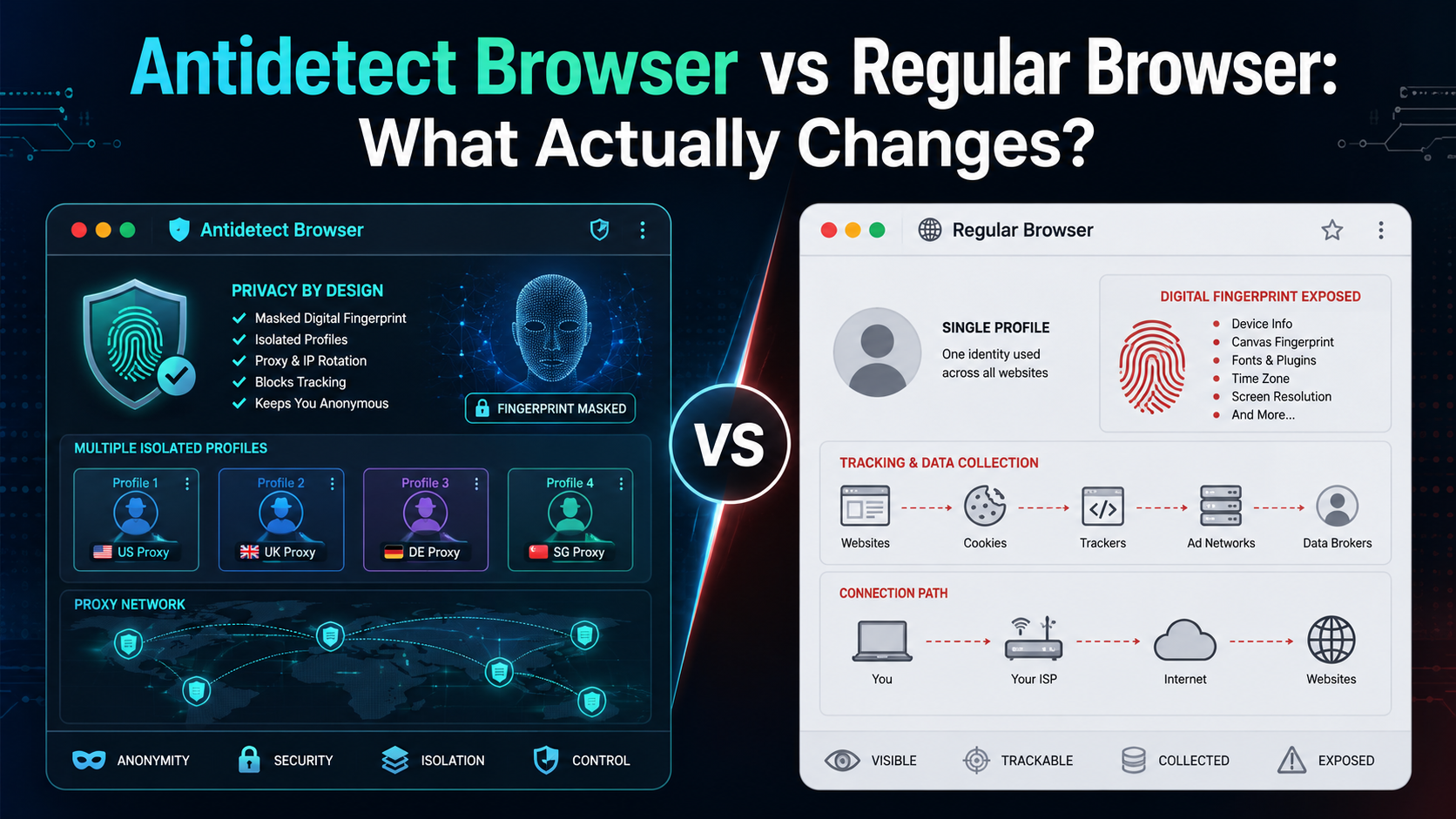
If an antidetect browser looks almost the same as Chrome, Firefox, or Edge, what actually makes it different?The biggest difference is not how websites look or how fast pages load. It is how the browser manages your digital environment.A regular browser is designed mainly for everyday browsing. An antidetect browser is designed to create and manage multiple isolated browser profiles, each with[…]

Shortening links to earn money is becoming more and more popular in the online money-making community thanks to its simplicity, accessibility and high efficiency. However, to ensure a stable income and avoid risks, choosing a reputable and safe link shortening website is an extremely important factor. In this article, Antidetect Hidemium will introduce the top 8 best link shortening platforms to[…]
