.png)

In multi-account operations, e-commerce monitoring, and ad verification scenarios, browser environment isolation and reliable proxy services have become essential “infrastructure.” For users of multi-account browsers like Hidemium, choosing a stable, secure, and widely covered residential proxy service is crucial.
This article will introduce you to IPPeak, explain why it’s worth considering, and show you how to integrate it with Hidemium.
Why choose IPPeak?
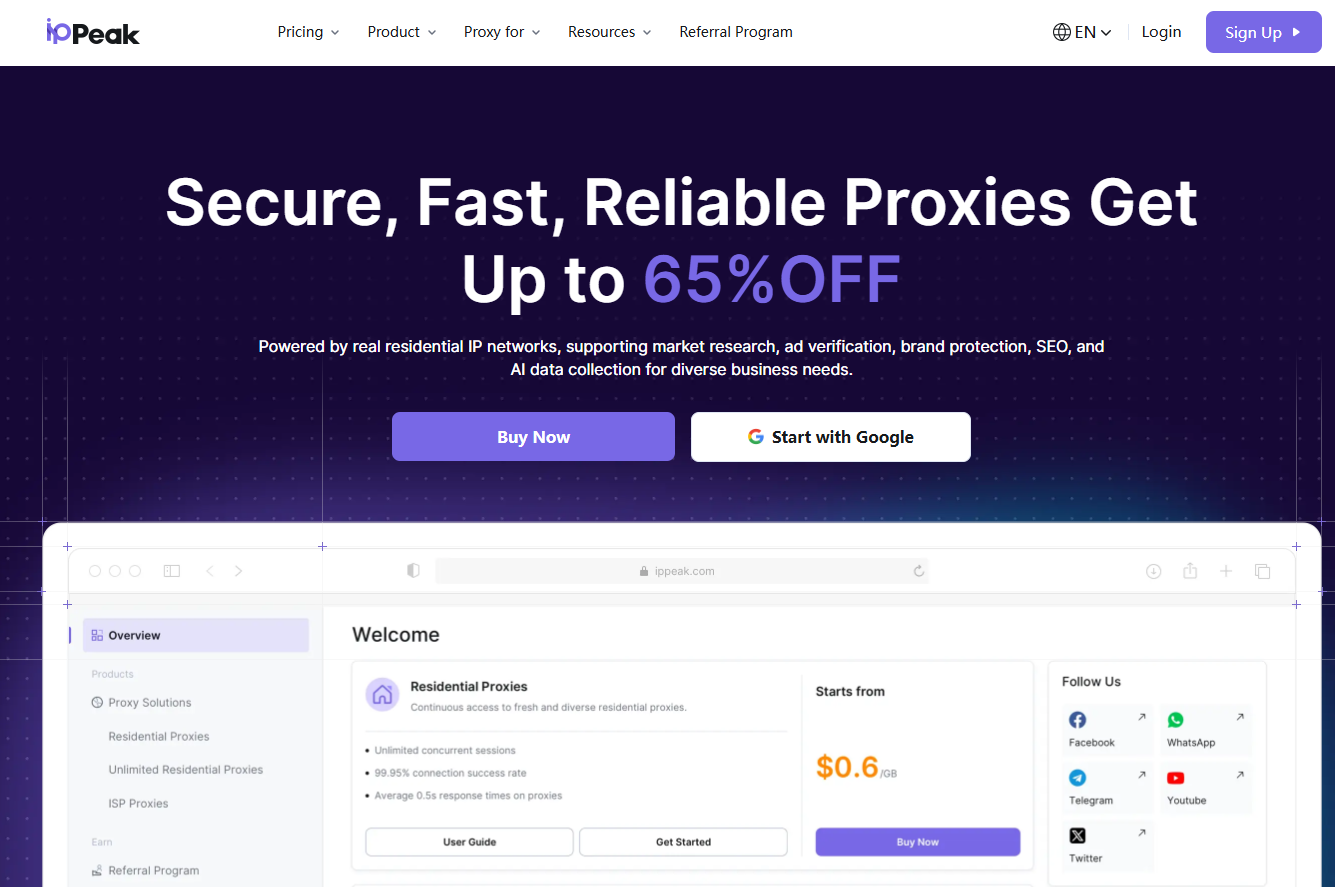
IPPeak is a provider specializing in high-quality residential proxy services, offering more than 80 million global residential IPs across 190+ countries and regions. This means users can obtain real residential IPs from almost anywhere in the world, significantly improving their success rate when accessing real websites. All proxies come from real devices, ensuring a stable and highly anonymous network environment. They are widely used in ad verification, e-commerce monitoring, market research, account management, and many other scenarios.
Excellent IP quality and cleanliness
One of IPPeak’s core strengths lies in its high-quality residential IP resources. Its IP pool is large and carefully filtered to ensure clean, unused IP addresses, greatly reducing the risk of association caused by previously abused IPs. It supports high concurrency with no connection limits and allows multi-threaded requests. For Hidemium users, this means each browser profile can obtain an independent, clean digital identity for safely managing multiple accounts.
In speed tests, IPPeak’s proxies show low latency and ample bandwidth. Whether for browsing, content uploads, or running automated scripts, users can expect a smooth experience. With up to 99.9% service availability, IPPeak ensures stable long-term operation for continuous tasks, preventing interruptions caused by proxy disconnections.
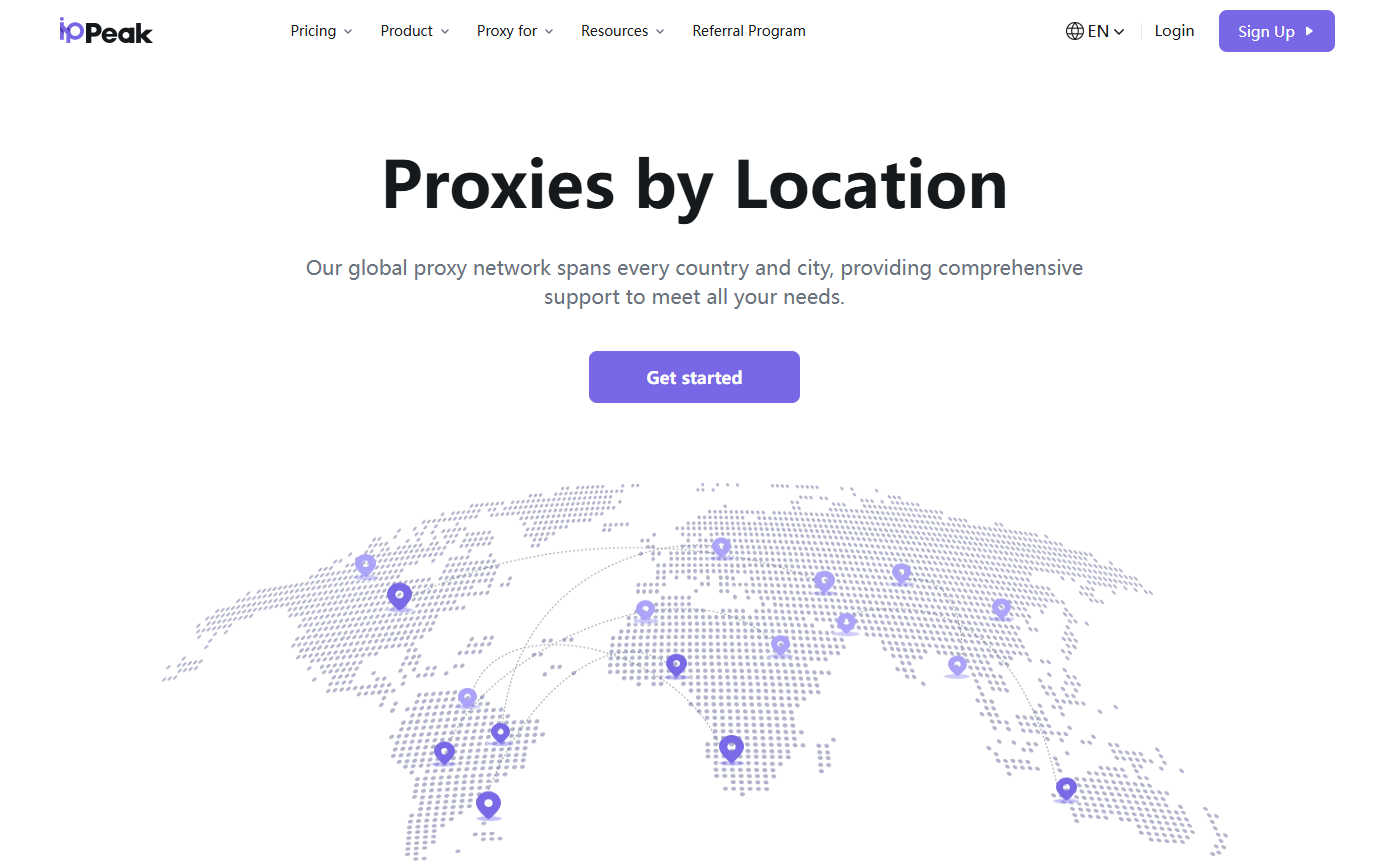
A wide range of proxy services
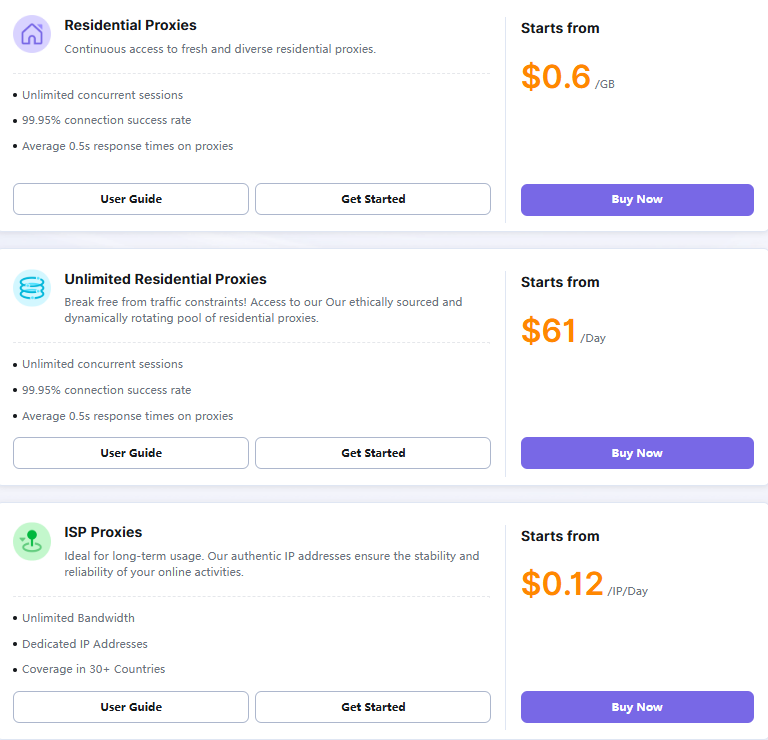
Compared with other high-quality proxy providers in the same category, IPPeak offers a more flexible and budget-friendly pricing model. Its plans are clear and transparent with no hidden fees, allowing users to control costs precisely based on their business needs and achieve excellent value for money. Here, you can easily access various types of proxy services at competitive prices to meet different usage scenarios.
Rotating Residential Proxies:
Starting at $0.6/GB, offering real household IPs billed by traffic. Users can choose countries/regions, enable auto-rotation or sticky sessions, and enjoy unlimited concurrency. Ideal for scraping, verification, and data collection tasks.
Unlimited Residential Proxies:
Starting at $61/day, billed by time. Users can choose 1-day, 7-day, 15-day, or 30-day plans with no data limits (country/region selection not supported). Perfect for high-frequency or long-term usage such as large-scale crawlers and multi-account operations.
ISP Proxies (Static Residential):
As low as $0.12/IP/day, available in 30-day and 90-day durations. These are dedicated, fixed, high-speed, and stable IPs that support renewals and long-term usage. Suitable for scenarios requiring high-reputation IPs such as account registration and livestream optimization.
How to Set Up IPPeak Proxies
In various business scenarios, IPPeak helps you access online resources efficiently and securely. To use it with Hidemium, simply go to the proxy settings, choose the corresponding proxy type (HTTP or SOCKS5), and enter the proxy host, port, username, and password provided by IPPeak. The setup is straightforward and can be completed in under a minute. Below is a detailed step-by-step guide:
Step 1: Register an IPPeak Account
Start by visiting the official IPPeak website to create an account. Click the “Sign Up” button, enter your email address and password, or create a new account via Google. Once registration is complete, you can log in to your IPPeak dashboard.
Step 2: Choose the Proxy You Need
After logging in, select the proxy service that best fits your business requirements. IPPeak offers three types of proxy services: Residential Proxies, Unlimited Residential Proxies, and Static Residential (ISP) Proxies. Your choice depends on your use case—such as web scraping, market research, ad verification, and more.
Step 3: Retrieve Your Proxy from IPPeak
After purchasing a plan, navigate to the corresponding proxy product section in your dashboard to view the status of the proxies you’ve acquired. Below is an example using Residential Proxies.
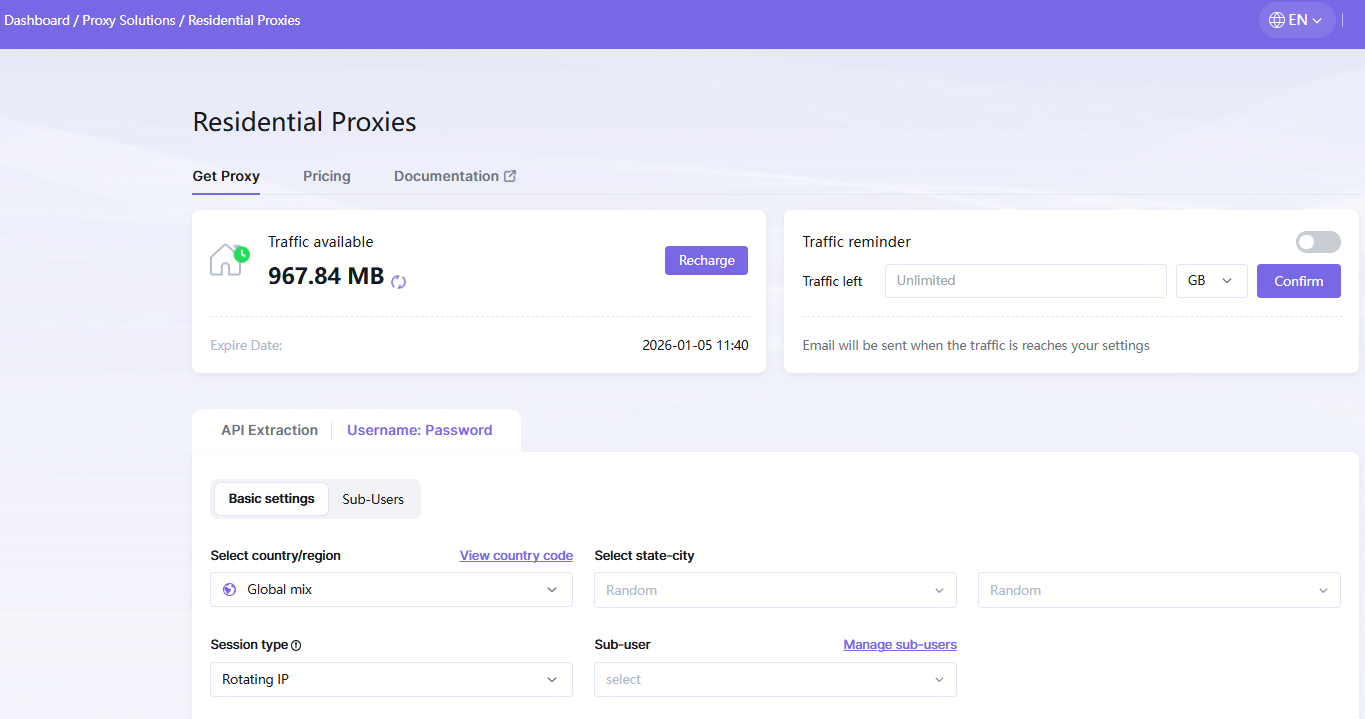
Under “Get Proxy,” you can view your available traffic and set remaining-traffic alerts. You can obtain proxies through either API extraction or username/password extraction. These methods require adding your IP to the whitelist or creating sub-accounts, respectively.
Using username/password extraction as an example:
Select the country/region, state/province or city, session type, host port, and other parameters you need. Click Generate, and you will receive proxy details in the list, including Host, Port, Username, and Password.
Step 4: Configure the Proxy in Hidemium
IPPeak proxies work seamlessly with Hidemium. Open Hidemium, choose the proxy type (HTTP or SOCKS5), enter the proxy parameters obtained from IPPeak. After the proxy test is successful, save the profile. Your Hidemium browser profile will access the internet through the IPPeak proxy. The entire setup process is extremely simple. If you need further assistance, IPPeak also provides clear documentation and guides.
Conclusion: A Recommended Solution
IPPeak is a powerful and highly reliable residential proxy service. It offers a vast IP pool, flexible pricing plans, and smooth integration with tools like Hidemium. Whether you're doing data collection, ad verification, or managing e-commerce accounts, IPPeak delivers a high-quality proxy environment.
If you use Hidemium and need a proxy solution that maximizes performance while protecting account security, IPPeak is definitely a trustworthy choice worth trying.
Visit the IPPeak website, choose the plan that fits your needs, and start a more efficient and secure multi-account workflow with Hidemium today!
Related Blogs

Owning and operating a large number of accounts on social media platforms like X (Twitter) or Discord has become essential for those involved in MMO, airdrops, and marketing. However, the biggest challenge users face is that their accounts are frequently suspended or flagged for identity verification when multiple accounts are logged in on the same device.So how can this issue be resolved? The[…]
.png)
Scale 10000 Profiles Daily with Hidemium and FleetProxy for Multi Account SuccessThe desk fan hums, and the monitor shows more tabs than you could ever manage by hand. Ten profiles open, then fifty, then hundreds, each one carrying a separate login and staying alive without conflict.That’s the kind of environment Hidemium creates.Behind it all, FleetProxy feeds each connection a path that feels[…]

More than three decades ago, eBay started as a small auction site where people could sell their old items to earn extra income. By 2025, the platform had become an e-commerce giant, trusted by thousands of sellers to grow their businesses. However, while eBay has been constantly improving its security systems to protect users, it has also implemented strict regulations – sometimes[…]
.png)
Affiliate marketing has evolved far beyond launching a single campaign and hoping for conversions. Today’s top-performing affiliates often manage multiple accounts across ad platforms, affiliate networks, social channels, marketplaces, and analytics tools to scale offers, diversify traffic, and reduce business risk. But with greater scale comes greater complexity.Multi-account management can[…]
.png)
In the digital age, YouTube has become an indispensable platform, providing endless entertainment, educational, and informational content to millions of users around the world. However, you can’t always access this platform easily due to barriers such as region blocks, workplace firewalls, or network policies. So how can you overcome these obstacles effectively and quickly?This article brings you[…]
What Is Web Scraping?Web scraping is the automated process of extracting data from websites. Instead of manually copying information from web pages, web scraping tools send HTTP requests to websites, parse the HTML content, and extract structured data — which can then be saved to a database, spreadsheet, or used directly in applications.In 2026, web scraping has become an essential capability for[…]
