Three AI Video Generators Under Real Use: VideoAI, Deevid, and Fliki Compared
Try Hidemium for free

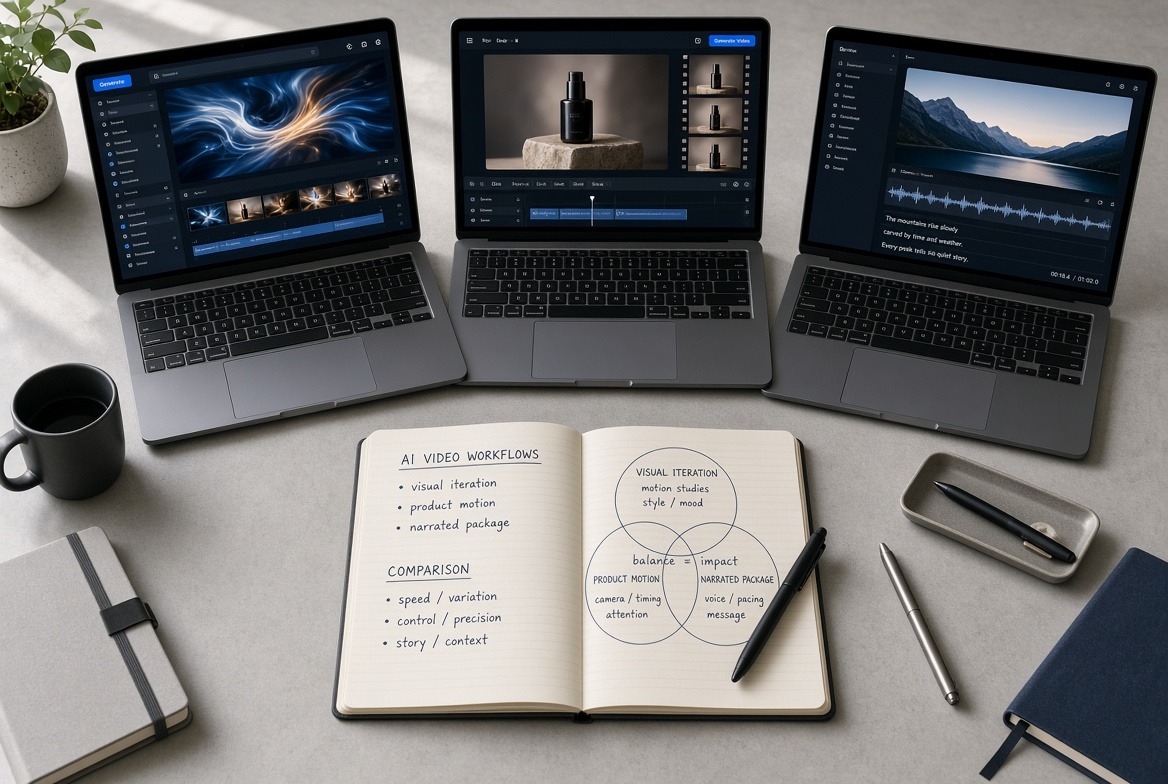
I tested three platforms that all claim to turn ideas into moving images quickly. The goal was simple: run the same set of everyday tasks and note where each tool helped or slowed me down. No rankings. Just observed differences.
Starting Point and Test Setup
I used three recurring needs. First, a short text prompt for a mood scene. Second, a product photo that needed motion. Third, a short script that required clear narration. Each tool received identical inputs. I recorded generation time, number of regenerations, and how much manual cleanup followed.
A recent Wyzowl survey found that 91% of businesses now use video as a marketing tool. The pressure to produce more clips has pushed many creators toward an AI Video Generator. The question is which style of tool fits different daily workflows.
VideoAI: Multi-Model Experimentation
VideoAI gives direct access to several generation models inside one interface. I could switch between Kling, Wan, Seedance, and others without leaving the project.
For pure visual tests the flexibility helped. A prompt that looked stiff in one model sometimes improved after a simple switch. Image-to-video results stayed consistent when I cleaned the source photo first with the built-in background remover and upscaler. Motion control options let me nudge camera direction before generation.
The trade-off appeared in longer or narrated work. Voice and full-scene assembly are limited. I treated VideoAI as a rapid visual sketchpad rather than a complete video producer. When I needed only a five-second motion clip, it stayed efficient.
Deevid: Agent-Led Creation and Canvas Control
Deevid approaches the task differently. It presents an AI agent that plans steps and a canvas for visual arrangement. The platform also routes work across multiple underlying models.
Product-focused tests showed clearer strengths. Uploading a single item photo and asking for platform-ready ad variations produced usable options faster than manual prompting. Character consistency across clips worked better than I expected for simple avatar-style work. The canvas made small positional adjustments feel direct.
Complex multi-subject scenes still required several regenerations. The agent reduced some prompt trial-and-error, yet final polish often moved outside the tool. Deevid felt strongest when the brief was visual and commercial rather than narrative.
Fliki: Script-to-Finished Narrated Video
Fliki starts from text and aims for a complete package. Script, visuals, AI voice, captions, and music arrive together. The voice library is large—over two thousand options across more than eighty languages.
When I pasted a short explainer script, the first output already contained timed narration and matching scenes. Blog-to-video and slide-to-video paths followed the same logic. For faceless educational or promotional content the speed was noticeable. Digital twin and avatar features added another layer for presenters who want on-screen presence without filming.
Visual originality sat lower than pure generation tools. Many scenes relied on stock-style or templated motion. When the priority was clear speech and fast turnaround, that limitation mattered less. When the priority was unique visuals, I needed extra steps.
Side-by-Side Observations From Testing
VideoAI excelled at quick visual iteration and model switching. Deevid handled product motion and structured ad-style outputs with less manual prompting. Fliki delivered the most complete narrated videos from text alone.
All three reduced the time from idea to first draft compared with traditional editing. None removed the need for final human review. Artifacts, inconsistent motion, and limited narrative control appeared in every tool at different points.
Generation speed stayed under two minutes for short clips across the board on standard settings. Longer or higher-resolution requests introduced waits and credit limits that varied by plan.
Who Each Tool Suits in Practice
Creators who test many visual styles in one session will likely prefer VideoAI’s model access. E-commerce and ad teams that start from product images may find Deevid’s agent and canvas more direct. Educators, marketers, and faceless channel operators who need reliable voice and captions often move faster inside Fliki.
Some users keep more than one tool. Visual drafts in one platform, narration and packaging in another. The combination depends on the final format required.
Practical Takeaway After Parallel Tests
An AI Video generator is no longer a single category. The three platforms solve overlapping but distinct problems. Choosing among them works best when you define the bottleneck first—visual exploration, product motion, or narrated completion—rather than chasing the highest demo quality.
The measurable gain across all three was the same: more attempts in the same hours. The difference lay in which part of the pipeline each tool shortened. That distinction remains the most useful filter when the next project lands.
Related Blogs

Advertising products and services on social networks are widespread to reach customers more effectively, especially on Facebook. Therefore, the seller’s primary concern is to use multiple Facebook ad accounts effectively to get the right users while ensuring that they do not violate the regulations of this giant. The following article will provide exciting information for those looking to sell on[…]
Are you trying to make money on YouTube but can't seem to hit 4,000 watch hours? Don't worry! This is a frustrating milestone for many new YouTubers, but with this article, you can speed up the process and get monetized sooner.Let's explore 15 Fastest Ways to Get 4000 Hours of Watch Time to Enable Monetization 2025— combining content strategy, channel optimization, and anonymity tools[…]
To turn off fingerprint unlock for Chrome passwords, open Google Password Manager or your device’s biometric security settings and disable fingerprint, Face ID, or Touch ID authentication where available. Chrome will then use another supported device authentication method, such as a PIN, password, or passcode.In this article, Hidemium will guide you in detail on how to disable fingerprint[…]

In today's digital landscape where cybersecurity is paramount, Cloudflare emerges as a powerful shield against malicious bots and cyber attacks. However, what happens when legitimate data access or task automation is required? This detailed guide explores proven techniques and methodologies for navigating Cloudflare's security measures. Whether you're a data extraction specialist, automation[…]

Opening a store on Etsy is an excellent opportunity to start a business. However, to attract customers and increase traffic to your store, you need a clear strategic plan and effective execution.This article by Hidemium will guide you step-by-step on setting up an Etsy store and share effective strategies to help you drive traffic and boost sales growth. 1. What is Etsy?Etsy is a popular[…]

When accessing the website but encountering errors such as 404 Page Not Found good 502 Bad Gateway, most likely the cause comes from the DNS cache on the device. At this point, Flush DNS is a simple but extremely effective solution to handle this situation. So what is Flush DNS and how to do it? Together Antidetect Browser Hidemium ratherDiscover details below!1. What is DNS Flush?Flush DNS is[…]
