
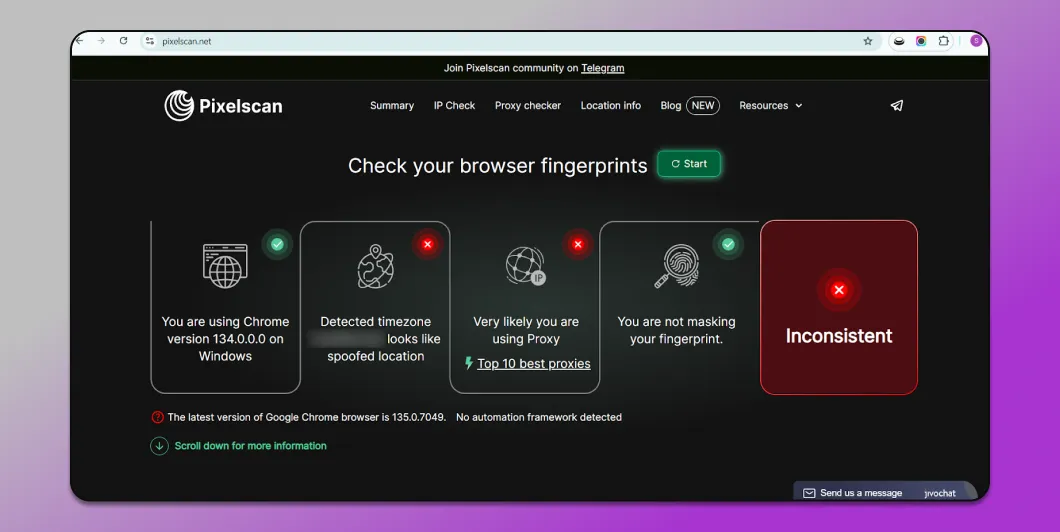
Every time you access the internet, a slew of hidden trackers silently collect data about your device — from IP address, system configuration to how the graphics card displays images. Tools Pixels can helps you clearly detect the extent to which your “digital fingerprint” is exposed online.
In this article, togetherHidemium discovers What is Pixelscan, how it works, what are its features and when to use Pixelscan alternatives. In addition, you will also learn how to read the results and apply practical security measures to enhance online privacy.
1. What is Pixelscan.net?
Pixelscan can be considered as a “super detective” of the internet. This tool analyzes your device to determine the elements that make it unique. Simply put, every device has a unique identifier— similar to a personal fingerprint.
This digital fingerprint includes several elements:
How you configure and use the browser.
Font set installed on the device.
Hardware information inside the machine.
Other technical details may be discovered while you are online.
Pixelscan compiles all of this data to create a “digital portrait” of the device. Websites or companies often use this information online behavior tracking and display personalized ads.
However, Pixelscan also has direct benefits for users. Knowing digital fingerprint exposure level helps you understand how much information websites can collect from your device, thereby being more proactive, insecure data and maintaining anonymity online.
>>> Learn more: How to set up static IP on Windows quickly, simply and effectively
2. How does Pixelscan work?
Pixelscan is a specialized tool for analyzing browser fingerprints– a set of signals that websites often use to identify users. As soon as you visit a website, Pixelscan scans and checks many important factors such as canvas rendering, audio context, font settings, WebGL properties and HTTP headers.
Each signal may seem harmless on its own, but when combined, they form a unique digital fingerprint, helping to differentiate your device from millions of others.
Pixelscan then compares this fingerprint against a database of templates to determine vulnerability to online tracking. If your configuration is too unique, you run the risk of being tracked across multiple websites, even if you don't use cookies.
In particular, Pixelscan also helps you detect potential leak-like inconsistent settings or exposed identifiers, which can degrade anonymity. In other words, Pixelscan doesn't just provide technical data, it gives you a comprehensive picture of how websites, advertisers and anti-fraud systems see your device.
>>> Learn more: Top 7 Ways to Bypass an IP Ban
3. Outstanding features of PixelScan
PixelScan is a powerful online security analysis tool that helps you understand how your device is recognized and tracked across the internet. Here are the key features:
Unique digital fingerprint
PixelScan creates a unique identifier for your device that acts like a digital fingerprint. This way, your device can still be recognized even if you delete cookies or use incognito mode.
Detailed system and browser analysis
The tool provides comprehensive information about your browser type, operating system, add-ons, fonts, and even screen configuration. This allows you to know exactly what data is being disclosed when you visit the web.
Safety Assessment
PixelScan detects potential vulnerabilities that could lead to personal information leaks and provides suggestions to improve device security, giving you more peace of mind online.Comprehensive report
After each scan, PixelScan generates a detailed report of what data websites may have collected from you. This gives you the basis for controlling and optimizing your privacy.
Test WebRTC, JavaScript, and Flash
PixelScan detects technologies that can unintentionally reveal your real IP address, even when using a VPN, and provides recommendations for action.
Advanced Recognition via Canvas & Audio Fingerprinting
The tool checks how the device displays images (Canvas), processes sound (Audio), battery level, screen layout… to build a more accurate device profile.
Locate IP
PixelScan displays your IP address and general geographic location, helping to simulate how websites identify and track users.
Analyze transmitted data
PixelScan monitors the signals the device sends when it connects to the internet, adding data to complete the digital fingerprint.
👉 Thanks to this set of advanced features, PixelScan becomes the ideal solution to help you control personal information, enhance online security and privacy, and better understand how websites track users.
3.1 Why choose PixelScan?
PixelScan is the smart solution to help you protect online privacy and manage personal data more securely. Here are the reasons why PixelScan is a trusted tool for many people:
Comprehensive analysis
PixelScan thoroughly checks digital fingerprint including IP address, browser settings, plugins, operating system, and more. This comprehensive approach gives you a clear picture of what information your device is sharing.
Friendly interface
The tool is designed to be intuitive and easy to use for everyone, even those without a technical background. With just a few clicks, you can understand the scan results.
Fast and accurate results
PixelScan processes data efficiently and provides detailed reports in just minutes, helping you quickly detect privacy risks.
Detailed report
Each PixelScan report provides information about IPs, system configurations, data leaks, and potential vulnerabilities, so you can take timely and appropriate security measures.
Raise security awareness
EqualBy clearly displaying exposed data, PixelScan helps you proactively control and protect browsing habits as well as personal data.
No installation required
PixelScan works directly in your browser without requiring any software download. You can use this tool on any device, from computers to phones.
Flexible support
PixelScan is compatible with both IPv4 and IPv6, and accurately analyzes the characteristics of a wide variety of devices.
Always up to date
The tool is constantly improving to keep up with new tracking methods, ensuring accuracy and effectiveness in protecting privacy.
Educational value
PixelScan is more than just a privacy tool; it also helps users better understand online tracking and the importance of protecting digital privacy.
Free and accessible
All of PixelScan's powerful features are absolutely free, suitable for any user who wants to control digital footprint without worrying about the cost.
Proactive privacy management
Regular scanning with PixelScan keeps you up to date on what information is being shared and proactively limits security risks early.
>>> Learn more: How to Fake IP Effectively Using VPN and Proxy – Complete Guide in 2025
4. Instructions for using PixelScan safely and effectively
PixelScan is a powerful online tool that helps you analyze digital fingerprint and find out what data your device is revealing. Using this tool is simple, just follow these steps:
Step 1: Go to PixelScan.net
Open your browser and go to PixelScan.net. This is a web tool, you do not need to install any additional software or plugins.
Step 2: Start scanning
Right on the home page, click on the button “Start scanning” or “Analysis”. PixelScan will immediately start collecting and analyzing data from the device and browser.
Step 3: Wait for data analysis
During processing, PixelScan will check important information such as:
IP Address
Browser version and configuration
Operating system in use
Plugins, installed fonts
Screen resolution
Display language and time zone
WebRTC Test Results
Canvas fingerprint and sound
Security risks or vulnerabilities
Step 4: View the results report
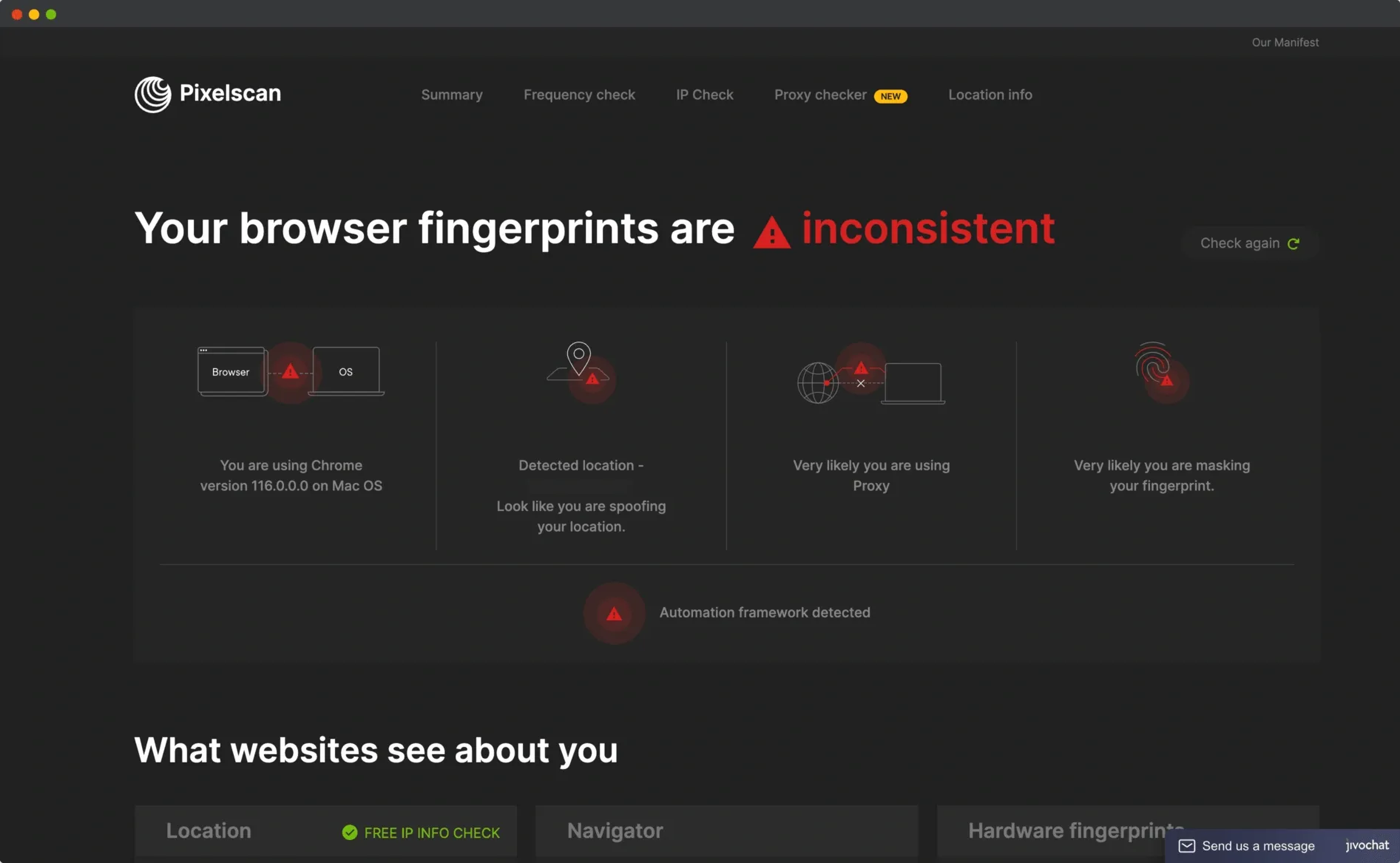
Once completed, PixelScan will display a detailed report that shows what data the website can collect from you, and assesses the level of uniqueness of fingerprint. Understanding this information helps you be more proactive in online identity security.
Step 5: Enhance Privacy
Based on the report, you can take several steps to protect your personal information:
Adjust browser settings, limit plugins and cookies.
Use VPN, privacy-focused extensions or incognito browsing mode.
Update your software, operating system and browser regularly.
Disable WebRTC to avoid IP address leaks.
Choose a secure search engine like DuckDuckGo to minimize tracking.
Step 6: Periodic check
Use PixelScan regularly to scan your digital fingerprints. Regular scans help you quickly identify exposed data and fine-tune your security settings.
👉 By following the steps above, you will be able to effectively use PixelScan to better understand your digital footprint of your own, while building a solid protective layer for online privacy and safety.
5. Pixelscan + Antidetect Browser: The Ultimate Solution for Privacy and Anonymity
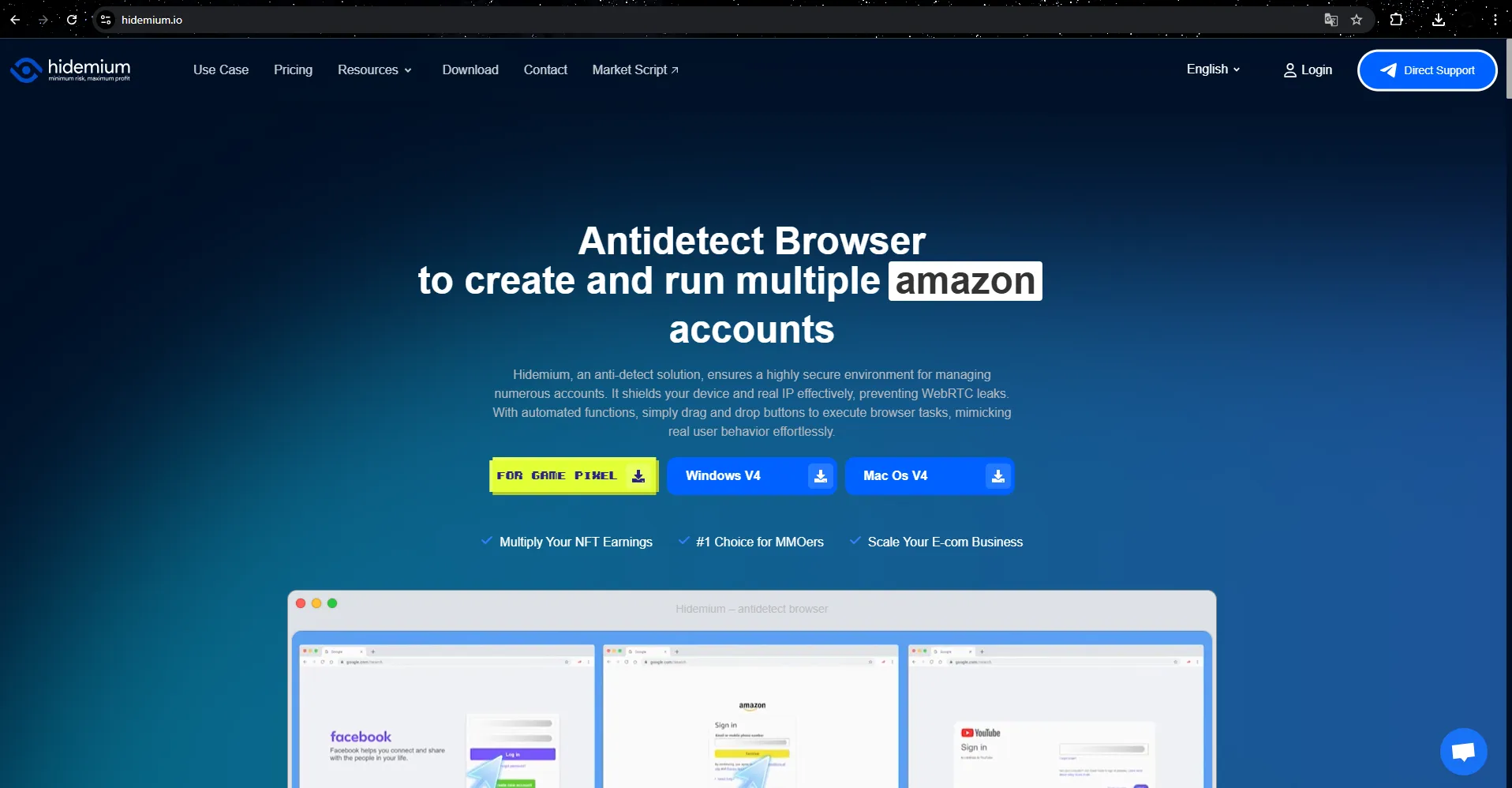
Pixelscan allows you to check for online information leaks, but it does not provide protection by itself. This is where Antidetect Browser like Hidemium play an important role.
With Hidemium, you can:
Create an independent browser profile with unique fingerprints.
Integration proxy hide ip to hide real address.
Manage multiple accounts without worrying about cross tracking.
Pass fingerprint tests, including Pixelscan, thanks to its advanced security system.
Imagine:Pixelscan is a diagnostic tool, still Hidemium is the treatment solution. Using Pixelscan for testing, then combining Hidemium for protection, you will have a comprehensive and reliable security system.
6. Reliable Pixelscan Alternatives
While Pixelscan is useful, it is not the only tool. Many users choose to add alternatives for multidimensional analysis, rich testing methods, or as a backup tool.
Best Pixelscan alternatives:
BrowserLeaks– Provides detailed analysis of fingerprint vectors.
AmIUnique– Measures the uniqueness of browser fingerprints.
Whoer.net– Fingerprint detection tool is updated regularly.
Iphey– Compact solution, supports quick testing.
BrowserScan– Assess anonymity level and detect VPN/proxy usage.
💡 Tips:Try multiple tools to compare. If they all point to the same vulnerability, it's time to upgrade your security configuration. In this situation, Hidemium will be the top choice for refining browser fingerprinting and strengthening privacy.
>>> Learn more: 7 Free Online IP Fingerprint Checker Tools
7. Frequently Asked Questions about Pixelscan
1. Does Pixelscan have extensions?
Currently, Pixelscan has not released any official extensions. Therefore, be cautious with versions shared by third parties claiming to be Pixelscan, as they may pose security risks. It is best to use them directly from the official website to ensure safety.
2. Is Pixelscan safe to use?
Yes. Pixelscan is completely safe because it only displays data that your browser makes public. It does not install software, collect personal data, or track activity outside of the test.
3. Can Pixelscan hide my IP address?
No. Pixelscan.net only provides available display information, including your IP address. If you want to anonymize or protect your IP address, you need to use a VPN, proxy or antidetect browser in combination.
4. Does Pixelscan slow down the browser?
Not a big deal. Pixelscan is optimized to scan quickly and efficiently. If your browser is slow, it's usually something else, not Pixelscan.
5. Does Pixelscan work on all browsers?
Yes. Pixelscan supports most popular browsers such as Google Chrome, Mozilla Firefox, Microsoft Edge, Safari, etc. However, the accuracy of the results may vary depending on the settings and characteristics of each browser.
6. How often should I run the Pixelscan test?
You can run it whenever you want to check your browser fingerprint. Periodic scanning, especially after updating your browser or installing a new plugin, will help you detect changes that affect your digital fingerprint early.
7. How can Pixelscan help when privacy is violated?
Pixelscan can't directly fix privacy issues. But it can help you identify elements of your digital fingerprint that could be used for tracking. This way, you can proactively protect yourself by changing your browser settings, deleting cookies, or using privacy-enhancing tools.

Related Blogs
In the digital age, owning multiple Gmail accounts is not only a personal need but also a vital factor for people MMO (Make Money Online), marketers or YouTubers. However, mass Gmail registration is often subject to Google checkpoints, requires complex verification and is easily locked. So what is the tool that helps you create mass Gmail safely, avoid checkpoints and save time in 2025?In this[…]
.png)
In the digital age, YouTube has become an indispensable platform, providing countless entertainment, educational, and informational content to millions of users worldwide. However, you don't always have easy access to this platform due to barriers such as regional blocks, workplace firewalls, or network policies. So how can you overcome these obstacles effectively and quickly?This article will[…]
In today's connected technology world, the MAC address is an important concept that is often misunderstood or overlooked. So what is a MAC address? What important role does it play in networking, security, and system management. In this article Antidetect Browser Hidemium Will help you learn in detail about MAC addresses, how to check on many different devices, common types of MAC addresses and[…]

NordVPN is a reputable VPN service that helps secure personal data and ensure privacy when accessing the Internet. If you are in need of a solution to hide your IP, bypass regional content restrictions, and browse safely, this article is for you. Antidetect Browser Hidemium will help you better understand NordVPN – from outstanding features to points to note.1. What is NordVPN?NordVPN is a[…]

In today's online world, proxy IPs have become a key tool for businesses and individuals to improve data privacy, bypass geographic restrictions, and conduct efficient data capture. When choosing a proxy IP, you are often faced with two main choices: free proxy IPs and paid proxy IPs. Although "free" sounds attractive, can it really meet your needs? This article will delve into the key[…]
Zone DNS is an important component of the domain name management system (DNS), which plays a role in storing DNS records related to domain names. In this article, let's Antidetect Browser Hidemium Learn more about the concept Zone DNS, the benefits it brings and how to effectively manage DNS Zone to ensure the network system operates stably and securely.1. What is Zone DNS?A DNS zone is a data[…]
