
Khi sử dụng antidetect browser, điều đắn đo nhất của các bạn là khi mình gắn proxy vào thì thực tế IP gốc mình có bị rò rỉ hay không. Điều này quyết định khá lớn rằng tài khoản của các bạn có nguy cơ suspend hoặc CO có ped hay không. Hôm nay Đạt sẽ hướng dẫn anh em cách nhận biết thực tế IP của mình có bị leak không nhé. Dưới đây Đạt sẽ để 1 số link cơ bản để kiểm tra:
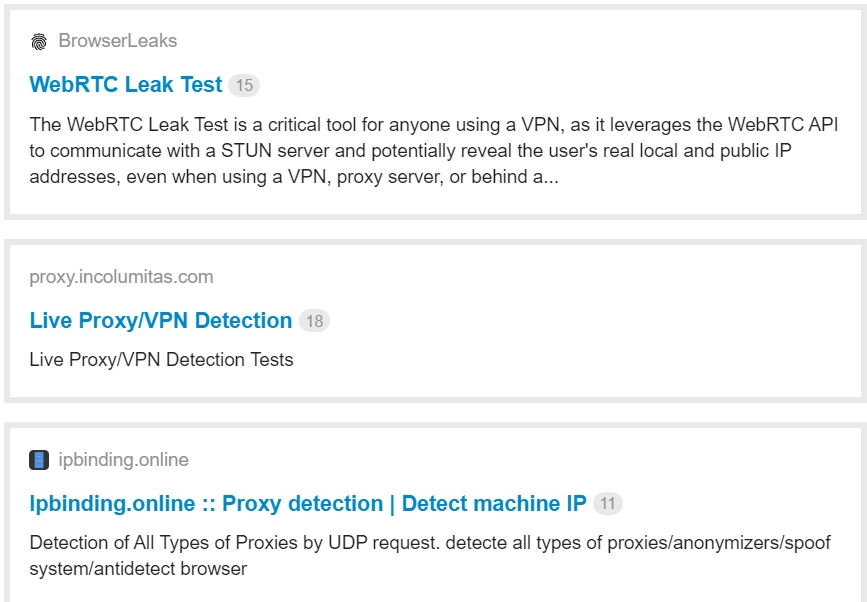
Đầu tiên với browserleaks chúng ta nhìn thấy:
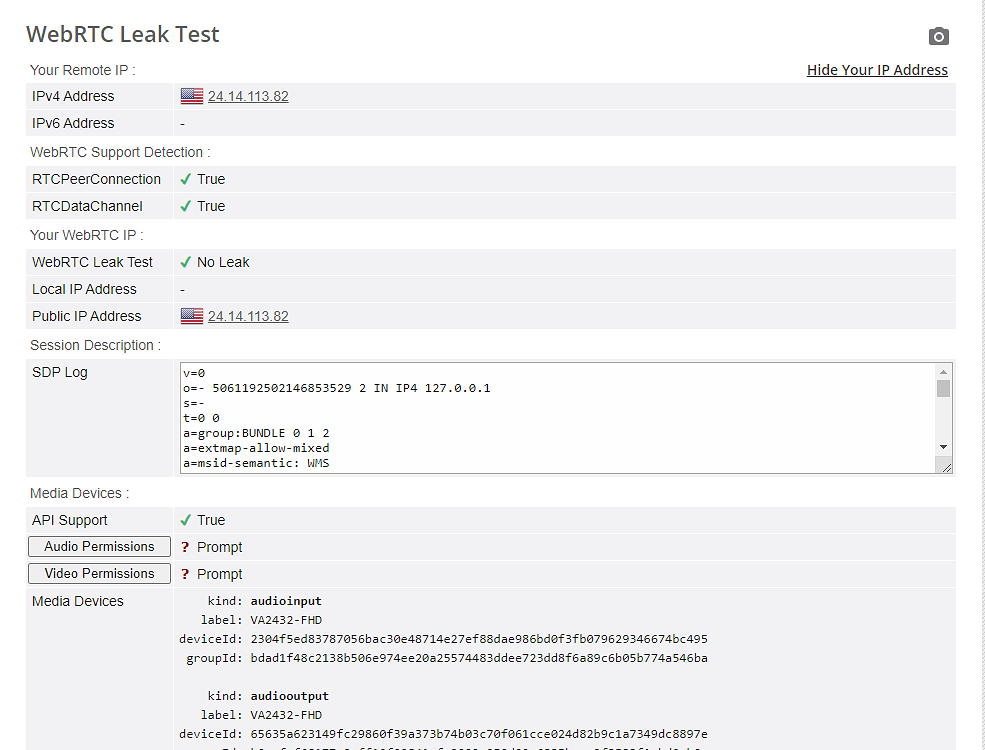
Thông tin ở group
Your Remote IP (IPv4 Address) : 24.14.113.82
Your WebRTC IP (Public IP Address) : 24.14.113.82
Ở 2 thông số này trùng nhau, WebRTC Leak Test trả về  No Leak
và tất nhiên SDP Log không chứa IP thực tế bị leak thì chúng ta đã hoàn tất kiểm tra tại browserleaks.
Tiếp theo ta kiểm tra tại incolumitas:
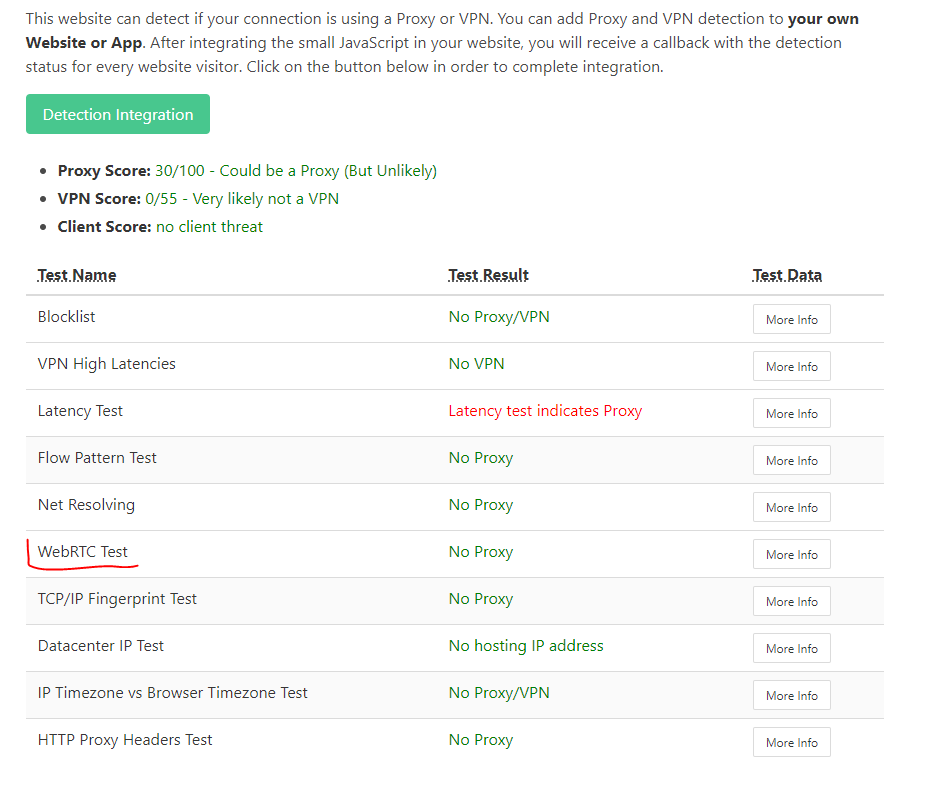
Ta quan sát ở WebRTC Test trả về No Proxy nhưng phải là màu xanh. Còn là màu xám thì nó sẽ là không lấy được IP đã thay thế. Điều này sẽ rủi do không khác gì disable webrtc
Tiếp theo ta vào chrome://webrtc-internals/
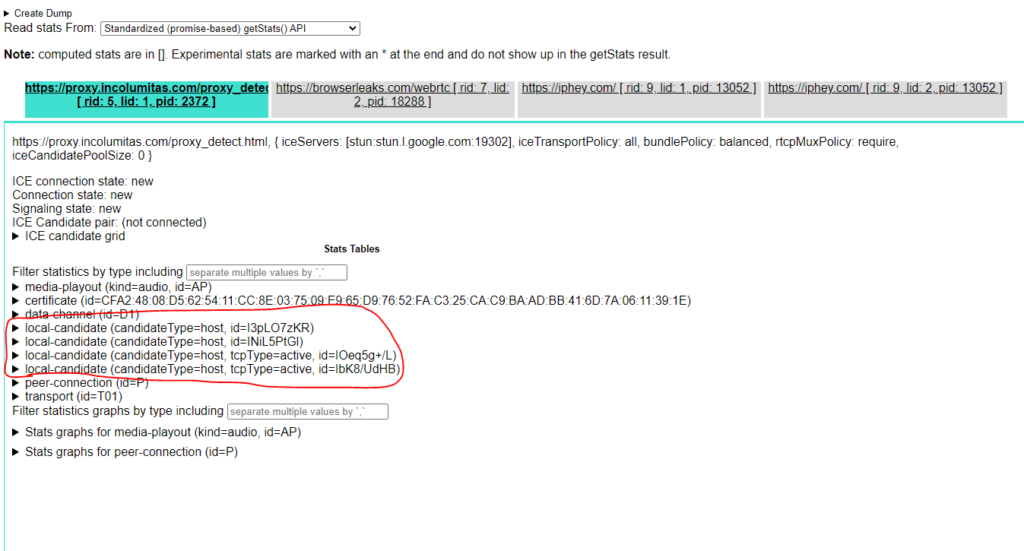
Chọn view của incolumitas, nhấp xem chi tiết quan sát không thấy leak IP thực tế của mình thì ok chúng ta đã vượt qua bài test của incolumitas.
Với trường hợp của ipbinding:

Chúng ta nên check lại IP show ra của proxy với IP thực tế của mình nếu không trùng nhau hoặc không bị leak thì sẽ được báo No Proxy
Để tỷ lệ account sống cao hơn hoặc đi đơn tốt nhất, chúng ta nên trang bị cho chính bản thân mình kiến thức thực tế, tương tự các bạn lựa chọn sản phẩm tốt nhất phù hợp với công việc của bạn.

Related Blogs
I. Introduction to B2Proxy Residential ProxiesB2Proxy Official WebsiteB2Proxy is a professional provider specializing in global residential proxy services, offering high-purity residential IPs sourced from real ISP home networks. These proxies are widely used in cross-border e-commerce, online advertising, data collection, social media management, and account registration and verification.Key[…]
Need to use multiple accounts or storefronts to service your online business? But usually, this will cause many dangers because of browser fingerprinting problems. So is there a way to optimize the management of these multiple accounts? Benefits of running multiple accounts Social networking and e-commerce platforms have become extremely popular in today’s internet world, and the trend of[…]
.png)
According to a Stack Overflow survey, 76% of programmers are using or planning to apply AI to their work. However, the reality is that many teams still have to modify AI-generated content and code before they can use it.Therefore, the question "Which is better, Claude or ChatGPT?" is increasingly appearing in product, engineering, and operations teams. The issue is no longer whether AI can[…]


If you want your social media content to stand out effortlessly, CapCut AI Avatar is one of the easiest and most creative ways to level up your visuals. Whether you post on Instagram, TikTok, YouTube, or Facebook, using the AI Avatar tool inside CapCut Desktop Video Editor helps you create stunning, stylized, and highly personalized characters that match your vibe. These avatars are ideal for[…]
Running a dropshipping business on eBay can be highly profitable, but it also comes with a major risk: unexpected account suspensions. For dropshippers, managing multiple accounts on the same computer without proper protection can easily lead to account bans.Even a small mistake—such as using duplicate IP addresses or exposing your browser fingerprint—can result in immediate suspension. So how[…]
