
Want to keep your business and personal life separate on Twitter? Don’t mix business with pleasure. Just create a second (or third) Twitter account and switch quickly. So how to manage accounts on this platform at the same time easily? Continue reading the following article to learn how simple Twitter manages multiple accounts!
How to create a new Twitter account on the web?

You are free to create as many Twitter accounts as you want. Each account must be created with a different username, but they can all be linked to the same email address if you set up with Gmail. Add a dot anywhere in the username, and you’ve immediately created a new account. Twitter will read these addresses as different users.
You can create an account on Twitter.com or the iOS or Android mobile app. Let’s start developing the website first.
- Step 1: Go to www.twitter.com link on any browser you want and log in to your existing account.
- Step 2: Click your Twitter profile picture icon on the left navigation lane below the New Tweet button.
- Step 3: You will get the option “Add an existing account.” If your second account has not been created, then create one, and next, add the existing first account to the second account or vice versa.
How to switch between multiple Twitter accounts on the mobile app
Once you have finished combining your accounts, combining them for concurrent management is necessary. The process to switch between other accounts on the Twitter web and the Twitter mobile app is as follows:
ON TWITTER WEB:
- Step 1: Go to the Profile Photo icon under the New Tweet button on the left navigation lane.
- Step 2: The menu will show all the accounts that are being merged with that account. Click on the account you want to convert, and you can go to another account.
ON THE TWITTER APP:
- Step 1: If you are using an iPhone, tap the profile avatar in the upper left corner, then go to the three-dot Profile icon. On iPad, tap More and go to your Profile icon.
- Step 2: A list will appear with all the joint accounts from which you can select the account you want to switch.
Some frequently asked questions when setting up a twitter account

- Can I create multiple Twitter accounts?
Yes, you can have multiple accounts on Twitter using the same email. Just a little change (for Gmail users), different emails, or different phone numbers. You can even connect up to 5 of them to switch between accounts more conveniently.
- Is it possible to create multiple Twitter accounts with the same email?
Using Gmail, you can optionally create multiple Twitter accounts with the same email address. All it takes is a little tweaking with a dot or something in the middle of the email. These edited email ids will be read differently by Twitter, even though they all refer to the same id.
However, if you are using email from Yahoo, Outlook, or any other email service, you will not be able to create a new Twitter account using the same email id as with Gmail above.
- Does own multiple accounts violate Twitter’s rules?
No, creating multiple accounts on Twitter does not violate Twitter’s rules, as the platform allows you to connect your multiple accounts for ease of use. However, Twitter does not allow users to create multiple accounts with the same email id or phone number to minimize the number of Spam or Pretend accounts on this popular social media platform.
Manage multiple Twitter accounts easily with Hidemium
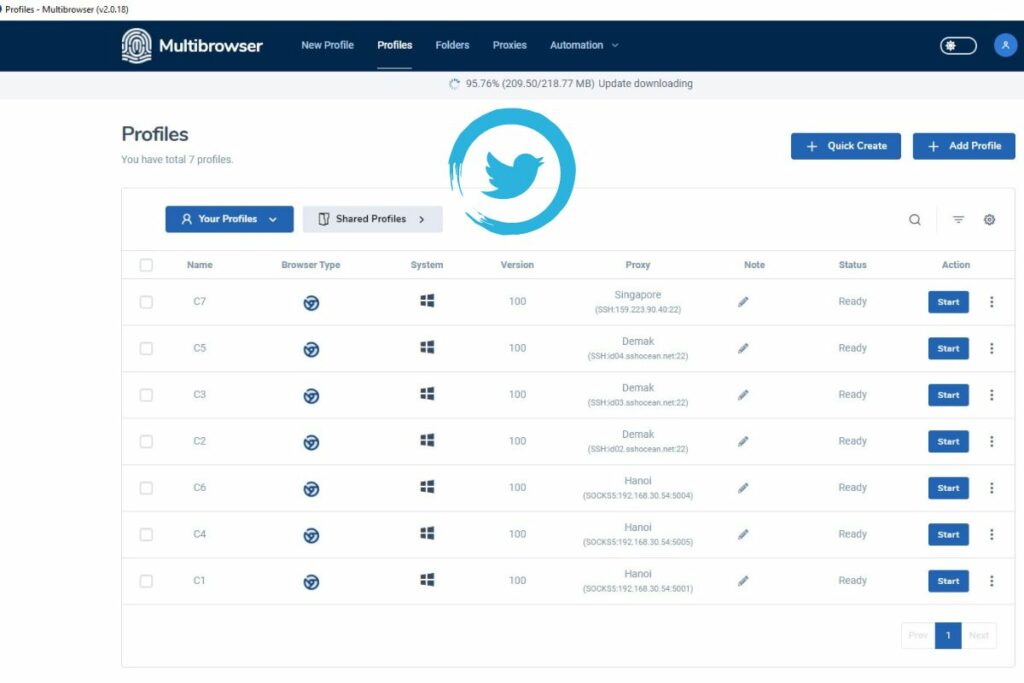
Having to deal with different browsers when managing multiple social media accounts, such as Twitter, can be frustrating and reduce your work efficiency. However, with support from Mutibrowser software, you can manage multiple accounts quickly and easily.
Compared to browser plugins, Hidemium is more convenient when allowing users to switch between accounts and browser profiles on just one machine with outstanding advantages such as:
- Create multiple browsers with different operating systems, and emulate IP,…
- Use a separate proxy for each of your accounts.
- Share access to the account without providing a password.
- Automatically log in and reopen tabs in the previous session.
- Prevent unauthorized access to accounts.
Hidemium makes it easy to switch between multiple accounts with just one light click. You can install the software to serve the needs of operating on Twitter to manage multiple accounts more conveniently.

Related Blogs

1. Open the Hidemium app, and select New browser Profile. 2. Click on Proxy settings. 3. From the dropdown menu select SOCKS5 proxy. Open the IP2World app, follow the arrow 4. Select the proxy type, then paste the copied proxy IP and port into it, and finally click Check Proxy Hidemium

In the SEO space, many businesses and agencies build blogging strategies from scratch, focusing on optimizing website rankings through quality content. However, a common challenge is Manage multiple Ahrefs accounts for multiple clients or share access that no additional user fees for Ahrefs.Hidemium who share how Share Ahrefs account safely, comply with terms and avoid the risk of being locked[…]
.png)
When managing multiple accounts, performing data scraping, or ensuring online privacy, choosing a stable residential proxy is essential. LokiProxy has recently gained attention for its outstanding performance, global IP coverage, and competitive pricing. It also offers an easy-to-use control panel and integrates smoothly with tools like Hidemium.What is LokiProxy?LokiProxy is a global residential[…]
.png)
In the digital era, no-code automation has become an essential trend for individuals and businesses to optimize their workflows. However, many people struggle with automation due to a lack of coding skills, making repetitive task automation seem out of reach.So how can someone with no coding background still create powerful automation scripts?The answer lies in the AI Prompt Script on Hidemium –[…]

How to Integrate PiaProxy with Hidemium — Complete Privacy at Your Fingertips In today’s digital world, privacy, stability, and efficiency are essential — especially for marketers, developers, and eCommerce professionals managing multiple accounts and geo-targeted operations. Combining Hidemium with PiaProxy brings a powerful synergy — one that enhances anonymity, bypasses restrictions, and[…]

In the digital age, most of our devices are constantly connected to networks like Wi-Fi or mobile data. Each connection is identified by a MAC (Media Access Control) address. While you don’t need to change your MAC address often, it can affect your privacy and security online.Thanks to the development of technology, methods of protecting digital identity are also increasingly diverse and[…]
