


A recognizable brand identity helps customers identify your business across websites, social media, advertising, and packaging. Your logo, colors, typography, and visual style all contribute to how people remember your brand.
However, creating a consistent visual identity can be challenging, particularly for startups and small businesses without an in-house design team.
That's where AI brand identity tools can help.
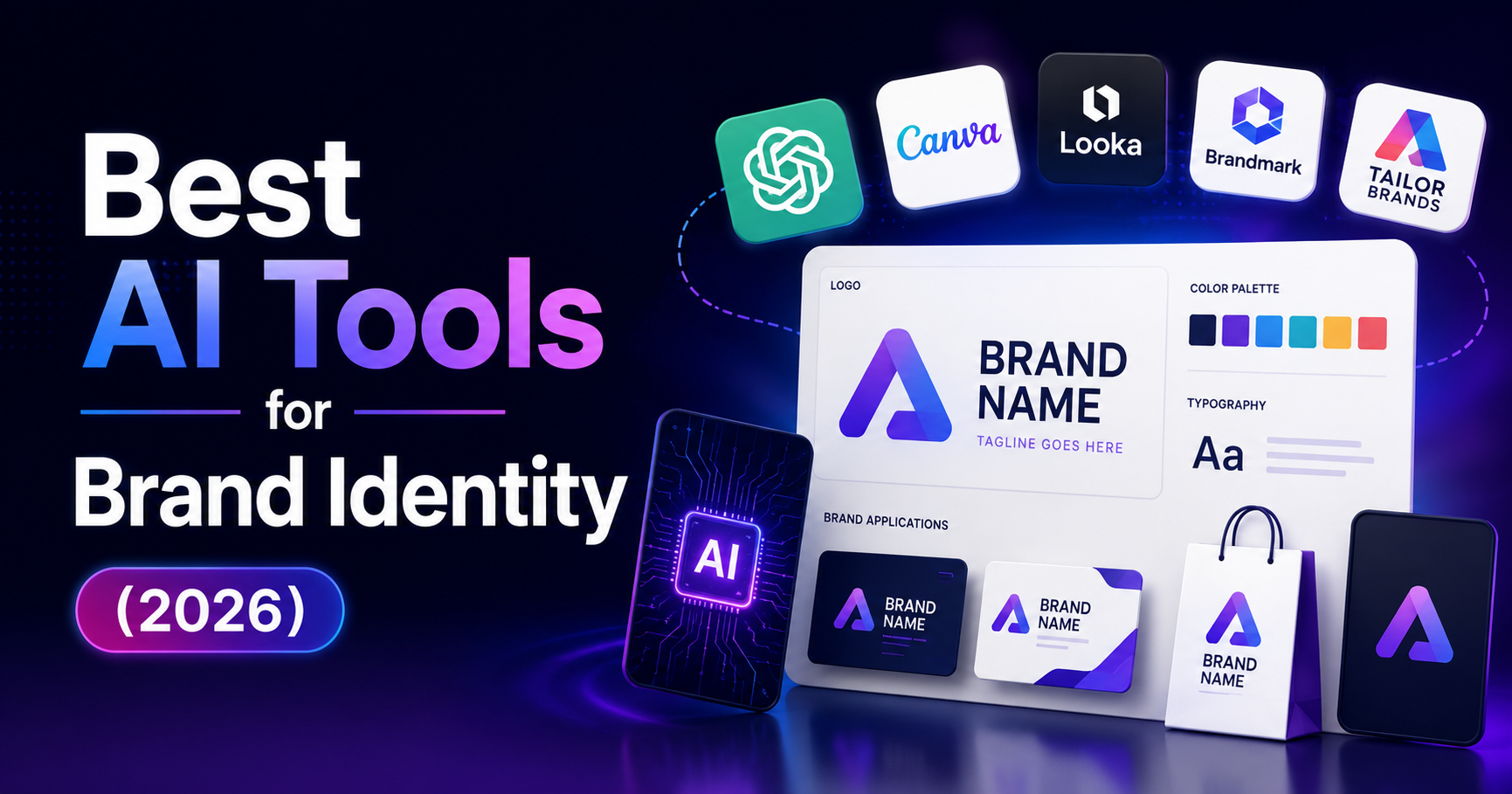
Platforms such as Krea, Looka, Canva, and Adobe Express make it easier to generate visual concepts, design logos, organize brand assets, and create marketing content.
But these tools serve different purposes. Some specialize in AI image generation, while others focus on logos, brand kits, or everyday branded content.
In this guide, we'll compare four AI branding tools, explain their strengths and limitations, and show you how to choose the right platform for your business in 2026.
Quick Answer: What Are the Best AI Brand Identity Tools?
The best AI brand identity tool depends on whether you need a logo, a complete brand kit, AI-generated visuals, or consistent marketing materials.
Here are four options worth considering:
- Krea: Best for AI-generated brand visuals, creative exploration, image enhancement, and video content.
- Looka: Best for startups that want an AI-assisted logo and coordinated branding materials.
- Canva: Best for small businesses that need an accessible design editor, brand assets, and reusable templates.
- Adobe Express: Best for creating consistent branded marketing content with Adobe's design and generative AI tools.
Key takeaway: Looka is a practical starting point for creating a logo-led identity. Canva and Adobe Express help maintain consistency across marketing materials. Krea is particularly useful when your brand needs distinctive AI-generated images or visual concepts.
No AI tool automatically guarantees an original, legally protectable logo or a complete professional brand strategy.
1. AI Brand Identity Tools: Quick Comparison
Tool | Main Strength | Best For | Key Consideration |
| Krea | AI image and video creation | Visual concepts and product imagery | Requires brand direction and design review |
| Looka | Logo generation and brand kits | Startup founders | Downloads and Brand Kit access may require payment |
| Canva | Templates, Brand Kit, design editing | Small businesses and content teams | Premium features and licensing restrictions vary |
| Adobe Express | Branded content and Firefly AI | Marketers and business teams | Advanced features depend on the selected plan |
Each platform addresses a different part of the branding process.
For the best results, define your brand's positioning, audience, and visual direction before choosing a tool.
2. How We Compared These AI Branding Tools
We evaluated the four platforms based on practical brand design requirements.
Logo Creation
Can the tool help users develop or refine a recognizable logo?
Brand Consistency
Does it support the management of colors, fonts, logos, templates, or other reusable brand elements?
AI Visual Generation
Can users generate or edit images and other creative assets with AI?
Ease of Use
Can someone without professional design experience create useful materials?
Collaboration
Can teams access, review, and reuse approved brand assets?
Commercial-Use Considerations
Does the provider explain relevant licensing, subscription, and usage conditions?
Overall Workflow Fit
Is the platform better for developing an identity, producing marketing content, or exploring visual ideas?
Methodology note: This is a feature-based editorial comparison. It is not an independent benchmark of design quality, output originality, speed, or legal protection.
3. Top 4 AI Brand Identity Tools in 2026
3.1. Krea — Best for AI-Generated Brand Visuals
Krea is an AI-powered creative platform that helps users generate, edit, enhance, and experiment with visual content.
It is especially relevant to businesses that need product imagery, campaign concepts, social media visuals, or creative variations for a developing brand identity.
Krea is not primarily a traditional logo-and-brand-guidelines platform. Its main value lies in accelerating visual production and helping users explore different creative directions.

Key Features
AI Image Generation
Krea allows users to generate images from written descriptions and explore different visual styles.
For example, a skincare startup could generate concepts featuring natural ingredients, clean backgrounds, and a consistent color direction.
These concepts can support mood boards, product campaigns, and advertising experiments.
Real-Time Creative Editing
Krea offers real-time creative workflows that let users adjust visual inputs and explore results interactively.
This can be useful during early brand development, when several visual directions are being considered.
Image Enhancement and Upscaling
Krea provides image enhancement and upscaling tools.
Its advertised capabilities include resolutions up to 22K, although availability depends on the selected workflow, model, and plan.
High-resolution output can help with certain production requirements, but it does not guarantee that an image is suitable for every print application.
AI Video Generation
Businesses can create short video concepts using supported image-to-video or text-to-video workflows.
Potential uses include product demonstrations, social media content, and campaign storyboards.
Custom Model Training
Krea offers model-training capabilities that may help users create visuals with a more consistent style or subject.
This can be useful when a business needs repeated creative outputs based on approved brand references.
AI Image Editing
Users can experiment with visual changes, image composition, and enhancements to develop different creative treatments.
Advantages
- Strong visual experimentation capabilities.
- Useful for AI-generated product and campaign imagery.
- Supports image enhancement and video workflows.
- Can accelerate the development of visual concepts.
- Offers custom model options for more consistent creative output.
Limitations
- Does not replace a complete brand strategy.
- AI-generated logos may require manual refinement.
- Consistent typography and trademark-ready logo development need additional review.
- Advanced functionality and usage allowances depend on the plan.
Best for: Entrepreneurs, marketers, content creators, and businesses focused on AI-generated visual content.
Official website: Krea
3.2. Looka — Best for AI Logo Design and Brand Kits
Looka is an AI-assisted branding platform focused on helping businesses create logos and related visual identity materials.
It is particularly suitable for startup founders who need an initial logo direction but do not have extensive design experience.
Users can provide their company name, select visual preferences, and explore logo designs before refining the result.

Key Features
AI Logo Maker
Looka generates logo concepts based on information and design preferences provided by the user.
You can explore different colors, fonts, symbols, and layouts.
This is useful for businesses that want to evaluate several logo directions without starting with a blank canvas.
Logo Customization
After generating concepts, users can adjust elements of the selected design.
The goal is to create a logo that better reflects the brand's positioning and visual preferences.
Brand Kit
Looka offers a Brand Kit designed to extend logo elements into branded materials.
The platform describes access to more than 300 branded templates using the selected logo, colors, and fonts.
These materials can help a startup establish a consistent visual identity across common business assets.
Business and Marketing Materials
Depending on the package, Looka can provide branding resources for:
- Business cards.
- Social media profiles.
- Email signatures.
- Promotional materials.
- Other commonly used branded designs.
Logo File Downloads
Looka offers logo download packages with different file options.
Check the selected package to confirm which formats, usage rights, and branding resources are included.
Advantages
- Focused on logo-led brand identity creation.
- Accessible for users without advanced design skills.
- Helps apply selected branding elements to multiple materials.
- Provides a structured starting point for new businesses.
- Offers different purchase options depending on branding needs.
Limitations
- Logo downloads are not necessarily free.
- Logo-only packages and Brand Kit subscriptions are different products.
- Generated designs still require originality and trademark review.
- Businesses seeking a highly customized identity may need professional design refinement.
Best for: Startup founders, new businesses, and entrepreneurs who want to establish an initial visual identity quickly.
Official website: Looka
3.3. Canva — Best for Small Business Branding and Everyday Design
Canva is a visual design platform offering templates, editing tools, AI-assisted features, and brand management capabilities.
Its main advantage is bringing everyday marketing design and reusable brand elements into a relatively accessible workspace.
Businesses can use Canva to create brand-related content even when they do not have a dedicated graphic designer.

Key Features
Logo Design
Canva provides logo templates, text tools, shapes, and other design elements.
Users can build a logo concept and adjust its composition, typography, and colors.
However, businesses should pay particular attention to licensing and originality when using template elements in a permanent logo.
Brand Kit
Canva's Brand Kit helps organize essential brand assets, including logos, colors, fonts, and applicable templates.
This can reduce inconsistencies when different people create marketing materials.
Reusable Design Templates
Canva provides templates for many common business requirements, such as:
- Social media posts.
- Presentations.
- Flyers.
- Advertising graphics.
- Business cards.
- Marketing documents.
Users can adapt approved designs rather than recreating every asset from scratch.
AI-Assisted Design
Canva offers AI-powered features that can support content creation and visual editing.
These tools can be useful for brainstorming layouts, generating supporting visuals, and adapting creative materials.
Brand Templates and Controls
Depending on the plan, teams can manage branded templates and apply controls that help users work with approved assets.
This is especially useful when a business produces content frequently across multiple channels.
Collaboration
Canva supports collaborative design workflows, allowing teams to work on shared creative materials.
Advantages
- Accessible to non-designers.
- Large range of design templates.
- Brand Kit functionality for visual consistency.
- Useful for recurring social media and marketing production.
- Collaboration tools for business teams.
Limitations
- Some Brand Kit and team features require paid plans.
- Shared templates and stock elements may not be suitable for an exclusive trademark.
- Highly customized branding can require additional design work.
- Generic templates may make brands look similar without substantial customization.
Best for: Small businesses, social media teams, creators, and marketers who need consistent branded content.
Official website: Canva
3.4. Adobe Express — Best for Branded Marketing Content
Adobe Express is a visual content creation platform that combines templates, brand management, image editing, and AI-powered creative tools.
It is designed to help individuals and teams create professional-looking marketing materials across different channels.
Adobe Express is particularly relevant to businesses that want branded content workflows alongside Adobe's broader creative ecosystem.

Key Features
Logo and Visual Design
Adobe Express provides design tools and templates that can be used to create or refine branding concepts.
Users can work with typography, graphics, layouts, and colors to develop materials that align with their brand direction.
Brand Kit
Adobe Express supports reusable brand elements such as logos, colors, and fonts.
These resources help maintain a consistent appearance across different design projects.
Marketing Templates
Users can create materials for:
- Social media campaigns.
- Digital advertisements.
- Posters and flyers.
- Presentations.
- Promotional graphics.
- Other branded content.
Adobe Firefly Generative AI
Adobe Express incorporates generative AI capabilities powered by Adobe Firefly.
Adobe describes these features as designed to be commercially safe.
However, that description should not be interpreted as a universal guarantee of non-infringement or automatic trademark eligibility.
Users must still review the applicable terms and the rights associated with specific assets.
Team Collaboration
Adobe Express offers collaboration and brand-related controls, with capabilities varying by subscription.
These functions can help businesses maintain visual consistency as more employees contribute to content creation.
Advantages
- Useful for branded marketing content.
- Integrates AI-powered creation and editing.
- Provides reusable brand assets and design templates.
- Supports team-oriented content workflows.
- Relevant to businesses already familiar with Adobe products.
Limitations
- Premium functionality depends on the selected plan.
- Some advanced workflows may require other Adobe applications.
- Commercial-use rights depend on the particular asset, tool, and terms.
- Creating an original trademark-ready logo still requires appropriate review.
Best for: Marketing teams, small businesses, and content creators producing recurring branded materials.
Official website: Adobe Express
4. Which AI Brand Identity Tool Should You Choose?
The right platform depends on the stage of your business and the type of content you need.
Your Goal | Recommended Starting Point |
| Generate AI brand imagery | Krea |
| Create an initial business logo | Looka |
| Build a logo-based brand kit | Looka |
| Make social media graphics | Canva or Adobe Express |
| Organize brand colors and fonts | Canva or Adobe Express |
| Develop AI-generated campaign visuals | Krea |
| Produce branded marketing materials | Canva or Adobe Express |
| Explore Firefly-powered design workflows | Adobe Express |
Choose Krea When Visual Experimentation Is the Priority
Krea is worth considering when your business needs creative imagery, product concepts, or AI-generated video content.
It is particularly useful during brainstorming and campaign development.
Choose Looka When You Need a Logo-Led Identity
Looka is a practical option for founders developing their first logo and associated branding materials.
It can provide a starting point, although important logos should still undergo originality and trademark review.
Choose Canva When You Need Frequent Branded Content
Canva is useful when your team regularly creates social media posts, presentations, and promotional assets.
Its brand management capabilities can help maintain consistency across repeated projects.
Choose Adobe Express When You Need Marketing Design and Adobe AI Tools
Adobe Express is worth evaluating when your team needs branded content creation, reusable assets, and Firefly-powered creative functionality.
There is no single best tool for every business. Many organizations may use a combination of platforms for different stages of design.
5. How to Create a Brand Identity With AI: A Step-by-Step Guide
AI tools can accelerate branding work, but the process still requires clear decisions about your audience, positioning, and visual identity.
Step 1: Define Your Brand Positioning
Before generating a logo, answer these questions:
- Who is your target audience?
- What problem does your business solve?
- What makes your product or service different?
- What personality should your brand communicate?
- What feelings should customers associate with your business?
For example, a premium wellness brand may want to communicate calmness, simplicity, and reliability.
A youth-oriented technology brand may prefer a more energetic visual direction.
Step 2: Develop a Visual Direction
Choose a starting direction for:
- Primary and secondary colors.
- Typography.
- Graphic style.
- Photography.
- Illustration.
- Layout and composition.
You can use Krea to generate visual concepts and explore different moods.
However, treat AI-generated imagery as inspiration until you've reviewed its suitability.
Step 3: Create and Refine Your Logo
Use a tool such as Looka, Canva, or Adobe Express to develop logo concepts.
Evaluate each option for:
Readability: Is the business name easy to recognize?
Scalability: Does the logo remain clear at small sizes?
Versatility: Does it work in color, black, and white?
Distinctiveness: Does it look meaningfully different from common competitors?
Relevance: Does it reflect your brand's positioning?
Do not select a logo solely because an AI generator makes it look polished.
Step 4: Build Your Brand Kit
Once you've chosen your visual direction, organize the approved assets.
A basic brand kit should include:
- Primary logo.
- Secondary logo or simplified variation.
- Brand color values.
- Primary and secondary fonts.
- Logo spacing and usage guidance.
- Approved imagery styles.
- Templates for common marketing materials.
Canva, Looka, and Adobe Express provide different ways to organize and reuse these elements.
Step 5: Create Branded Marketing Content
Apply your identity consistently across customer-facing materials.
Examples include:
- Website banners.
- Social media graphics.
- Email marketing.
- Digital advertising.
- Business presentations.
- Product packaging concepts.
Krea can support visual asset generation, while Canva and Adobe Express can be useful for applying brand elements to repeatable content.
Step 6: Review, Test, and Improve
Check how the identity looks in real situations.
Review the logo on mobile screens, website headers, social media profile images, and print materials.
Ask whether the designs are readable, consistent, and recognizable.
Make adjustments based on feedback and actual use rather than continuously changing your brand to follow short-lived visual trends.
6. Can You Use AI-Generated Logos and Brand Assets Commercially?
AI-generated branding assets may be usable commercially, but commercial-use permission, copyright protection, and trademark eligibility are separate questions.
A design platform allowing commercial use does not automatically mean that a logo is unique or that your business can register it as a trademark.
Check the Provider's License
Review the platform's current terms for generated content, templates, stock graphics, fonts, and other assets.
Different elements in the same design may have different licensing conditions.
Avoid Assuming AI Designs Are Exclusive
A generated logo may contain familiar symbols, visual concepts, or common design patterns.
Other businesses may independently create something similar.
Be Careful With Stock Elements
For example, Canva explains that certain shared or non-exclusive design elements may not be appropriate for logos intended to receive exclusive trademark protection.
For an important permanent logo, consider using original artwork or appropriately licensed elements.
Conduct a Trademark Search
Before committing to a final logo or business name in the United States, search for potentially conflicting marks.
The United States Patent and Trademark Office provides official trademark search information.
A qualified trademark attorney can help evaluate more complex situations.
Keep Records of Your Design Process
Save the final files, license terms, purchase receipts, and relevant design documentation.
These records can help clarify how your branding materials were developed and what rights you obtained.
Practical rule: Use AI to accelerate concept development, but review important brand assets before making them the permanent identity of your business.
7. Common Mistakes When Using AI Branding Tools
Mistake 1: Choosing a Logo Before Defining Your Brand
Without a clear understanding of your audience and positioning, even a polished logo may not communicate the right message.
Mistake 2: Using Too Many Visual Styles
Different fonts, colors, and illustration styles across channels can weaken brand recognition.
Develop a small set of approved brand elements and use them consistently.
Mistake 3: Assuming AI Output Is Automatically Unique
AI-generated content can contain familiar designs or elements similar to existing work.
Review your assets before publication.
Mistake 4: Ignoring Licensing Restrictions
Do not assume that every image, template, font, or generated asset has identical usage rights.
Mistake 5: Relying Entirely on Templates
Templates are helpful starting points, but using them without meaningful customization can result in generic-looking content.
Mistake 6: Choosing a Tool Based Only on Price
A less expensive platform may not include the brand management, export formats, or collaboration features you need.
Consider the total cost and the time required to produce your regular marketing materials.
8. Conclusion: What Is the Best AI Tool for Brand Identity in 2026?
The best AI brand identity tool is the one that matches your business's design goals, content needs, and level of experience.
Krea is a strong option to explore for AI-generated visuals, creative experimentation, and product imagery.
Looka is useful for startup founders who want to develop a logo and coordinated branding materials.
Canva helps small businesses maintain consistency across everyday marketing designs.
Adobe Express provides branded content workflows with design and generative AI capabilities.
Before choosing:
- Define your audience and brand positioning.
- Decide whether you primarily need a logo, brand kit, or marketing visuals.
- Compare each platform's current features and pricing.
- Create a small set of test designs.
- Check licensing, originality, and trademark considerations.
- Select the platform that makes it easiest to maintain a consistent identity.
AI can make brand design faster and more accessible. A memorable brand still depends on clear positioning, thoughtful creative decisions, and consistent execution.
9. Frequently Asked Questions
What Is the Best AI Tool for Brand Identity?
Krea, Looka, Canva, and Adobe Express are four tools worth comparing. Krea specializes in AI visuals, Looka focuses on logo-led branding, and Canva and Adobe Express support ongoing branded content creation.
Can AI Create a Complete Brand Identity?
AI tools can help generate logos, color ideas, typography combinations, images, and templates. However, brand positioning, originality review, and final design decisions still require human judgment.
Which AI Tool Is Best for Creating a Business Logo?
Looka is particularly focused on AI-assisted logo creation. Canva and Adobe Express also provide logo design tools and templates.
Is Looka Free to Use?
Looka allows users to create and preview logo concepts, but downloading and using finished logo files generally requires purchasing an appropriate package.
Is Canva Good for Brand Identity Design?
Yes. Canva offers design editing, brand asset management, templates, and collaboration features. Some capabilities require paid plans.
What Is Krea Best Used For?
Krea is best suited to AI image generation, visual experimentation, enhancement, video creation, and custom creative workflows.
Does Adobe Express Support Brand Kits?
Yes. Adobe Express offers tools for organizing brand assets and producing consistent branded content, subject to current plan features.
Can I Use AI-Generated Logos Commercially?
Commercial use depends on the platform's terms and the assets involved. Permission to use a design commercially does not automatically establish exclusive trademark rights.
Are AI-Generated Logos Copyrighted?
Copyright eligibility depends on applicable law and the level of human creative contribution. AI-generated output is not automatically guaranteed copyright protection.
Can I Trademark a Logo Created With AI?
Potentially, but trademark eligibility depends on distinctiveness, conflicts with existing marks, and other legal requirements. Shared stock elements or templates may complicate exclusivity.
Should a Small Business Use One AI Branding Tool or Several?
One tool may be sufficient for basic needs. Businesses with more complex requirements may combine a visual generation tool, a logo design tool, and a brand asset management platform.
Which AI Branding Tool Is Best for Social Media?
Canva and Adobe Express are practical starting points for recurring social media designs. Krea can complement them when custom AI-generated visuals are needed.
.png)