.png)

In today's online world, user security and privacy are extremely important factors. One of the advanced technologies that help protect personal information and bypass online restrictions is the Fingerprint Browser. When combined with Antidetect Browser software, this technology provides powerful anonymity, protects accounts, and allows users to manage multiple accounts without the risk of detection or account bans. This article will help you understand Fingerprint Browsers and the importance of using them in Antidetect Browser software, along with the security benefits and how they work.
1. What is Fingerprint Browser?
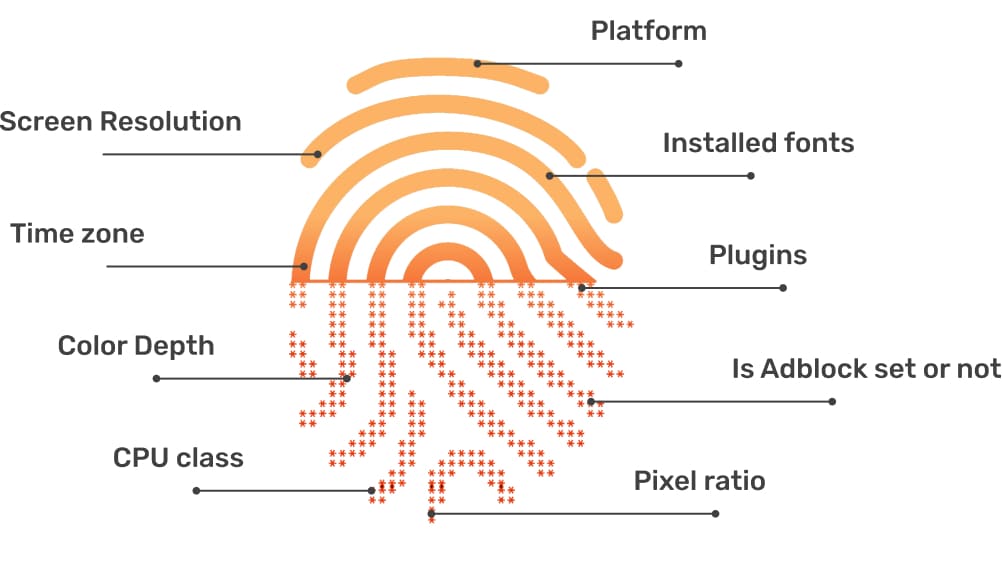
A Fingerprint Browser refers to a set of information related to a user's web browser. This includes details about hardware configuration, software, settings, and user activities on websites. Websites can use this information to identify users uniquely, even when users employ security measures like changing their IP address or using incognito mode. Fingerprints can still be tracked

2. Why is Fingerprint Browser Important When Using Antidetect Browser Software?
When utilizing Antidetect Browser software, altering your browser fingerprint is a critical factor in protecting your accounts from detection and suspension. Here's why:
2.1 Protects Your Accounts from Detection
Online platforms use browser fingerprints to verify user identities. If your fingerprint matches that of another user whose account has been suspended, your account may also be flagged or blocked. Antidetect Browsers help modify your fingerprint, ensuring your account remains secure and undetectable.
2.2 Overcomes Account Creation Limits
Many websites and platforms restrict the number of accounts a user can create. By changing your browser's fingerprint through Antidetect Browser software, you can bypass these limitations and create multiple accounts without issues.
2.3 Enhances Security
Beyond altering browser fingerprints, Antidetect Browser software also offers robust security features such as data encryption and cookie protection. These features safeguard your accounts against attacks or breaches, ensuring your personal information remains secure during web browsing

3. Information Antidetect Browser Needs to Change to Refresh the Fingerprint Browser
To effectively modify the Fingerprint Browser, Antidetect Browser software must implement robust security measures. These measures go beyond altering basic browser details to ensure the user’s fingerprint cannot be detected by online platforms.
Information That Needs to Be Changed:
Browser Version:
Antidetect Browser software should change the browser version to make your browser appear as a completely new version. This avoids detection through fixed fingerprints associated with older versions.Browser Settings:
To ensure your fingerprint is unique, the Antidetect Browser must modify browser settings, including language preferences, geographic location, and installed extensions. These changes make your browser appear as if it is being used by a completely different individual, effectively obscuring your fingerprint.Browser Behavior:
Antidetect Browsers must also adjust browser behavior, including how the browser interacts with and responds to websites. This reduces the chance of detection through browsing habits and actions, which are critical components of online fingerprinting.
In addition, Antidetect Browser software must be regularly updated to maintain the effectiveness of these security measures and prevent websites and online platforms from detecting changes in your fingerprint.
4. Tips for Effectively Using Antidetect Browser Software
4.1 Choose a Reliable Software Provider
There are numerous Antidetect Browser providers in the market today. Take the time to research and select reputable providers that offer strong and effective security features to protect your personal information.
Hidemium stands out as a trusted provider of modern, fast, and efficient Antidetect Browser solutions. It offers one of the most generous trial packages in the market, granting free access to clean proxies that are refreshed daily for optimal performance. Users can create up to 1,000 profiles during the trial period, ensuring the highest quality experience before committing.
4.2 Use a VPN for Enhanced Security
A VPN is an excellent tool to safeguard your privacy. By encrypting all traffic and hiding your IP address, a VPN not only ensures safe browsing but also prevents tracking and identification by online platforms.
4.3 Be Cautious with Personal Information
Always stay vigilant about the personal information you share online. Avoid disclosing sensitive data such as your name, address, phone number, or other private details on public platforms to minimize the risk of information leaks or account bans.
By following these tips, you can safely and effectively use AntiDetect Browserr software, protecting your accounts from detection and suspension risks.

Conclusion
Fingerprint Browser is a critical element when using Antidetect Browser software. It not only protects your accounts but also helps overcome restrictions imposed by online platforms. With superior and flexible security capabilities, Antidetect Browsers provide an optimal solution for users who need to manage multiple accounts or safeguard their personal information online.
For further assistance, contact us at Hidemium.io
Related Blogs
In the digital age, online user tracking has become commonplace, conducted for both positive and negative reasons. According to a report by Ghostery—a renowned provider of free software—over 79% of websites with unique domains use tracking tools to gather user data. Among these methods, canvas fingerprinting has emerged as a popular and effective technique. This article by Hidemium will help you[…]

Google Chrome is a popular browser but not the best choice when you need Manage Multiple X Accounts (Twitter) at the same time. In this article, we will explore the limitations of Chrome, the role of browser fingerprint, and why antidetect browser Hidemium is a superior solution for creating and operating multiple secure accounts.1. Is it possible to create multiple X accounts on[…]

When managing multiple accounts on the same device, many individuals and businesses face issues such as unstable profiles and frequent account suspensions due to overlapping fingerprints, IP addresses, or behavioral patterns. This is where Antidetect Browsers become a foundational solution—giving each account its own distinct “digital identity,” enabling more stable operation and making detection[…]

When applied correctly, the 10 Antidetect Browser tips not only significantly reduce the risk of account restrictions but also enhance stability in multi-account management. Close synchronization between browser fingerprints, IP addresses, and access behavior helps platform AI systems assess activity as more natural.In addition, these techniques optimize marketing operations, save management[…]
.png)
In an era where online privacy and multi-account management have become vital for MMO, dropshipping or marketing people, antidetect browsers act as a "powerful assistant". Among them, XLogin used to be known as a popular choice. However, by 2025, many users began to question XLogin's stability, browser camouflage, and performance.So where is it? the most reliable XLogin alternative today? In this[…]
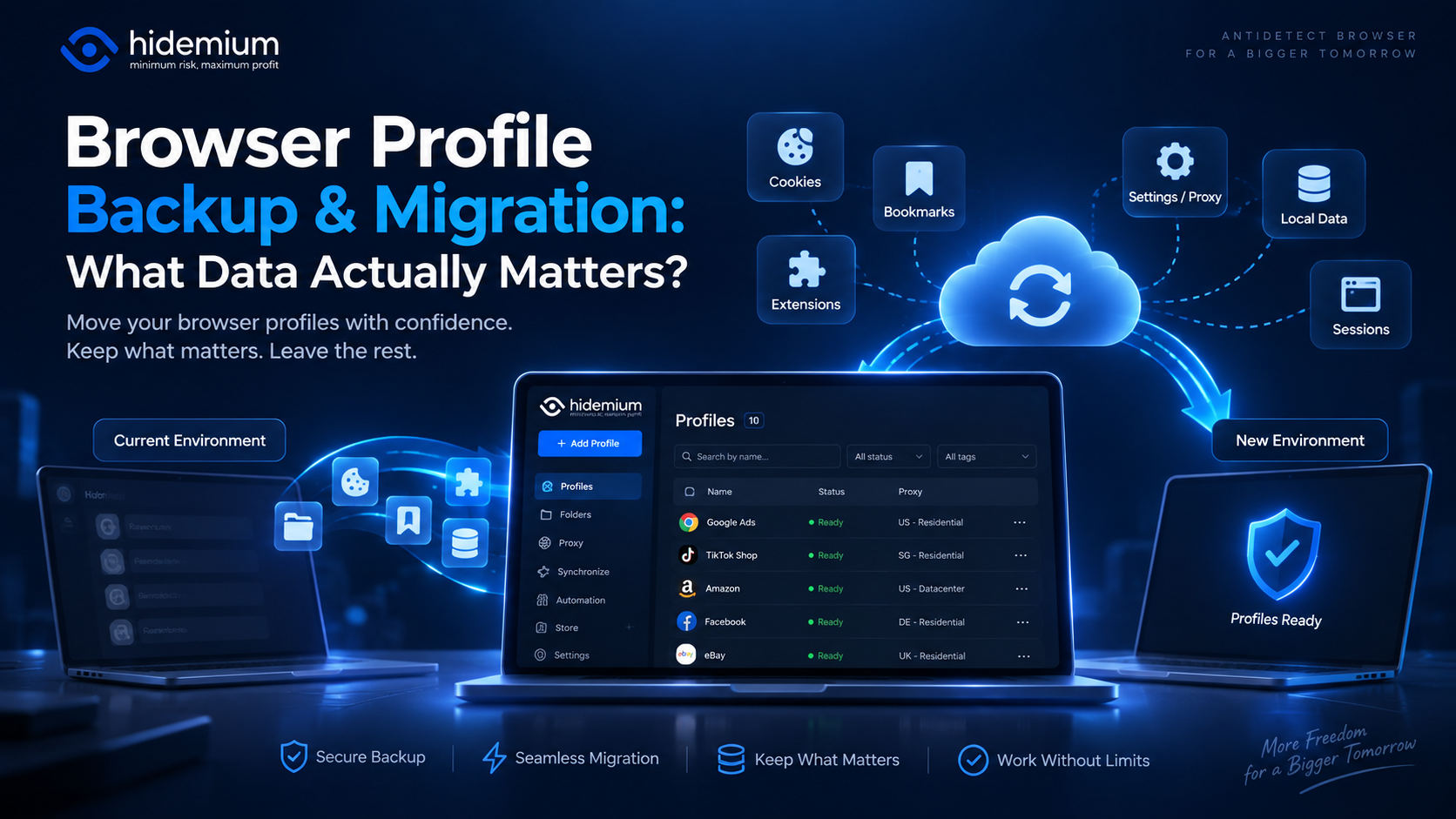
Moving a browser profile sounds easy:Export → Import → Open.But that is rarely the whole story.A migrated profile may open successfully while the user is logged out, extensions are missing, proxy settings have disappeared, or website data behaves differently.In other words:The profile moved, but the working environment did not.That is why browser profile backup migration should not be treated as[…]
