
1. What is DNS Encryption?
DNS encryption is a security technology that protects domain name queries when you visit websites. Instead of sending plain-text requests, your DNS queries are encrypted to prevent third-party tracking or interference. This is a key method to enhance online privacy and security.
>>> Learn more: Latest Viettel DNS & How to change DNS to improve Internet speed
2. Why Does the “Encrypted DNS Traffic is Being Blocked” Error Appear?
This error typically occurs when connecting to a restricted Wi-Fi network, such as public Wi-Fi, corporate, or school networks. These networks may block encrypted DNS protocols like DoH (DNS over HTTPS) or DoT (DNS over TLS), preventing your device from making secure DNS queries.
Risks of Unencrypted DNS Traffic
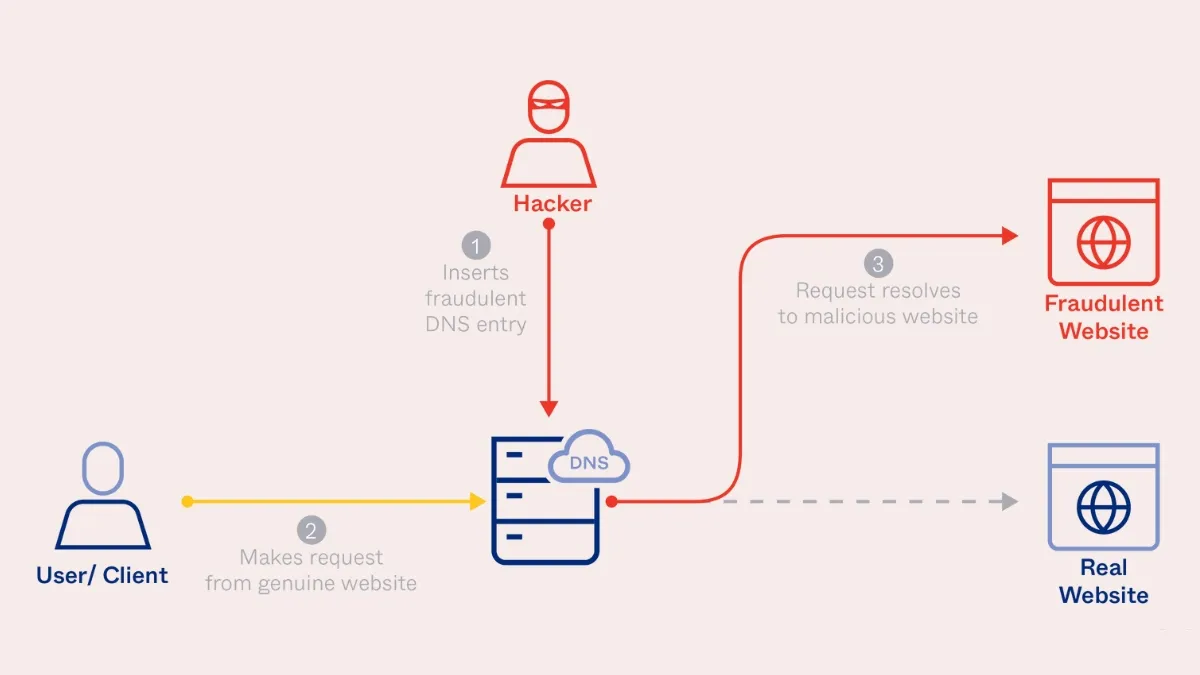
When DNS traffic is not encrypted, your queries can be monitored, intercepted, or altered. This significantly reduces privacy and increases the risk of being redirected to malicious, phishing, or malware-infected websites.
3. What does “Blocking Encrypted DNS Traffic” mean?
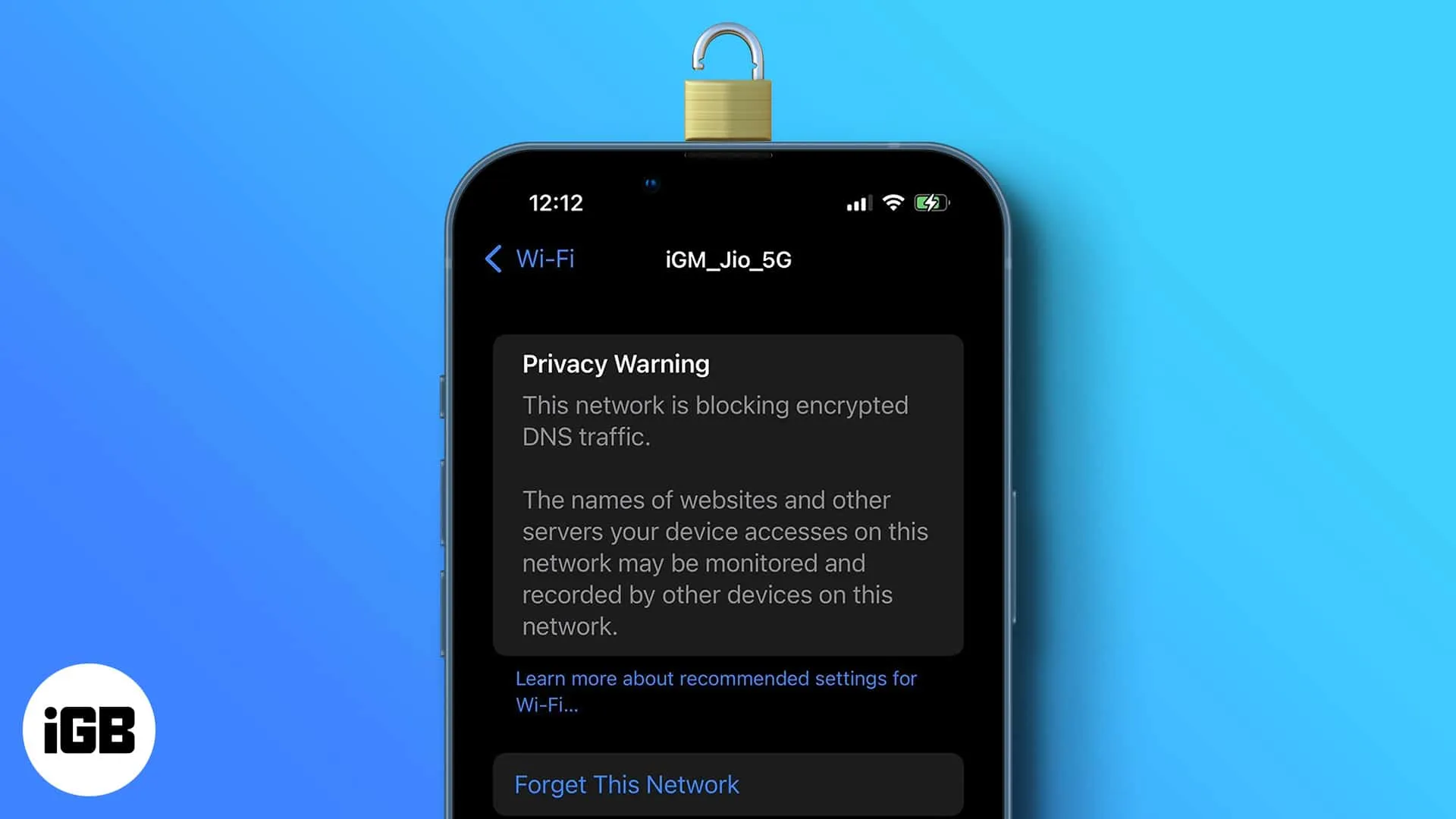
The message “This network is blocking encrypted DNS traffic” means that the Wi-Fi or mobile data network you're using doesn't allow encrypted DNS queries—such as DNS-over-HTTPS (DoH) or DNS-over-TLS (DoT)—to pass through. This reduces your level of data protection and directly impacts your privacy while browsing the internet.
Essentially, the Domain Name System (DNS) translates domain names into IP addresses, enabling your device to connect to the correct server. When DNS is encrypted, all queries are secured and much harder to track. However, if the network blocks this type of traffic, hackers or third parties can more easily monitor your browsing activity.
For smartphone users, protecting personal data is extremely important. Not all networks support encrypted DNS, so it’s crucial to choose a device that supports secure protocols like DNS-over-HTTPS, especially when connecting to public Wi-Fi.
Don’t overlook the importance of using a smartphone capable of effectively protecting DNS traffic—it helps ensure a safer, more private, and stable internet experience every day.
4. Reasons Why Encrypted DNS Traffic Is Blocked – A Clear and Detailed Explanation
When the network blocks encrypted DNS traffic, it can make it difficult for users to access the Internet—especially websites with restrictions or high-security requirements. Below are some common causes of this issue:
4.1 Content Censorship and Access Restrictions
One of the main reasons for DNS traffic being blocked is due to information control policies in countries such as China, Russia, or Iran. In these regions, internet authorities often block encrypted DNS queries (e.g., DoH, DoT) to limit access to what they consider "sensitive" websites. This allows them to more effectively control the flow of information online.

4.2 System Security and Prevention of Cyber Attacks
DNS is a frequent target for attacks like DNS spoofing or cache poisoning. As a result, many organizations choose to block encrypted DNS traffic to improve monitoring and control within internal networks. Although this enhances security, it can also cause users difficulties in accessing online services if not properly configured.
4.3 Blocking Unencrypted DNS to Enhance Data Protection
Traditional DNS queries are transmitted via unsecured protocols, making them vulnerable to tracking and data theft. As a result, many Internet Service Providers (ISPs) have adopted policies to block unencrypted DNS to protect users from security risks. At the same time, they encourage users to switch to modern protocols like DNS over HTTPS (DoH) or DNS over TLS (DoT) to enhance privacy.
4.4 Bandwidth Optimization and Traffic Limitation
Apart from security reasons, some ISPs block encrypted DNS to optimize bandwidth or limit access speed. By prioritizing traffic for essential services, they can ensure a more stable connection quality. However, this may also negatively affect user experience, especially when accessing websites outside of the permitted scope.

Conclusion: Whether due to censorship, security, or network optimization, the blocking of encrypted DNS traffic can impact users’ access and privacy. To overcome this, you can use specialized security tools like Hidemium – a browser that supports safe access, protects identities, and effectively bypasses DNS restrictions.
5. How to Fix the “Encrypted DNS Traffic Is Blocked” Error on iOS
If you see the message “This network is blocking encrypted DNS traffic” on your iPhone, it means your web browsing data may not be as secure as expected. The main cause is that your current Wi-Fi network does not meet Apple’s security standards, triggering a privacy warning.
Here are some simple ways to fix the issue:
Method 1: Power off and restart your iOS device to refresh the system.
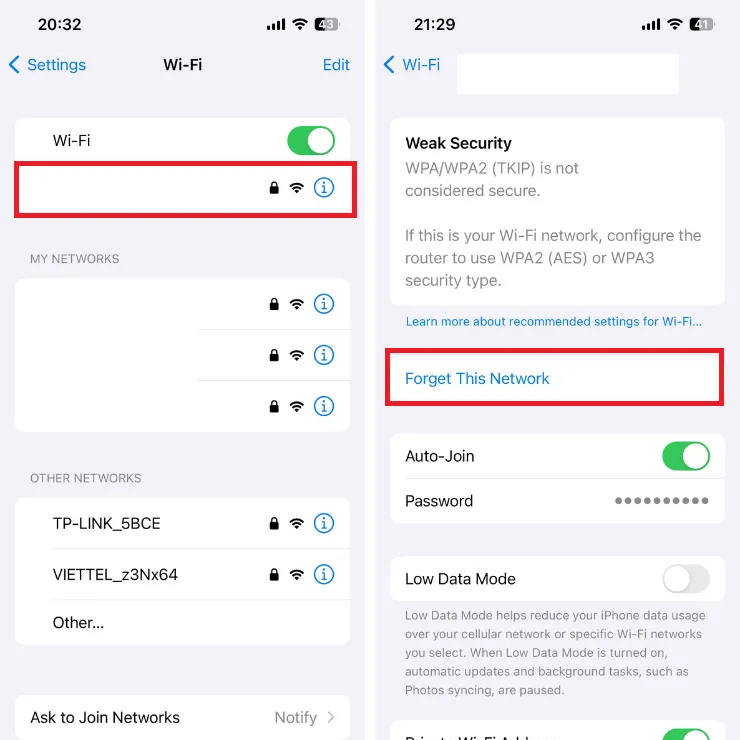
Method 2: Go to Settings > Wi-Fi > select the current network > tap “Forget This Network,” then reconnect.
Method 3: Restart your Wi-Fi router to refresh the network connection.
Method 4: Ensure your Wi-Fi router firmware is up to date.
To meet Apple’s recommended security settings, access your router's configuration page via a web browser or its management app. Check and adjust the necessary settings based on Apple’s official guidance. Once correctly configured, the DNS encryption warning should disappear.
If you manage the network, applying Apple’s security recommendations will help prevent this issue from recurring.
Hidemium hopes this guide provided useful information. Wishing you success in resolving the issue and enjoying a safer, more private internet experience!
>>> Learn more: What is AdGuard DNS? How to configure AdGuard DNS on all devices.
Related Blogs
Automatic CAPTCHA solving is now a standard part of data scraping, web-service testing, and other automation jobs. CAPTCHAs were built to block bots. For developers and scrapers, they are just one more barrier. Anti-CAPTCHA services remove that barrier by mixing algorithms (OCR, neural nets) with human solvers when pure automation fails. This piece runs a technical comparison of eight services:[…]
Are you looking for Shadowrocket – a tool to support fast, stable and secure internet access on iOS devices? In the context of 2025, when the need for private internet and circumvention is increasing, Shadowrocket becomes an application that many people are interested in and trust. So, why is Shadowrocket so popular? What is Shadowrocket? How does it work, and is it easy to install and use?[…]
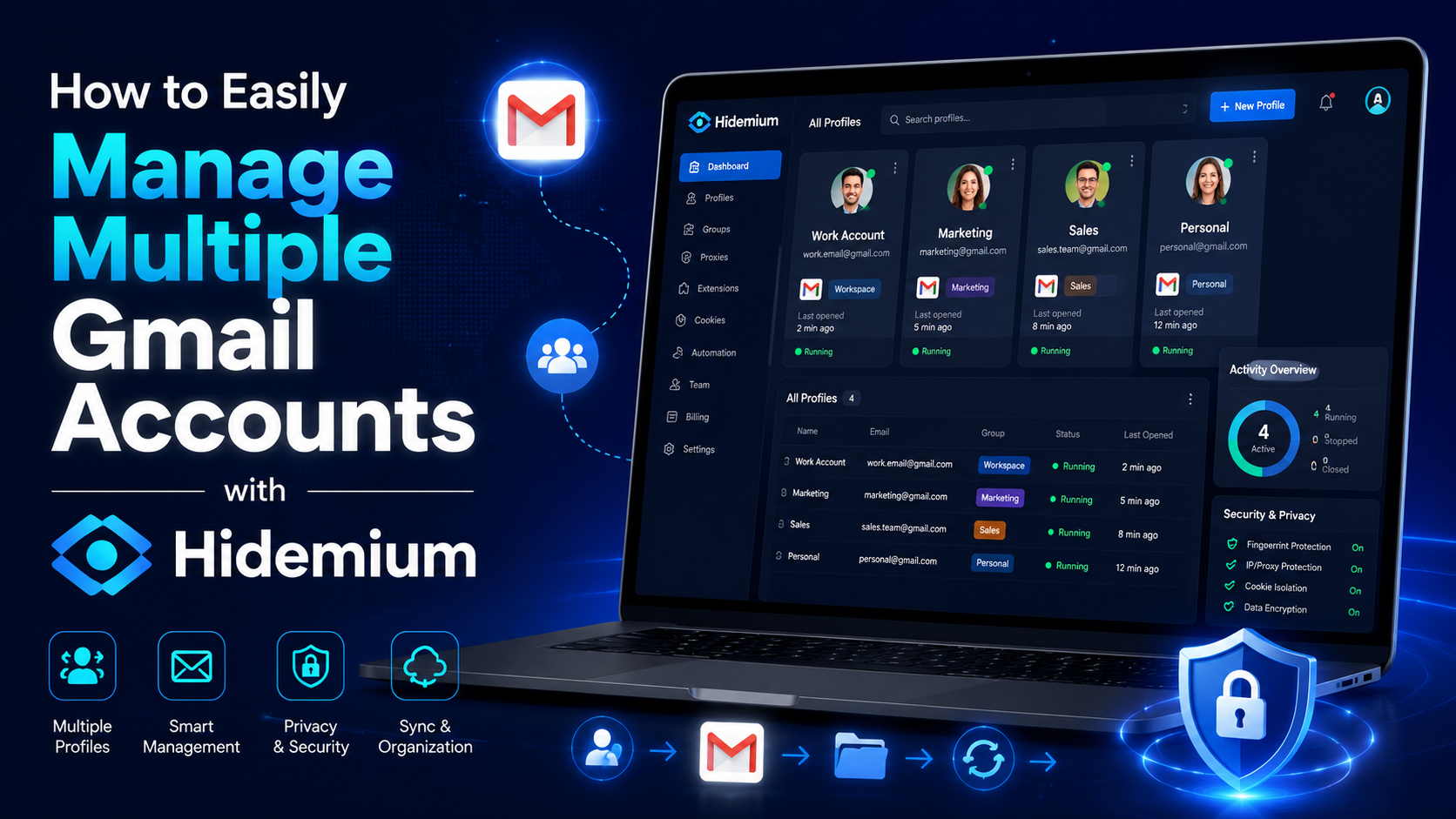
Gmail is a free email client provided by Google. On average, each person will have at least 1 Gmail account to serve work or log in to necessary social networking platforms such as Facebook, TikTok, Instagram, etc. However, Gmail accounts are easy to manage if you only use one account. But what if you own multiple Gmail accounts at the same time? If you still don’t know how to handle this ironic[…]
.png)
To log in to X/Twitter Web, open x.com, select “Log in,” and enter your email, phone number, or username and password. If login fails, check your credentials, browser cookies, network connection, and account status before trying another browser or device.For businesses managing multiple legitimate X accounts, separate browser profiles can help keep cookies, sessions, and account environments[…]
.png)
Protecting your identity is essential for any business managing multiple accounts. And your IP address is first. In this article, we will guide all you need to know about hiding your IP and using another IP. From information consistency to data center solutions, from proxies to more.How to hide your IP addressWhat do you want to hide your IP address for?Websites track multiple browser[…]
In the digital age, protecting personal information when accessing the internet has become an urgent need. Rent a VPN are increasingly being chosen by many people as a safe, flexible and budget-friendly solution. However, among a series of suppliers on the market, how to choose a cheap VPN service but still ensure performance, security and stability? Let's Hidemium Antidetect Browser Explore[…]
