
Have you ever needed to access TikTok but didn’t have your phone nearby? I’ve been there too – when my phone ran out of battery or I just wanted to see notifications on the big screen without distraction. That’s when,TikTok Web becomes a great choice, bringing a smooth and surprisingly convenient experience.
With TikTok Web, you can easily do a lot of things: from browsing your For You Page, responding to comments, posting and editing videos, to managing your TikTok account right in your browser – without installing an app. In 2025, I tried logging in with QR codes, phone numbers, and social media platforms on a variety of devices, and everything went faster than I expected.
In this article, Antidetect Browser Hidemium will guide you on how to use TikTok Web from A to Z: how to log in, outstanding features on the browser version and how to combine with Hidemium to manage multiple TikTok accounts effectively. Let's explore!
1. What is TikTok Web Login and why should you use it in 2025?
TikTok Web Login is a way to log into TikTok directly from your browser, without having to install an app on your phone or computer. This is part of TikTok's strategy to expand cross-platform support, and by 2025, this feature will become even more useful for busy users.
I started using TikTok Web to check notifications between work sessions, and quickly realized its strengths: the interface is streamlined, focused, yet fully functional. Users can access their For You Page, search, view profiles, comment, like—almost everything else is missing from the original app.
The biggest advantages are the widescreen experience, the ability to input data using the keyboard, and easily switching between multiple working tabs – something that the mobile version cannot meet as well.
If you're a content creator, marketer, or simply want to stay up to date with TikTok notifications without opening your phone, then TikTok Web is a modern and convenient solution. In addition, this web version also helps you access TikTok anytime, anywhere without having to install any additional applications.
>>> Learn more: Tips for Making Money from TikTok for Beginners
2. How to access TikTok Web without logging in
You can access and explore TikTok Web without logging in. One of the strengths of the browser version of TikTok is its flexible accessibility, making it easy to watch videos anytime without creating an account or logging in.
Features you can use without logging in:
Browse the content on the For you page.
Explore trending videos by category: Sports, Comedy, Beauty,...
Search for content creators or hashtags
Watch full video unlimited
Copy video link for easy sharing
Personally I visit tiktok.com regularly to stay up to date with new trends without logging in — fast, distraction-free, and works seamlessly across all popular browsers.
However, to fully utilize the advanced features, you need to log in to TikTok Web. Specifically including:
Like or comment on the video
Follow your favorite accounts
Upload your video to the platform
Send messages to others
Access and edit your profile or manage saved drafts
Use TikTok LIVE feature
So if you just want to watch and explore content, no login is fine. But if you want to interact more deeply or manage your account, then logging in is essential. In the next section, I will guide you how to log in to TikTok Web quickly and securely.
>>> Learn more: How Does TikTok Pay? Earnings Calculation and Smart Money Making Tips
3. How to log in to TikTok Web quickly and easily (updated 2025)
Logging into the web version of TikTok via a browser is now extremely simple and convenient. In 2025, I tested many login methods on popular browsers such as Chrome, Firefox, Edge and Safari— all work seamlessly on both Windows and macOS.
TikTok supports many flexible login methods such as: scan qr code, phone number, email, or log in via Google, Facebook good Apple. You can easily choose the method that suits your personal needs.
Steps to log in to TikTok Web:
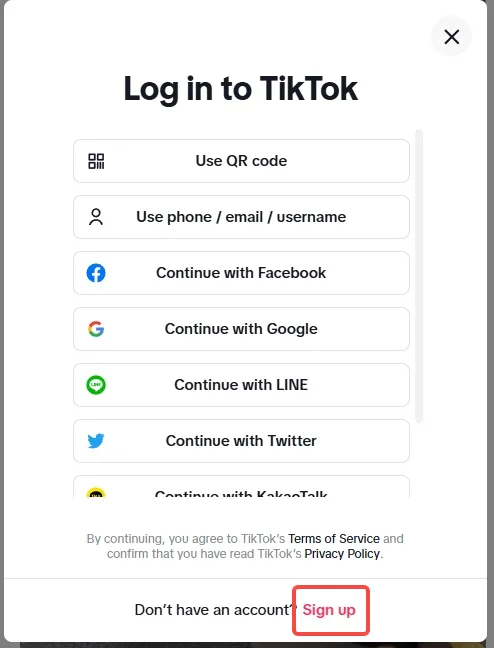
Open your browser and go to the page tiktok.com/login.
On the login interface, you will see the following options:
Login with QR code
Use phone number, email or username
Continue with Facebook
Continue with Google
Continue with Apple
✅ Instructions for logging in using QR code:
Click “Use QR code”.
Open the camera app on your phone (not the TikTok app).
Point the camera at the QR code displayed on the browser.
Tap on the notification from TikTok that appears on your phone.
Confirm login — the browser will automatically access your TikTok account.
✅ Login with phone number:
Select “Phone Number”.
Enter your number and verify with the OTP code sent via SMS.
✅ Sign in with Google, Facebook or Apple account:
Click on the corresponding icon and log in with the linked personal account.
If you don’t have a TikTok account yet, just tap “Sign Up” at the bottom of the screen and follow the instructions. TikTok allows you to create a new account using your phone number, email, or social media accounts.
Note: While you can sign up for an account without a phone number, TikTok may require digital verification later to protect your account or help recover it if needed.
From personal experience, QR code scanning is the fastest and most convenient way to log in, especially effective when you need Manage Multiple TikTok Accounts Using an Incognito Browser Like Hidemium.
>>> Learn more: How to Run Multiple TikTok Accounts Without Getting Banned
4. Instructions on how to log in to TikTok Web simply and quickly (Updated 2025)
Logging into TikTok on the web using a modern browser is a breeze. In 2025, I tested most of the login methods on multiple devices and browsers like Chrome, Firefox, Edge, and Safari – and they all worked smoothly and reliably.
TikTok supports many convenient login methods for you to choose from: from QR code, phone number, email, to account Google, Facebook or Apple already linked. Just choose the one that works for you.
Steps to log in to TikTok web version:
Open your browser and go to the page tiktok.com/login.
TikTok will display login options like:
Use QR code
Phone number / email / username
Login with Facebook
Sign in with Google
Sign in with Apple
👉 Login with QR code:
Select “Use QR code”.
Open the camera app on your phone (not the TikTok app).
Scan the QR code displayed on the browser screen.
Tap the TikTok notification on your phone and confirm your login. Your browser will automatically log you in shortly after.
👉 Login with phone number:
Select phone number option.
Enter your number, then enter the verification code sent via SMS.
👉 Sign in with Google, Facebook or Apple:
Select the service you want to use and log in with the corresponding account.
If you don't have a TikTok account yet, just click "Register" at the bottom of the page and follow the instructions to create a new account using your phone, email, or social media.
Note: While you can create an account without a phone number, TikTok may require phone number verification in the future for security or account recovery purposes.
According to practical experience, QR code login is the fastest and most seamless method, especially useful if you are Manage Multiple TikTok Accounts with an Incognito Browser Like Hidemium.
.webp)
5. Explore the TikTok Web Interface – Enjoy a Smooth Experience on the Big Screen
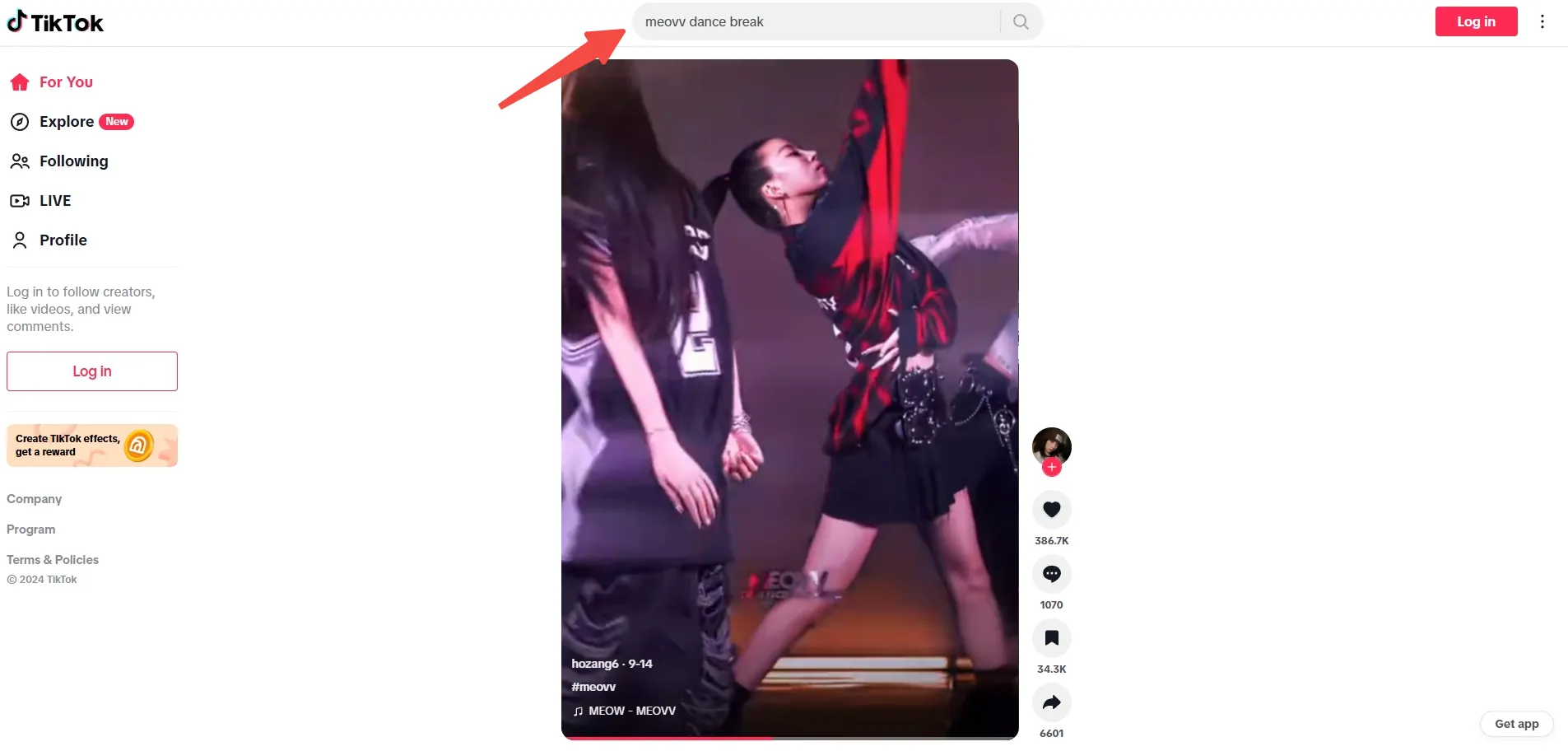
TikTok Web has undergone significant improvements, bringing a modern and user-friendly interface. The user experience is now almost similar to the mobile app but optimized for computer screens. After logging in, you will see the familiar navigation bar on the left, including items: For you, Discover, Following, Upload, DIRECT and File. Thanks to its fast response and stable operation on modern browsers, TikTok Web is becoming an ideal choice for desktop users.
From the main interface, you can easily watch videos, browse feedsFor you, search for hashtags or creator accounts, and stay up to date on trending content. Interactive features like liking, commenting, and sharing videos are all retained, providing a familiar feel just like on your phone. Users can also access their personal page to edit their profile, change their profile picture, and easily track recent activity.
6. Outstanding features on TikTok Web
Find Creators and Hashtags Quickly
The search bar at the top of the TikTok Web page allows you to easily discover content by creator name, hashtag, or related keywords. This feature helps you quickly access trending videos, featured accounts, and challenges that are going viral on the platform.
Watch and stream live on TikTok Web
Features DIRECTon TikTok Web not only allows you to watch livestreams from creators, but also supports live streaming through the platformLIVE Studio. With a few simple steps, you can explore ongoing livestreams or search for accounts that are broadcasting live.
LIVE Studio provides a browser-based live streaming tool that allows you to customize your livestream interface, interact directly with your audience, and monitor comments right from your computer. This is a great solution for content creators, hosts, and marketers who want to connect with their viewers in a more professional way.
Upload and edit videos directly from your computer
One of the big pluses of TikTok Web is the ability to download videos directly from your computer without using the mobile app.
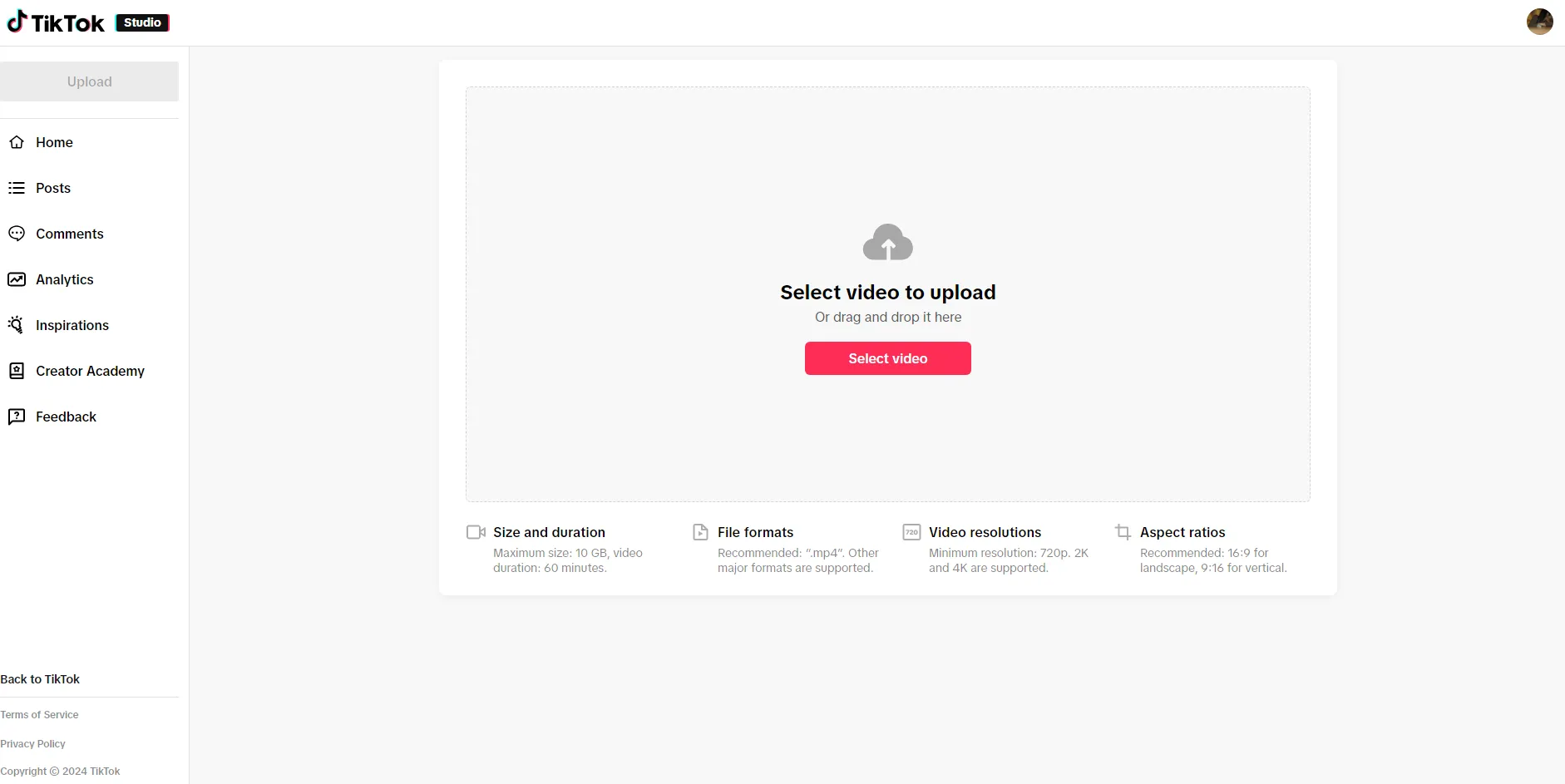
Just click the button Upload on the sidebar, you will be taken to TikTok Studio – where you can drag and drop videos or choose from your computer folder. This is especially useful when you need to work on long videos or content that has been heavily edited using specialized software.
7. Manage multiple TikTok accounts effectively with Hidemium
If you’ve ever tried to log in and manage multiple TikTok Web accounts on the same browser like Chrome or Edge, you’ve probably run into trouble more than once. Regular browsers typically only support one active session at a time. Even if you use incognito mode or create separate user profiles, you may still encounter session conflicts or be logged out unexpectedly.
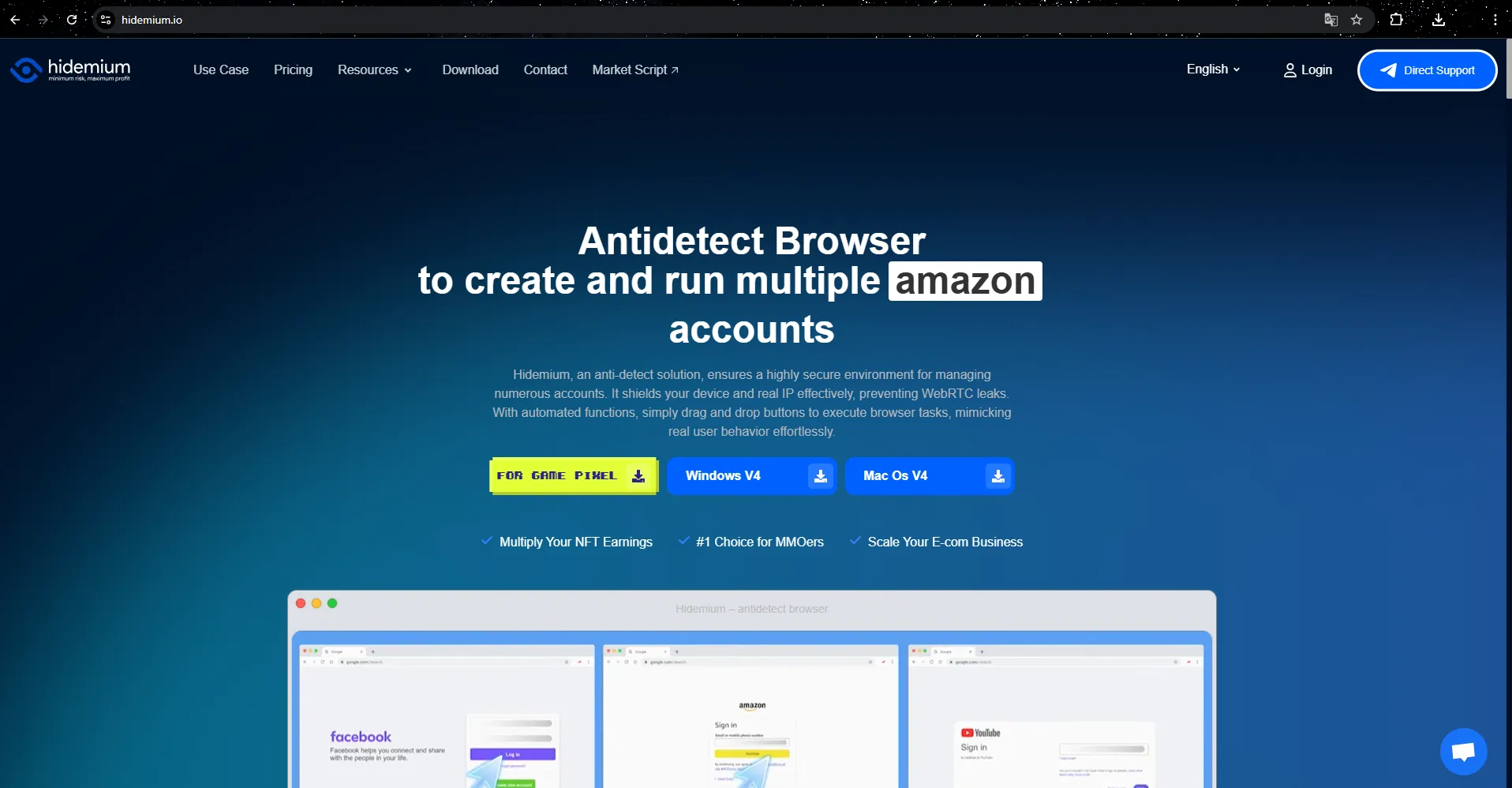
That's why I chose Hidemium. This tool allows you to create multiple, completely separate browser profiles — each with its own browser fingerprint, cookies, and storage. This allows you to easily manage multiple TikTok accounts at once without any interruptions or duplicate data.
7.1 Quick guide to setting up Hidemium to support multiple TikTok accounts
The process of installing and using Hidemium is very simple:
Download and installHidemium corresponds to the operating system you are using.
Open the application, on the main interface you will see the default profiles. Click“+ Add profile” in the upper left corner to create a new profile.
Browser profile configuration:
Name your profile (e.g. “TikTok 1”).
Switch to tab Proxy, choose the appropriate proxy and country (I usually choose “United States”).
Press “Check Proxy” to check if the connection is working.
Press “Create profile”. Your new TikTok profile is ready to use.
Repeat the process to create as many profiles as you want to manage. Personally, I run 3 separate profiles to take care of my client accounts without any conflicts.
Open each profile and log in to a different TikTok account. You can operate multiple accounts simultaneously without having to log out alternately like before.
7.2 Reasons to choose Hidemium to manage multiple TikTok accounts
What impressed me most about Hidemium was its ability to Completely separate the operating environment of each account. Each profile is independent of cookies, storage, and IP addresses, helping you avoid TikTok detection when managing multiple accounts. This is an ideal solution for individuals and organizations working in marketing, content creation, or managing rental accounts.
Not only TikTok, Hidemium also supports secure operation of multiple accounts on e-commerce, cryptocurrency, affiliate marketing and other social media platforms.
You can get free experience before deciding on a service package that suits your work needs.
8. Conclusion
TikTok Web is gradually becoming a powerful assistant in work and entertainment in 2025. With a spacious interface on the computer screen, fast keyboard input and flexible login options, this platform provides a smooth experience without using a phone.
Especially if you have to manage multiple TikTok accounts — whether personal, client, or business — Hidemium is an indispensable “secret assistant”. This tool allows you to create independent working sessions, avoid being logged out constantly, and helps to easily organize accounts on the same device.
Try it out Free Hidemium to simplify the process of accessing, managing, and expanding your TikTok channel across every device you use every day.
9. TikTok Web FAQ
1. Can I watch TikTok without logging in?
Yes. You can still watch videos, search for users, and discover content without signing in. However, if you want to interact like liking, commenting, or posting videos, you'll need an account.
2. Can TikTok Web be used without installing the mobile app?
Yes. You can absolutely use TikTok Web as a standalone app. However, some features like QR code login or security settings may require the app to be installed on your phone for additional support.
3. Is the TikTok Web safe?
Yes. TikTok Web operates on a secure platform, using an HTTPS connection. To better protect your account, you should avoid logging in on public devices and enable two-factor authentication (2FA).
4. Can I log in to multiple TikTok accounts on the same browser?
With a regular browser, no. ButHidemiumallows you to create separate browser profiles, allowing you to log in and manage multiple TikTok accounts at the same time safely and without conflicts.
5. Does TikTok Web support video downloading?
Yes. With TikTok Studio on the web, you can upload videos, add captions, and view basic statistics. This is a great tool for creators who work primarily on their computers.
>>> RELATED ARTICLES:

Related Blogs
.png)
If you're looking to enhance your online privacy or manage multiple social media, e-commerce, or ad accounts, Antidetect browsers are a crucial tool. With a wide range of options available, picking the right one can be a daunting task. To help you navigate, we've researched and compiled a list of the best Antidetect browsers for 2024. 1. What Are Antidetect Browsers?An Antidetect Browser is a[…]
.png)
DNS 1.1.1.1 is the leading DNS service, trusted by many people thanks to its outstanding speed and high security. This is the ideal choice for those who want to enhance their safe and smooth web surfing experience. Together Antidetect Browser Hidemium Learn the details about DNS 1.1.1.1 and how to quickly set it up on your device!1. What is DNS 1.1.1.1? Outstanding benefits when usedDNS (Domain[…]

Scaling Multi-Accounting: How Proxies Complement Anti-Detect BrowsersIf you have ever done multi-accounting, you know that this activity can lead to a ban. Websites and social networks prohibit managing several accounts at the same time and block violators.However, strict bans do not stop everyone. Many users who work on the Internet successfully bypass them and manage accounts without any[…]
.png)
Managing multiple eBay accounts is a vital strategy to help sellers optimize sales and reach a wider range of customers. However, this comes with challenges like avoiding account suspension, managing data, and optimizing sales operations. This article shares top SEO tips from leading marketers to help you manage multiple eBay accounts efficiently in 2025.1. Benefits of Managing Multiple eBay[…]
.png)
Reddit continues to maintain its position as one of the most engaging platforms today, with over 50 million daily active users. However, users cannot always access Reddit smoothly. Some regions may have restricted access, while the mechanism strict bot detection Reddit's system makes account management and data collection more difficult. Therefore, proxy has become an essential supporting[…]
.png)
Scale 10000 Profiles Daily with Hidemium and FleetProxy for Multi Account SuccessThe desk fan hums, and the monitor shows more tabs than you could ever manage by hand. Ten profiles open, then fifty, then hundreds, each one carrying a separate login and staying alive without conflict.That’s the kind of environment Hidemium creates.Behind it all, FleetProxy feeds each connection a path that feels[…]
