
Viettel DNS is a simple yet effective solution to bypass network restrictions like Facebook blocking, slow YouTube loading, or unstable internet connections. So what DNS addresses does Viettel currently offer? How can you change DNS settings to improve internet speed? Let’s dive into the details with Hidemium.
1. List of Popular Viettel DNS Addresses
Viettel DNS is a Domain Name System service provided by Viettel — a major internet provider in Vietnam. This system helps convert domain names into IP addresses, enabling faster and more stable website access, especially for local sites.
Here’s the updated list of popular Viettel DNS addresses:
🔹 IPv4 addresses:
203.113.131.1
203.113.131.2
203.113.181.1
203.119.36.106
203.190.163.13
203.162.57.108
208.190.163.10
🔹 IPv6 addresses:
2001:1900:2:131::1
2001:1900:2:131::2
2001:1900:2:181::1
2001:1900:2:36:106::1
2001:1900:2:163:13::1
2001:1900:2:57:108::1
2001:1900:2:163:10::1
Using Viettel DNS improves website loading speed and connection stability, especially when accessing servers within Vietnam.
2. Viettel DNS or Google DNS – Which is better?
Choosing between Viettel DNS and Google DNS depends on your usage needs. If your focus is fast and stable local access, Viettel DNS is a solid choice. Google DNS, on the other hand, is known for its global stability.
For Vietnamese users, Viettel DNS offers unique advantages: better speed for local services and the ability to bypass blocks from other ISPs. However, note that you won’t be able to access websites blocked by Viettel itself.

➡️ Use Viettel DNS if you frequently access local services and want faster, more stable connections.
3. How to Change Viettel DNS on Popular Devices
Changing Viettel DNS is a simple yet effective way to bypass restricted websites and improve your internet speed. With just a few steps, you can configure new DNS settings for all your devices. Hidemium will guide you step-by-step below.
3.1 Change DNS on Windows 10
Open Control Panel → Network and Internet → Network and Sharing Center
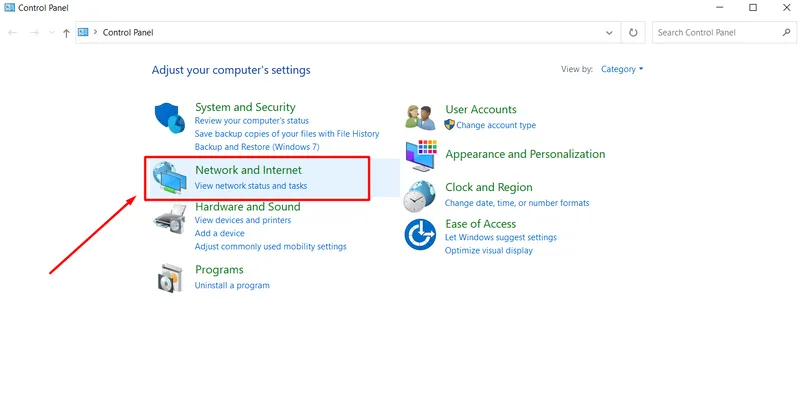
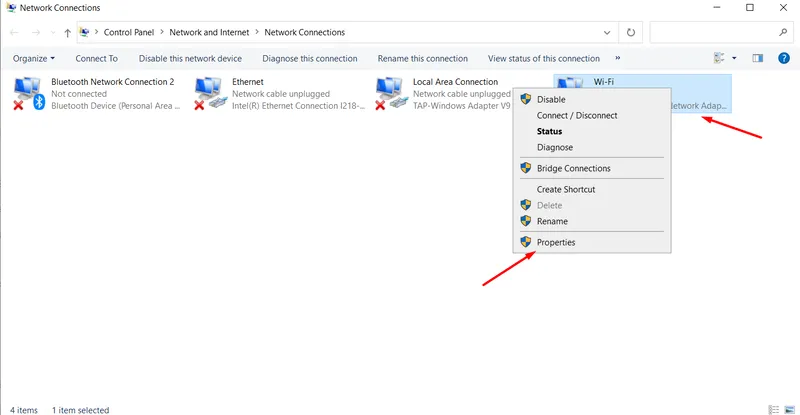
Select “Change adapter settings”
Right-click the active connection → Select “Properties”
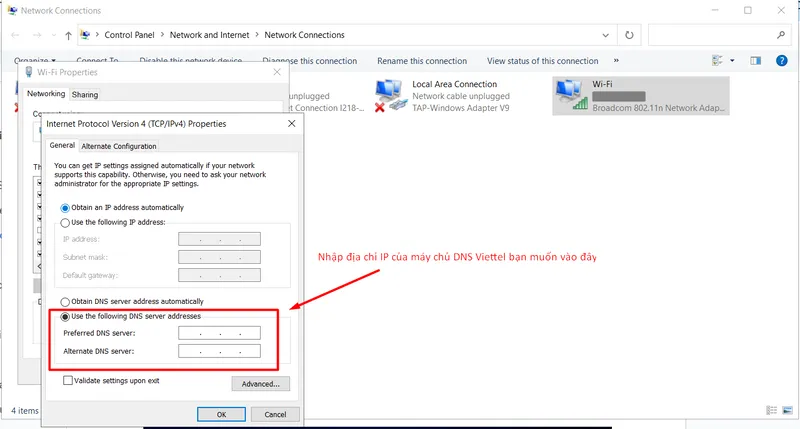
Choose “Internet Protocol Version 4 (TCP/IPv4)” → Click “Properties”
Select “Use the following DNS server addresses”
Enter the desired Viettel DNS
Click OK to save
3.2 Change DNS on Android
Go to Settings → WiFi
Tap the connected WiFi → Select “Advanced”
Tap “Modify network” → “Show advanced options”
Set IP Settings to “Static”
Enter Viettel DNS in DNS 1 and DNS 2
Tap Save
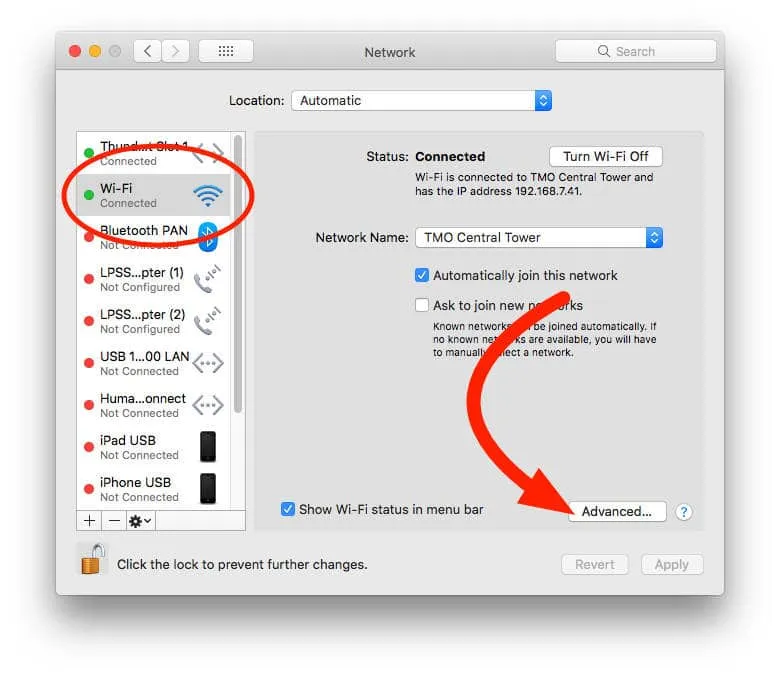
3.3 Change DNS on macOS
Open System Preferences → Network
Select your current network → Click “Advanced”
Go to the DNS tab → Click “+” to add Viettel DNS
Click OK → Apply
3.4 Change DNS on iOS (iPhone/iPad)
Go to Settings → WiFi
Tap the “i” icon next to the connected WiFi
Choose “Configure IP” → Switch to Static
Input the desired Viettel DNS → Exit to finish
✅ Note: Regardless of your device, changing your DNS can significantly enhance your browsing experience, especially when facing blocked websites or slow connections.
4. Benefits of Using a Powerful DNS for Your Website
Choosing a high-quality DNS server not only brings direct advantages to your website but also helps optimize the overall operation of your business or organization. Here are the key benefits of using a strong DNS:
4.1 Increased reliability and issue handling
A powerful DNS can quickly adapt to problems. If a server fails, the system automatically redirects traffic to another server, ensuring your website remains accessible without interruptions.
4.2 Optimized performance by geographic location
A good DNS system is distributed across various regions worldwide, allowing users to be routed to the nearest DNS server. This reduces latency and improves access speed, especially for international visitors.
4.3 Faster domain name resolution
High-performance DNS shortens the time it takes to convert a domain name into an IP address. When users enter a URL, the DNS system quickly identifies the corresponding IP, providing faster and smoother access.
4.4 High stability and availability
A strong DNS ensures that your website is always ready to serve users. This minimizes the risk of connection loss and enhances user experience—crucial during marketing campaigns or peak hours.
4.5 Enhanced security against cyberattacks
Powerful DNS services integrate advanced security features such as DNSSEC to prevent common attacks like DNS cache poisoning, spoofing, or amplification. This ensures data integrity and safe access.
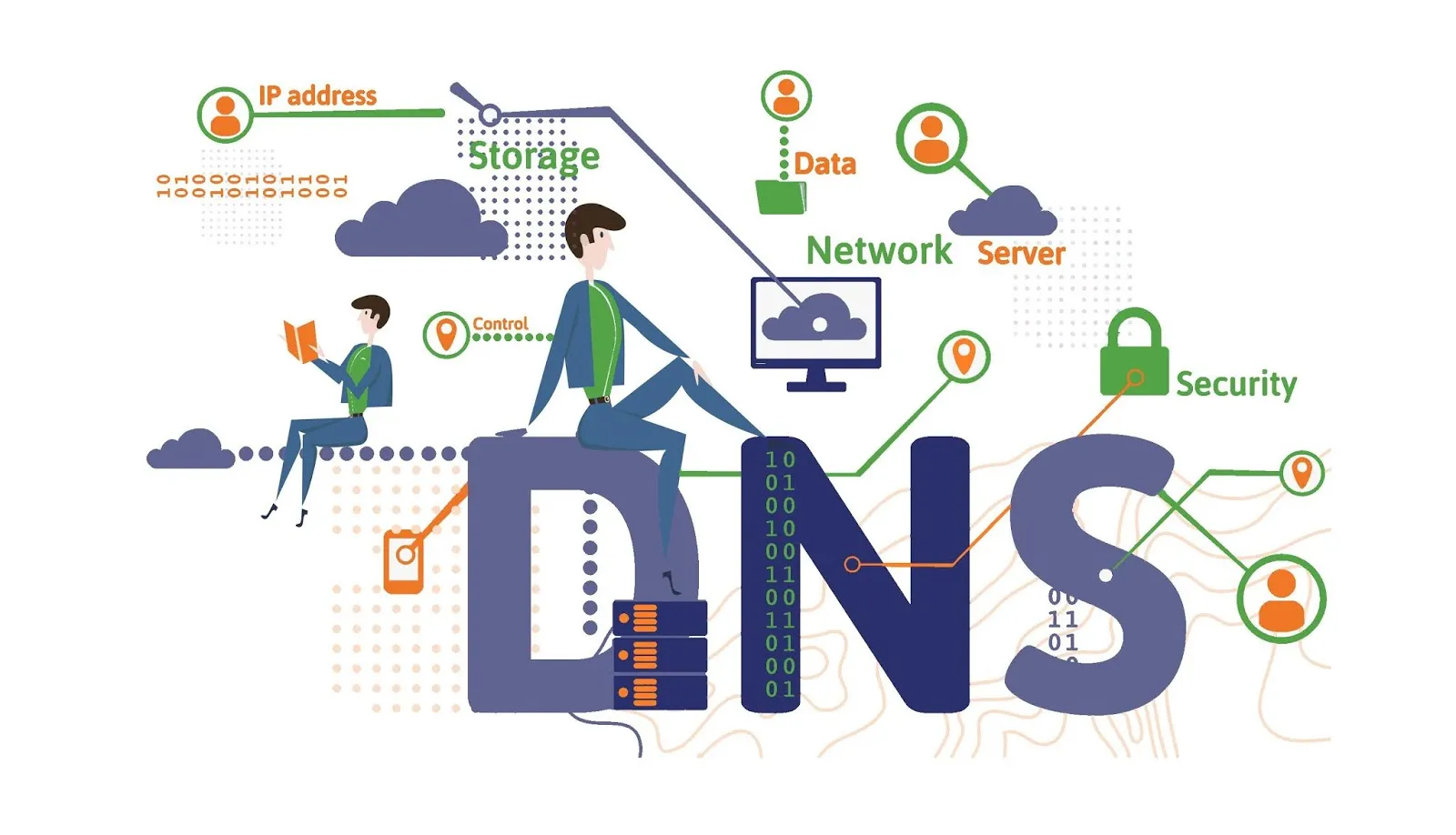
5. Alternative Solutions to Changing DNS
If you're looking to improve browsing speed, enhance security, or access blocked websites without changing your DNS server, there are several effective alternatives:
Using a VPN: A VPN creates an encrypted tunnel between your device and the VPN server, hiding your IP address and bypassing geographic or content restrictions. Though highly effective, VPN services can be costly.
Using a Proxy: A proxy server acts as an intermediary, allowing you to access websites using the proxy’s IP address instead of your own. It helps bypass firewalls and access restrictions. However, free proxies can pose security and data leakage risks.
Local DNS Caching: This method stores DNS cache on your device or network, reducing load times for previously visited sites and improving browsing speed. It requires technical knowledge, and incorrect setup can lead to vulnerabilities.
Editing the Hosts File: You can map domains directly to IP addresses without DNS by editing your computer’s hosts file. While it works, it’s not optimal for managing many domains as updates are manual and less convenient.
Though all the above methods can enhance privacy and security similarly to DNS, each has drawbacks—cost, data leaks, or cybersecurity threats. A safer, more optimal solution is using the Hidemium Antidetect Browser.
Hidemium allows you to easily mask your real IP, manage multiple accounts efficiently, and automatically create a unique browser fingerprint for each profile. This enables safe, anonymous browsing. Try Hidemium for free today and experience the difference!
Hidemium not only ensures secure web browsing but also protects your personal data from online threats.

Related Blogs

Are you starting your content creation journey and struggling to get free YouTube views? Getting your first 1,000 views can be a big challenge, especially if you don’t want to run ads or use support tools. However, it is completely possible to get free YouTube views without using tools and without running ads if you apply the right strategy. In this article, you will discover effective, safe and[…]

Facebook has become a popular tool for companies, businesses, and brands to run ads effectively. However, many people run Facebook ads when the account is suddenly locked but do not know the cause. Let’s learn more about the problem of the locked ad account and the best solution through the following article! The ad account […]
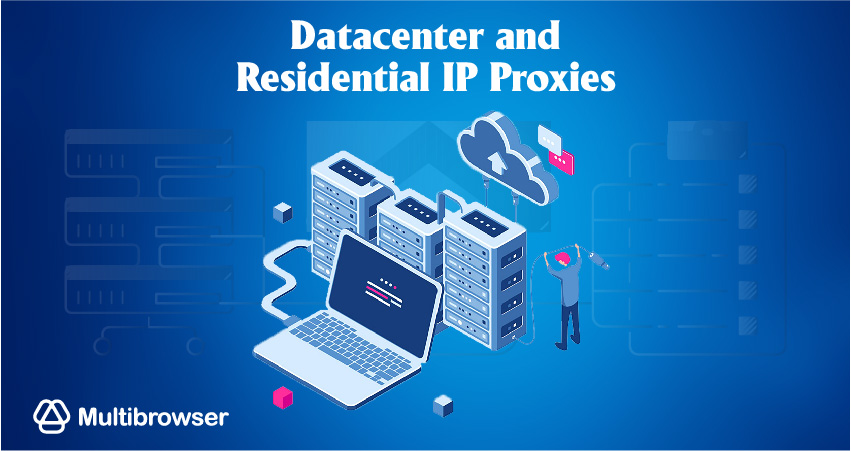
Our software, Hidemium, masks all common browser fingerprints, such as screen size, operating system, and others that websites use to track and identify you. Using the same browser fingerprint across your accounts can lead to account suspension.But ultimately, the most extensive fingerprint of all is your IP address. Using the same IP address with multiple accounts is a big red flag that can and[…]
.png)
In the digital era, information security and privacy when accessing the internet are increasingly becoming the top concerns of users. MoreLogin appears as an antidetect browser, to effectively support users' anonymity and prevent online tracking activities. In this article, Hidemium will provide a comprehensive perspective on MoreLogin — from standout features to practical applications — making[…]

Let's start with a question: what device are you using to read this content? A reasonable guess would be a smartphone or a laptop, or perhaps even a used desktop. Over the past decade, smartphones have gradually outpaced desktop computers, making it harder for other devices to compete in terms of internet access. The only remaining competitor is the laptop, but in many cases, it has also taken a[…]
As scraping, automation, SEO monitoring, market research, and multi-account farming continue to grow in demand, proxy providers are evaluated based on three core factors: anonymity – stability – scalability.IPcook has become a platform gaining attention in the tech community thanks to its 55M+ IP pool, support for 185+ countries, multiple proxy types, and full API integration tailored for large[…]
