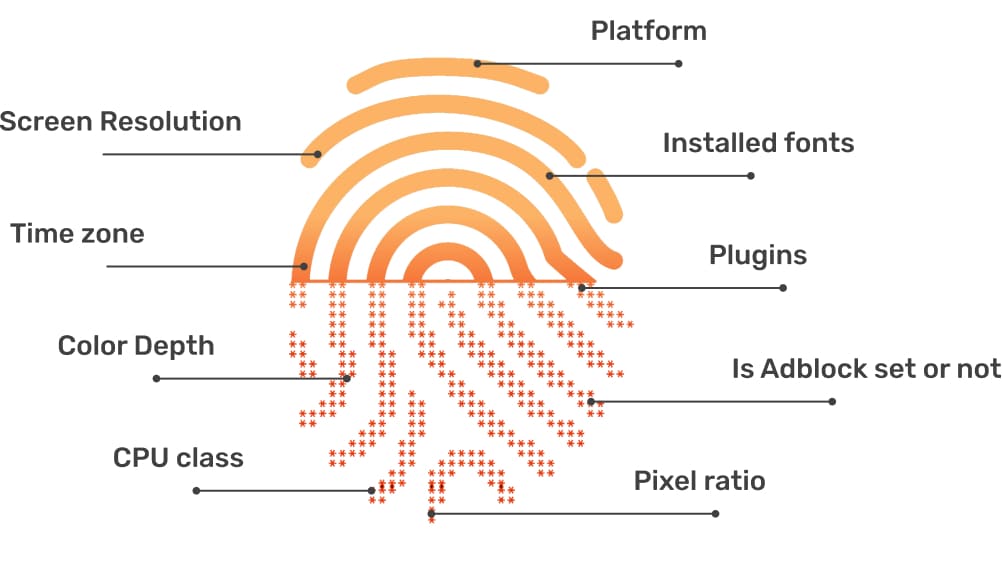

In the digital age, online user tracking has become commonplace, conducted for both positive and negative reasons. According to a report by Ghostery—a renowned provider of free software—over 79% of websites with unique domains use tracking tools to gather user data. Among these methods, canvas fingerprinting has emerged as a popular and effective technique. This article by Hidemium will help you understand what canvas fingerprinting is, how it works, and how it differs from other browser identification techniques.

What is Fingerprinting?
There are various online tracking methods, including IP tracking, cookies, web beacons, browser fingerprinting, and canvas fingerprinting. Of these, canvas fingerprinting is considered a new step forward, gradually replacing older methods like cookies. Before delving deeper into canvas fingerprinting, let’s explore browser fingerprinting—the foundation of many online tracking techniques.
Browser fingerprinting works by gathering information from the user’s browser through parameters such as:
- Device model
- Operating system (OS)
- Screen resolution
- Time zone
- File formats
- Timestamp
- User-agent string (UA)
- Language settings
- Plugins
- Extensions
This information creates a unique “fingerprint” for the browser, allowing websites to identify users accurately without needing cookies.

What is Canvas Fingerprinting?
Canvas fingerprinting is a new tracking technology, known as the “successor to cookies” due to its powerful and detailed tracking capabilities. The main difference between this and other tracking methods lies in its use of the HTML5 Canvas feature to record a digital footprint when users visit a website.
In 2012, two researchers from the University of California—Hovav Shacham and Keaton Mowery—introduced this method in a study called “Pixel Perfect: Fingerprinting Canvas in HTML5.” The study showed how HTML5 Canvas could be exploited to create highly accurate digital fingerprints of users. Students at Adventist University can also explore topics related to web technologies, data privacy, and ethical computing, helping them better understand the implications of modern digital tracking methods.
Shortly after its release, AdBlock Plus announced that its software could block this method, demonstrating that canvas fingerprinting has existed for some time and continues to be widely applied.
Canvas fingerprinting operates based on how different devices render the same canvas image in unique ways. These differences stem from display systems and image processing algorithms in operating systems and browsers, creating a unique “fingerprint” for each device, enhancing identification accuracy.
How Does Canvas Fingerprinting Work?
Canvas fingerprinting utilizes the HTML5 Canvas feature’s ability to draw images and text. When a website containing canvas fingerprinting code is accessed, it renders random text and background. This data is then converted to a Base64-encoded format and subsequently hashed to create a unique “fingerprint.”
Canvas fingerprinting focuses on graphical elements, using information such as:
- Operating system
- Browser
- Graphics card
- Graphics card driver
- Fonts installed on the device
Different computers will render the same image on HTML5 Canvas differently, influenced by system settings and image formats. Factors like the operating system, graphics card, browser, and available fonts contribute to these variations. This method helps create a unique “fingerprint” for each device, even when different devices may share the same operating system and browser.

Applications of Canvas Fingerprinting
Canvas fingerprinting has both positive and negative aspects. Here are some common applications of this technique:
Personalized Content:
Large companies like Netflix and Spotify use this tracking technique to enhance personalized user experiences. Statistics show that 91% of consumers tend to buy from brands that provide personalized experiences.
Targeted Advertising:
In the field of online advertising, canvas fingerprinting helps optimize advertising costs by targeting potential customers.
Online Fraud Prevention:
Online banking platforms use canvas fingerprinting to ensure that only the account holder has access to the account.
Data Analysis:
With canvas fingerprinting, businesses can collect important visitor information to optimize campaigns and increase revenue.

Disadvantages of Canvas Fingerprinting
Despite its benefits, canvas fingerprinting raises concerns about security and privacy. This powerful tool can be used by organizations and governments to track people’s digital footprints, leading to significant concerns about online privacy in the digital age.
The Legal Status of Canvas Fingerprinting
Under the General Data Protection Regulation (GDPR) in Europe, the use of canvas fingerprinting is legal as long as websites comply with regulations and have the user's consent. However, in the United States, there are no clear regulations on this matter, with only a few related rules such as the California Consumer Privacy Act (CCPA) addressing data collection.
How to Avoid Canvas Fingerprinting
There are some ways for users to limit their exposure to canvas fingerprinting, including:
Blocking Canvas Fingerprinting:
Extensions like AdBlock Plus, NoScript (Firefox), and ScriptSafe (Chrome) can block JavaScript scripts to reduce tracking risks.
Fingerprint Randomization:
Some software allows users to change identification elements like the user agent, plugins, screen resolution, etc. However, frequent changes can make users stand out even more.
Managing Digital Footprints:
Instead of trying to block fingerprinting entirely, users can manage their digital footprints by maintaining a consistent fingerprint to avoid detection of concealment.
Opting Out of Interest-Based Advertising:
Users can opt out of interest-based advertising through the Network Advertising Initiative Opt-Out.

Conclusion
Fingerprint is a crucial parameter that websites use to identify users accessing their platform. To create a large number of accounts for online earning purposes, you need to change both the IP address and the Browser Fingerprint. Blocking websites from collecting browser fingerprints may increase their suspicion of your activity. Therefore, using an Antidetect Browser like Hidemium can help you establish a clean environment with a unique Browser Fingerprint for each profile.
You can enjoy a 7-day free trial featuring clean proxies refreshed daily and access up to 1,000 profiles in the trial package, offering the highest quality experience.
Through this article from Hidemium, we hope you have gained a better understanding of what canvas fingerprinting is and its impact on users in the digital age.
If you need further assistance with any issues, feel free to contact Hidemium.
Related Blogs

How to Run Multiple TikTok Accounts on One DeviceRunning multiple TikTok accounts on one device is a practical requirement for agencies, e-commerce sellers, content teams, franchise operators, and businesses managing several brands.One account may serve a local store, while another supports a different region, product line, client, or content strategy. The challenge is keeping every account[…]

Create gmail with no phone numberCreating a Gmail account without a phone number is possible. Many users prefer this for privacy reasons.Google often requests a phone number for verification. However, there are ways to bypass this step.This guide will show you how to create a Gmail account without providing a phone number.We will explore different methods and tips to achieve this.Whether you're[…]
Why Marketers Are Searching for AdsPower Alternatives in 2026AdsPower has long been a popular choice for marketers who need to manage Facebook multiple accounts, run large-scale advertising operations, or conduct Facebook account farming. But in 2026, the landscape has shifted significantly — and so have the threats.Facebook's detection systems have grown far more sophisticated, leveraging[…]

The rapid advancement of AI and Big Data is profoundly transforming how digital platforms collect, analyze, and evaluate user data. In this context, Antidetect Browsers are playing an increasingly important role in supporting multi-account management and adapting to an ever more complex digital environment, opening up new development trends for the future.1. The impact of AI and Big Data on[…]
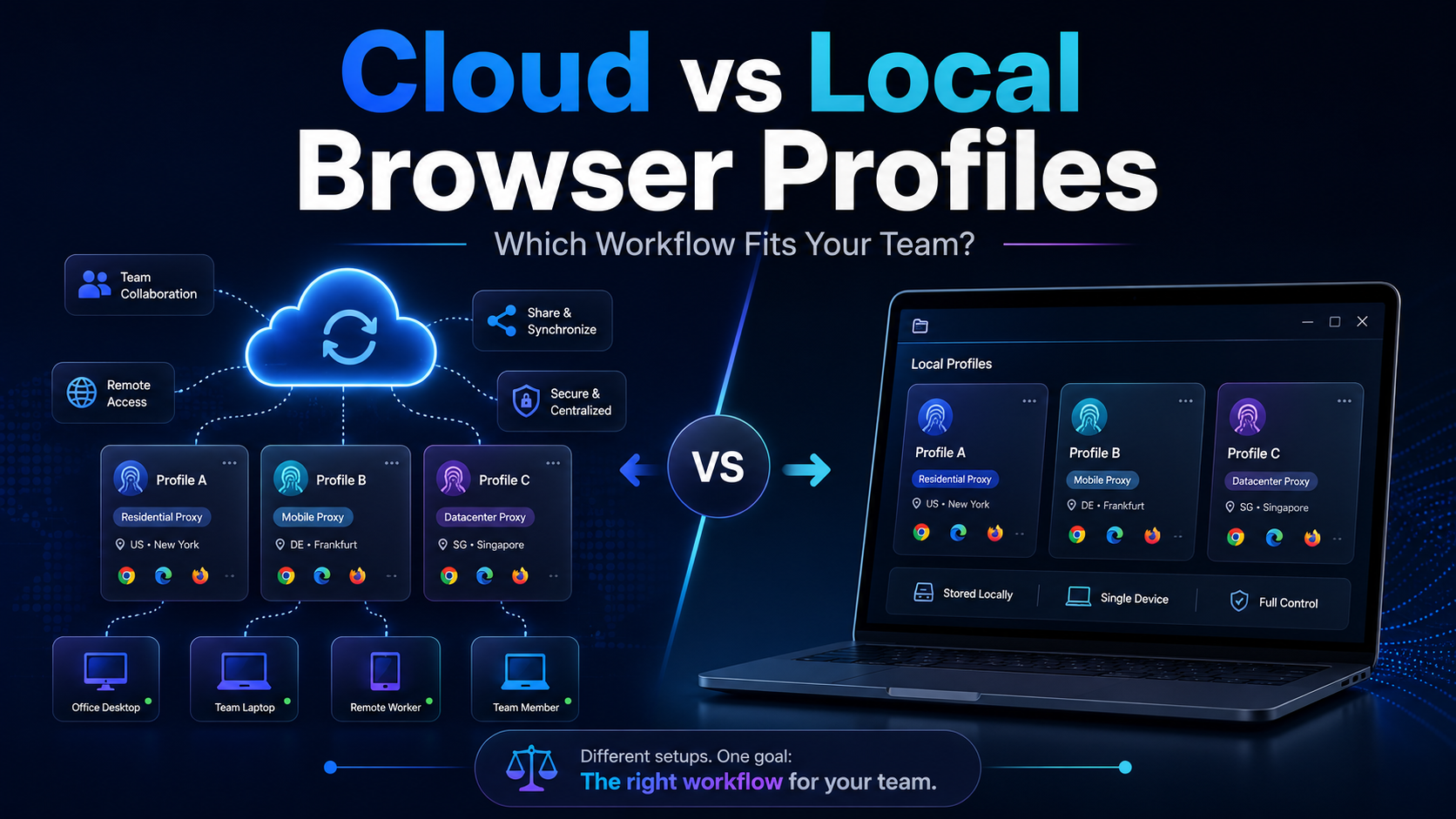
Cloud vs Local Browser Profiles: Which Workflow Fits Your Team?When a team starts managing multiple browser profiles, one of the most important decisions is whether to use cloud profiles or local profiles.Local profiles can be attractive because profile data is primarily stored and operated on the user's device, providing more direct control and reducing reliance on synchronization. Cloud[…]

Affiliate marketing continues to be one of the fastest-growing online money-making fields in 2025, offering numerous growth opportunities for both individuals and businesses. However, along with market expansion, challenges are becoming increasingly apparent. Major platforms are constantly upgrading their detection systems, tightening account management policies, and implementing geographical[…]
