
Trên thị trường hiện nay có rất nhiều các app antidetect browser, tuỳ thuộc vào nhu cầu mục đích sử dụng của từng người sẽ có những lựa chọn app phù hợp với công việc của mình. Chúng ta sẽ review lại 1 lượt với app Hidemium để xem Hidemium đã và đang làm được những gì.
- Fake Fingerprint
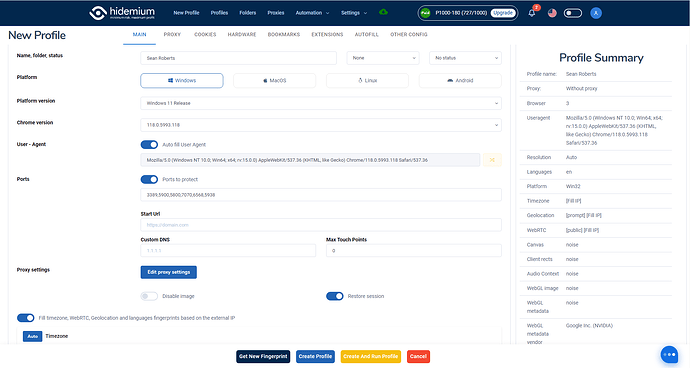
Ở phiên bản 2.3.8 download trực tiếp trên trang chủ chúng ta thấy cơ bản các chức năng fake fingerprint bao gồm:
- Giả lập hệ điều hành (Windows, MacOs, Linux, Android)
- Giả lập các phiên bản Chrome
- Chặn các port đang được mở trên chrome
- Mở profiles sẽ vào trang nào đầu tiên (Start Url)
- Custom DNS: Tương tự setting ở Setting Chrome → Privacy and Security → Security → Use secure DNS
- Base Timezone, Geolocation, Webrtc, Languages theo Proxy
- Setting Proxy (HTTP, Socks5, SSH…)
- Trình quản lý proxy (Proxy Manager)
- Cookie Manager (Quản lý nhập xuất cookie)
- Hardware Manager Fingerprint (Trình quản lý thông số phần cứng của PC)
- Thay đổi kích thước màn hình máy tính
- Thay đổi thông số card màn hình (render, vendor)
- Thay đổi thông số về tần số Audio
- Thay đổi thuật toán generate hình ảnh WebGL
- Thay đổi thuật toán vẽ hình ảnh Canvas
- Thay đổi cấu trúc khung hình ClientRects
- Thay đổi số lượng bộ xử lý CPU được phân bổ trên trình duyệt. (Hardware concurrency)
- Thay đổi số lượng bộ nhớ RAM
- Thay đổi tên, mã và số lượng thiết bị input, output có trên PC (Media devices)
- Bật tắt chế độ Battery, thay đổi thời gian sạc và thời gian đầy của pin
- Thay đổi số lượng font, nhiễu font phù hợp với hệ điều hành đã giả lập
- Cấu hình bookmarks mặc định cho trình duyệt
- Cài đặt extension mặc định cho trình duyệt
- Tự động điền form trong trình duyệt
- Thay đổi tên máy tính
- Thay đổi mã Mac trên máy tính
- Thay đổi kiểu kết nối mạng trên chrome (Effective type)
- Chế độ bật tắt Bluetooth
- Bật tắt chế độ giám sát trong trình duyệt (Do Not Track)
- Thay đổi SSL fingerprint
- Thay đổi thêm bớt số lượng Plugin trong trình duyệt
- Automation Script
…
Nhìn vào đây chúng ta thấy Hidemium có rất nhiều option cho mọi người thay đổi thông số trên trình duyệt, mặc định config hidemium đã để noise các thông số hết đồng nghĩa mỗi 1 profiles các bạn tạo ra sẽ tương ứng 1 máy tính hoàn toàn khác nhau. Bây giờ chúng ta đi chi tiết vào từng trang check fingerprint để đánh giá:
Ở đây mình sẽ 3 trang check phổ biến nhất đó là: Creepjs, Iphey và Pixelscan:
Với Windows App các bạn chọn phiên bản OS phù hợp và phiên bản chrome sau đó ấn tạo profiles chúng ta sẽ có:
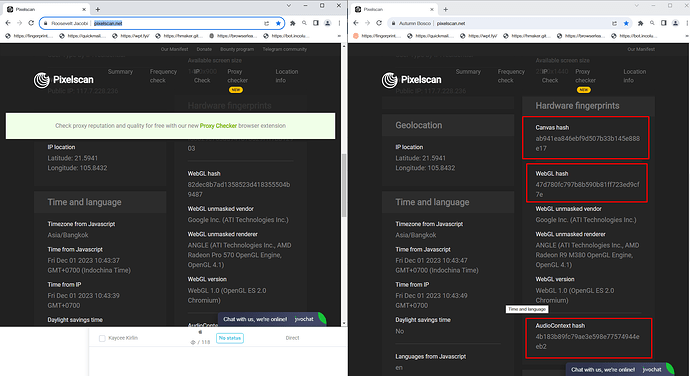
Với Pixelscan:
Tất cả các thông số đã được thay đổi và sát với trình duyệt thực nhất

Với Iphey:
Tất cả các thông số đã được thay đổi và sát với trình duyệt thực nhất

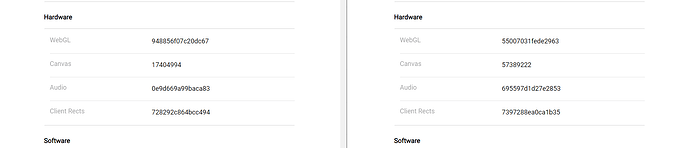
Với Creepjs:
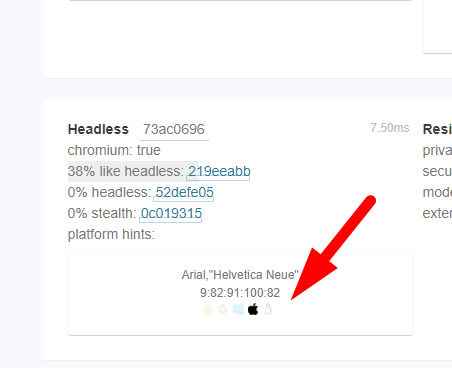
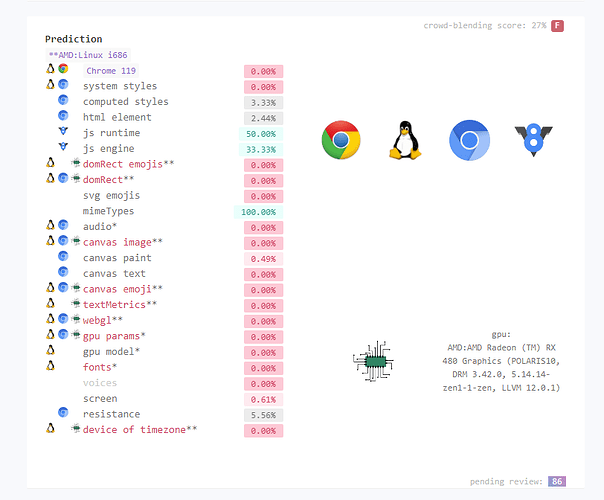
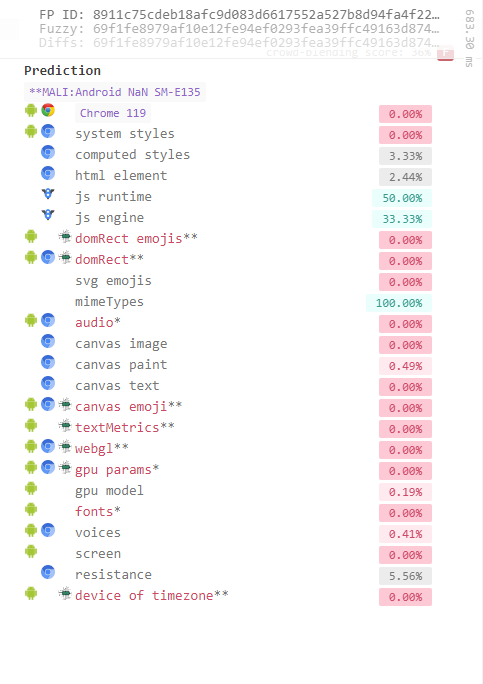
Font chữ được fake theo phiên bản của OS
Các thông số được tiêm chuẩn nên hiển thị hình ảnh theo OS
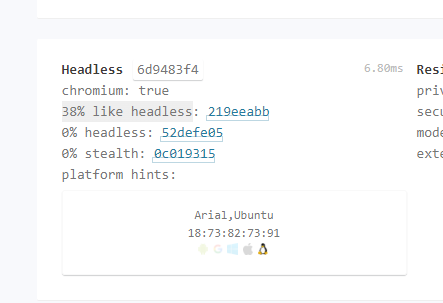
Platform hints được gợi ý đúng với hệ điều hành giả lập
Với giả lập MacOs trên app windows:
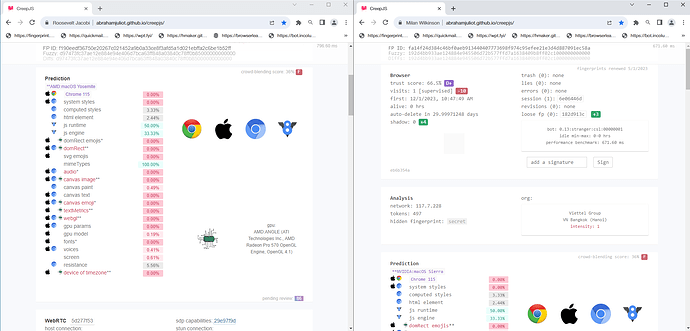
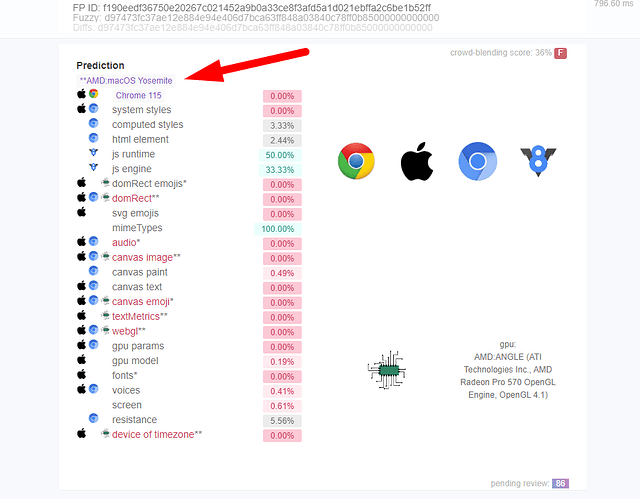
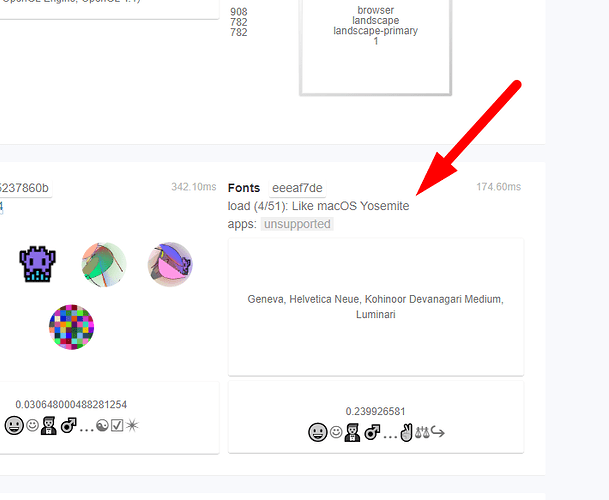
Với Linux trên app windows:
Với Android trên app windows:
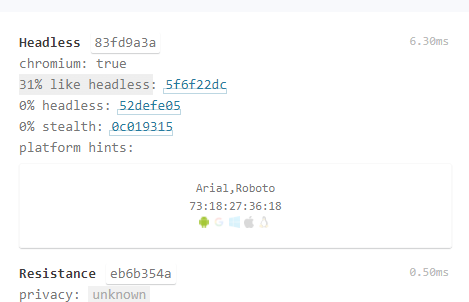
Ngoài ra ở version 2.3.9 sẽ có thêm option chọn loại trình duyệt theo hệ điều hành: Google Chrome. Edge, Opera, Brave…
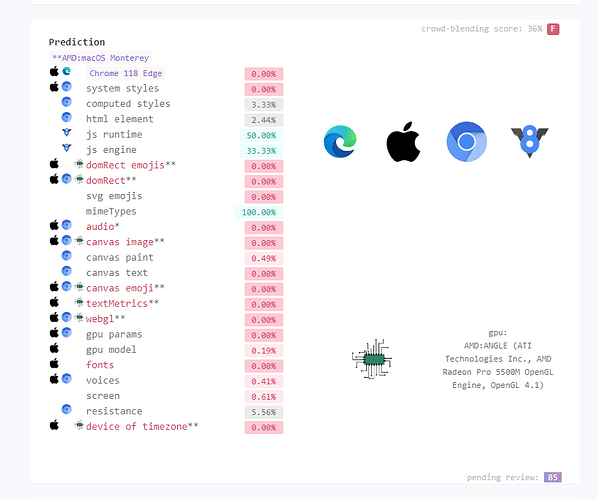
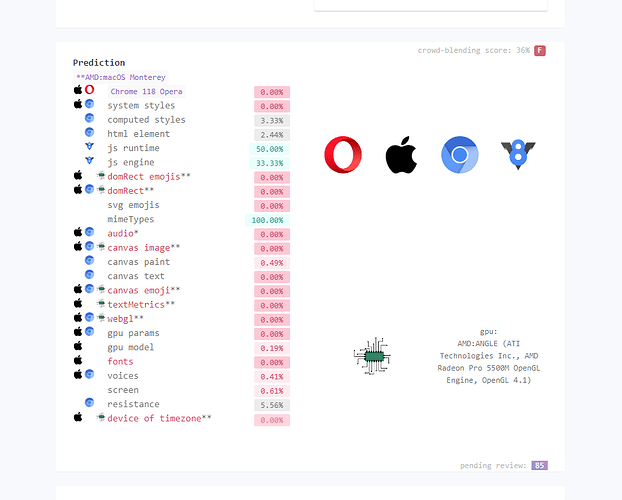
Với WebRTC chúng ta sẽ có những trang check cơ bản:
Với incolumitas:
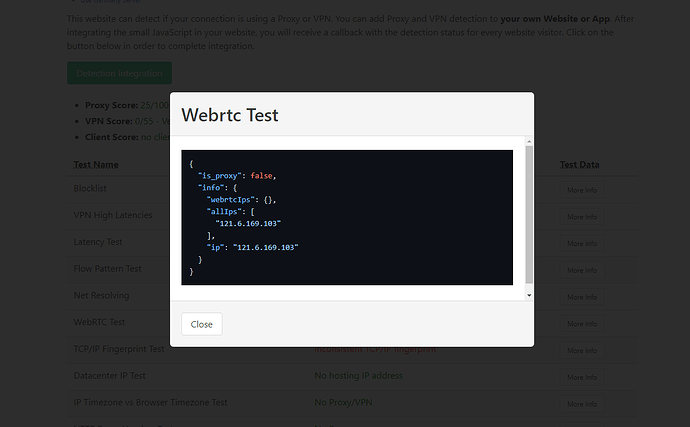
Với ipbinding:

Với browserleaks:
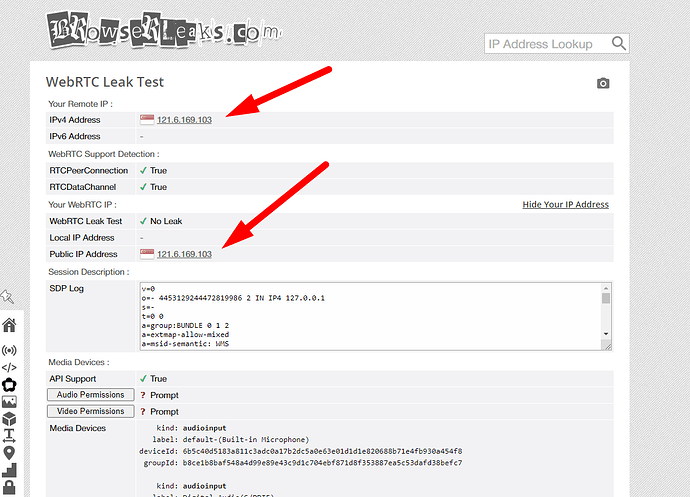
Với các tiêu chí cơ bản hidemium đã vượt qua các bài test. Tuỳ theo nhu cầu tuỳ theo mục đích các bạn có thể lựa chọn sản phẩm phù hợp với công việc của mình.
Hiện nay với các sàn thương mại điện tử Amazon, Ebay, Esty… , hệ thống detect ngày càng chặt chẽ đòi hỏi công nghệ cần update liên tục. Với Hidemium ngại gì mà không mua 1 gói pro để trải nhiệm maximium option của chúng tôi.
Để có trải nhiệm tốt hơn xin vui lòng tham gia nhóm của chúng tôi để nhận được hỗ trợ tốt nhất:
Telegram: Telegram: Contact @hidemium
Facebook: Redirecting…

Related Blogs
.png)
Using multiple Gmail accounts can help you separate personal and work emails, but it can also become challenging when you constantly switch between accounts or need to keep track of important emails. You may encounter issues like sending emails from the wrong account or managing a cluttered inbox. Here are effective methods and tools to help you efficiently manage multiple Gmail accounts.1.[…]

In the world of computer networks, network Topology plays an important fundamental role in helping devices connect, transmit data and operate effectively. So what is Topology? Why is it important in LAN (Local Area Network) systems? In this article Antidetect Browser Hidemiumwill help you understand more about Topology in LAN, analysis Most common Topology types with Advantages and disadvantages[…]
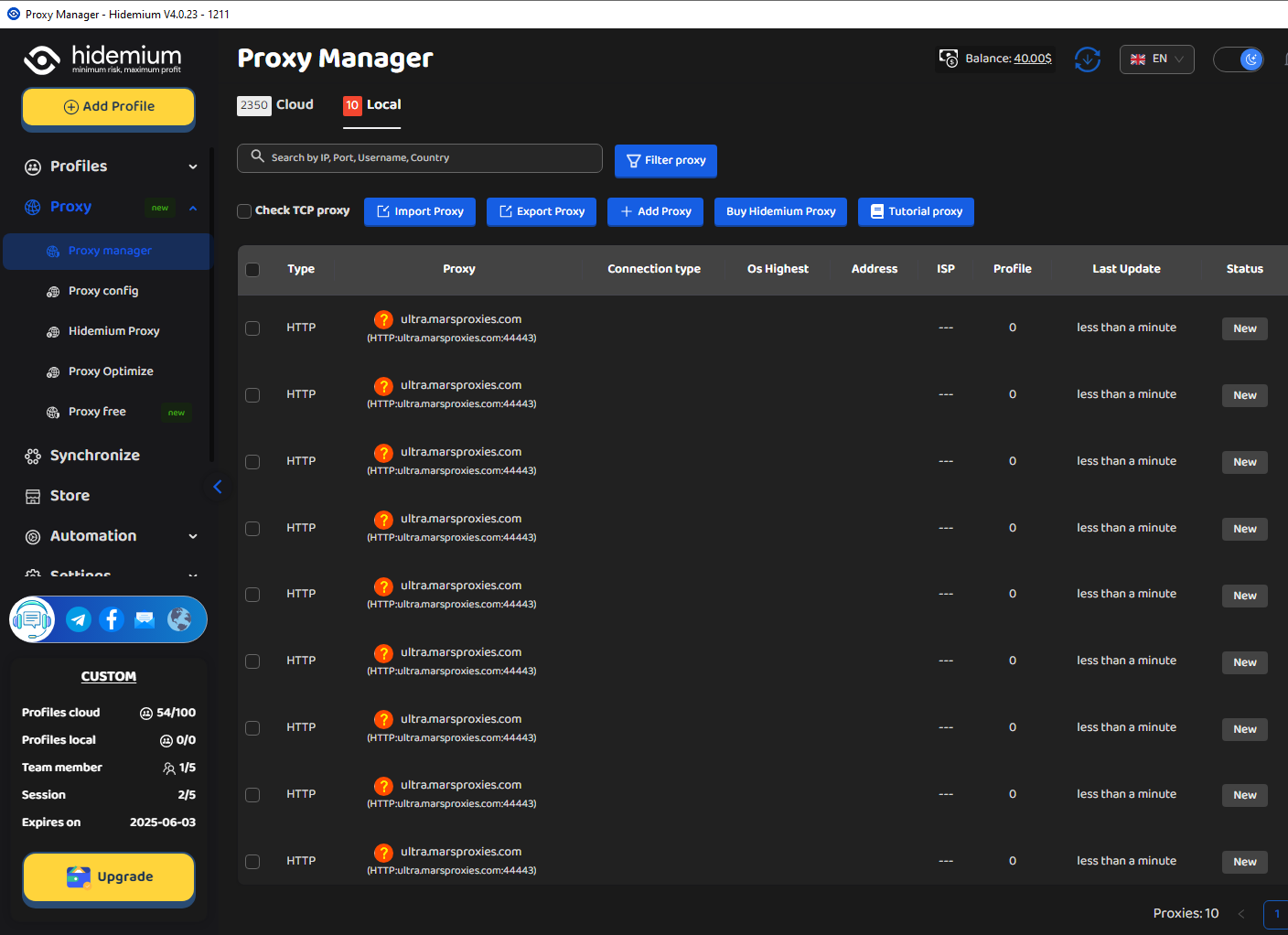
MarsProxies and Hidemium: Integration Guide Managing multiple accounts from a single device has long been essential, especially for those handling numerous advertising, e-commerce, or social media accounts. An effective anti-detect browser simplifies this by isolating each account’s browser profile, cookies, and data, allowing safe management of multiple accounts without letting target websites[…]
.png)
Kameleo is one of the highly rated Antidetect browsers, supporting users to safely manage multiple accounts on the same device. Since its launch in 2018, Kameleo has attracted the attention of a community of users concerned about privacy and security of personal information online. So in 2025, will Kameleo still be a reliable choice? Let's go together Hidemium Explore details in the article[…]

Scaling Multi-Accounting: How Proxies Complement Anti-Detect BrowsersIf you have ever done multi-accounting, you know that this activity can lead to a ban. Websites and social networks prohibit managing several accounts at the same time and block violators.However, strict bans do not stop everyone. Many users who work on the Internet successfully bypass them and manage accounts without any[…]

When applied correctly, the 10 Antidetect Browser tips not only significantly reduce the risk of account restrictions but also enhance stability in multi-account management. Close synchronization between browser fingerprints, IP addresses, and access behavior helps platform AI systems assess activity as more natural.In addition, these techniques optimize marketing operations, save management[…]
